

Core Rollback
Seamless rollback of WordPress Core to latest release or any outdated, secure release using the Core Update API and core update methods.
Plugin info
Maintenance & Compatibility
Maintenance score
Maintained • Last updated 136 days ago • Support resolved 0% • 13 reviews
Is Core Rollback abandoned?
Likely maintained (last update 136 days ago).
Compatibility
Similar & Alternatives
Explore plugins with similar tags, and compare key metrics like downloads, ratings, updates, support, and WP/PHP compatibility.
Description
Seamless rollback of WordPress Core to latest release or any outdated, secure release using the Core Update API and core update methods. Only latest release and outdated, secure releases are offered. Refer to https://api.wordpress.org/core/stable-check/1.0/ Logo from a meme generator. Original artwork by Allie Brosh.
Usage
From the Tools menu select Rollback Core, select the version you wish to rollback to from the dropdown and click Rollback. You will be directed to the update-core.php page where you should see a button to Re-install your specified version. If you move away from the update-core.php page before clicking the Re-install button you will have 15 seconds to return and complete the process or you will need to start over.
In multisite use the Settings menu.
WARNING: Downgrading WordPress Core may leave your site in an unusable state requiring a complete reinstall or a forced reinstall using WP-CLI, wp core update --force --version=5.5.3. It may also leave your site broken due to a plugin or theme incompatibility. Use at your own risk.
Rollbacks use your current locale.
PRs are welcome.
Installation
Frequently Asked Questions
Review feed
Very useful
Works as Expected
Very Good. Works Well
Works great!
Bless this plugin
Screenshots
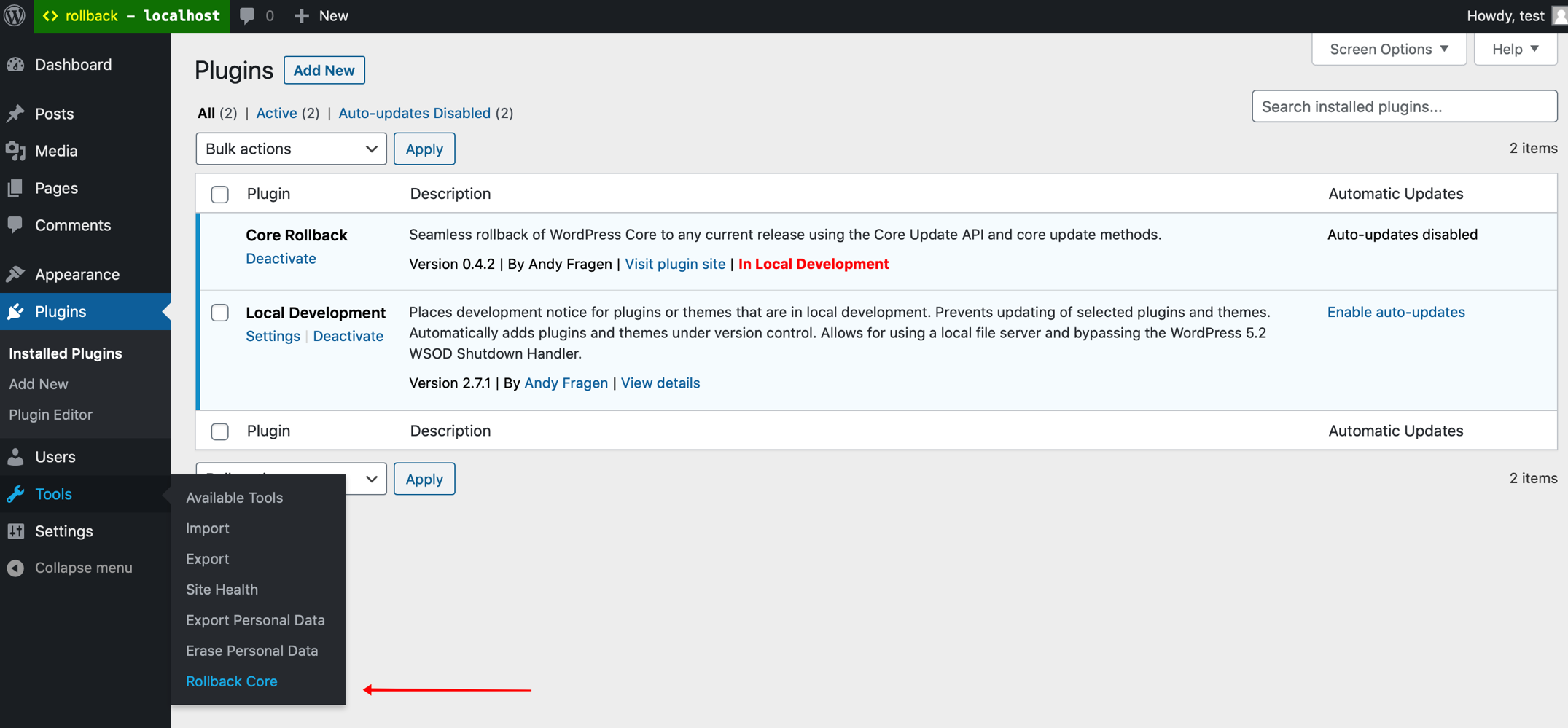
Tools menu item
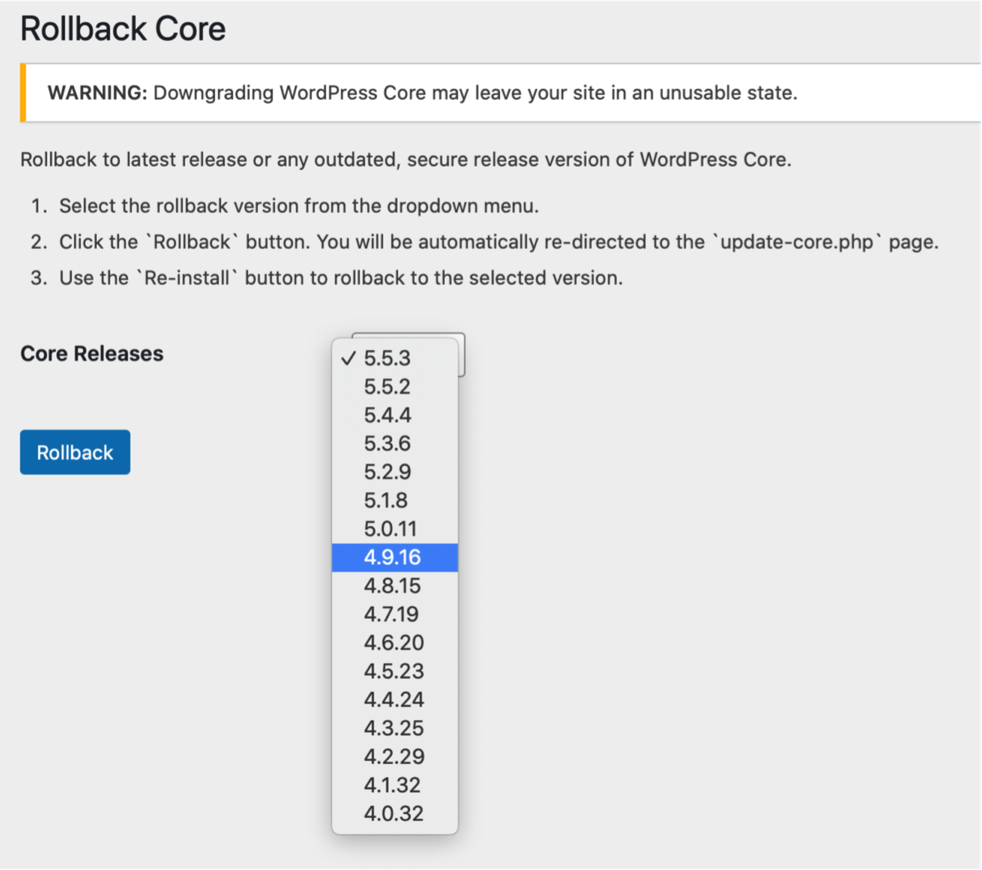
Rollback Core action dropdown

Re-install Now button for rollback
Changelog
1.4.0 / 2025-11-17
- return rollback offer with
update_coretransient - update POT GitHub Action
1.3.7 / 2024-12-02
- start in
inithook - add GitHub Action to generate POT
1.3.6 / 2024-11-01
- remove
load_plugin_textdomain() - composer update
1.3.5 / 2023-07-12
- update rollback choices for PHP version
1.3.4 / 2023-02-07
- composer update
1.3.3 / 2023-02-05
- update for PHP 8.1
1.3.2 / 2022-05-10
- use
wp_is_block_theme()for check
1.3.1 / 2022-02-08
- use
sanitize_key()for nonces
1.3.0 / 2022-01-28
- filter WP versions with significant deprecation notices/errors for newer PHP versions
- add notice about limiting of rollback options for PHP versions
1.2.4 / 2022-01-14
- proper nonce verification of settings page
- remove unneededd
version_comparecheck for notice
1.2.3 / 2022-01-11
- I suck and so do typos
1.2.2 / 2022-01-11
- need to use
method_existsin check to properly function
1.2.1 / 2022-01-11
- add
function_exists( 'is_block_theme' )check to avoid fatal
1.2.0 / 2022-01-10
- add method to return array of block capable WP versions for rollback
1.1.2 / 2022-01-10
- add notice if currently using block theme, thanks @costdev
1.1.1 / 2021-10-14
- use
sanitize_title_with_dashes()assanitize_file_name()maybe have attached filter that changes output
1.1.0 / 2021-07-07
- add @10up GitHub Actions for WordPress SVN
1.0.1 / 2020-12-4
- fix text-domain in string, thanks Alex
1.0.0 / 2020-11-17
- initial release to dot org repository
- add
Class Bootstrapto intiate process - updated instructions, etc
- add assets, screenshots, banners, icon
- add
readme.txtand clean upcreate_admin_page() - add warning notice to settings
- add
force-checkquery arg to redirect to more consistently display theRe-install Nowbutton. - limit rollbacks to WP > 4.0, I found some non-recoverable issue in my local testing
- initial release