

EM Cost Calculator
EM Cost Calculator is a dynamic plugin which allows you to edit any service, it's price and also the currency. When visitors will click on the c …
Plugin info
Maintenance & Compatibility
Maintenance score
Possibly abandoned • Last updated 2330 days ago • 1 reviews
Is EM Cost Calculator abandoned?
Possibly abandoned (last update 2330 days ago).
Compatibility
Similar & Alternatives
Explore plugins with similar tags, and compare key metrics like downloads, ratings, updates, support, and WP/PHP compatibility.
Description
EM Cost Calculator is a dynamic plugin which allows you to edit any service, it’s price and also the currency.
When visitors will click on the calculate button they will see the total cost and a button order now. They will be able to make order via order form.
HOW TO USE :
- Install & Activate the plugin
- From Admin dashboard click on widget from appearance.
- Select “EM Cost Calculator” and put it in your expected sidebar( widget holder ).
- Click on this widget “EM Cost Calculator” & name the services and their prices.
- If you don’t want any field just leave it blank.
- After finishing all edition click on save button.
- And then view the page where you added the the widget.
- Your customers list will be saved on EM Costing >> Customers-List on your admin dashboard.
- To show the calculator on a main page template, add the widget to “EM Cost Calculator” sidebar.
- Then create a new page and set the page attribute EMCC Template.
Installation
AUTO INSTALLTION:
- From your admin dashboard click on Add New from plugins.
- Then search for EM Cost Calculator.
- Click on install & then activate.
- Then follow the steps of “How to Use” from description.
MANUAL INSTALLTION:
- Click on “Download” from right side.
- Then go to your admin dashoard and click on add new from plugins.
- From upper top portion click on Upload Plugin.
- After uploading the .zip file it will be installed & then activate it from installed plugins.
- To set up the plugin follow the steps of “How to Use” from description.
Frequently Asked Questions
Review feed
Nice plugin to show the quote or cost of services
Screenshots

On a full width widget
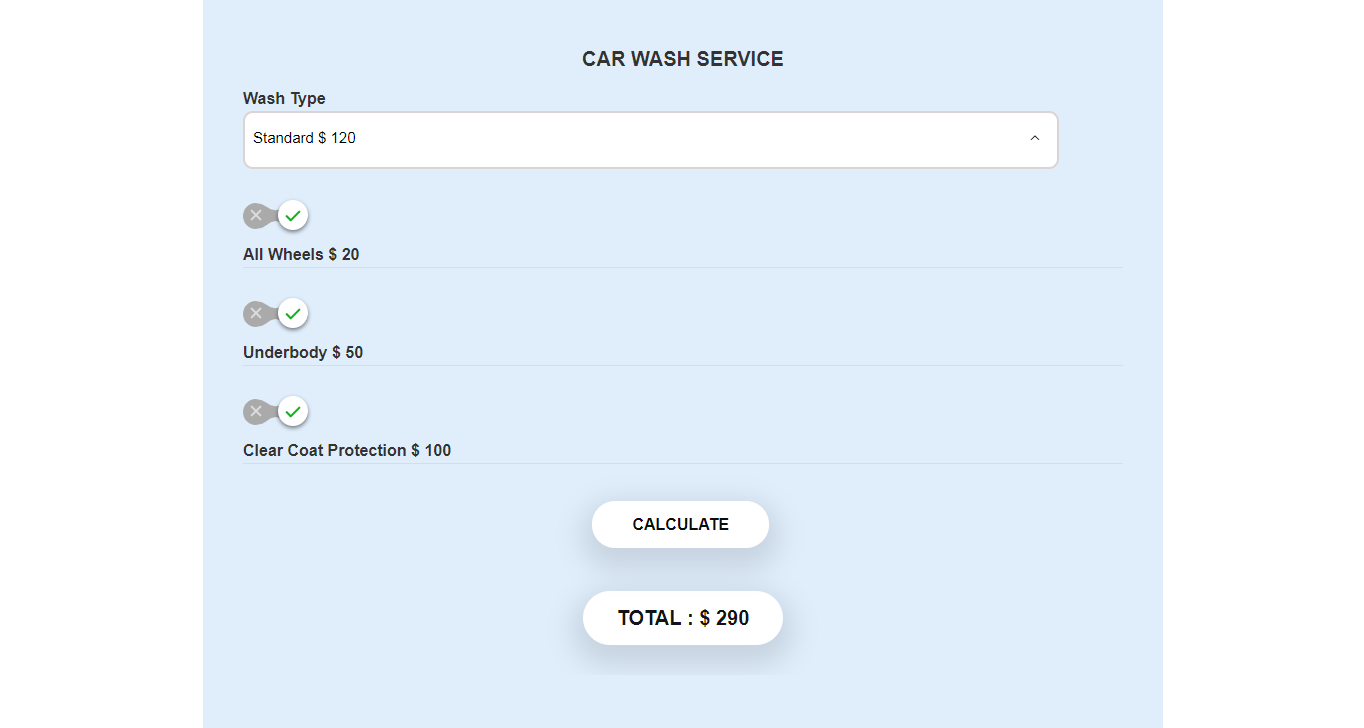
On a full width widget

On a sidebar widget

Servie name & Price setup on widget

Order form

Paypal Pay Now button( Pro )

Error notice( Pro )

Paypal payment( Pro )

Customers order list

Your(admin) email template( Pro )

Customers email template( Pro )

Email Settings Page( Pro )
Changelog
Version: 1.0
Version: 1.1.0
Version: 1.1.1
Version: 1.2.1
1.3.1
*Better css for adjusting to themes which has a narrow sidebar.
*Set service name and price both from widget setup.
1.3.2
*Added new screenshots
1.3.3
*Fixed css issue
2.1.1
*Added new screenshots
2.1.2
*Added ordering feature
2.1.3
*Tested on updated WordPress(5.2.2)
2.2.0
*Iproved the UI & Dashboard
2.3.0
*Added template for viewing the calculator on a main page
2.3.0
*Changed Demo link