

Counter Box – Add Countdowns, Timers & Dynamic Counters to WordPress
Easily add countdowns, timers, and counters to your WordPress site. Ideal for sales, events, stats, and personalized time-based experiences.
Plugin info
Maintenance & Compatibility
Maintenance score
Maintained • Last updated 153 days ago • 8 reviews
Is Counter Box – Add Countdowns, Timers & Dynamic Counters to WordPress abandoned?
Likely maintained (last update 153 days ago).
Compatibility
Similar & Alternatives
Explore plugins with similar tags, and compare key metrics like downloads, ratings, updates, support, and WP/PHP compatibility.
Description
📚 Documentation | 🚀 Try Pro Demo
Counter Box is a lightweight WordPress plugin that helps you create engaging countdowns and counters. Use it to increase urgency, highlight upcoming events, display statistics, or show time-based messages. No coding required.
🎯 Use Cases:
- Countdown to product launch or special event
- Timer for flash sales or promotions
- Show time since last update or achievement
- Personalized timers for each visitor
- Display metric-style counters (e.g., “Total Downloads”)
⚙️ Core Features:
- 7 Counter Types:
- Countdown to Date
- Weekly Countdown (auto-reset weekly)
- Time Since (e.g., “Days Since Launch”)
- Simple Timer (resets on refresh)
- Personal Timer (user-specific countdowns)
- Resumable Timer (persists across visits)
- Base Counter (static up/down value)
- Live Preview Editor – Customize in real-time
- Timezone Controls – Show correct countdowns for all visitors
- Randomized Start Values – Simulate real-time growth
- Flexible Design Settings – Fonts, sizes, colors, spacing
- JavaScript-only – Lightweight and jQuery-free
- GDPR-friendly – No cookies, no tracking
—
🚀 Pro Features
Unlock advanced tools and visibility rules with Counter Box Pro:
- Counter From Date (auto-incrementing from a start date)
- Counter From Weekday (resets every week)
- Number Formatting (e.g., 10000 10,000)
- Hide or show content based on timer end
- Redirect to URL after countdown
- Show custom messages on finish
- Trigger JS functions when timer ends
- Display based on:
- URL parameters
- Referrer URL
- Country (Geo-targeting)
- Language
- Browser
- User role
- Scheduled times
- Device type (mobile/tablet/desktop)
🎉 Upgrade to Pro to unlock these powerful options.
—
🔌 Pair with These Plugins
Boost your site’s performance by combining Counter Box with:
- Popup Box – Create engaging, custom popups to boost conversions.
- Flexi Menu – Create Floating, Sticky, Dropdown & Icon Menus Easily.
- Buttons – Create powerful call-to-action buttons.
- Calculator Builder – Insert interactive calculators inside popups.
✅ Boost engagement and conversions by combining Counter Box with these free tools!
—
Support
Need help? Ask questions and get quick answers in our support center.
Installation
📌 Install via WordPress Dashboard:
- Go to
PluginsAdd New - Search for “Counter Box”
- Click Install Now, then Activate
📌 Manual Upload:
- Download the ZIP file
- Go to
PluginsAdd NewUpload Plugin - Upload the ZIP and activate the plugin
Frequently Asked Questions
No. Counter Box is fully cookie-free and does not store any personal data. It complies with GDPR and privacy standards.
Yes. You can set each counter to follow your site’s timezone or the visitor’s local timezone depending on the use case.
This is usually caused by caching. Try the following steps:
1. Clear your browser cache – Use Ctrl + Shift + R (Windows) or Cmd + Shift + R (Mac).
2. Clear your WordPress cache – If you’re using caching plugins like WP Rocket, W3 Total Cache, or LiteSpeed Cache, clear their caches.
3. Purge server-side cache – If you use hosting or proxy-level caching (e.g., Cloudflare, SiteGround), purge it via the control panel.
4. Temporarily disable caching – If issues persist, try disabling your caching plugin to check if it’s the source.
Check if Test Mode is enabled in the counter settings. This feature makes the counter visible only to admins for preview/testing purposes.
Yes. But for best results, activate the plugin individually per site in your network, not network-wide.
No. The plugin is optimized for performance. It uses modern JavaScript only (no jQuery), and is lightweight to ensure fast loading.
Absolutely. You can add as many different counters as needed using shortcodes or blocks—each with its own settings.
Review feed
Screenshots
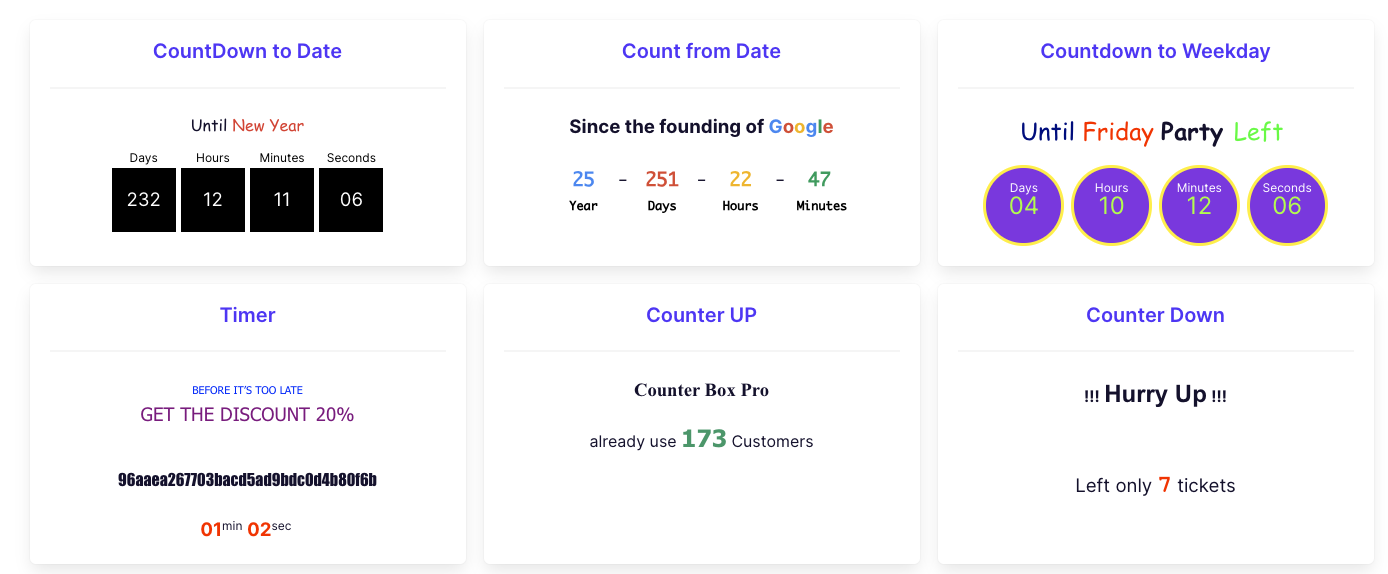
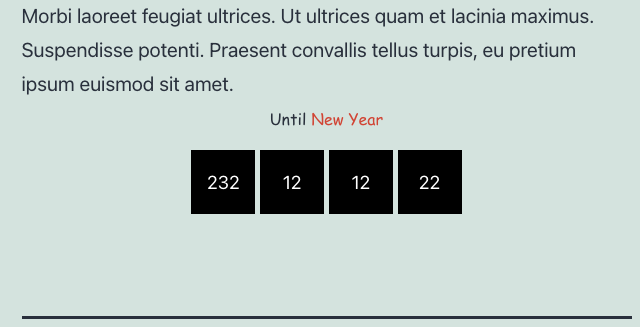
Countdown displayed on the frontend
Weekly timer example with custom styling
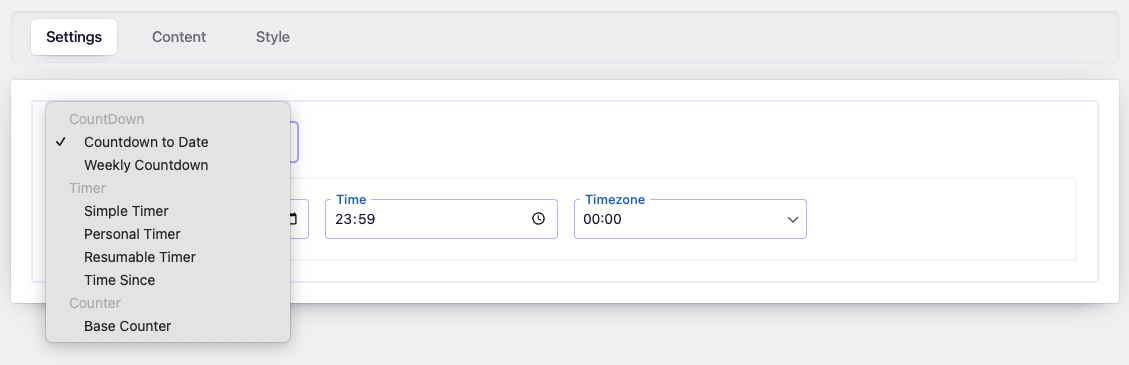
Timer configuration panel in the admin area
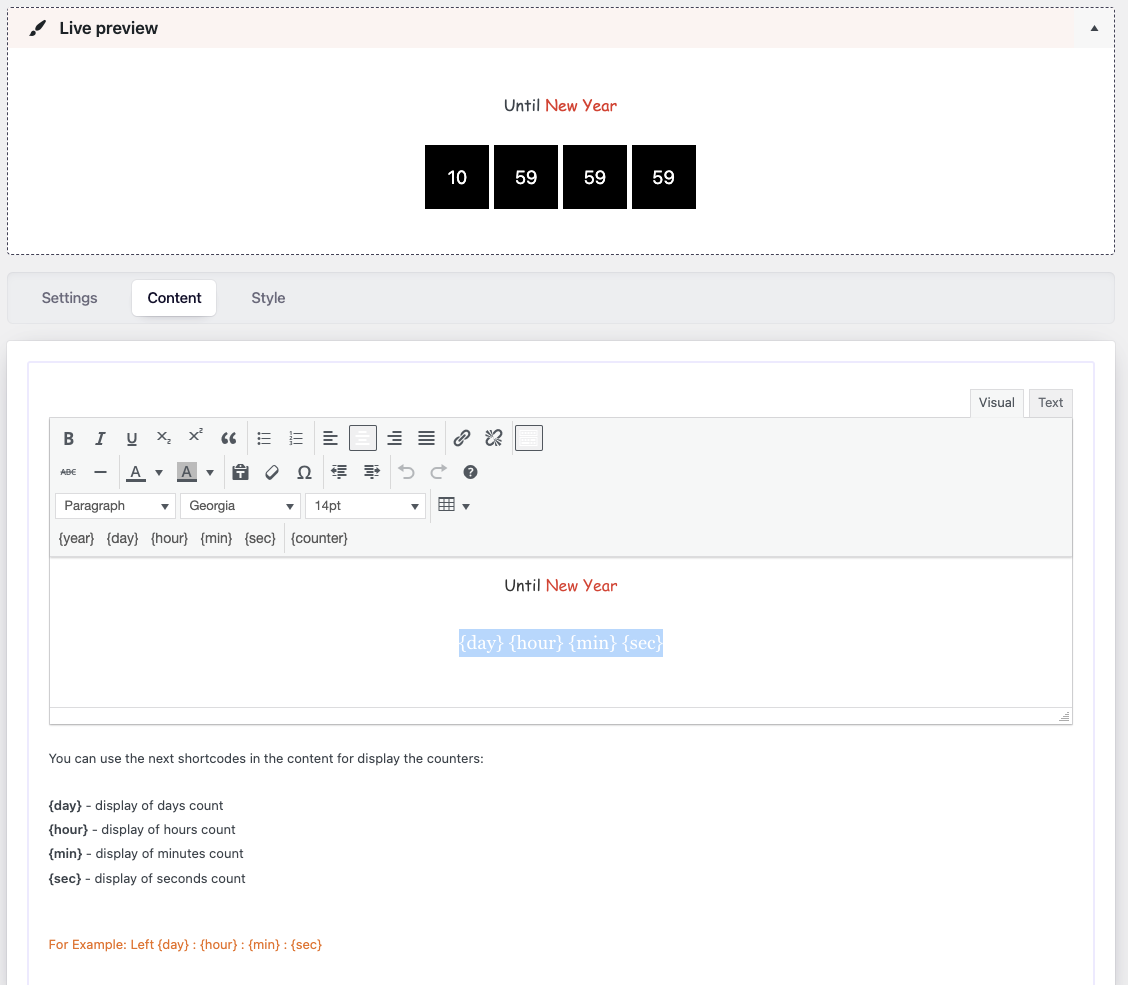
Editable content field for the countdown block
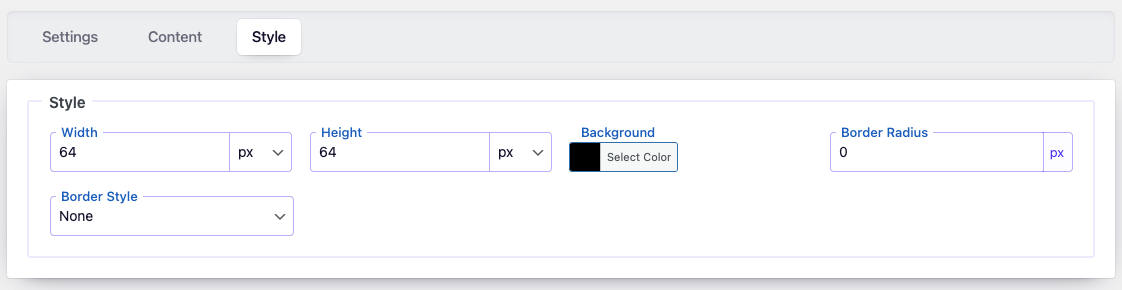
Live editor with design customization tools
Changelog
2.0.12
- Update: purify.js to version 3.3.0.
- Fixed: minor bugs.
2.0.11
- Improved: Refactored AdminActions class for better performance and readability
- Improved: Reordered condition checks for better execution performance
- Updated: Added strict type hinting for method arguments in AdminActions
2.0.10
- Improved: Reorganized method order in DBManager class for better readability and maintenance
- Improved: Minor SQL formatting for consistency
- Cleaned: Minor code style improvements according to WordPress Coding Standards (WPCS)
2.0.9
- Improved: PHPCS compatibility for nonce verification rules
2.0.8
- Added: RTL (right-to-left) style support for the admin panel
- Updated: Helpful links in the settings page
- Updated:
wp-color-picker-alphalibrary to version 3.0.4
2.0.7
- Added: Option to control plugin visibility in the dashboard based on user roles
- Improved: Security enhancement using DOMPurify to sanitize user-generated content
2.0.6
- Fixed: Nonce verification logic for improved security
2.0.5
- Fixed: Footer page rendering issue
2.0.4
- Updated: Admin UI elements
- Fixed: Missing menu icon
2.0.3
- Fixed: Compatibility with Elementor text editor
2.0.2
- Fixed: Bug with parameter sanitization
2.0.1
- Fixed: Time summary bug when only one tag is set
2.0
- Added: Export/Import tool for counter configurations
- Added: Tag and link options for better snippet tracking
- Improved: Fully redesigned admin interface for a more intuitive experience
1.2.4
- Fixed: Nonce-related bug
1.2.3
- Fixed: Compatibility with dynamic properties in PHP 8.2
1.2.2
- Fixed: Minor bug in the page list
1.2.1
- Fixed: Security update
1.2
- Fixed: Minor bugs and security issues
- Fixed: Translation file loading
- Updated: Support page layout
1.1.1
- Fixed: Script preview issue
1.1
- Added: New counter type – “Timer Stop & Go”
- Added: Styling options for numbers
1.0
- Initial release