

Counter-Hits
A simple, easy, fast, adaptive, local, objective counter to visit your site.
Plugin info
Maintenance & Compatibility
Maintenance score
Stale • Last updated 261 days ago • 1 reviews
Is Counter-Hits abandoned?
Likely maintained (last update 261 days ago).
Compatibility
Similar & Alternatives
Explore plugins with similar tags, and compare key metrics like downloads, ratings, updates, support, and WP/PHP compatibility.
Description
A simple, easy, fast, adaptive, local, objective counter to visit your site.
It does not use any additional requests to other servers, which means it consumes minimal resources.
Displays the count of all views of any page as a number.
You can customize your own display style. Use class: ‘wpgear_counter_hits’
Just paste Shortcode [Get_Counter_Hits] wherever you like and that’s it.
Or you can use calls in PHP scripts code: echo get_Counter_Hits ();
Features
- Simple local Counter.
- It always works, even if the result is not displayed anywhere.
-
Doesn’t count if Admin Page.
-
ShortCode for use: [Get_Counter_Hits]
- ShortCode for use with correction +100000: [Get_Counter_Hits base=”100000″]
-
PHP use: echo get_Counter_Hits ($base);
-
CSS Class ‘wpgear_counter_hits’ – for disign customisation.
Demo
Installation
- Upload ‘counter-hits’ folder to the
/wp-content/plugins/directory. - Activate the plugin through the ‘Plugins’ menu in WordPress.
- Make sure your system has iconv set up right, or iconv is not installed at all. If you have any problems (trimmed slugs, strange characters, question marks) – please ask for support.
Frequently Asked Questions
NA
Review feed
Screenshots
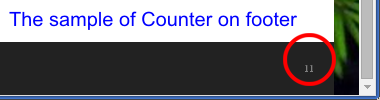
screenshot-1.png This is the example page whith Counter.
Changelog
2.10
2025.07.15
* Tested to WP: 6.8.1
* Fix "Translation loading was triggered too early"
2.9
2024.12.06
* Tested to WP: 6.7.1
* Added the possibility of internationalization.
* Add Translate: Russian
1.8.1
2024.05.09
* Tested to WP 6.5.3
1.8
2021.03.05
* Tested to WP 5.7-RC2-50482
1.7
2021.02.21
* Optimization code. Now, more correctly.
1.6
2021.02.19
* Anty Flood functions.
1.5
2021.02.18
* Fix problem: Doesn't count if WooCommerce is installed.
1.4
2021.02.17
* Optimization code.
1.3.1
2021.02.16
* Just edit "Tested up to: 5.6.1" on ReadMe.txt
1.3
2018.11.23
* Fix problem: Null value whith search queries.
1.2
2018.11.06
* Optimization. Reduced read-write DB operations.
1.1
2018.11.05
* Add ShortCode [Get_Counter_Hits]
1.0
2018.11.04
* Initial release