

Country Info Visual Editor (WYSIWYG) Button
Adds a visual editor button for pulling country info from The World Bank API.
Plugin info
Maintenance & Compatibility
Maintenance score
Possibly abandoned • Last updated 3036 days ago
Is Country Info Visual Editor (WYSIWYG) Button abandoned?
Possibly abandoned (last update 3036 days ago).
Compatibility
Similar & Alternatives
Explore plugins with similar tags, and compare key metrics like downloads, ratings, updates, support, and WP/PHP compatibility.
Description
Adds a visual editor button for pulling information about any country from The World Bank API.
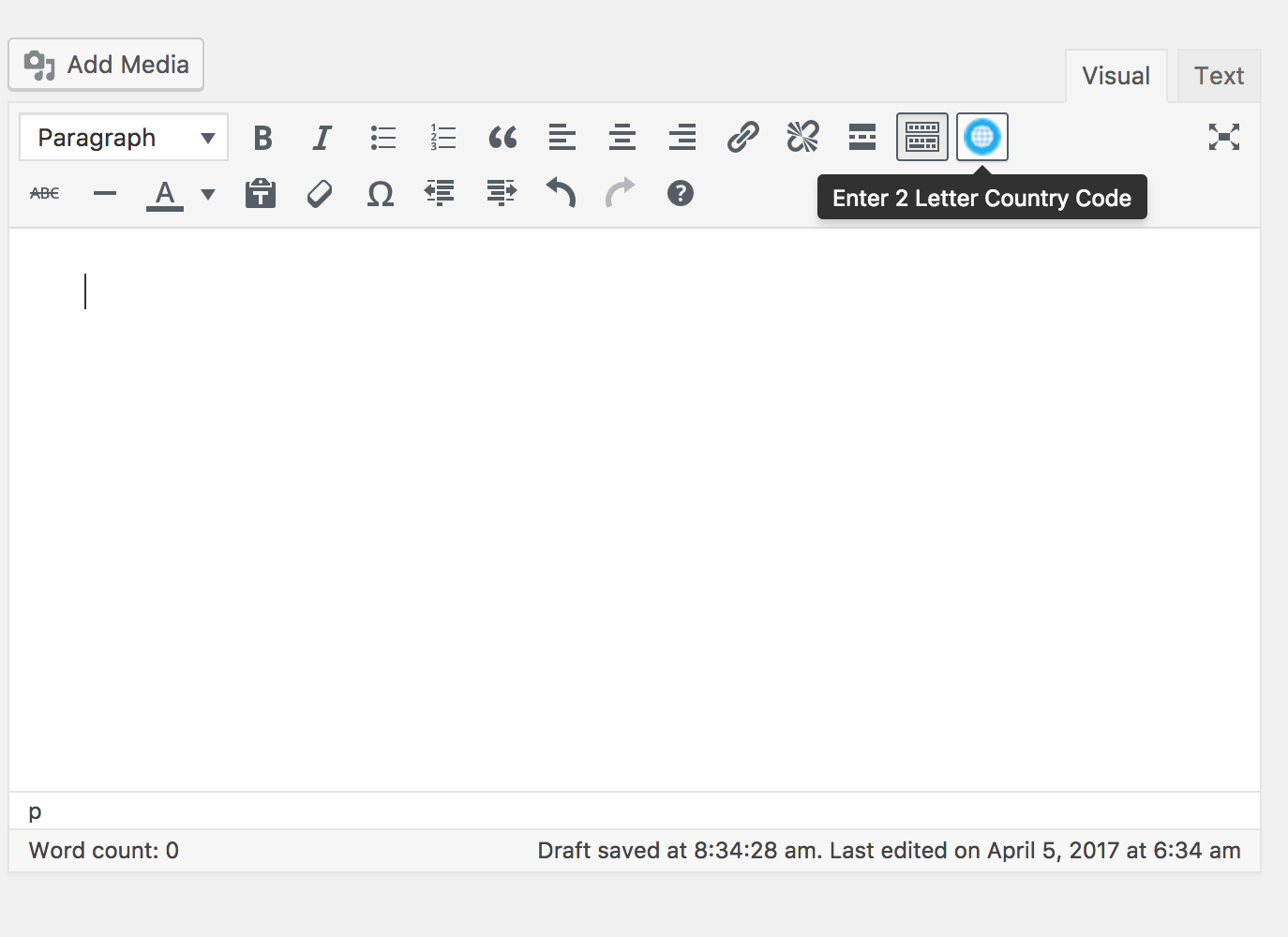
You will find a new “globe” button in the visual (WYSIWYG) editor after activating the plugin.
Once the button is clicked and 2 letter ISO code of the country is entered, the plugin pulls following information from the API about the country:
- Country name
- Capital City
- ISO Code
- Region
- Income Level
- Population (last 5 years)
- GDP in current USD (last 5 years).
Pulled information is added to the editor directly without any shortcodes. Once the post is saved, the info is saved as a regular text in the database.
No more API requests will be made to retrieve that info again.
The plugin’s author is not affiliated with The World Bank.
Installation
- Upload the plugin’s folder to the
/wp-content/plugins/directory - Activate the plugin through the ‘Plugins’ menu in WordPress
You will find a new “globe” button in the visual (WYSIWYG) editor.
Frequently Asked Questions
Installation Instructions
- Upload the plugin’s folder to the
/wp-content/plugins/directory - Activate the plugin through the ‘Plugins’ menu in WordPress
You will find a new “globe” button in the visual (WYSIWYG) editor.
Review feed
Screenshots

Changelog
1.0.1
- Refactored the code
- Turned on simple client side validation
- Tested compatibility with WordPress 4.9
1.0
- Initial Release.