

Course Layouts – Elementor Addon for TutorLMS
Advanced course grid layouts, filtering, and search functionality for TutorLMS courses using Elementor widgets with SEO schema markup support.
Plugin info
Maintenance & Compatibility
Maintenance score
Stale • Last updated 221 days ago
Is Course Layouts – Elementor Addon for TutorLMS abandoned?
Likely maintained (last update 221 days ago).
Compatibility
Similar & Alternatives
Explore plugins with similar tags, and compare key metrics like downloads, ratings, updates, support, and WP/PHP compatibility.
Description
Course Layouts – Elementor Addon for TutorLMS is a comprehensive extension that transforms your TutorLMS course display with advanced grid layouts, intelligent filtering, real-time search, and SEO-optimized schema markup through powerful Elementor widgets.
Core Features
- Course Directory Grid Widget: Display TutorLMS courses in beautiful, customizable grid layouts with extensive styling options
- Course Categories Grid Widget: Show course categories in responsive grid layouts with customizable appearance
- Advanced Filtering System: Filter courses by category, level, instructor, tags, price range, rating, and duration
- Real-time AJAX Search: Instant search functionality with debounced input for optimal performance
- Multiple Pagination Options: Numbered pagination, load more buttons, and infinite scroll capabilities
- Responsive Design: Fully responsive layouts that adapt perfectly to desktop, tablet, and mobile devices
- SEO Schema Markup: Automatic generation of structured data for better search engine visibility
- Keyboard Navigation: Full keyboard accessibility support for enhanced user experience
- URL Parameter Support: Filter state preserved in URL for bookmarking and sharing
Widget Features
Course Directory Grid Widget:
* Multiple layout types (grid, list, masonry)
* Customizable columns (1-6 columns with responsive breakpoints)
* Course image display with hover effects
* Course title, excerpt, and meta information display
* Price, rating, duration, and lesson count display
* Instructor information and enrollment count
* Course categories, level, and tags display
* Course benefits and progress indicators
* Extensive styling controls for all elements
Course Categories Grid Widget:
* Responsive category grid layouts
* Category image, title, and description display
* Course count per category
* Customizable styling and hover effects
* Sorting options (name, count, date)
Tutorials & Guides
- 17 Awesome Websites Made with Tutor LMS
- The Complete List of Tutor LMS Shortcodes and How to Use Them – Tutor LMS
- Sending Reminder Emails to Inactive Students – Tutor LMS
- Tutor LMS – Get Student Information in PHP
- How to Hide, Remove or Disable Reviews or Star Rating in Tutor LMS
- Create a User Directory with Elementor
- Best WordPress LMS Plugins to Create and Sell Courses Online
More Plugins by UserElements
- Personalized User Menu for TutorLMS
- WP User Data
- User Broadcast Email
- Elementor Product Table for WooCommerce
Support
For technical support, feature requests, or general questions, please visit userelements.com or create a support ticket in the WordPress.org plugin forum.
Installation
- Upload the plugin files to the
/wp-content/plugins/course-layouts-elementor-tutorlmsdirectory, or install the plugin through the WordPress plugins screen directly. - Activate the plugin through the ‘Plugins’ screen in WordPress
- Ensure both Elementor and TutorLMS are installed and activated
- Use the Elementor page builder to add the Course Directory Grid or Course Categories Grid widgets to your pages
- Configure the widget settings to match your design requirements and functionality needs
Frequently Asked Questions
Yes, this plugin requires TutorLMS to be installed and activated. It extends TutorLMS functionality with advanced course display options and integrates with TutorLMS course data.
Yes, this plugin is designed to work with Elementor page builder. It adds custom widgets to Elementor for displaying courses and categories with advanced functionality.
Yes, the plugin provides extensive customization options including layout types (grid/list), columns (1-6), spacing, colors, typography, hover effects, and responsive breakpoints.
Yes, the plugin includes advanced filtering by category, level, instructor, tags, price, rating, and duration. It also features real-time AJAX search with customizable placeholders.
Yes, all layouts are fully responsive with customizable breakpoints for desktop, tablet, and mobile devices. The grid automatically adapts to different screen sizes.
Yes, the plugin automatically generates structured data (schema markup) for courses, which helps search engines understand your content and can improve search rankings.
Yes, the plugin supports multiple pagination options including numbered pagination, load more buttons, and infinite scroll for better user experience.
Yes, the plugin is compatible with WooCommerce and supports both free and paid course enrollment through TutorLMS integration.
Yes, the plugin supports multi-criteria filtering allowing users to combine category, level, instructor, tags, and other filters simultaneously.
Yes, the plugin includes keyboard navigation support and ARIA labels for better accessibility compliance.
Review feed
Screenshots

Course Directory Grid Widget in Elementor Editor
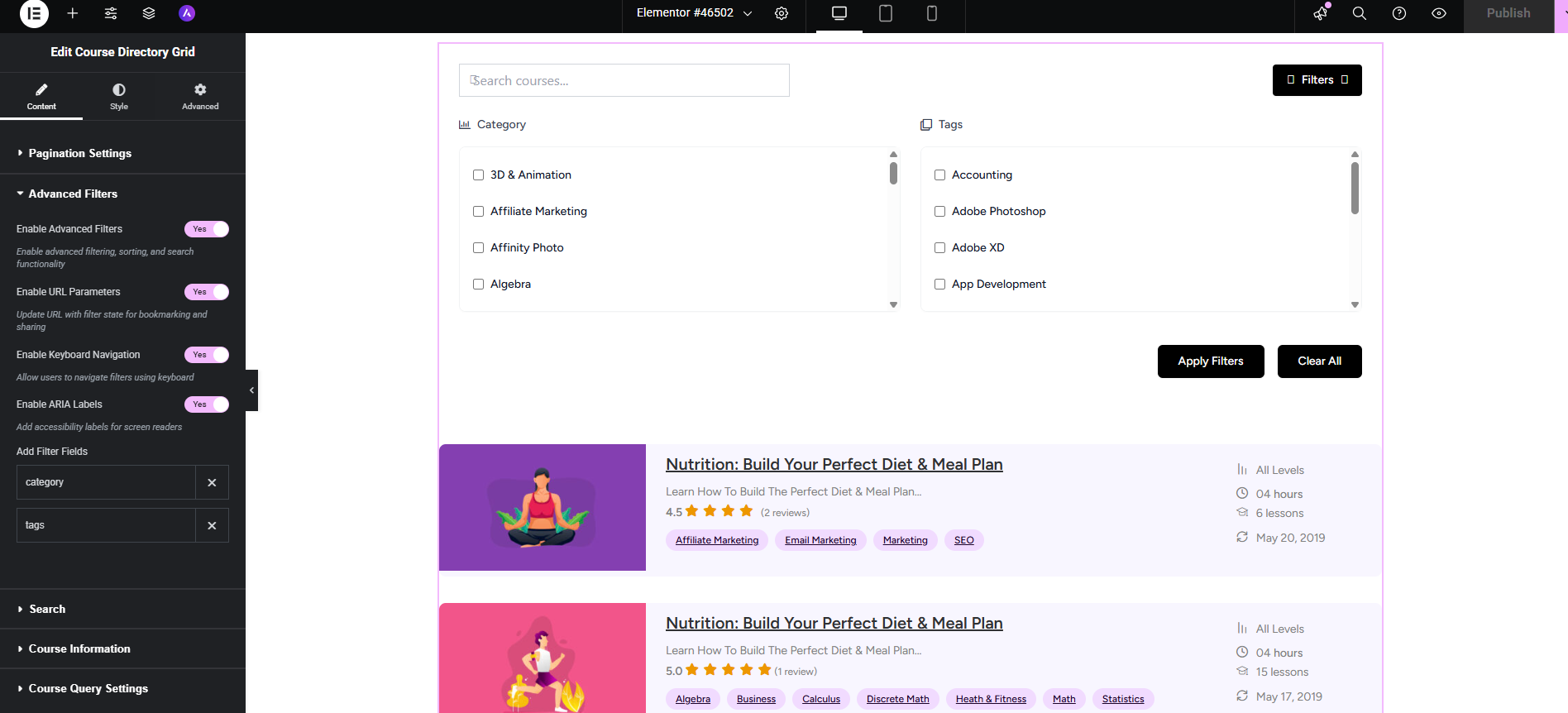
Course Categories Grid Widget Configuration

Course Directory Grid Widget in Elementor Editor
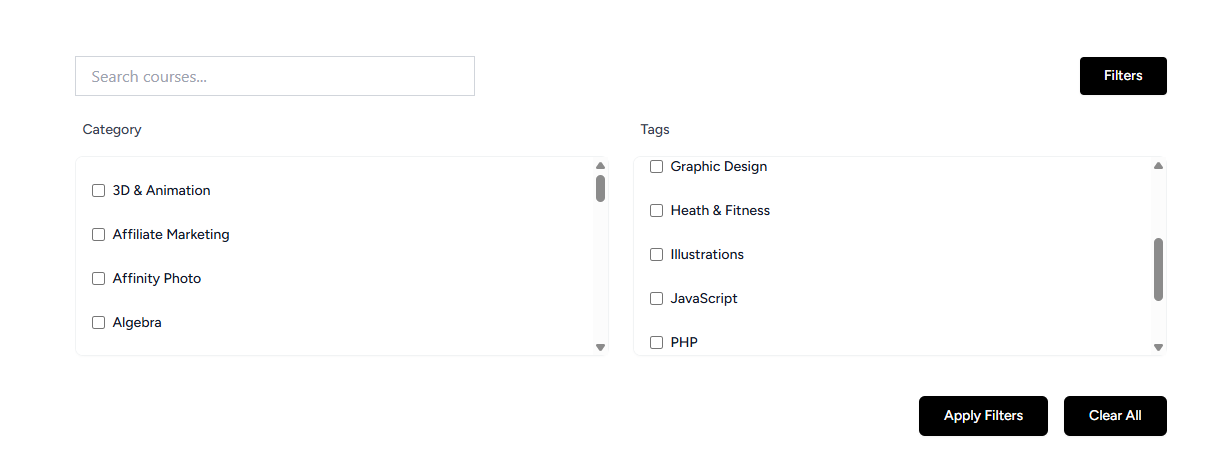
Multiple Layout Types and Styling Options
Changelog
1.0.1
- Fixed wp_enqueue_scripts and other WordPress integration issues
- Improved AJAX error handling and security
- Enhanced widget settings management
- Added better fallback handling for missing dependencies
1.0.0
- Initial release with Course Directory Grid widget
- Course Categories Grid widget
- Advanced filtering and search functionality
- AJAX-powered pagination and load more
- SEO schema markup integration
- Responsive design and accessibility features
- Extensive customization options