

CPT Meta Size Analyzer
Analyze and display total size of post meta and content data for selected post types. Helps identify large meta or content data for optimization.
Plugin info
Maintenance & Compatibility
Maintenance score
Stale • Last updated 234 days ago
Is CPT Meta Size Analyzer abandoned?
Likely maintained (last update 234 days ago).
Compatibility
Languages
Similar & Alternatives
Explore plugins with similar tags, and compare key metrics like downloads, ratings, updates, support, and WP/PHP compatibility.
Description
CPT Meta Size Analyzer is a simple yet powerful plugin that provides insights into your WordPress post meta and content sizes. It helps you monitor and analyze meta and content data for various post types including custom post types (CPT).
Key Features:
- Meta Size Table: Displays total meta entries and their size (Bytes, KB, MB) for each selected post type.
- Content Size Table: Displays total post entries and their content size.
- Size Type Option: Choose between Bytes, KB, or MB as the default unit to display in post listings.
- Per Post Meta Size: Adds a “Meta Size” column in post listings to show individual post meta size.
- Post Type Selection: Enable/disable post types to include in analysis.
- Cache Control: Clear cached data for fresh recalculation.
- Filter for Post Statuses: Developers can customize which post statuses are included in size calculations using a filter.
Use Cases:
- Detect unusually large meta data.
- Analyze content storage usage.
Filters
cptmesia_content_size_post_statuses
This filter allows you to customize which post statuses are included in meta and content size calculations.
By default, the plugin includes ‘publish’ and ‘draft’.
Example: Add ‘private’ post status for calculation:
add_filter( 'cptmesia_content_size_post_statuses', function( $statuses ) {
    $statuses[] = 'private'; // Include private posts.
    return $statuses;
});
Installation
- Upload the plugin files to the
/wp-content/plugins/cpt-meta-size-analyzerdirectory, or install the plugin through the WordPress plugins screen directly. - Activate the plugin through the ‘Plugins’ screen in WordPress.
- Configure display options in Meta Analyzer > Meta Setting.
- Go to Meta Analyzer > Sizes Table to view meta and content sizes.
Frequently Asked Questions
The plugin calculates the total size of post meta and content data by fetching all entries for a post type and summing their byte sizes. It then converts the size into KB (Kilobytes) and MB (Megabytes) for better readability.
If the total size is too small (less than 1 KB), rounding may result in a 0 KB display. The plugin provides precise calculations in bytes, KB, and MB, so even small values are accounted for.
The conversion formula used in the plugin is:
– KB Calculation Total Bytes ÷ 1024
– MB Calculation Total Bytes ÷ (1024 × 1024)
When you clear the cache, the plugin recalculates the post meta and content sizes, ensuring that any recent changes in the database are reflected.
Yes! The plugin allows filtering post statuses using the cptmesia_content_size_post_statuses filter:
add_filter( ‘cptmesia_content_size_post_statuses’, function( $statuses ) {
$statuses[] = ‘private’; // Include private posts.
return $statuses;
});
- Make sure your database tables are properly optimized.
- Check if your hosting provider imposes any restrictions on querying large datasets.
- Try clearing the cache and reloading the sizes.
No, the plugin fetches data efficiently and uses caching to reduce database queries. However, if you have a large number of posts, calculations may take slightly longer.
Yes, you can click on the “Clear Cache” button to refresh and recalculate all meta and content sizes.
By default, it supports Posts, Pages, and Products (WooCommerce), but you can enable other custom post types from the plugin settings.
Yes, by default, only ‘publish’ and ‘draft’ posts are included. You can modify this using the cptmesia_content_size_post_statuses filter. See Filters section below for an example.
Review feed
Screenshots
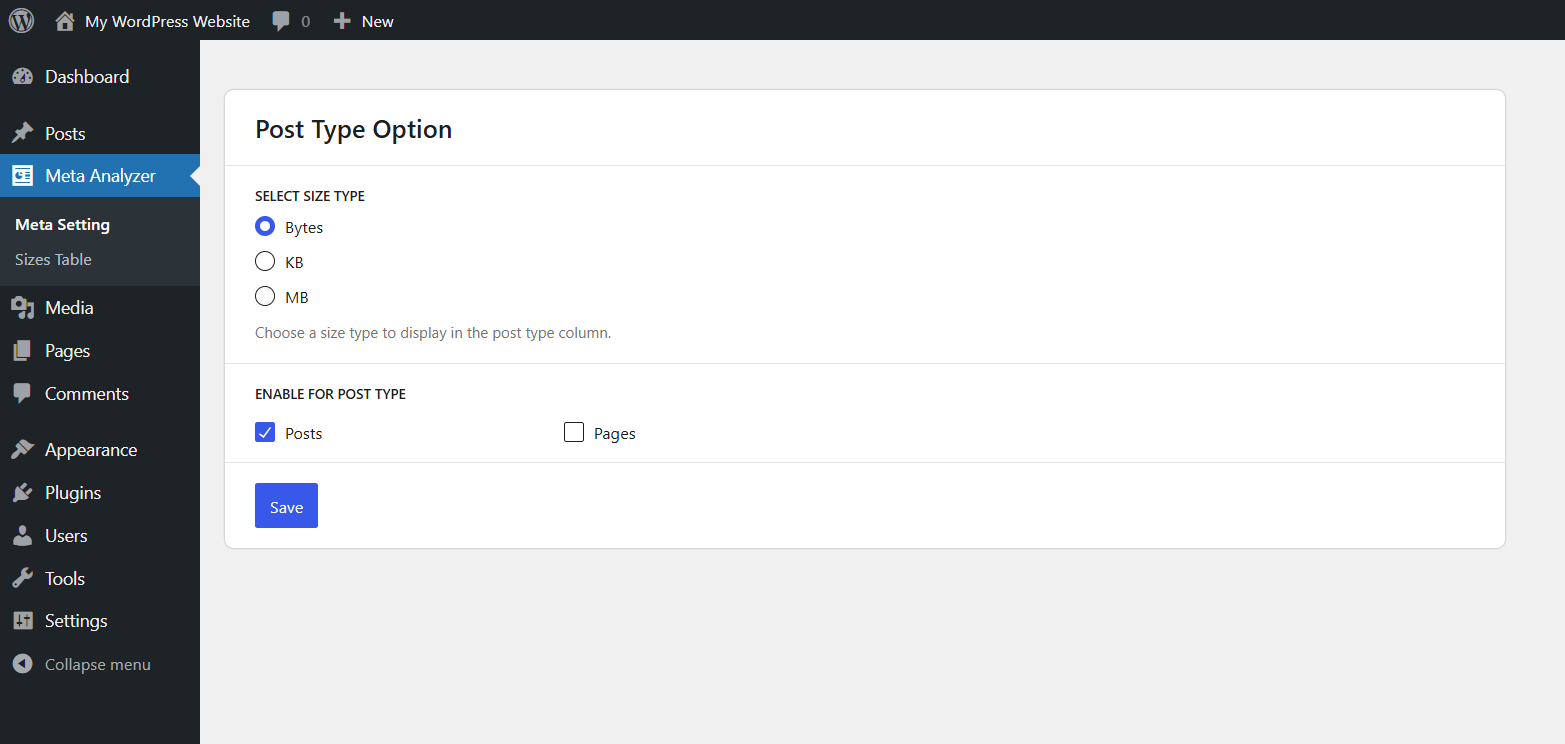
Meta Setting - Select units (Bytes, KB, MB) and enable/disable post types.
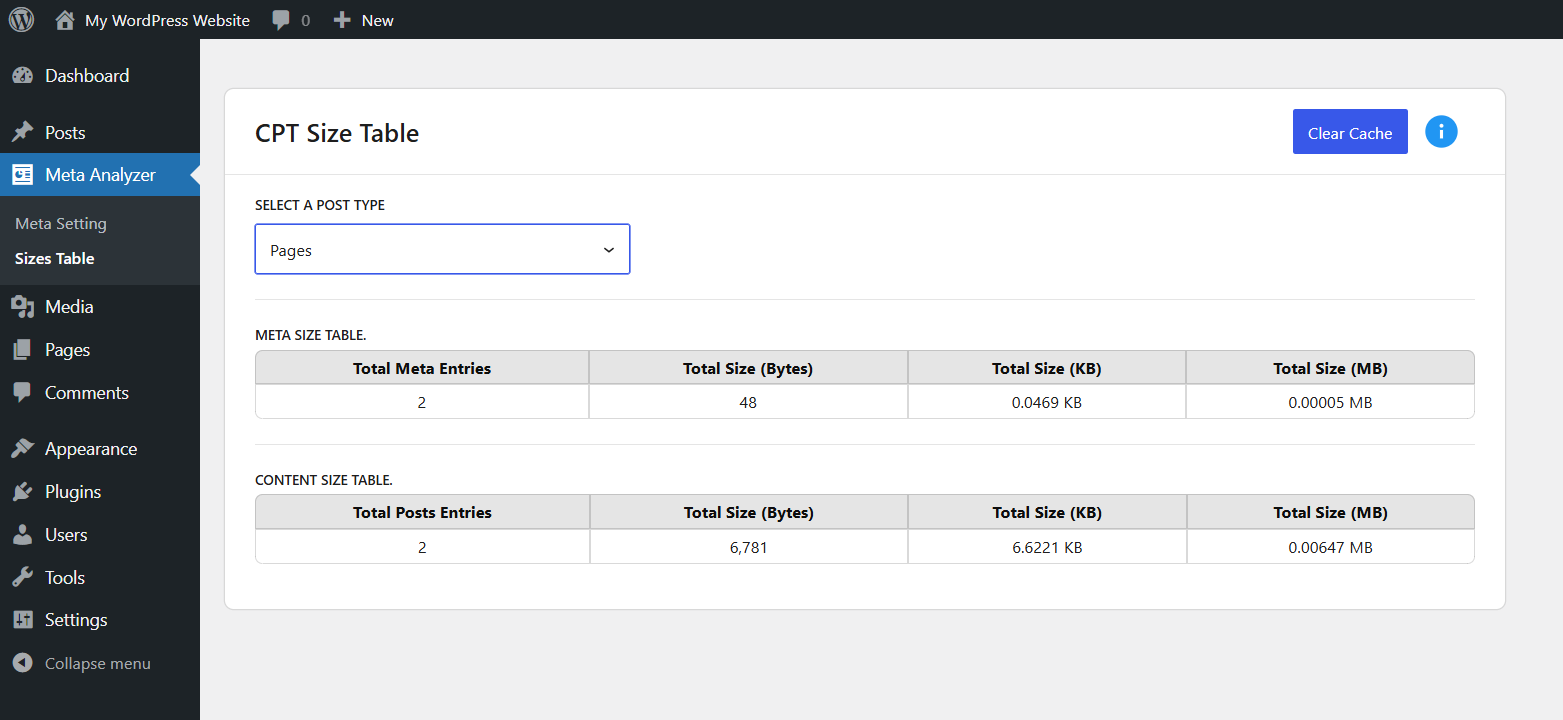
Sizes Table - View total meta and content sizes by post type.
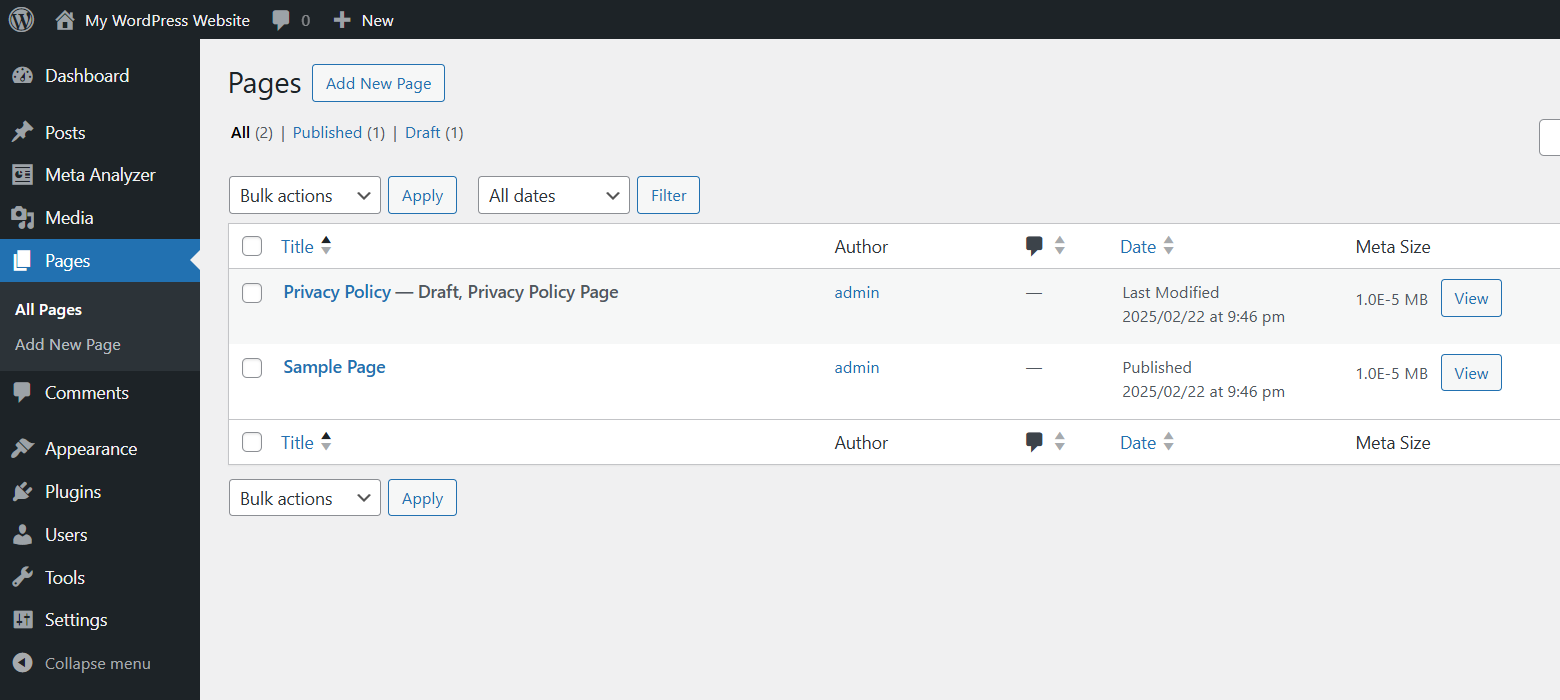
Meta Size Column in Post List - Individual post meta size with a 'View' button for detailed info.
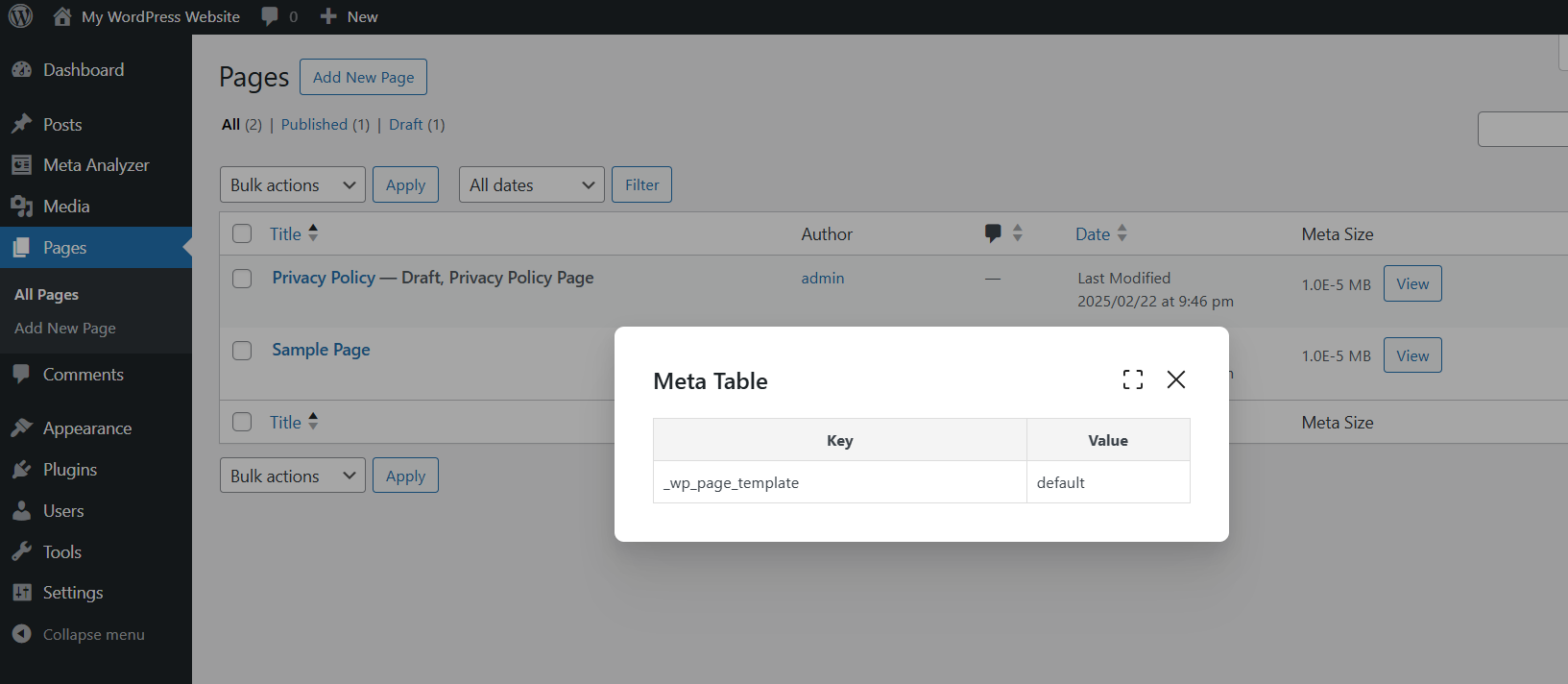
Meta List Modal - Displays a modal window showing all meta keys and meta value for the selected post.
Changelog
1.0.0
- Initial release
- Meta size and content size analyzer
- Size type option (Bytes, KB, MB)
- Post type settings
- Per-post meta size column in post list