

Loan Calculator
Interactive loan calculator with customizable settings, loan application management and Vue.js frontend.
Plugin info
Maintenance & Compatibility
Maintenance score
Possibly abandoned • Last updated 461 days ago
Is Loan Calculator abandoned?
Possibly abandoned (last update 461 days ago).
Compatibility
Similar & Alternatives
Explore plugins with similar tags, and compare key metrics like downloads, ratings, updates, support, and WP/PHP compatibility.
Description
Loan Calculator is a powerful WordPress plugin that provides an interactive loan calculator with application management system. Built with Vue.js for smooth user experience.
Key Features:
* Interactive slider-based loan amount selection
* Customizable loan terms and interest rates
* Real-time monthly payment calculations
* Built-in loan application form
* Admin panel for application management
* Customizable currency and phone number format
* Multi-language support
* Email notifications for new applications
Technical Features:
* Vue.js 3 frontend
* Custom post type for loan applications
* AJAX form submission
* Responsive design
* Configurable preset amounts
* Input validation and formatting
* Terms and conditions links support
Installation
- Upload the plugin files to
/wp-content/plugins/loan-calculatordirectory - Activate the plugin through the ‘Plugins’ menu in WordPress
- Go to Settings -> Loan Calculator to configure parameters
- Use shortcode [loan_calculator] to display the calculator on any page
Frequently Asked Questions
Use the shortcode [loan_calculator] on any page or post.
Yes, you can change the currency symbol in the plugin settings.
Yes, you can set custom preset amounts in the plugin settings.
Review feed
Screenshots

Calculator frontend interface

Loan applications management

Plugin settings page
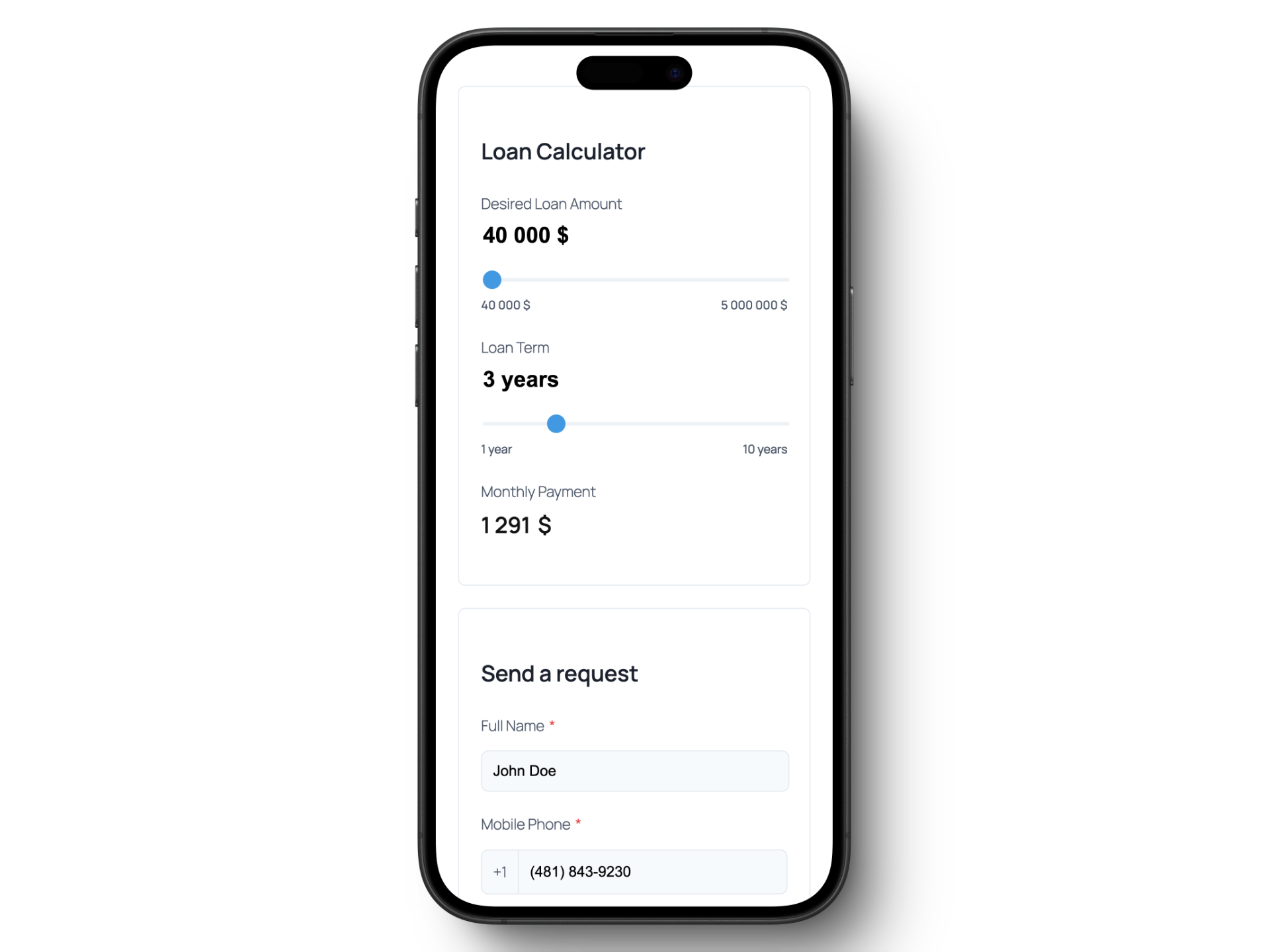
Mobile responsive view
Changelog
2.0.0
- Initial release for new interface
- Interactive loan calculator with Vue.js
- Loan applications management system
- Customizable settings
- Email notifications
- Multi-language support
- Mobile responsive design