

Maintenance 28/100630d since update
Active installs
200
Downloads
6,926
Reviews
2
Age
6.9y
Plugin info
Total downloads: 6,926
Active installs: 200
Total reviews: 2
Average rating: 3
Support threads opened: 0
Support threads resolved: 0 (0%)
Available in: 1 language(s)
Contributors: 4
Last updated: 7/11/2024 (630 days ago)
Added to WordPress: 5/28/2019 (6 years old)
Minimum WordPress version: 4.4
Tested up to WordPress version: 6.6.4
Minimum PHP version: 5.6
Maintenance & Compatibility
Maintenance score
Possibly abandoned • Last updated 630 days ago • 2 reviews
28/100
Is Cross Domain Tracker for AffiliateWP abandoned?
Possibly abandoned (last update 630 days ago).
Compatibility
Requires WordPress: 4.4
Tested up to: 6.6.4
Requires PHP: 5.6
Languages
Similar & Alternatives
Explore plugins with similar tags, and compare key metrics like downloads, ratings, updates, support, and WP/PHP compatibility.
AffiliateWP – External Referral Links
Rating 3.0/5 (2 reviews) • Active installs 900
Description
The official AffiliateWP – External Referral Links add-on is excellent for tracking referrals from different domains. But it has some limitations.
- It does not send visits data to AffiliateWP — which means, your affiliates do not get to see any information of the visits data and other important statistics accurately.
- It does not have Credit Last Referrer option — which means, you can only have “First Referrer” cookie policy.
- It does not have campaign visits tracking capability — which means, your affiliates do not get to see visits data with respect to campaigns.
So we developed this plugin which mainly fixes these three problems. Here is how it works:
- Install this plugin on main website where you have AffiliateWP plugin installed and where conversions take place (SiteA.com)
- Install this plugin on marketing website as well, where your affiliates send traffic (SiteB.com)
- Link and authenticate these two instances (SiteA.com and SiteB.com) using Public Key & Token.
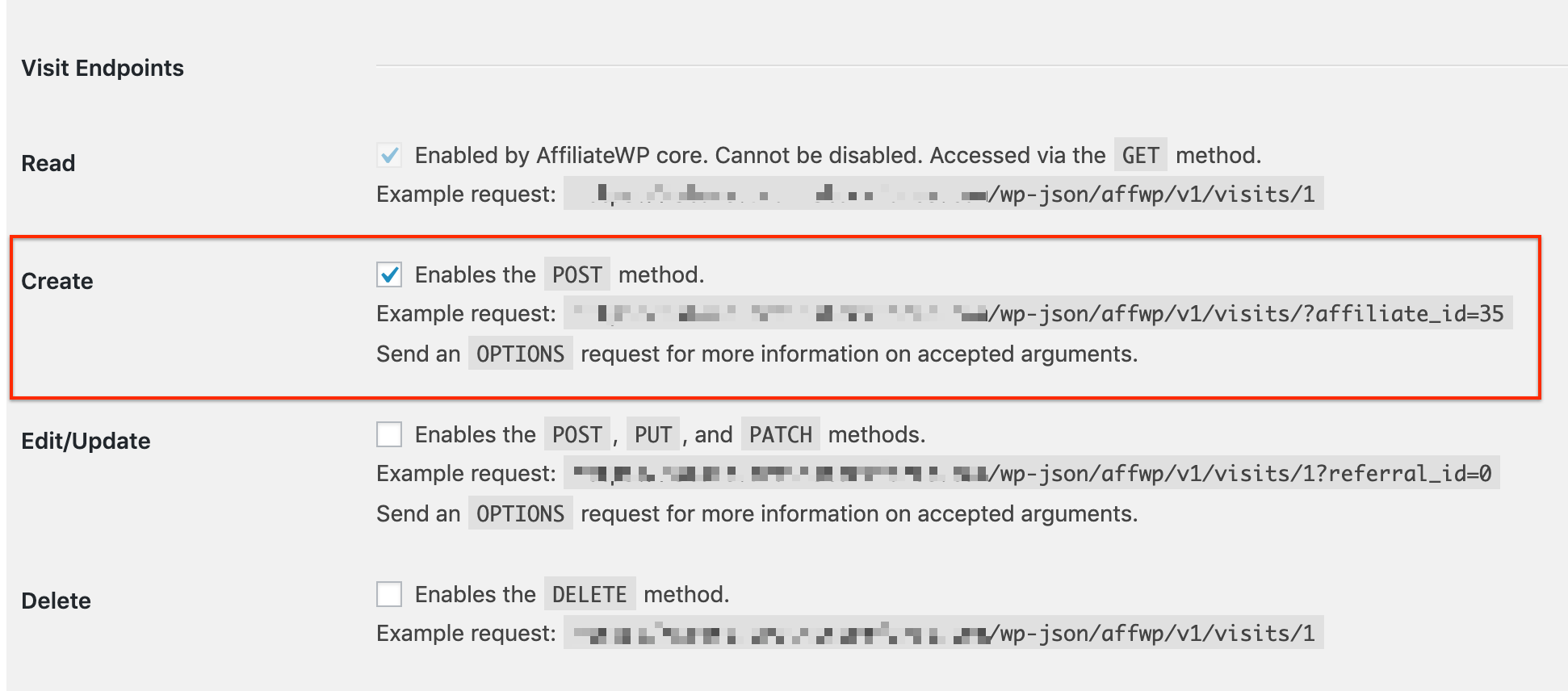
- Install & activate the REST API Extended plugin on parent website (SiteA.com). And enable Create Visit Endpoints option from AffiliateWP -> Settings -> REST API.
And you are all set.
Your affiliates can now start sending traffic to your marketing website (SiteB.com) and still see all the statistics and reports in their AffiliateWP dashboard.
Installation
- Upload
cross-domain-tracker-for-affiliate.zipto the/wp-content/plugins/directory - Activate the plugin through the ‘Plugins’ menu in WordPress
Frequently Asked Questions
No, you just need to select the plugin type as parent/child inside the plugin settings.
Review feed
No reviews available
Screenshots


Changelog
Version 1.0.5 – Thursday, 11th July 2024
- Improvement: Compatibility with WordPress 6.6.
Version 1.0.4 – Wednesday, 14th July 2021
- Improvement: Updated the type of input field for authentication options.
- Improvement: Compatibility with WordPress 5.8
Version 1.0.3 – Wednesday, 10th March 2021
- Improvement: Compatibility with WooCommerce 5.1.0
- Improvement: Compatibility with WordPress 5.7
Version 1.0.2 – Monday, 24th Aug 2020
- Improvement: Compatibility with WordPress 5.5.
Version 1.0.1 – Monday, 30th May 2019
- Fix: Authentication with new AffiliateWP setup where visits are Zero.
Version 1.0.0 – Monday, 20th May 2019
- Initial Release