

CrowdSec
This plugin blocks detected attackers or displays them a captcha to check they are not bots.
Plugin info
Maintenance & Compatibility
Maintenance score
Maintained • Last updated 118 days ago • Support resolved 100% • 5 reviews
Is CrowdSec abandoned?
Likely maintained (last update 118 days ago).
Compatibility
Languages
Similar & Alternatives
Explore plugins with similar tags, and compare key metrics like downloads, ratings, updates, support, and WP/PHP compatibility.
Description
The CrowdSec plugin proactively blocks requests coming from known attackers.
It does so by either directly using CrowdSec Blocklists Integration or by connecting to your CrowdSec Security Engine.
Key Features:
- Instant CrowdSec Blocklist: Quickly block known WordPress attackers in a few clicks.
- Detect and block admin bruteforce attempts and scans of your WordPress Site.
- Remediation metrics: Enabling you to see the efficiency of the protection.
- (Console Users) Plug any of your existing Blocklist Integrations.
- (CrowdSec Security Engine Users) Apply decisions and subscribed blocklist of your security engine within WordPress.
You can:
- Block aggressive IPs
- Display a captcha for less aggressive IPs
Installation
Check Full Documentation for more details
Multiple ways you can use the plugin
– Instant WordPress Blocklist – easiest
– Blocklist as a Service Integration – your blocklist catalog
– Connect it to your CrowdSec Security Engine – advanced & most complete
Frequently Asked Questions
-
Not necessarily, you can connect it directly to a CrowdSec Blocklist Integration endpoint
-
You can of course connect it to a security engine if you have one
Review feed
A must have :)
Screenshots

The general configuration page

Customize the wall pages - Adapt the "captcha wall" page text content with your own
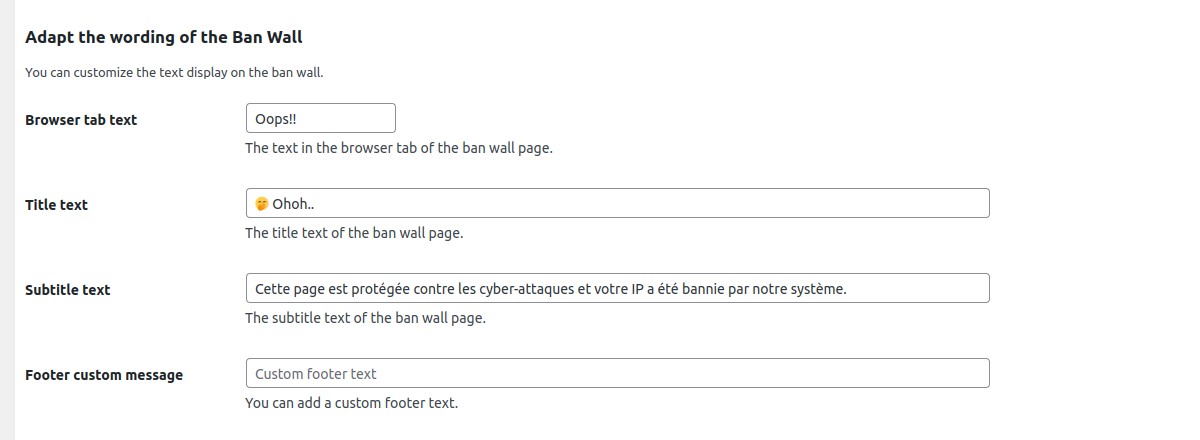
Customize the wall pages - Adapt the "ban wall" page text content with your own

Customize the wall pages - Adapt the pages with your colors. You can also add custom CSS rules.
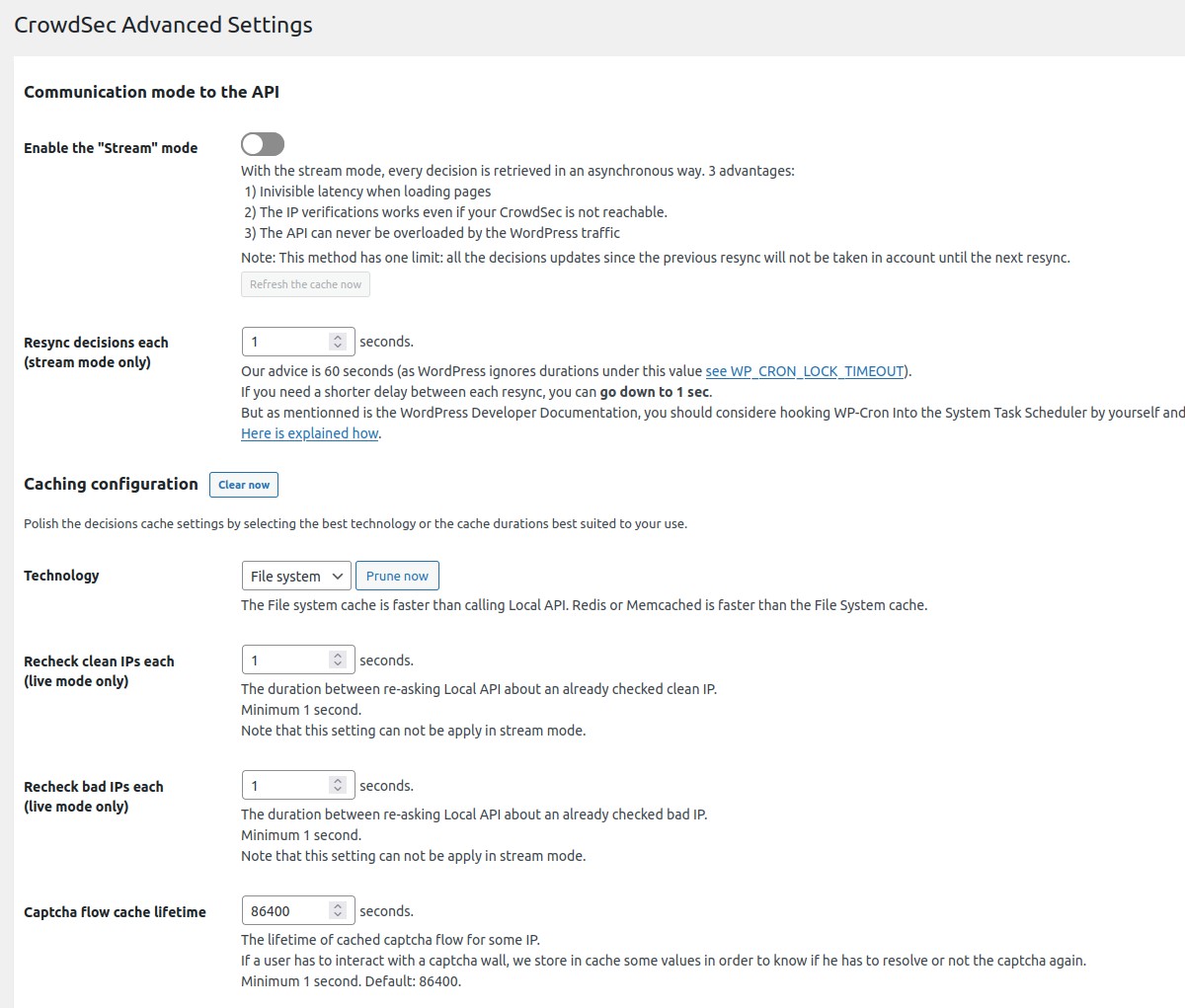
Advanced settings - Select live or stream mode. Select a cache engine (Classical file system, Redis or Memcached). Adjust the cache durations.
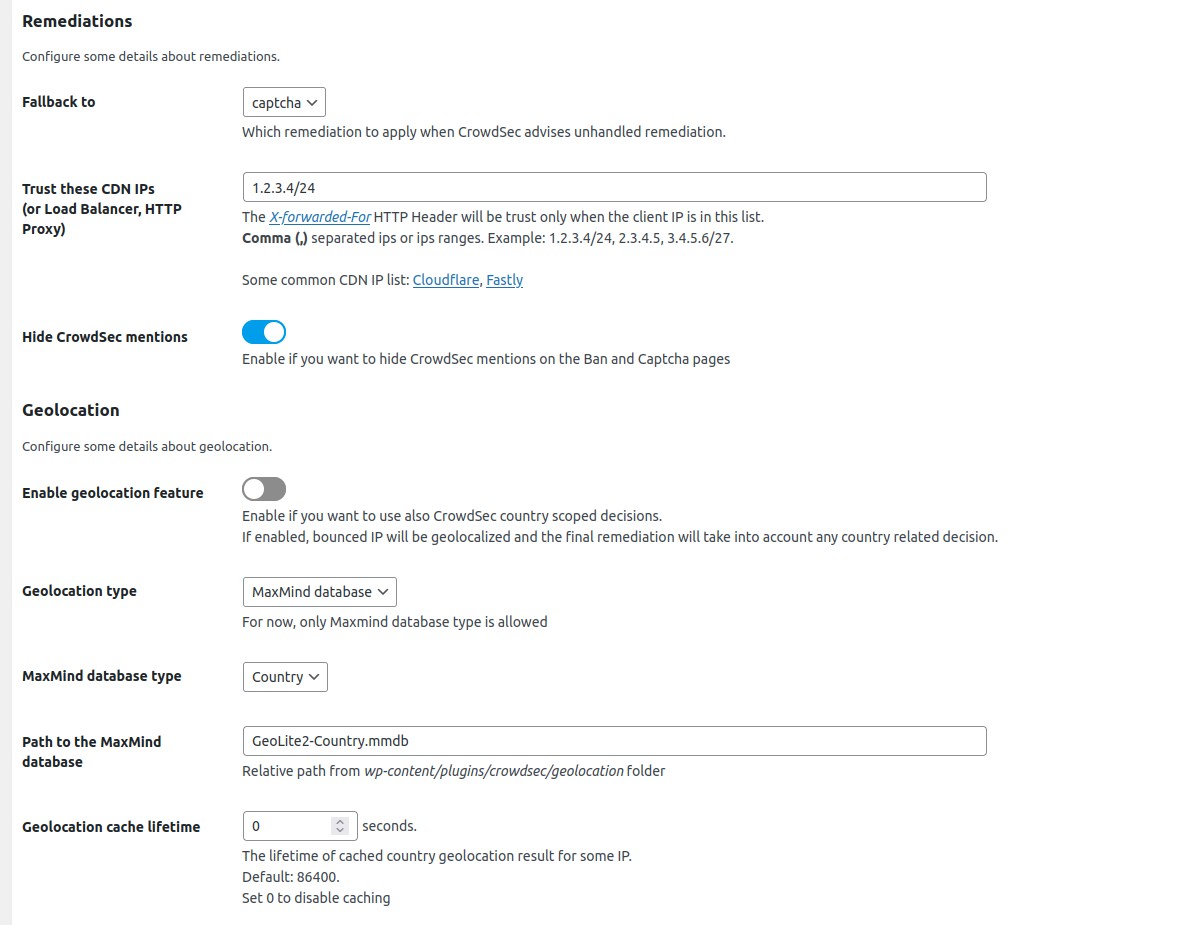
Advanced settings - Set the CDN or Reverse Proxies to trust and configure Geolocation feature.

The standard Captcha page
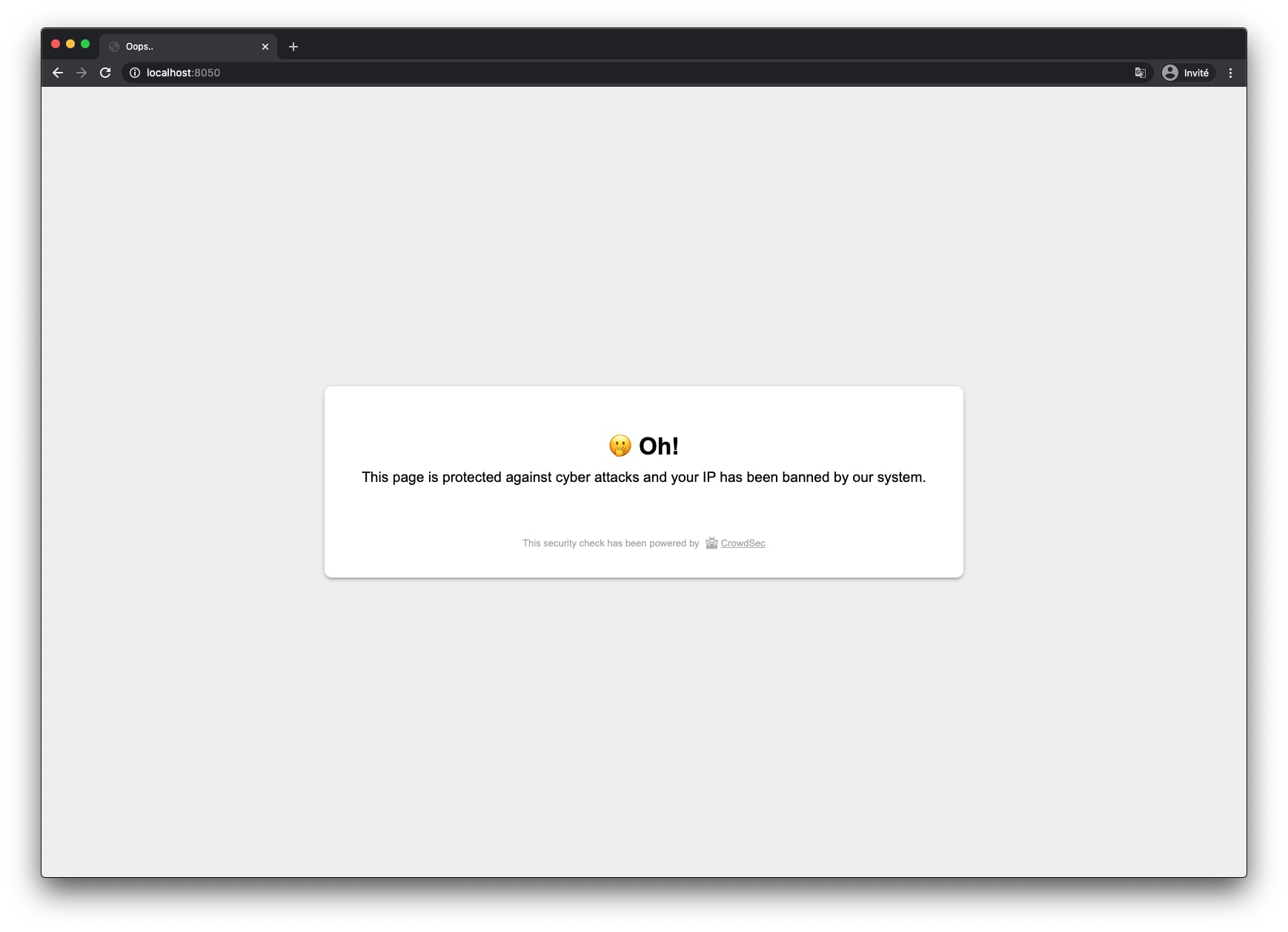
The standard Ban page
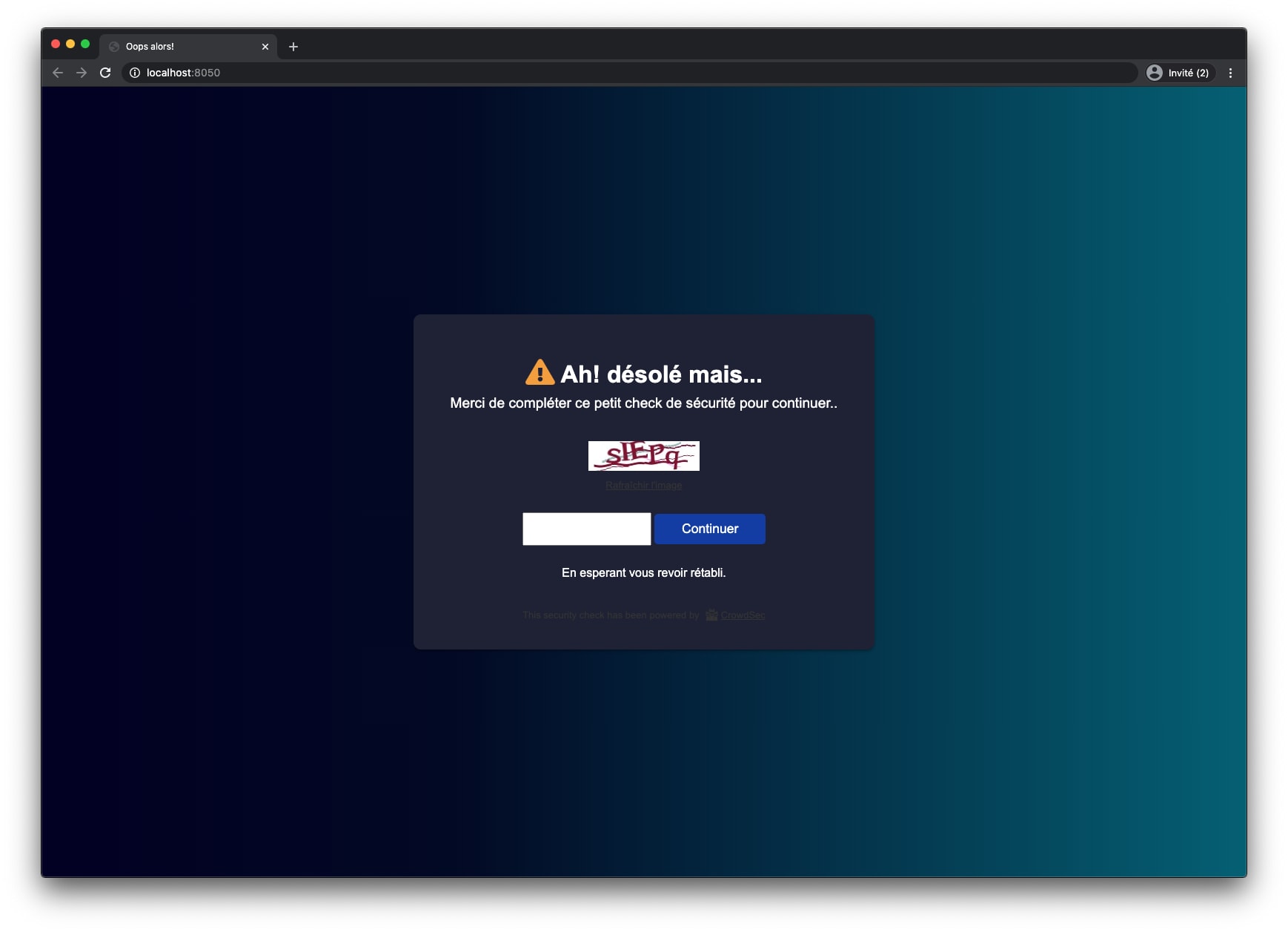
Captcha wall page customization (text and colors)

Ban wall page customization (text and colors)
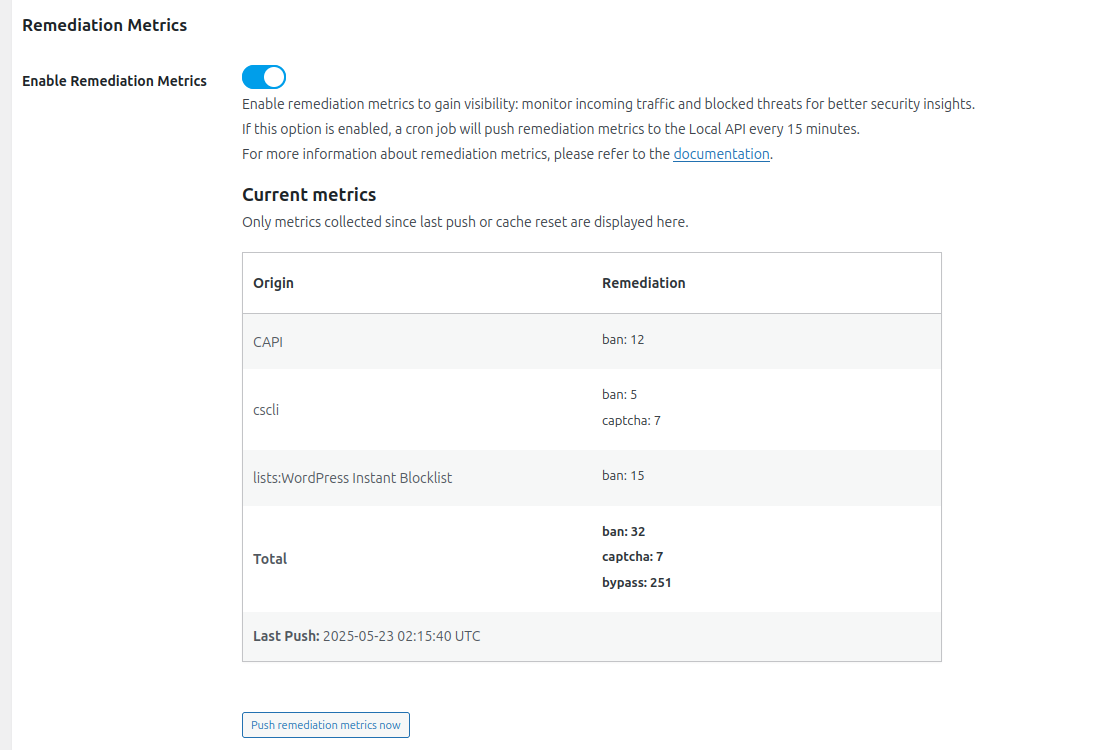
The remediation metrics table
Changelog
2.12 (2025-12-05)
- Remove Blocklist as a Service (BLaaS) subscription button
2.11 (2025-06-02)
- Add Blocklist as a Service (BLaaS) subscription button
2.10 (2025-05-09)
- Add Usage Metrics table in UI
- Handle BLaaS LAPI specific behavior
2.9 (2025-02-21)
- Add usage metrics support
2.8 (2024-12-13)
- Disable “Public Website only” setting by default
2.7 (2024-12-12)
- Add AppSec component support
2.6 (2024-03-14)
- Move logs and cache folders to
wp-content/uploads/crowdsecfolder - Add a
Enable auto_prepend_file modesetting.
2.5 (2023-06-01)
- Add WordPress multisite compatibility
2.4 (2023-04-28)
- Use absolute path for TLS files
- Use absolute path for geolocation files
- Add an action after plugin upgrade to recreate standalone settings file
2.3 (2023-04-06)
- Add access restriction for some folders
2.2 (2023-03-30)
- Do not use cache tags
- Do not rotate log files
2.1 (2023-03-23)
- Add custom User-Agent debug setting
2.0 (2023-02-09)
- All source code has been refactored using new CrowdSec PHP librairies
1.11 (2022-12-22)
- Add LAPI request timeout setting
1.10 (2022-12-01)
- Modify ban and captcha walls templating for W3C validity
1.9 (2022-09-15)
- Add TLS authentication option
1.8 (2022-08-04)
- Add
use_curlconfiguration: should be used ifallow_url_fopenis disabled andcurlis available - Add
disable_prod_logconfiguration - Change log path to
wp-content/plugins/crowdsec/logs - By default, the
bouncing_levelsetting is nowbouncing_disabled(instead ofnormal_bouncing)
1.7 (2022-07-20)
- Add geolocation feature
1.6 (2022-06-30)
- Add “Test bouncing” action in settings view
1.5 (2022-06-09)
- Use cache instead of session to store some values
1.4 (2022-04-07)
- Do not bounce PHP CLI
1.3 (2022-02-03)
- Use static settings only in standalone mode
1.2 (2021-12-09)
- Fix issue that cause warning message error on front in standalone mode
- Fix behavior : bounce should not be done twice in standalone mode
- Remove useless configuration to enable standalone mode
1.1 (2021-12-02)
- Use
0.14.0version of crowdsec php lib - Handle typo fixing for retro compatibility (
flex_boucing=>flex_bouncingandnormal_boucing=>normal_bouncing) - Split of debug in 2 configurations : debug and display_errors
1.0 (2021-06-24)
- Add Standalone mode: an option allowing the PHP engine to no longer have to load the WordPress core during the
bouncing stage. To be able to apply this mode, the webmaster has to set the auto_prepend_file PHP flag to the
script we provide. - Add debug mode: user can enable the debug mode directly from the CrowdSec advanced settings panel. A more verbose log
will be written when this flag is enabled. - Add WordPress 5.7 support
- Add PHP 8.0 support