

Crypto Tool
Cryptocurrency wallet login, donation, price display, content restriction, and more.
Plugin info
Maintenance & Compatibility
Maintenance score
Possibly abandoned • Last updated 480 days ago • 1 reviews
Is Crypto Tool abandoned?
Possibly abandoned (last update 480 days ago).
Compatibility
Similar & Alternatives
Explore plugins with similar tags, and compare key metrics like downloads, ratings, updates, support, and WP/PHP compatibility.
Description
Enable your users to log in via Metamask.
Automatic registration eliminates the need for remembering passwords for the website.
[crypto-connect] – Use this shortcode on any of your pages to add a login button that connects to Metamask, allowing users to register on the site without any additional steps.
Secure – All transactions on your site have no connection with our server and are solely dependent on your server. If you are using any server’s API, it only facilitates the connection of the wallet but has no control over transactions.
Sign in/Register using a cryptocurrency wallet
example: [crypto-connect label="Connect Wallet" class="fl-button fl-is-info fl-is-light"]
Donation Widget
- Receive cryptocurrency donations in your preferred wallet.
- The option to set a fixed amount in a specific token is available.
Cryptocurrency or Token Price
- Display the latest price of a token in the selected currency.
- Use shortcode to add it to your website.
- Show multiple token prices at once.
- Use a caching system to limit API calls.
- Data is obtained from CoinMarketCap’s free API
- Example shortcode:
[crypto-price symbol="MATIC,BTC,ETH" style="style1" currency="USD"]
Limit Access to Content/Page
- Show or hide content based on the availability of a specific Web3 ODude Name.
- Limit access to a full specific page.
- Limit access to certain parts of the content using shortcode.
- Example shortcode:
[crypto-block] Private article [/crypto-block]
Option 1: Restrict by ODude Name
- Users must have a specific NFT ODude Name in their wallet.
- Use the shortcode
[crypto-access-domain]to limit access to a page.
Option 2: Restrict by NFT or Cryptocurrency
- Users must have a specific NFT and/or number of tokens in their wallet.
- Select the network chain (Ethereum Mainnet, Binance BNB Chain, Polygon Chain)
- Compatible with any smart contract address.
- Use the shortcode [crypto-access-nft] to limit access to a page.
Add new token button
By utilizing a shortcode, it is possible to insert a Metamask button that enables the addition of new or existing tokens to Metamask. An illustration of this is the “Add Dogecoin” button displayed on the BNB smart chain.
Here is an example shortcode:
[crypto-add-token contract="0xba2ae424d960c26247dd6c32edc70b295c744c43" symbol="DOGE" image="https://s2.coinmarketcap.com/static/img/coins/64x64/74.png" title="Add Dogecoin" class="fl-button fl-is-small" type="ERC20"]
Add new network button
You can use a shortcode to add a Metamask button that enables the addition of a new network to Metamask. An illustration of this is the “Add Arbitrum One Network” button.
Here is an example shortcode:
[crypto-add-network name="Arbitrum One" chainid="42161" currency="ETH" symbol="ETH" rpcurl="https://arb1.arbitrum.io/rpc" explorer="https://explorer.arbitrum.io" title="Add Arbitrum Network" class="fl-button"]
If any suggestion, contact at [email protected]
Installation
This section describes how to install the plugin and get it working.
- Upload
crypto.phpto the/wp-content/plugins/directory - Activate the plugin through the ‘Plugins’ menu in WordPress
- Use shortcode [crypto-connect]
Frequently Asked Questions
MetaMask is a software cryptocurrency wallet used to interact with the Ethereum blockchain. It allows users to access their Ethereum wallet through a browser extension or mobile app, which can then be used to interact with decentralized applications.
Web3Domain is a platform that allows you to register and sell your own web3 domain names, which are minted on a blockchain network. These domain names can be used to create subdomains, which can be sold to visitors. The Web3Domain platform also provides features such as connecting to a crypto wallet, automatic login, and the ability to earn money by selling subdomains. Additionally, all Web3Domains are Non-Fungible Tokens (NFTs) which can be sold on platforms such as opensea.io.
Review feed
Screenshots
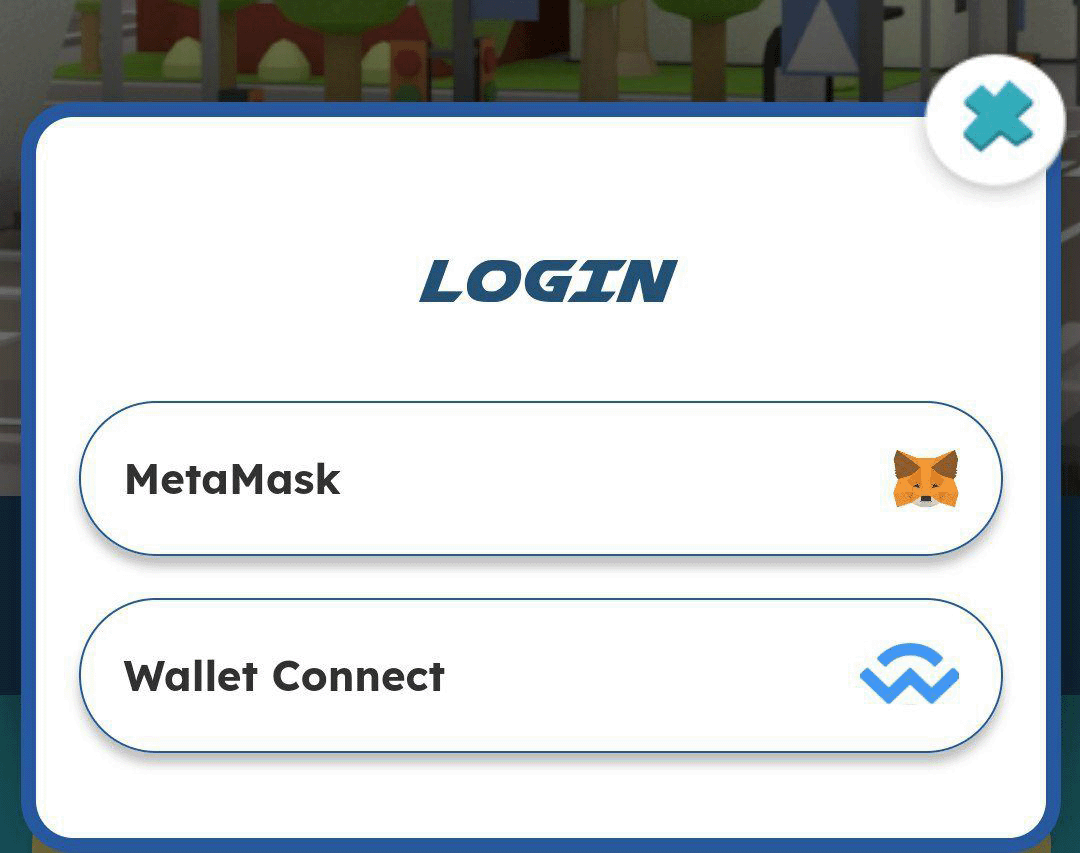
Simple Login Interface with multiple wallet

Donation Widget

Crypto Price


Changelog
2.21
- Skipped wordpress user.
2.15
- Removed Web3 Domain mint option
2.10
- Updated price display demo url and other urls
2.9
- Updated Screenshots
- Alert message if metamask not installed