

Cryptoniq Lite – Cryptocurrency Payment Gateway
Cryptoniq is a decentralized payment gateway that allows you to accept cryptocurrency payments directly — no third-party services or withdrawal fees.
Plugin info
Maintenance & Compatibility
Maintenance score
Stale • Last updated 185 days ago • 3 reviews
Is Cryptoniq Lite – Cryptocurrency Payment Gateway abandoned?
Likely maintained (last update 185 days ago).
Compatibility
Similar & Alternatives
Explore plugins with similar tags, and compare key metrics like downloads, ratings, updates, support, and WP/PHP compatibility.
Description
Cryptoniq | Cryptocurrency Payment Plugin for WordPress (Decentralized)
Pay with BTC, ETH, TRX, DOGE — easily and securely.
Cryptoniq is a WooCommerce payment plugin that enables your store to accept cryptocurrency payments with direct-to-wallet transactions.
💰 Coins (Lite Version)
- Bitcoin (BTC)
- Ethereum (ETH)
🔒 To unlock support for more coins, upgrade to the Pro Version:
– Litecoin (LTC)
– Dogecoin (DOGE)
– TRON (TRX)
– Solana (SOL)
– Arbitrum One (ARB)
– Optimism (OP)
– USDT & USDC support on multiple chains
🔗 Decentralized Payment System
Most crypto gateways require signups, hosted wallets, and withdrawal fees.
Cryptoniq is different:
– No 3rd-party registration
– No withdrawal fees
– Direct payment to your crypto wallet
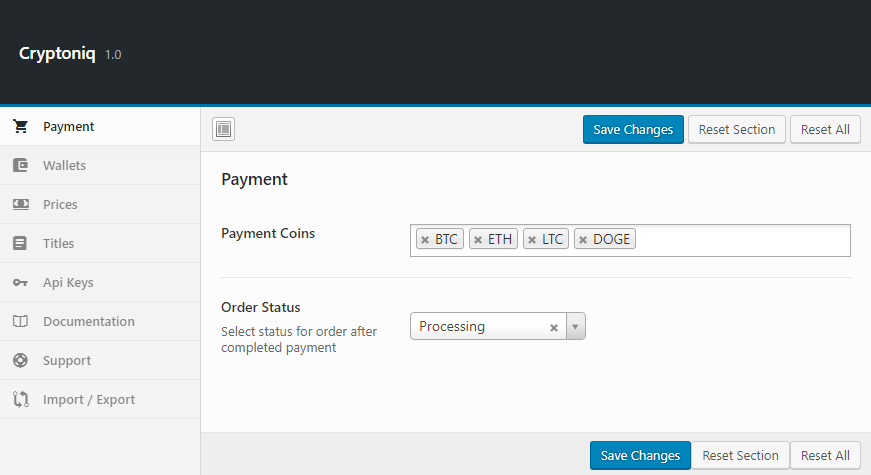
🛠 Powerful Admin Panel
Manage wallets, coin selection, price settings, and more from an intuitive interface.
💸 Payment Box
Beautiful, responsive, and user-friendly payment UI.
💱 Currency Support
Supports 169+ fiat currencies (USD, EUR, etc.) for price conversions.
🌐 Official Website
Visit https://cryptoniq.io/wp/ for documentation and updates.
📖 Documentation
Read the full documentation: https://divengine.ticksy.com/articles/100013199/
Translations
- English (default)
- Spanish
- German (Deutsch)
- Italian
- Russian
- Hindi
Installation
- Upload the plugin folder to
/wp-content/plugins/, or install it through the WordPress plugin screen. - Activate the plugin via the ‘Plugins’ menu in WordPress.
- Open “Cryptoniq” admin options panel.
Frequently Asked Questions
Cryptoniq is fully decentralized — payments go directly from buyer to seller, without middlemen.
Review feed
Screenshots


Changelog
1.5
- Fixed Thank You page
- Fixed HPOS compatible meta fileds
1.4
- Updated compatibility for latest WordPress and WooCommerce versions.
- UI improvements and new features.
1.1
- Bug fixes and enhancements.
1.0
- Initial release.