
Plugin info
Maintenance & Compatibility
Maintenance score
Stale • Last updated 349 days ago
Is CTCL Floating Cart abandoned?
Likely maintained (last update 349 days ago).
Compatibility
Similar & Alternatives
Explore plugins with similar tags, and compare key metrics like downloads, ratings, updates, support, and WP/PHP compatibility.
Description
CTCL Floating Cart adds a sleek and convenient floating cart to your CT Commerce Lite eCommerce site. 🛍️ With this block, customers can peek into their cart anytime, improving their shopping experience by keeping their cart visible and accessible. Perfect for boosting engagement and reducing cart abandonment!
Key Features:
– 🛒 Floating Cart Block: Easily view the cart contents from any page.
– 🔧 Easy Integration: Seamlessly integrates with the CT Commerce Lite plugin.
– 🎨 Customizable Position: Place the floating cart block in your navigation or other desired areas.
Additional Information
For any issues or feature requests, please contact UjW0L.
Installation
This section describes how to install the plugin and get it working.
- Upload the plugin files to the
/wp-content/plugins/ctcl-floating-cartdirectory, or install the plugin through the WordPress plugins screen directly. - Activate the plugin through the ‘Plugins’ screen in WordPress.
Frequently Asked Questions
It is compatible with CT Commerce Lite eCommerce plugin version 2.0.2 and later. 🛒
The floating cart block can be added wherever blocks are supported. It is ideally placed in the navigation section for easy access. 🧭
Review feed
Screenshots
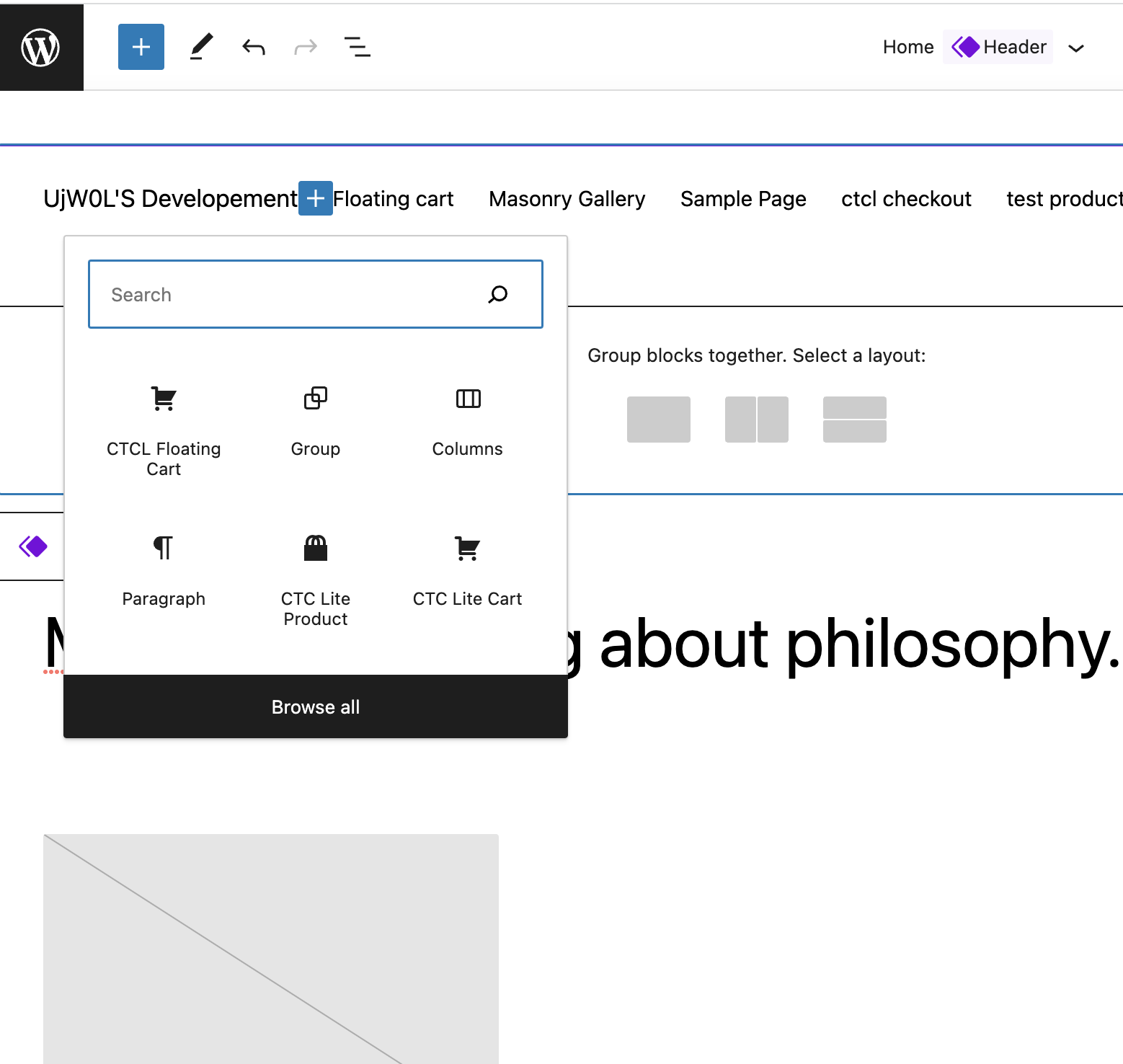
🛠️ Adding Navigation Block: Configure the floating cart block via Appearance > Editor section.
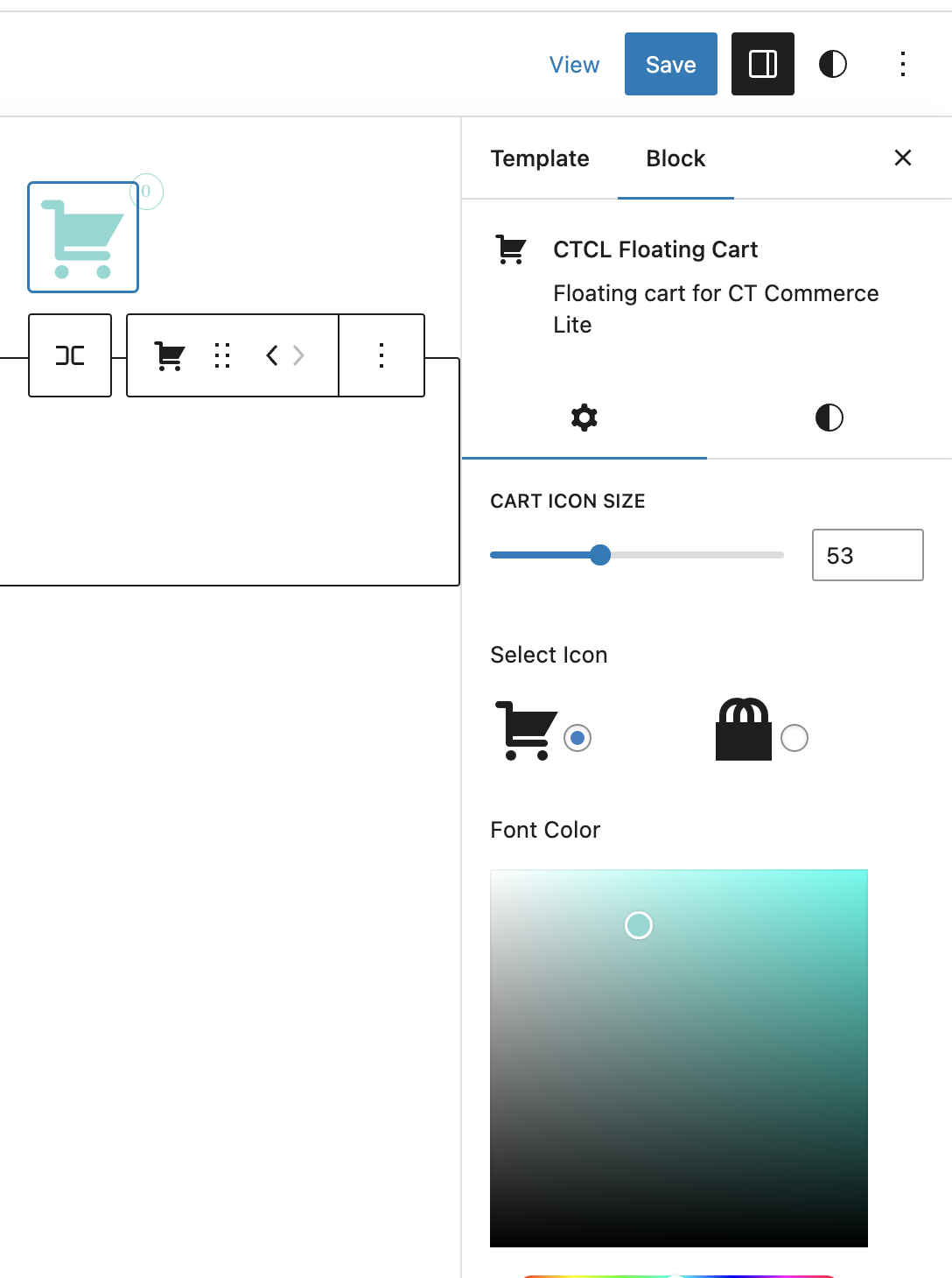
⚙️ Block Settings: Customize the floating cart settings.
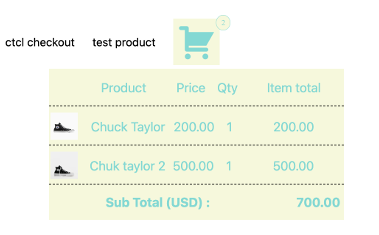
👀 Floating Cart on Frontend: View the floating cart as it appears to users.
Changelog
0.1.0
- Initial release 🚀