

Cursor Trail
Add a cursor trail to your website mouse pointer, with custom pointer image, speed/interval adjustment and scheduling.
Plugin info
Maintenance & Compatibility
Maintenance score
Stale • Last updated 344 days ago • 3 reviews
Is Cursor Trail abandoned?
Likely maintained (last update 344 days ago).
Compatibility
Similar & Alternatives
Explore plugins with similar tags, and compare key metrics like downloads, ratings, updates, support, and WP/PHP compatibility.
Description
Simple little plugin that adds a trailing cursor effect to your mouse pointer. Add a fun touch to your site or just during festive seasons!
With this plugin, you can choose:
- The trailing image to show which follows your cursor (default is a mouse arrow).
- Adjust the fade speed of the trail and the rate of display.
- Choose when to start/stop showing the mouse trail (such as only during a holiday season).
If you have any issues or suggestions, please visit our support forums.
If you find this plugin useful and would like to say thanks, please leave us a 5 star review!
In the plugin folder, there’s a valentines icon too, change pointer.png in the cursor image option to valentines.png and then feel the love!
Installation
-
Install and activate your plugin as you would any WordPress plugin.
-
Customize at Settings > Cursor Trailer
-
Visit your site and enjoy the effects!
Frequently Asked Questions
Review feed
Testing Reviews
Screenshots
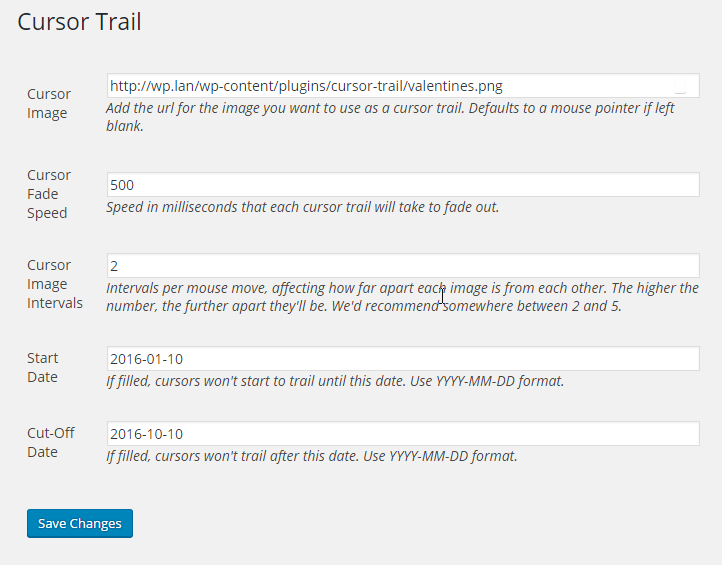
The options page

A special valentines day effect :)