

Custom Index Shortcode
Create customizable lists of pages by using a simple shortcode which can be called directly from buttons in both TinyMCE and HTML editors.
Plugin info
Maintenance & Compatibility
Maintenance score
Possibly abandoned • Last updated 4189 days ago • 1 reviews
Is Custom Index Shortcode abandoned?
Possibly abandoned (last update 4189 days ago).
Compatibility
Similar & Alternatives
Explore plugins with similar tags, and compare key metrics like downloads, ratings, updates, support, and WP/PHP compatibility.
Description
This plugin uses the get_pages() function to retrieve a list of pages and puts it in a indented-list-style output.
The list of pages and the output layout can be customized using arguments; some of them are from the get_pages() arguments list, others are brand new and
output related only.
Below there is a list of the arguments you can use so far:
[1] title –> choose if you want a title to be displayed. default is no title.
[2] titlesize –> select the size of the title.
[3] ID –> you have choose the parent of the list. default is the id of the page you are in.
[4] depth –> choose how many generation of children do you want the list to show.
[5] author –> select if you want to display the author username (with or without link to the author posts).
[6] orderby –> this affects the sort_order argument in get_pages() function. choices are: ‘post_title’, ‘menu_order’, ‘post_date’, ‘post_modified’,’ID’, ‘post_author’, ‘post_name’. default is ‘post_title’ .
[7] order –> ASC, DESC.
[8] list –> choose between ‘unordered’ or ‘ordered’ list.
Installation
- Upload the entire folder ‘custom-index-shortcode’ to the
/wp-content/plugins/directory. - Activate the plugin through the ‘Plugins’ menu in WordPress.
- If you want to use the shortcode in your templates, simply place
<?php echo do_shortcode( '[custom-index]' ); ?>everywhere in the code. Just remember to add manually the arguments.
Frequently Asked Questions
does Custom Index Shortcode work with posts or custom post types?
No. It works only with pages.
Review feed
Screenshots
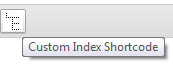
Tiny MCE button

Tiny MCE options menu

HTML button

An example

An example with author attribute set to "nolink"
Changelog
1.3
- adapted to WordPress 3.9+.
- new draggable TinyMCE options menu.
1.2.1
- order and orderby attributes now affect also children and deeper pages.
1.2
- author attribute added. it is possible now to show the author username next to the item in the list. you can also choose if you want the link to the author posts.
1.1
- titlesize attribute added. you can now choose between h1 ~ h6 in order to have a title properly formatted with your own theme.
- fixed the issue about the position of the output that was always on top of the content. this no longer happens, now you can expect to see the output where it should be.
1.0
- initial release