

Custom Login Form and Logout Redirect
With Custom Login Form and Logout Redirect, allows you create a login form for use anywhere (Post, Page, Custom Post Type, Widget,…) and Logout Redire …
Plugin info
Maintenance & Compatibility
Maintenance score
Possibly abandoned • Last updated 1848 days ago
Is Custom Login Form and Logout Redirect abandoned?
Possibly abandoned (last update 1848 days ago).
Compatibility
Similar & Alternatives
Explore plugins with similar tags, and compare key metrics like downloads, ratings, updates, support, and WP/PHP compatibility.
Description
With Custom Login Form and Logout Redirect, allows you create a login form for use anywhere (Post, Page, Custom Post Type, Widget,…) and Logout Redirect custom within WordPress.
Videmo Demo Use Plugin: Custom Login Form and Logout Redirect
How use it?
-
In order to create a login form on your site with the default options, all you need to do is use this shortcode:
[mstteam_login_form]
-
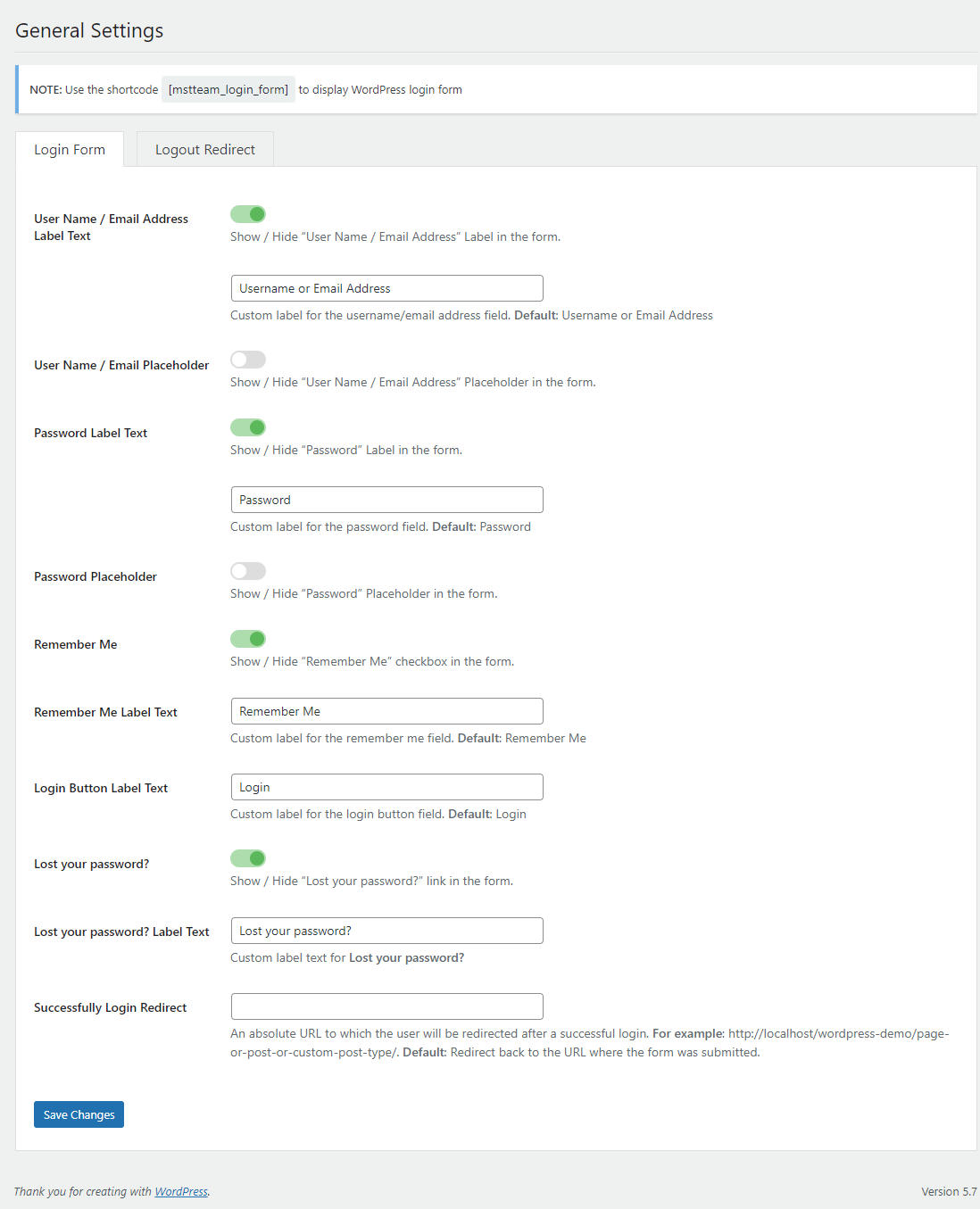
However, If you want to customize login form, you can access the menu: Settings >> Login Form – Logout , you can see screenshot here
-
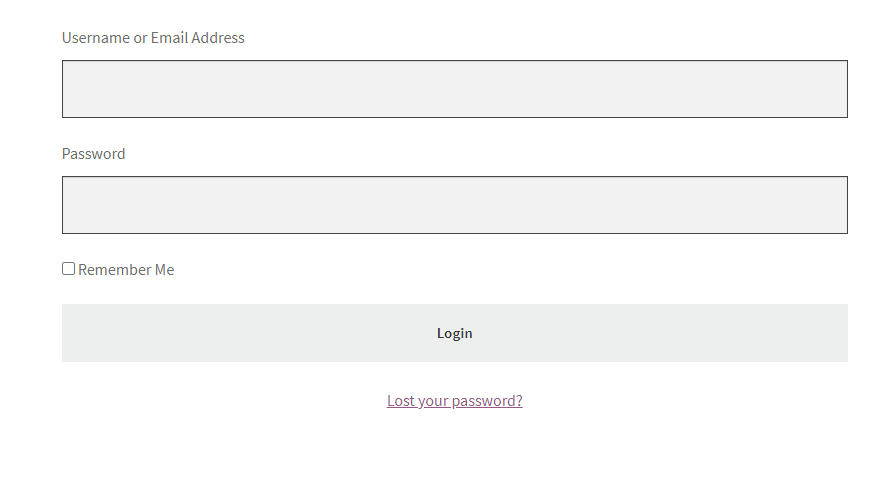
Form Login after using shortcode [mstteam_login_form] and customize via general settings. view screenshot here
-
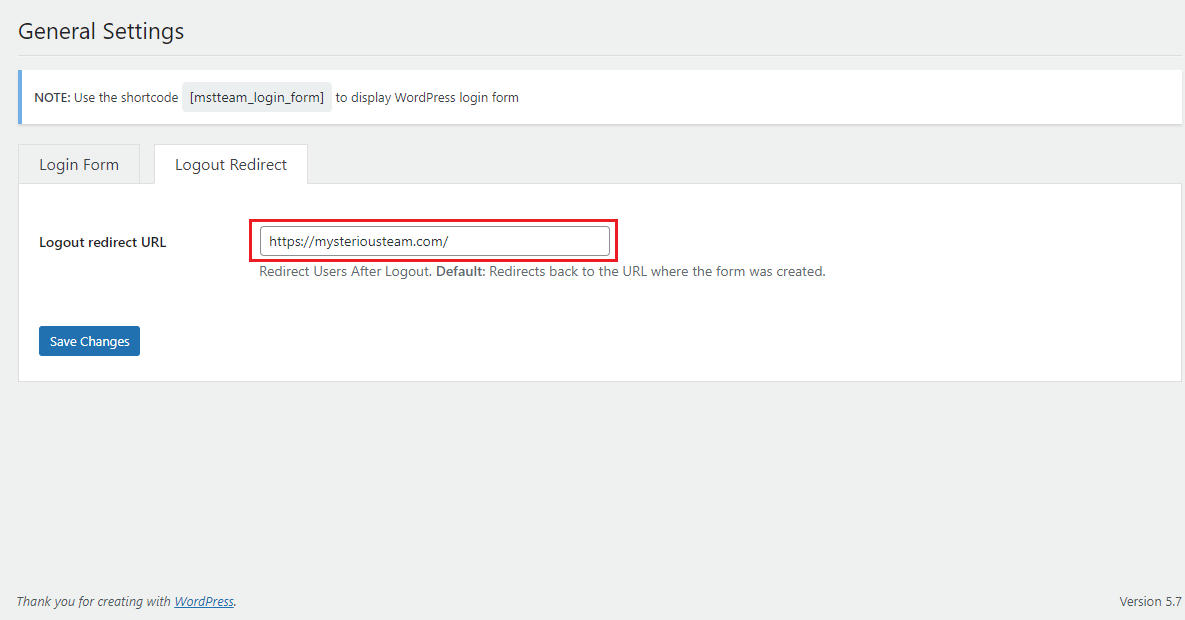
To redirect a WordPress logout to custom URL, you need input URL into Logout redirect URL field. view screenshot here
Installation
- Go to the Add New plugins screen in your WordPress Dashboard
- Click the upload tab
- Browse for the plugin file (mst-login-form-and-logout-redirect.zip) on your computer
- Click “Install Now” and then hit the activate button
Frequently Asked Questions
Yes.
Yes. You will insert this shortcode [mstteam_login_form] into wherever you want to display login form.
Yes.
Review feed
Screenshots
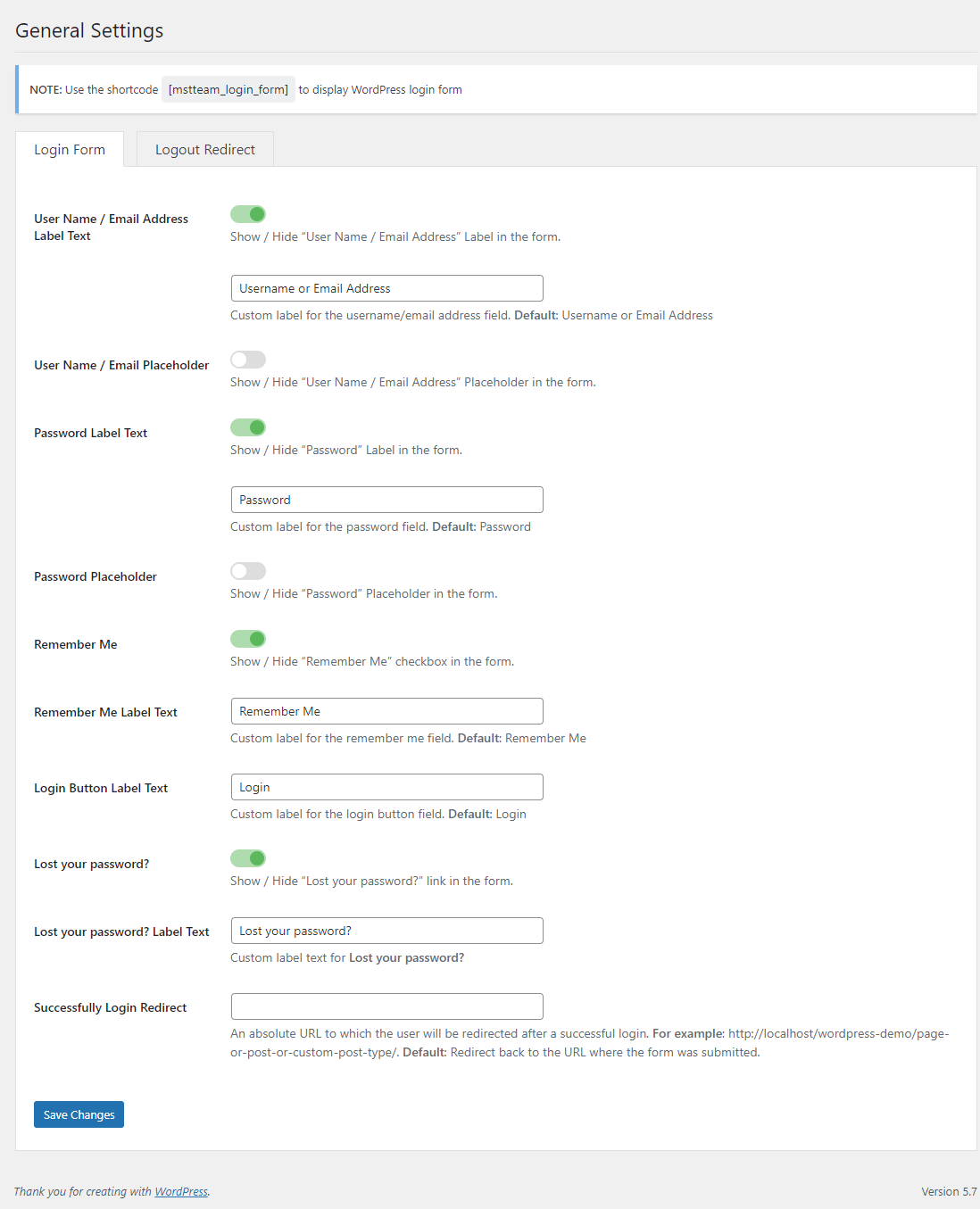
Custom Form Login (General Settings).
![Use the shortcode [mstteam_login_form]](https://ps.w.org/custom-login-form-and-logout-redirect/assets/screenshot-2.png?rev=2502199)
Use the shortcode [mstteam_login_form]

Custom Logout Redirect
Changelog
1.0.0
- Initial Release.