

Custom Adobe Fonts (Typekit)
Custom Adobe Fonts allows you to extends the fonts supports from the Abobe Fonts.
Plugin info
Maintenance & Compatibility
Maintenance score
Maintained • Last updated 122 days ago • Support resolved 0% • 7 reviews
Is Custom Adobe Fonts (Typekit) abandoned?
Likely maintained (last update 122 days ago).
Compatibility
Similar & Alternatives
Explore plugins with similar tags, and compare key metrics like downloads, ratings, updates, support, and WP/PHP compatibility.
Description
This plugin helps you easily embed adobe fonts easily in your WordPress website.
Currently it works with:
How does it work?
- Install the plugin
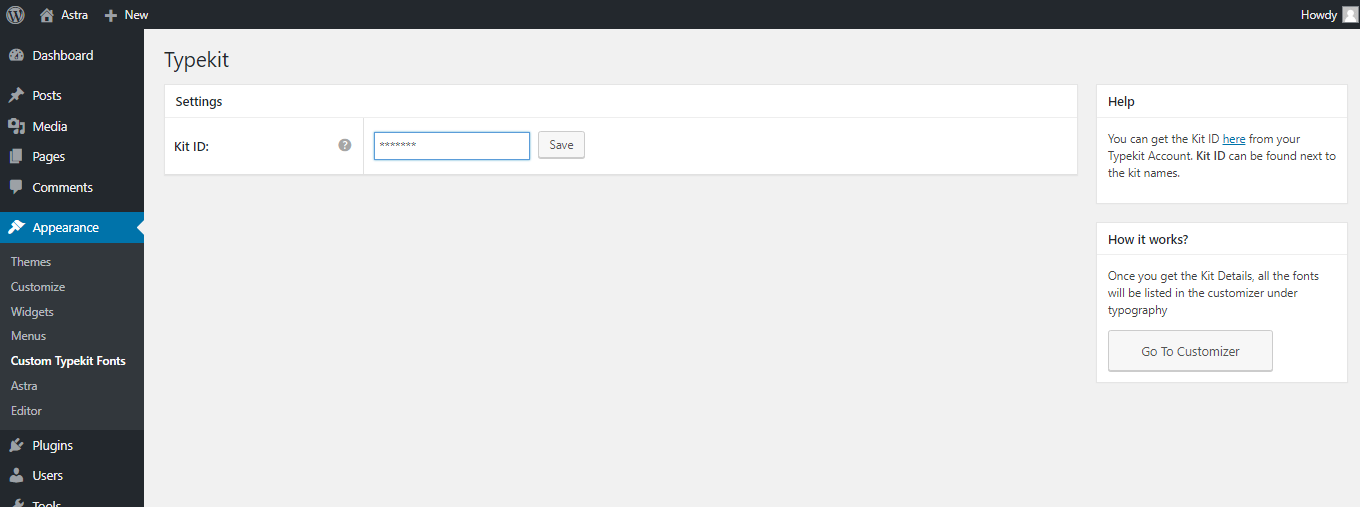
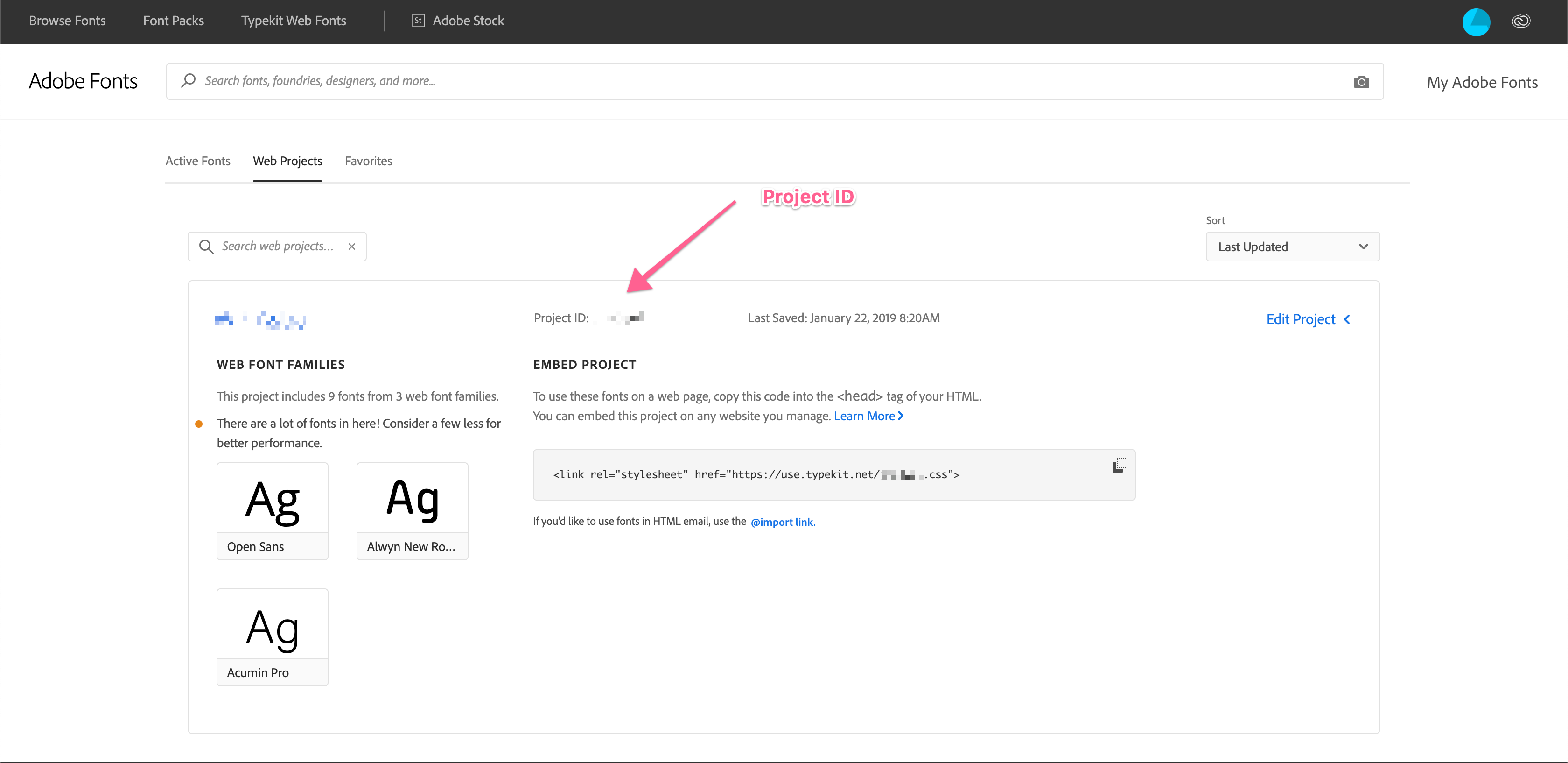
- Enter the Project ID that you create in adobe fonts.
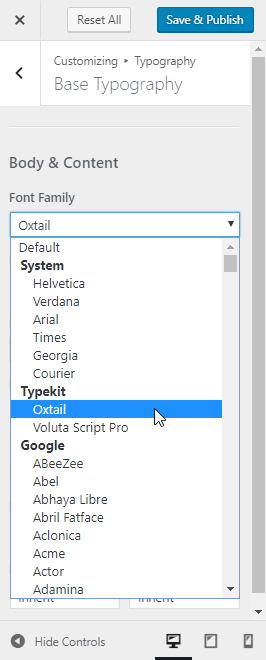
- And done. You will be able to see the fonts added in the settings of Astra / Beaver Builder / Elementor. Please refer screenshots.
If you’re not using any of the supported plugins and theme, you can write the custom CSS to apply the fonts.
Installation
- Upload the plugin files to the
/wp-content/plugins/custom-typekit-fontsdirectory, or install the plugin through the WordPress plugins screen directly. - Activate the plugin through the ‘Plugins’ screen in WordPress.
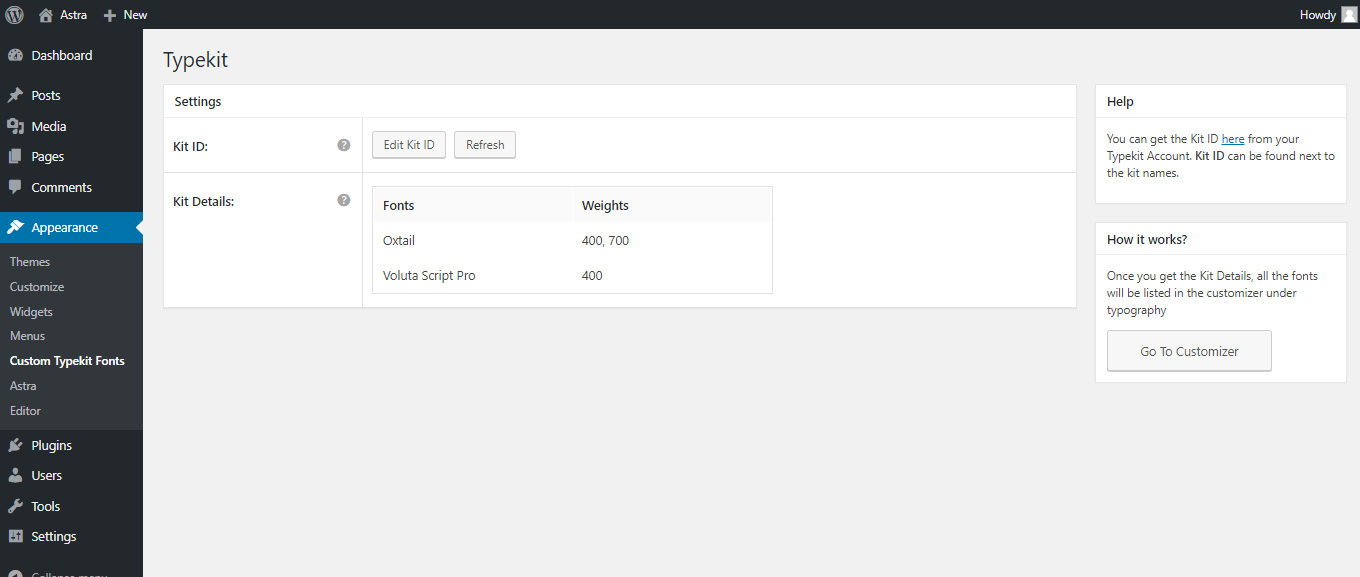
- Use the Appearance -> Adobe Fonts -> Add Kit ID and get all Font list.
- If you are using Astra then start using fonts from the customizer.
- You can also select Font Family from Appearance -> Adobe Fonts and start using it into your custom CSS.
Frequently Asked Questions
Review feed
Wow, didn't know this could be so easy...
This plugin is great!
Screenshots
Get your Project ID
Enter your Project ID
Get all published kit details from your Adobe ID
Select any Adobe font from Astra Theme Customizer
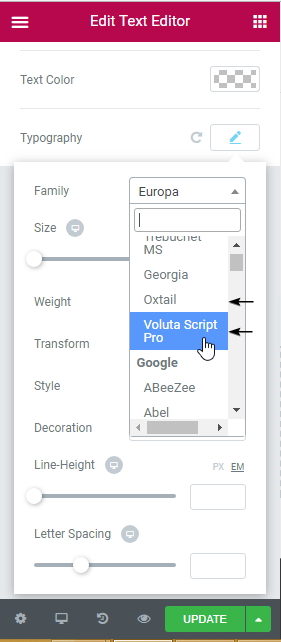
Select any Adobe font from Elementor
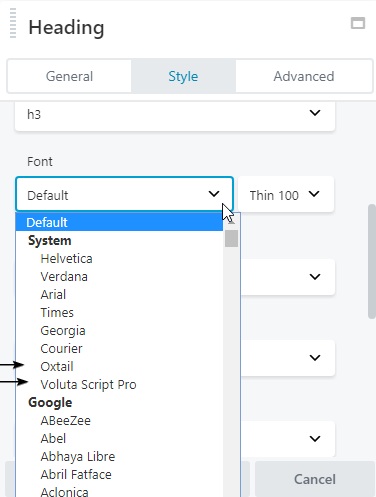
Select any Adobe font from Beaver Builder

Select any Adobe font from Beaver Builder Theme Customizer
Changelog
2.1.0
- Fix: Resolved option group markup issue for the font list in Astra customizer font control.
- Fix: Fixed security issue from astra-notice library.
1.0.18
- Fix: Fixed compatibility with other plugins with respect to the admin notice.
1.0.17
- New: Users can now share non-personal usage data to help us test and develop better products. ( https://store.brainstormforce.com/usage-tracking/?utm_source=wp_dashboard&utm_medium=general_settings&utm_campaign=usage_tracking )
- Fix: “PHP Notice: Trying to access array offset on value of type bool” when user is migrating from 1.0.8 or lower version.
1.0.16
- Improvement: Updated warning strings incase of wrong project ID.
1.0.15
- Fix: Settings page’s sections showing markup instead of content.
1.0.14
- Improvement: Hardened the security of plugin
- Improvement: Compatibility with latest WordPress PHP_CodeSniffer rules
1.0.13
- Fix: Console errors in customizer & frontend on adobe font(TypeKit) selection.
1.0.12
- Fix: Load Custom Adobe Fonts (Typekit) menu after Astra Options.
- Fix: Console errors in customizer while selecting font.
1.0.11
- Improvement: Allow whitelabel settings to be setup from using constants when using Astra Pro.
1.0.10
- Fix: Remove typekit font from the Astra Theme’s google fonts URL.
1.0.9
- Improvement: Use CSS embed method for enqueueing TypeKit fonts. This should remove the slight delay in displaying the TypeKit fonts on the page,
- Fix: Post URL in the Block Editor goes behind the Editor Top Bar.
1.0.8
- Fixed: A few TypeKit fonts not being rendered correctly.
1.0.7
- Improvement: Enqueue typekit fonts in the block editor.
1.0.6
- Fixed: Update font name to correct font family to be rendered correctly for all the fonts.
- Fixed: Typekit fonts not rendered ccorrectly in Beaver Builder and Elementor settings.
1.0.5
- Fixed: Fatal error: Uncaught Error: Class ‘Bsf_Custom_Fonts_Taxonomy’ not found
1.0.4
- Fixed: Added Fonts in separate group for Elementor fonts & global fonts selection.
1.0.3
- New: Added compatibility with Beaver Builder Theme, Beaver Builder Plugin and Elementor.
1.0.2
- Typekit fonts support added for all themes.
- White Label support added from the Astra Pro plugin.
1.0.1
- Custom Typekit Fonts wp admin menu renamed to Typekit Fonts.
- Empty Kit notice added if there is not fonts in the Kit.
- Php waring if there is no font list handled.
1.0.0
- Initial release