

Plugin info
Maintenance & Compatibility
Maintenance score
Possibly abandoned • Last updated 5362 days ago
Is Custom Unit Converter Widget abandoned?
Possibly abandoned (last update 5362 days ago).
Compatibility
Similar & Alternatives
Explore plugins with similar tags, and compare key metrics like downloads, ratings, updates, support, and WP/PHP compatibility.
Description
Simple measurement converter widget. There is a possibility to add custom units in admin area and disable or delete units.
Here are the Measurements and units included as presets:
* Angle – units Degree, Gradian, Radian
* Area – units Acres, Hectares, Square centimeter, Square feet, square inch, square kilometer, square meters, square mile, square millimeter, square yard
* Length – meter, centimeter, millimeter, foot, inch, rod, yard, mile, nautical mile
* Temperature – Celsius, Fahrenheit, Kelvin
* Volume Fluid – fluid ounce UK, fluid ounce US, Gallon UK and US, Pint UK and US, liter, quart UK and US, milliliter
* Volume Solid – cubic centimeter, cubic meter, cubic feet, cubic inch, cubic yard
* Weight – gram, kilogram, ounce, pound, stone
Installation
This section describes how to install the plugin and get it working.
- Upload
measure-converter-widgetfolder to the/wp-content/plugins/directory - Activate the plugin through the ‘Plugins’ menu in WordPress
- Go to Widgets; You’ll see a new widget called ‘Measure Converter Widget’. Drag and Drop it in the sidebar.
- Check the measures you want to user be able to convert.
- Add custom groups and units if you need.
Frequently Asked Questions
Review feed
Screenshots
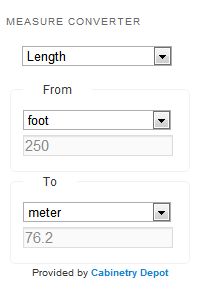
Public area

Admin area. Widget options.
Changelog
0.1
- Initial version.