

Custom validation error message – CF7
This plugin provides custom error messages for each field in contact form 7. Also, this plugin supported to "Contact Form 7 Multilingual" addon.
Plugin info
Maintenance & Compatibility
Maintenance score
Possibly abandoned • Last updated 1345 days ago
Is Custom validation error message – CF7 abandoned?
Possibly abandoned (last update 1345 days ago).
Compatibility
Similar & Alternatives
Explore plugins with similar tags, and compare key metrics like downloads, ratings, updates, support, and WP/PHP compatibility.
Description
This plugin adds custom validation messages to individual fields of your contact form 7. You will be able to add your custom error message for every field like text, radio, select, textarea, etc.. in contact form 7.
Features of this plugin.
- Supported with WPML (Contact Form 7 Multilingual) addon
- Add Custom Validation Message to Contact Form Fields.
- Allows you to set Different Error Messasge for text, text area, email, URL, radio, phone number, and more fields.
- Error message for individual fields.
- You can add custom validation with multiple forms on different pages or single page.
Installation
There are two ways you can install this WordPress Plugin.
Using The WordPress Dashboard
- Navigate to “Plugins -> Add New” from your dashboard
- Search for “Custom validation error message – CF7”
- Click “Install Now” button of this plugin
- Activate the plugin
- Go to Contact forms 7. Add or Edit any form.
- Click on ‘message’ tab. Here you can find all ur field list where you can enter your custome message.
Manual installation
- Download plugin from https://wordpress.org/plugins/custom-validation-error-message-cf7/
- Upload the ‘Custom validation error message – CF7’ plugin to the ‘/wp-content/plugins/’ directory.
- Activate the plugin through the ‘Plugins’ tab from WordPress admin.
- Go to Contact forms 7. Add or Edit any form.
- Click on ‘message’ tab. Here you can find all ur field list where you can enter your custome message.
Frequently Asked Questions
Yes, You can create custom validation messages for each form.
Yes, this plugin supported with Contact Form 7 Multilingual addon
Review feed
Screenshots
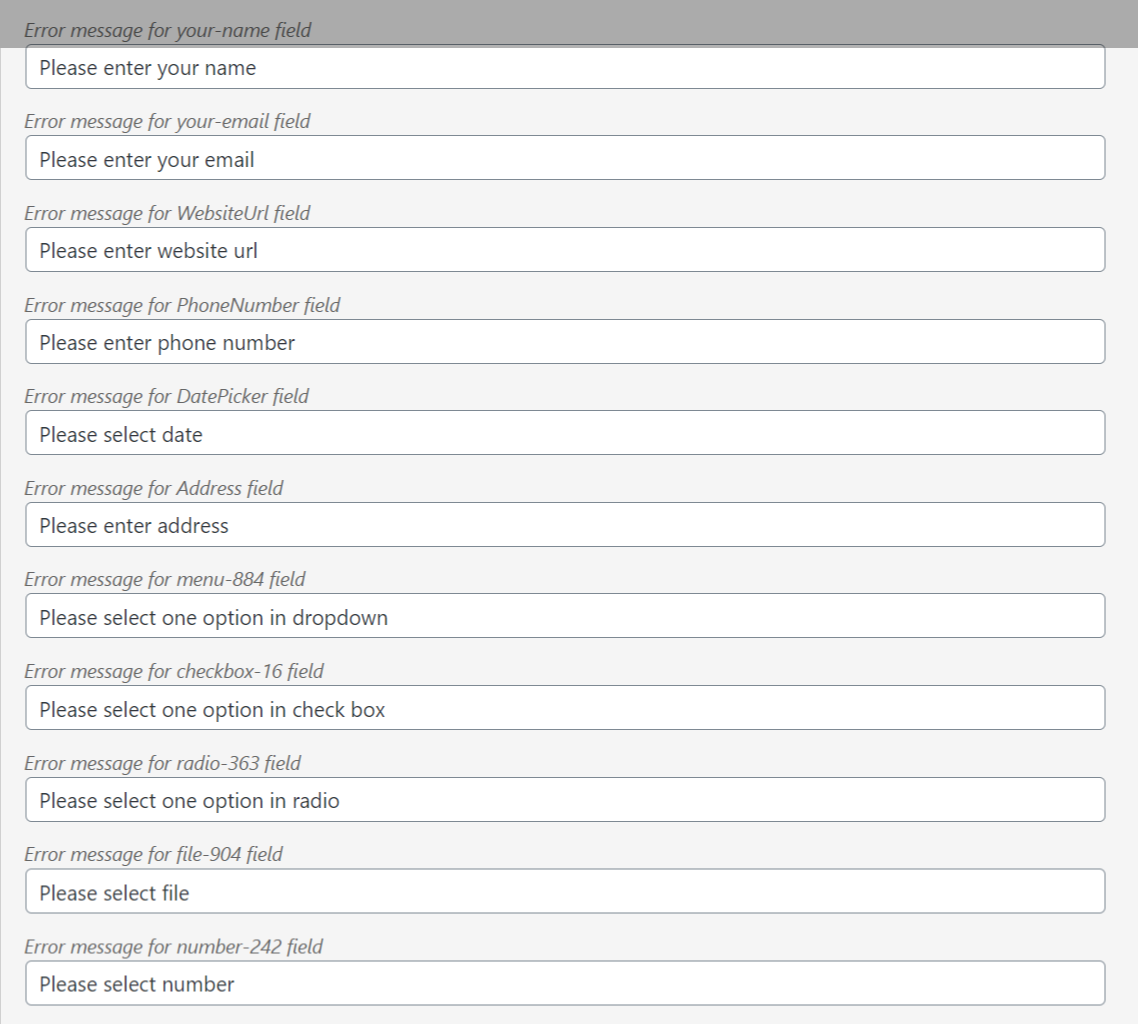
Screenshot-1.png
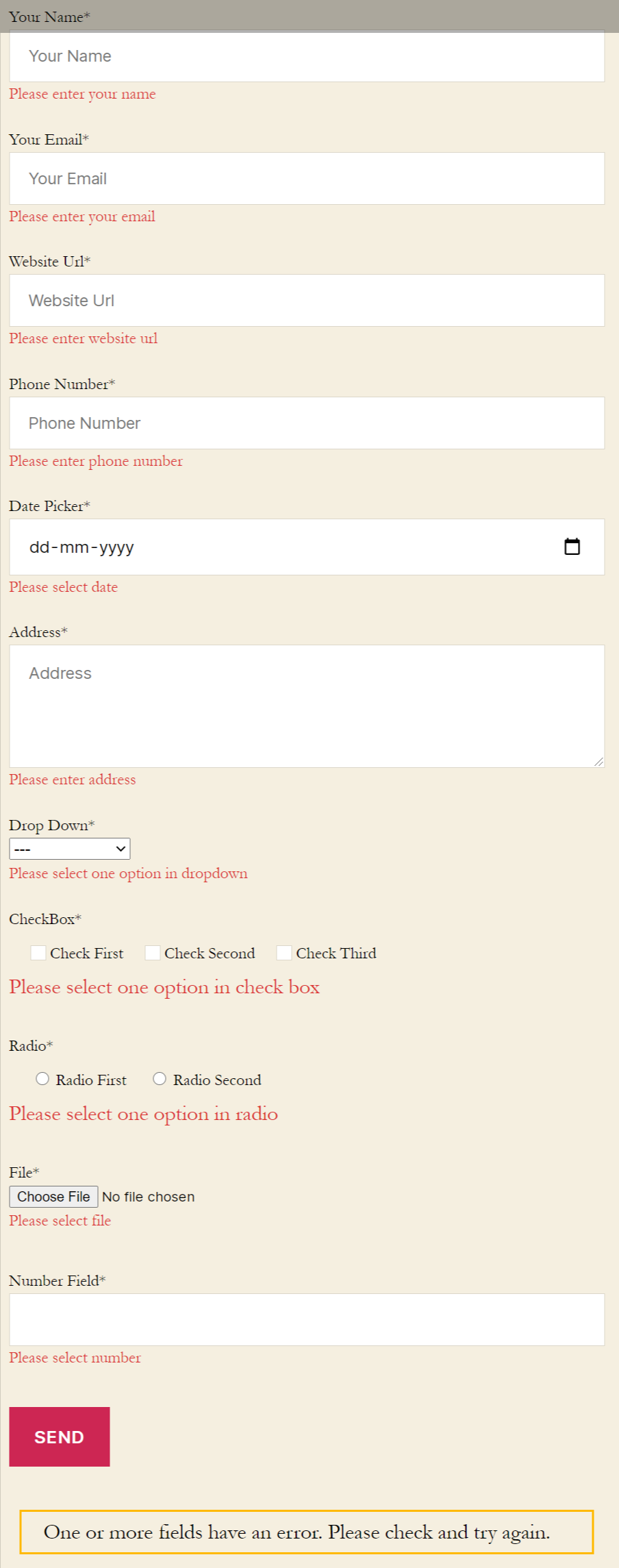
Screenshot-2.png