

Customer Journey Map For WooCommerce
Enhance Your WooCommerce Store with Customer Journey Mapping
Plugin info
Maintenance & Compatibility
Maintenance score
Possibly abandoned • Last updated 413 days ago
Is Customer Journey Map For WooCommerce abandoned?
Possibly abandoned (last update 413 days ago).
Compatibility
Languages
Similar & Alternatives
Explore plugins with similar tags, and compare key metrics like downloads, ratings, updates, support, and WP/PHP compatibility.
Description
The Customer Journey Map for WooCommerce plugin provides invaluable insights into your customers’ paths from their first interaction with your site to the completion of their orders. By visualizing these journeys directly on the WooCommerce orders page, you can identify critical touchpoints and optimize your store’s user experience.
Just install and activate the plugin and it works out of the box. There are no settings or configurations to be made.
Key Features
- Path Tracking: Automatically records every page a customer visits until they place an order.
- Seamless Integration: Works out of the box with WooCommerce—no complex settings or configurations required.
- Real-Time Insights: View detailed customer paths on the orders page to better understand user behavior and improve conversion rates.
How the Plugin Works
The Customer Journey Map for WooCommerce utilizes a cookie (_cjforwoo) stored in the visitor’s browser to track their navigation across your site. Once an order is placed, the plugin stores the recorded paths in your database. These insights are then displayed on the WooCommerce orders page, allowing you to analyze customer behavior effectively.
Installation
Frequently Asked Questions
A: No! The plugin works out of the box without any additional configuration.
A: The plugin tracks journeys only for new orders placed after activation.
Review feed
Screenshots
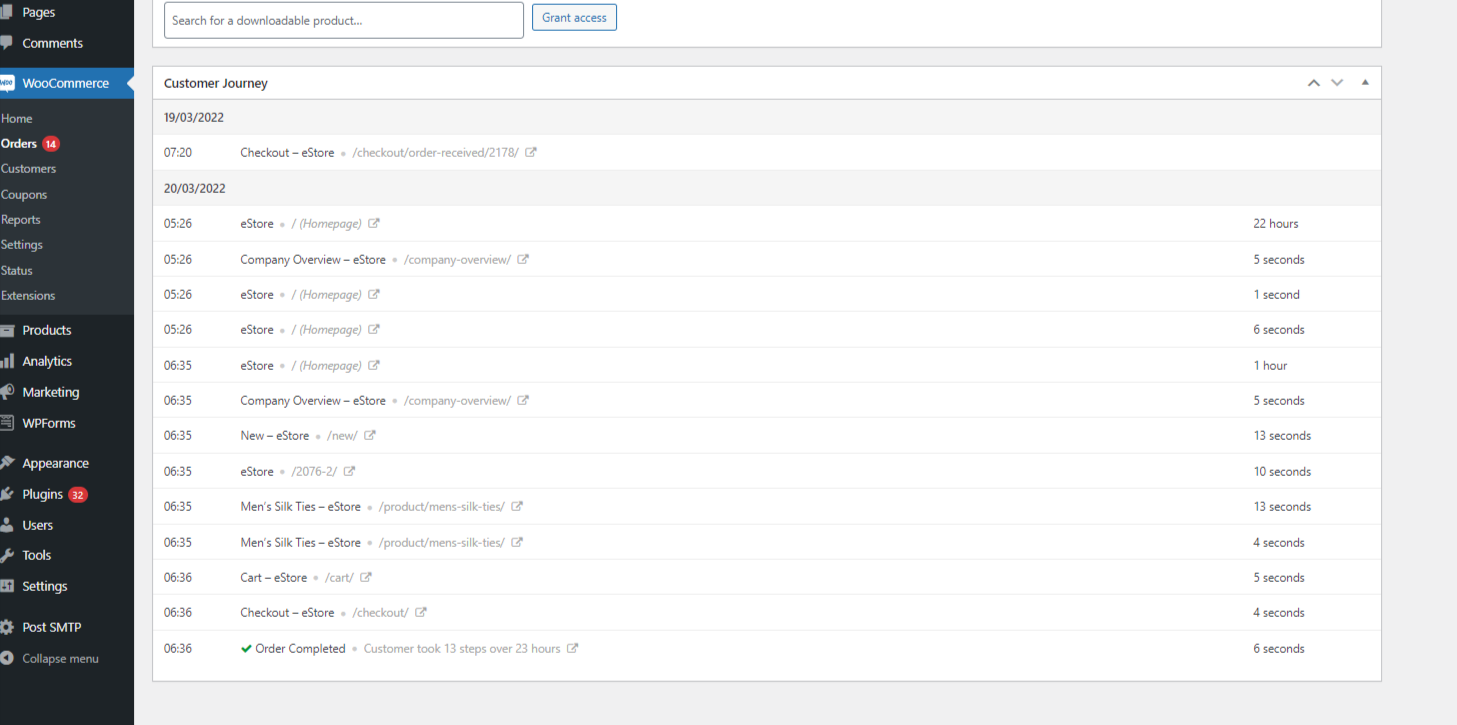
Customer Journey Displayed on Orders Page.
Changelog
2.0.0 – 2024-12-31
- Initial Release on WordPress.org.