

CustomGPT.ai Chatbot
A simple plugin to add the CustomGPT.ai Live Chat Bubble to a WordPress website with a user-specified Project ID and Project Key.
Plugin info
Maintenance & Compatibility
Maintenance score
Maintained • Last updated 117 days ago
Is CustomGPT.ai Chatbot abandoned?
Likely maintained (last update 117 days ago).
Compatibility
Similar & Alternatives
Explore plugins with similar tags, and compare key metrics like downloads, ratings, updates, support, and WP/PHP compatibility.
Description
This plugin allows you to deploy your CustomGPT.ai project on your WordPress site, in the form of Live Chat Bubble. This is achieved by adding a simple JavaScript code to your WordPress website’s footer, which inserts the chat bubble in the bottom right corner of the screen.
To use this plugin, you need to have a valid paid subscription for a service external to WordPress, which can be found at our website.
About CustomGPT.ai
CustomGPT.ai is a platform designed for businesses to create custom chatbots using retrieval-augmented generation (RAG). The platform offers a range of features and tools that facilitate the development, deployment, and management of chatbots tailored to specific business needs.
You can open a CustomGPT.ai account and start your free trial here.
For CustomGPT.ai Terms of Service, please click here.
For CustomGPT.ai Privacy Policy, please click here.
Installation
- Upload customgpt-ai-integration to the /wp-content/plugins/ directory.
- Activate the plugin through the ‘Plugins’ menu in WordPress.
- Go to Settings > CustomGPT.ai and enter your Project ID and Project Key.
The Project ID and Project Key can be obtained within the CustomGPT.ai app, on your project’s Deployment page, by selecting the WordPress deployment option.
Frequently Asked Questions
Review feed
Screenshots
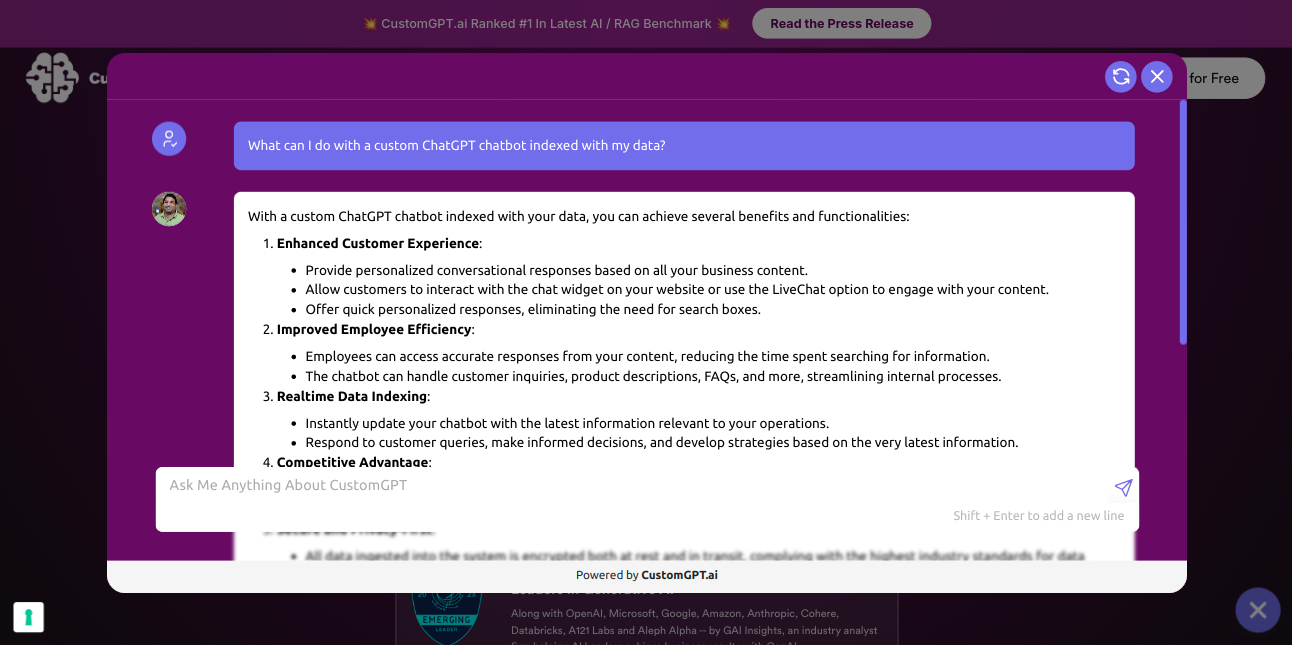
Chatbot opened on a website with modern Website Copilot window.
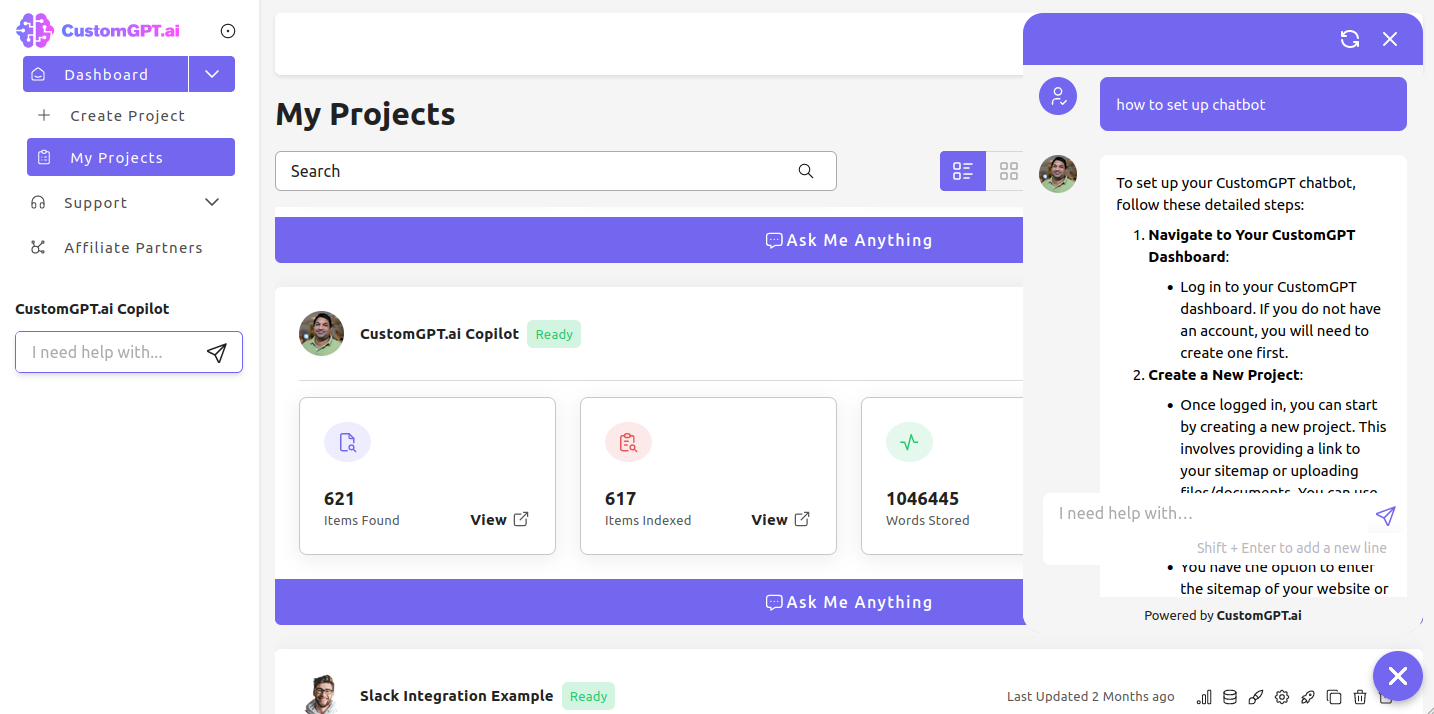
Chatbot opened on a website with traditional Live Chat bubble.

Chatbot icon at the bottom right corner of the web page.
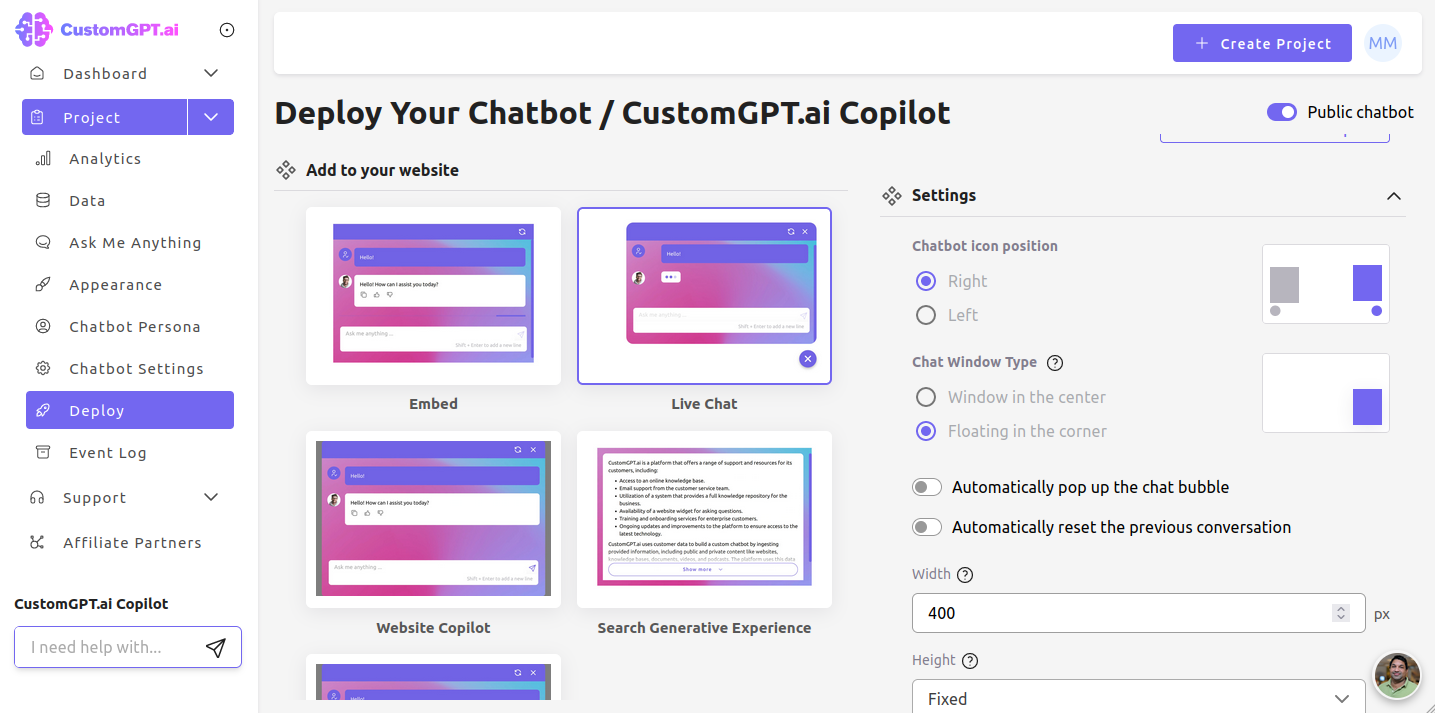
Chatbot setup inside CustomGPT.ai app.
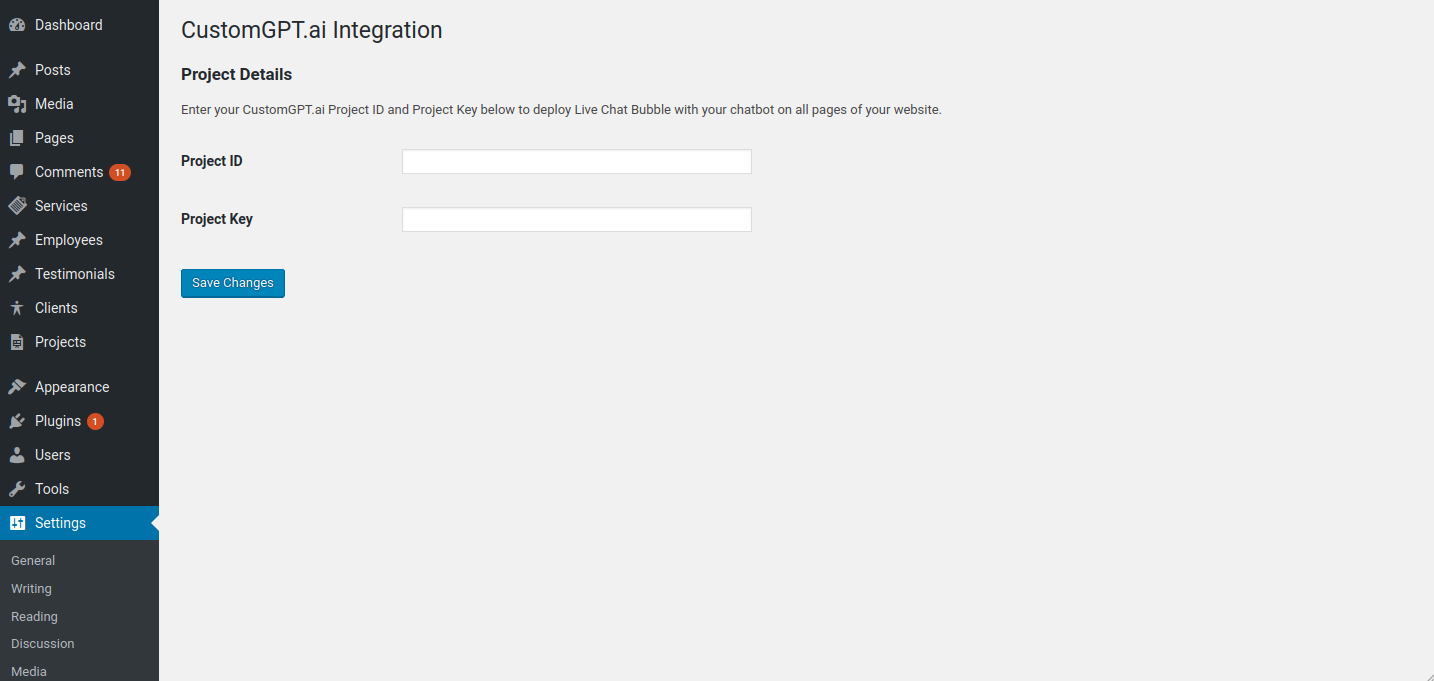
Chatbot setup inside CustomGPT.ai WordPress plugin.
Changelog
0.2
- Readme updated.
- Added assets.
0.1
- Initial release.