

Customize Twenty Seventeen
Customize Twenty Seventeen theme - add Google Fonts, use new templates and get other options to easily customize your site.
Plugin info
Maintenance & Compatibility
Maintenance score
Possibly abandoned • Last updated 1484 days ago • 10 reviews
Is Customize Twenty Seventeen abandoned?
Possibly abandoned (last update 1484 days ago).
Compatibility
Similar & Alternatives
Explore plugins with similar tags, and compare key metrics like downloads, ratings, updates, support, and WP/PHP compatibility.
Description
Customize Twenty Seventeen theme – add Google Fonts, use new templates and get other options to easily customize your site.
This plugin simplifies customization of Twenty Seventeen theme by giving you additional Customizer options including the usage of Google Fonts, and additional page templates.
Create your premium looking website using only Twenty Seventeen theme
Check out our demo pages built with Twenty Seventeen theme and Bold Page Builder plugin:
Our demos also use the following free plugin:
New Templates
Customize Twenty Seventeen adds additional page templates which can be selected on page edit:
- Boxed
- Wide
- Fullscreen
Customization Options
Also it will add new customization section (BoldThemes Settings) with following options:
- Body font
- Title font
- Heading font
- Menu font
- Remove entry header
- Remove home fullscreen
- Menu position – default (left), right and centered
- Custom CSS (for WP 4.7-)
- Custom JS
Options allow you to change the visual appearance of pages and add custom JavaScript and CSS code without creating a child theme or editing theme files. Easily add Google Analytics, Facebook Pixel or similar without theme files modification.
Actively developed and supported
Customize Twenty Sixteen is actively developed by BoldThemes , authors of a number of free and premium WordPress themes and plugins.
Installation
Use WordPress Add New Plugin feature and search Customize Twenty Seventeen or download the archive and:
- Unzip the archive on your computer
- Upload bt_customize_2017 directory to the /wp-content/plugins/ directory
- Activate the plugin through the Plugins menu in WordPress
Frequently Asked Questions
Review feed
Great plugin
Screenshots

Fonts changed, sample 01

Fonts changed, sample 02
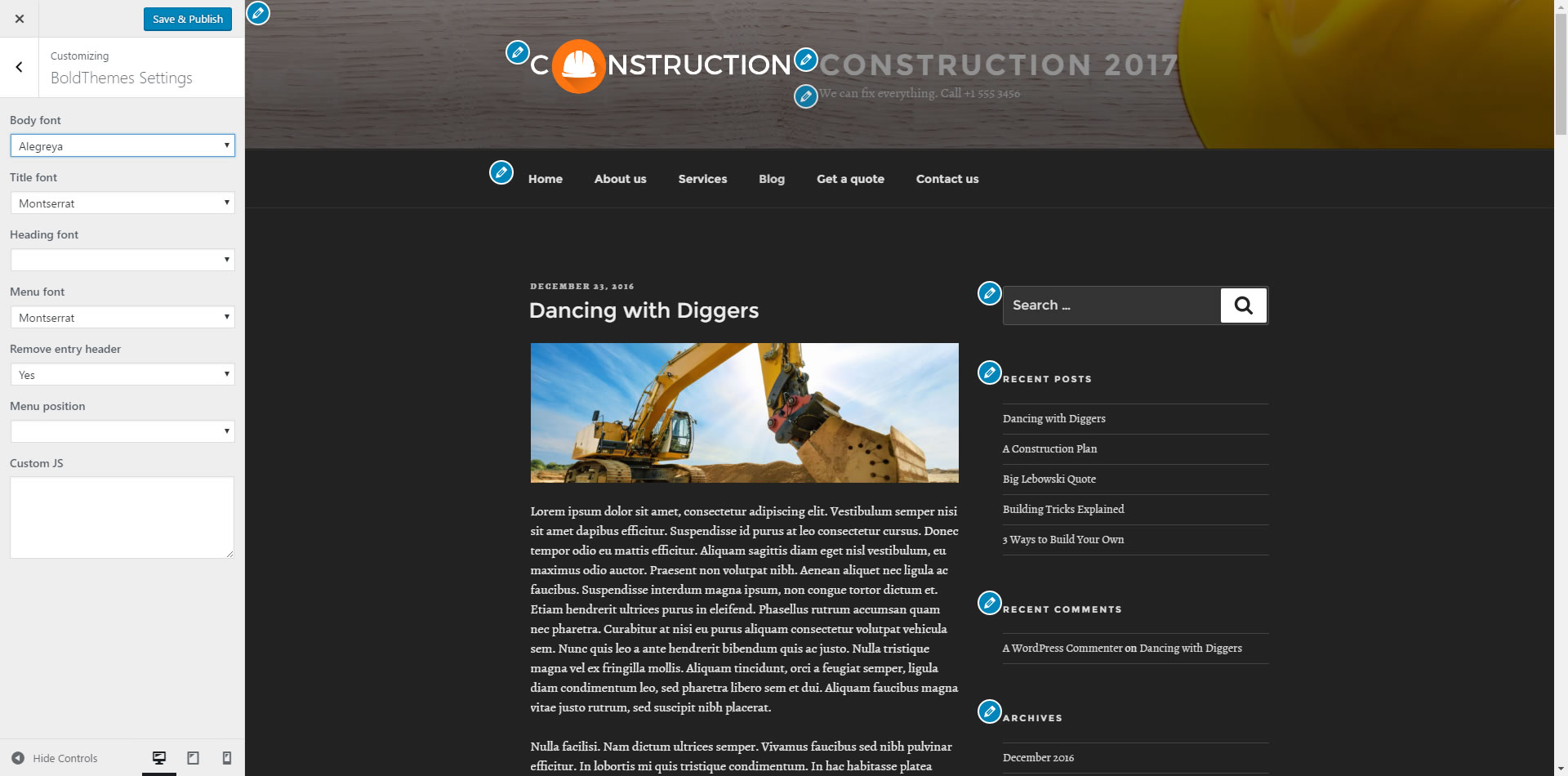
Fonts changed, sample 03

Wide template

Boxed template

Centered menu and logo
Changelog
1.0.5
- Removed ‘Ad’ text.
1.0.4
- Fixed menu font.
1.0.3
- Fixed menu position.
1.0.2
- Inner page headline Google font fix.
1.0.1
- Improved templates CSS.
1.0.0
- Initital release.