

Dashboard Welcome for Elementor
Replaces the default WordPress dashboard welcome panel with custom designed Elementor template.
Plugin info
Maintenance & Compatibility
Maintenance score
Possibly abandoned • Last updated 477 days ago • 23 reviews
Is Dashboard Welcome for Elementor abandoned?
Possibly abandoned (last update 477 days ago).
Compatibility
Similar & Alternatives
Explore plugins with similar tags, and compare key metrics like downloads, ratings, updates, support, and WP/PHP compatibility.
Description
Dashboard Welcome by PowerPack Elements gives you full control over the WordPress welcome panel using Elementor. You can personalize the dashboard with content and design built with Elementor. You can add heading, contact information, form, video, images, affiliate links, etc.
PLUS, you can display a template as per the user role.
How this works?
- Create a layout with Elementor.
- Go to plugin settings and select the layout from dropdown for any user role.
- Save the setting. Done!
Our other Elementor addons
PowerPack for Elementor – Extend Elementor with 50+ Creative Widgets and build beautiful websites.
Installation
-
Install Dashboard Welcome either via the WordPress plugin directory or by uploading the files to your server at wp-content/plugins.
-
Activate the plugin.
Frequently Asked Questions
You need Elementor plugin installed and activated for Dashboard Welcome to work.
Not at all! All you need to know about Elementor.
Review feed
Screenshots
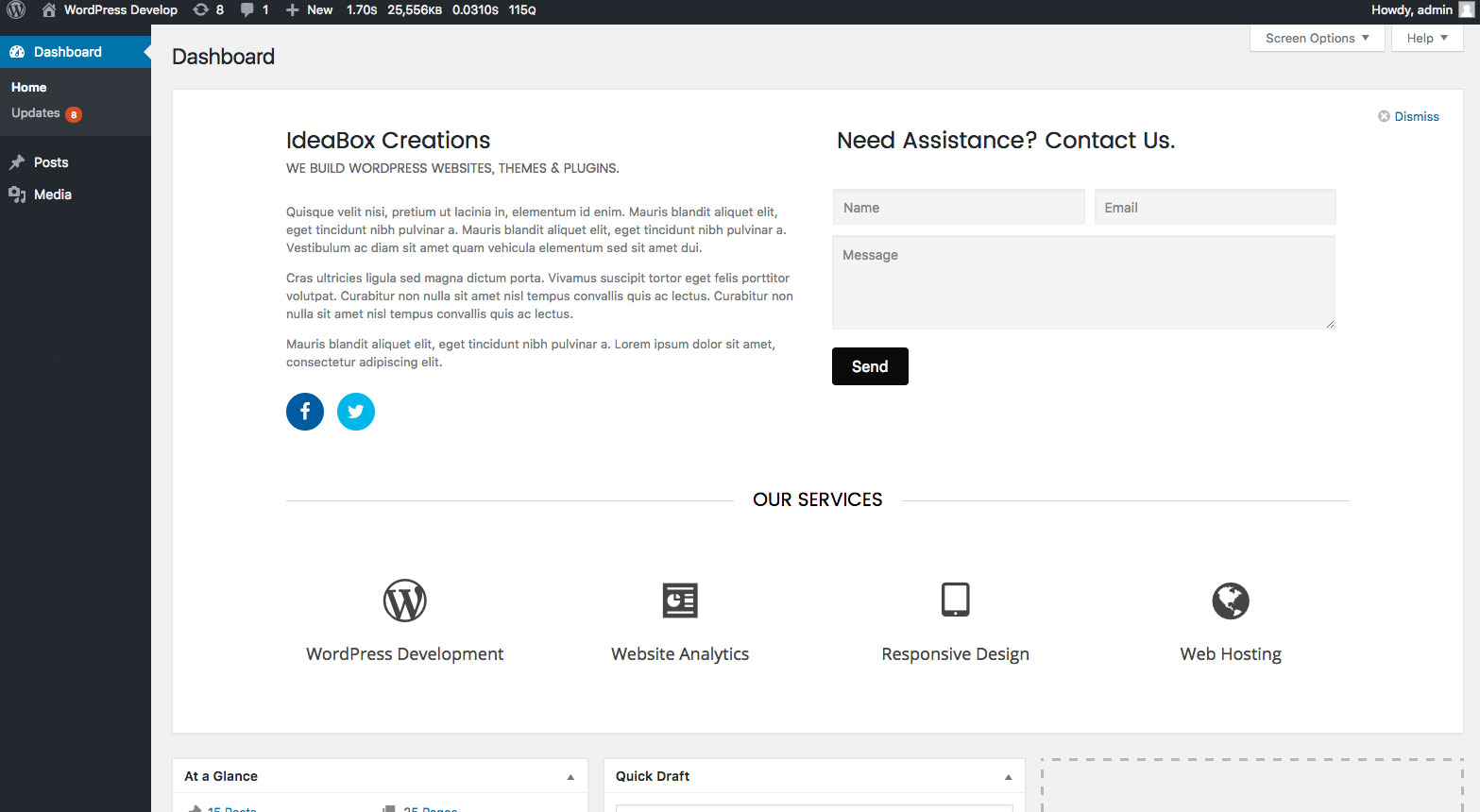
Admin Dashboard - Custom welcome panel
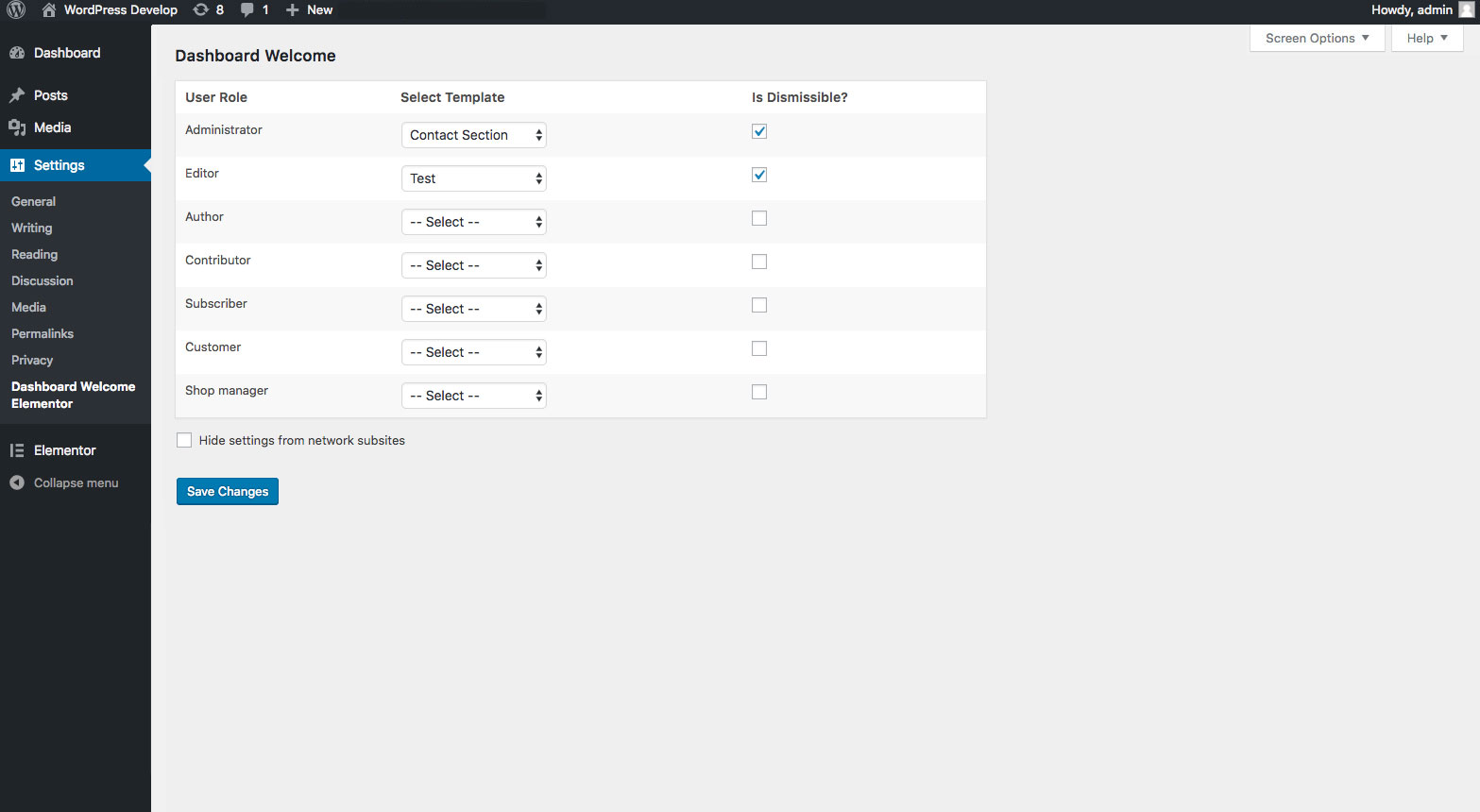
Plugin settings - Dashboard Welcome settings
Changelog
1.0.8 – March 7, 2024
- Security update
1.0.7 – December 14, 2022
- Security update
1.0.6 – February 9, 2022
- Fixed compatibility issues with WordPress 5.9
1.0.5 – April 20, 2020
- Tested compatibility with latest versions of WP and Elementor
- Added logic for usage analytics
1.0.4 – August 28, 2018
- Fix: PHP error on plugin page when Elementor is not active in multisite network
1.0.3 – August 17, 2018
- Enhancement: Added an option in main site to hide DWE settings from subsites in multisite enviornment
- Fix: Templates data was not available on subsites in multisite environment
- Fix: Minor CSS issues
1.0.2 – August 3, 2018
- Fix: PHP fatal error on multisite environment
1.0.1 – July 24, 2018
- Fix: Scroll bar issue
- Fix: Empty widget was showing when template is not selected for different user roles
1.0.0 – July 17, 2018
- Initial Release