

Dashboard Navigator
Navigate your WordPress dashboard by searching with a few keystrokes. Press shift shift, then a few letters of the menu item you want.
Plugin info
Maintenance & Compatibility
Maintenance score
Stale • Last updated 347 days ago
Is Dashboard Navigator abandoned?
Likely maintained (last update 347 days ago).
Compatibility
Similar & Alternatives
Explore plugins with similar tags, and compare key metrics like downloads, ratings, updates, support, and WP/PHP compatibility.
Description
In modern operating systems you can press a Start or Spotlight key, type a few letters of the operation you need, and choose it. There’s no need to waste time clicking around in the menus looking for your command. This plugin gives you the same capability for WordPress’s dashboard and its features.
The plugin places a search box at the top of the menu at the top left of WordPress’s dashboard. (That menu is at the top right if you use a right-to-left language such as Rohingya or Arabic.) Click in that menu and type a few letters. You’ll see a drop-down list of matching commands. Use arrow keys to select the command you want, and press Enter or Tab.
You can press Shift twice rapidly instead of clicking in the search box. So, for example, to go to your orders in your WooCommerce store, type this.
Shift Shift o r d e r s Enter
Tnat’s it.
How does this plugin work? It is lightweight. It sends its small JavaScript file to your browser for every dashboard page. That JavaScript analyzes the WordPress menus and prepares the dropdown list.
Credits
Props to herchen for his Admin Menu Search plugin. This is, I hope, worthwhile improvement on it.
Installation
The usual way.
Frequently Asked Questions
No. It does nothing on your site’s front-end pages. And, for your dashboard users it adds one small Javascript file.
Yes.
Each user can enable or disable it in their user profile.
No. It works entirely in each user’s browser with the menus WordPress sends to the browser.
Yes. The dropdown list includes the top-level menus and submenus created by your plugin and other plugins.
Review feed
Screenshots
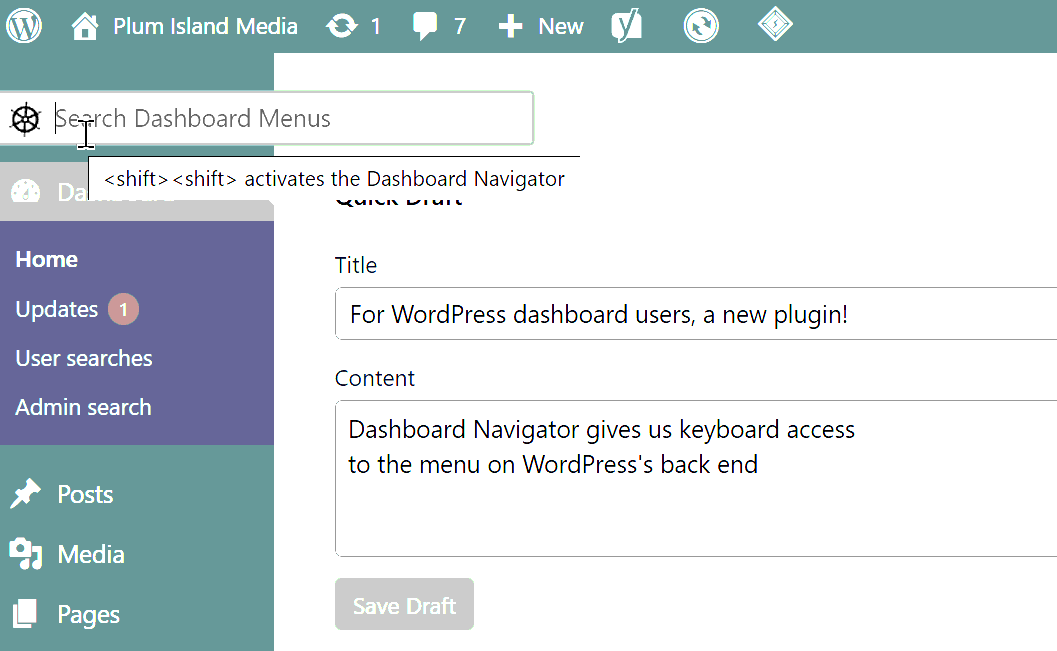
Type shift shift or click on the Navigator to search menus.
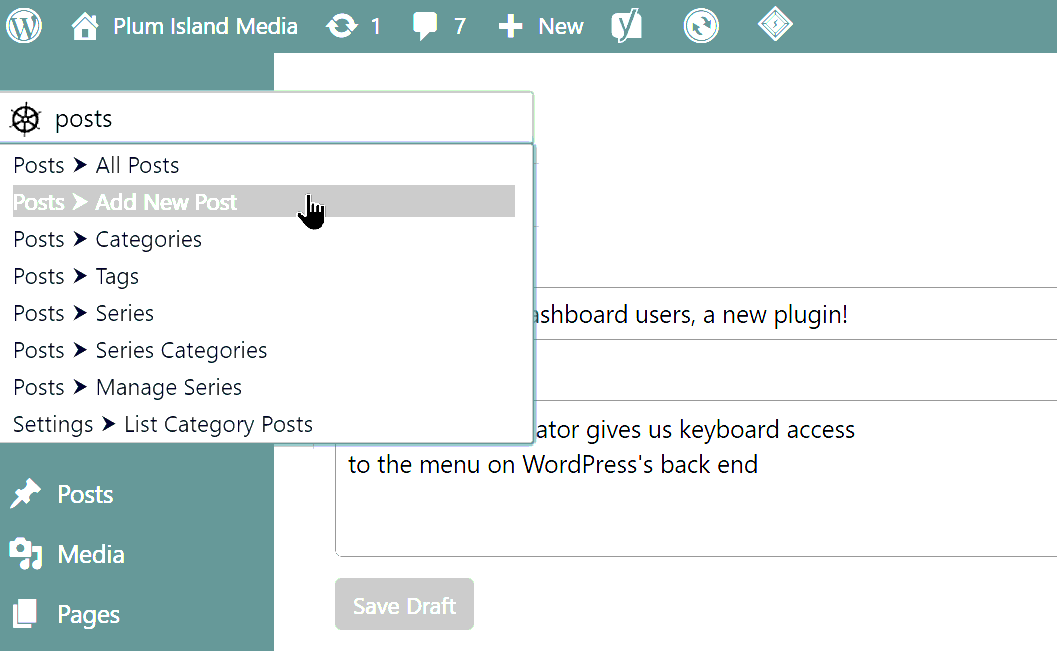
Type a few characters, use the arrow keys to choose an item, then hit enter.
Changelog
1.0.0
- First release.