

Database Records for Contact Form 7
Store and display Contact Form 7 submissions in the database. Manage entries in the admin or display them on the frontend with Bootstrap styling.
Plugin info
Maintenance & Compatibility
Maintenance score
Possibly abandoned • Last updated 485 days ago
Is Database Records for Contact Form 7 abandoned?
Possibly abandoned (last update 485 days ago).
Compatibility
Similar & Alternatives
Explore plugins with similar tags, and compare key metrics like downloads, ratings, updates, support, and WP/PHP compatibility.
Description
Database Records for Contact Form 7 is a WordPress plugin that saves Contact Form 7 submissions directly into the WordPress database. The plugin also provides options to display the saved entries in the WordPress admin panel as well as on the frontend, making it easy to manage and review form submissions.
- Features:
- Saves Contact Form 7 submissions to the database.
- Displays form entries in the WordPress admin area.
- Option to display submissions on the frontend using Bootstrap for styling.
- Simple and intuitive UI with Bootstrap integration.
- Supports custom filtering and searching of submissions.
This plugin is perfect for users who need to store and review form submissions without relying on email notifications.
License
This plugin is licensed under the GPLv2 or later. See the LICENSE file for more details.
Installation
- Upload the plugin files to the
/wp-content/plugins/contact-form-7-database-records/directory, or install the plugin through the WordPress plugins screen directly. - Activate the plugin through the ‘Plugins’ screen in WordPress.
- Navigate to the plugin settings in the WordPress admin panel to configure the database records options.
- Use shortcodes or built-in features to display the form entries on the frontend.
Frequently Asked Questions
Yes, this plugin works as an add-on for Contact Form 7. Make sure Contact Form 7 is installed and activated before using this plugin.
You can use the provided shortcode to display the submissions on the frontend. Please refer to the plugin documentation for more details.
Yes, you can filter form submissions by various criteria, including date range, form field values, and more.
Review feed
Screenshots

Admin View of Submissions - See a list of all submitted form entries in the WordPress admin.
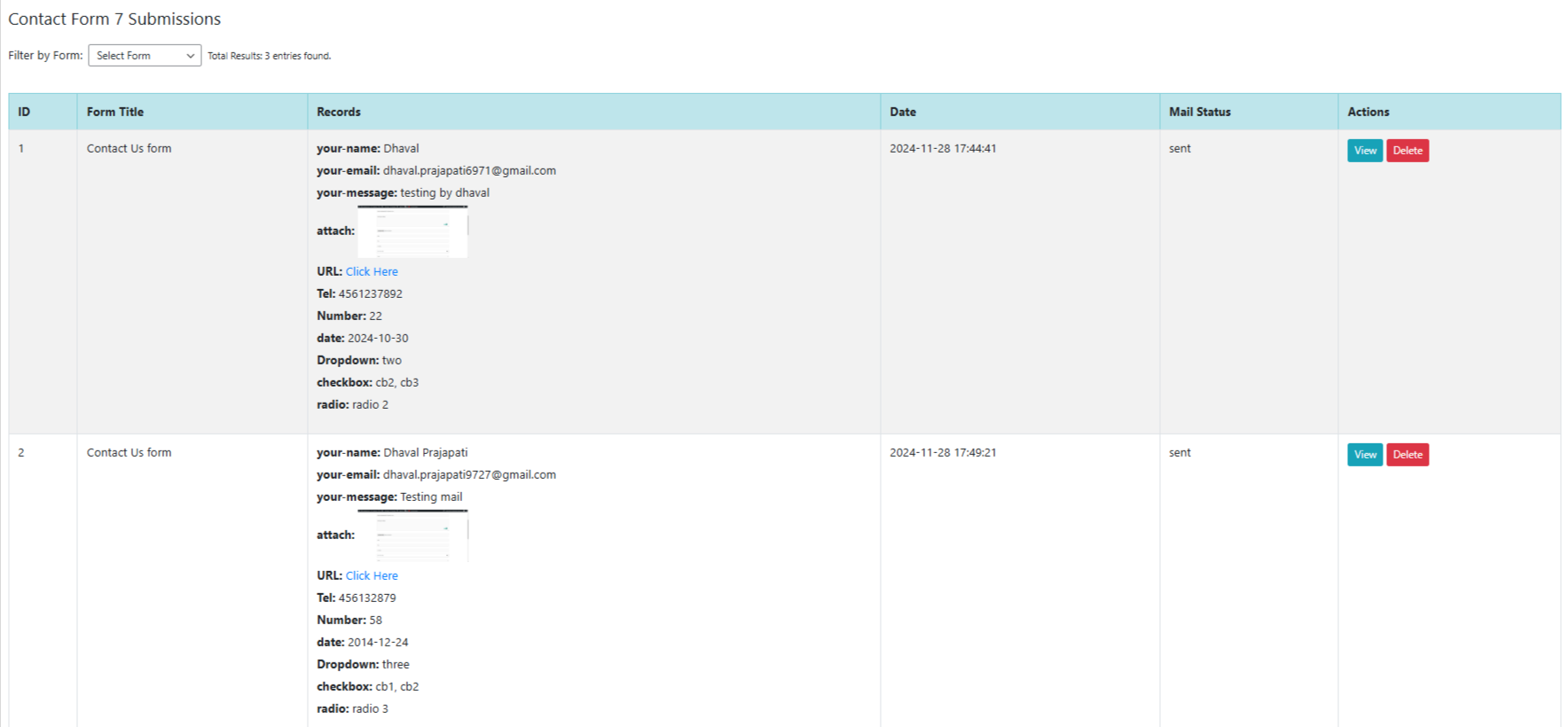
Frontend Display - Showcase form submissions on the frontend using Bootstrap styling.
Changelog
1.0.1
- Design issue fixed.
1.0
- Initial release of the plugin.