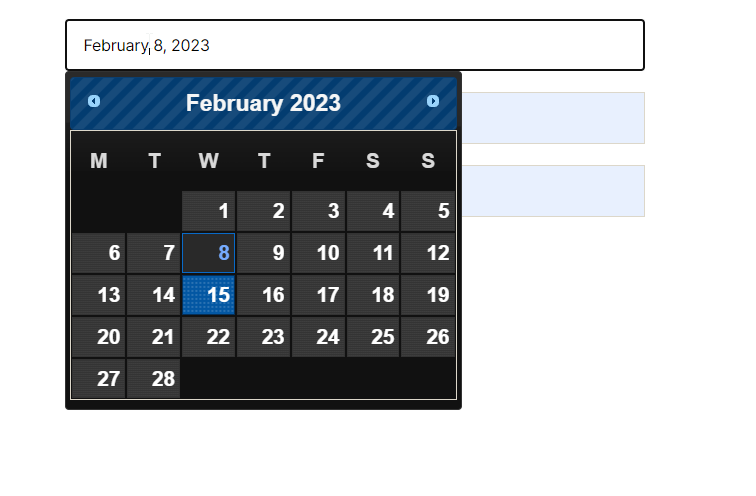
Date Picker For Contact Form 7
Date Picker For Contact Form 7 able to make datepicker field in contact field multiple datepicker option.
Plugin info
Maintenance & Compatibility
Maintenance score
Stale • Last updated 352 days ago • 6 reviews
Is Date Picker For Contact Form 7 abandoned?
Likely maintained (last update 352 days ago).
Compatibility
Similar & Alternatives
Explore plugins with similar tags, and compare key metrics like downloads, ratings, updates, support, and WP/PHP compatibility.
Description
Date Picker For Contact Form 7 able to make datepicker field in contact field multiple datepicker option.
Easily restrict selectable dates in Contact Form 7 forms with custom rules for minimum, maximum, or specific available dates. Improve form accuracy and scheduling control.
A Date Picker for Contact Form 7 is an add-on that allows you to add a calendar widget to your Contact Form 7. This widget helps users pick a date quickly and easily by selecting a day, month, and year from a drop-down calendar. The date picker is especially useful for booking appointments, scheduling events, or any other form where a date is required.
Get Primum | Support | Documentation
ex. If you want setup Arrival date – Departure date , Check in – Checkout Date or Single individual Date that you can be
Features
- Change Skin (Design of datepicker)
- Customize Date Format
- Minimum Date Option
- Maximum Date Option
- Disable Specific Days
- Placeholder
Premium Features
- Disable Specific Days
Why use a Date Picker for Contact Form 7?
There are several reasons why you should consider using a date picker in your Contact Form 7. Firstly, it makes it easier for users to select a date, which can improve the user experience. Secondly, it eliminates the possibility of incorrect date formatting, which can cause issues when sorting or organizing data. Finally, a date picker can save time and reduce errors for users by limiting the need for manual data entry.
Adding a Date Picker for Contact Form 7 is a simple way to improve the user experience on your website. By allowing users to select a date quickly and efficiently, you can save time, reduce errors, and increase user satisfaction. With the steps outlined in this article, you can easily add a Date Picker to your Contact Form 7 and customize it to meet your specific needs.
Our More Plugins
Date Picker for Gravity Form plugin allows users to select dates easily, improving form usability and accuracy.
Pixel Manager for Contact Form 7 This plugin integrates seamlessly, allowing you to add tracking pixels to your forms for precise analytics.
Map Field For Contact Form 7 Users can select locations easily, enhancing user engagement and data accuracy.
Digital Signature for Wpforms allowing users to sign forms electronically. This plugin ensures secure and legally binding signatures, improving the professionalism of your forms.
Autocomplete Location field Contact Form 7 This plugin allows users to easily search and select locations, improving user experience and accuracy.
Date Picker For Contact Form 7 It simplifies date selection, enhancing user experience and ensuring accurate submissions.