

Dealspotr Campaign Tracking for WooCommerce
Adds checkout conversion tracking to WooCommerce for measuring Dealspotr influencer marketing campaign ROI.
Plugin info
Maintenance & Compatibility
Maintenance score
Possibly abandoned • Last updated 3123 days ago
Is Dealspotr Campaign Tracking for WooCommerce abandoned?
Possibly abandoned (last update 3123 days ago).
Compatibility
Similar & Alternatives
Explore plugins with similar tags, and compare key metrics like downloads, ratings, updates, support, and WP/PHP compatibility.
Description
This plugin adds a script to the checkout success page (also known as thank you page) on your WooCommerce-based
shopping cart.
The plugin requires that you have WooCommerce installed and configured correctly.
If you are already a merchant on Dealspotr, you can view
the configuration guide.
To learn more about Dealspotr’s platform for running influencer marketing campaigns,
please visit: https://beta.dealspotr.com/marketplace
Installation
- Login to your WordPress admin area, and click “Plugins”, then “Add New”
- If you were provided a zip file, click “Upload Plugin” and browse for the file, otherwise skip to step 3
- Search plugins for “Dealspotr WooCommerce Tracking” and click “Install Now”
- Click “Activate” to activate the plugin
- Once activated, you will see new options under “WooCommerce” -> “Settings” -> “Integration”
- Enter your merchant ID from https://beta.dealspotr.com/settings/merchant-tracking
- Follow instructions for making a test transaction
Frequently Asked Questions
Installation Instructions
- Login to your WordPress admin area, and click “Plugins”, then “Add New”
- If you were provided a zip file, click “Upload Plugin” and browse for the file, otherwise skip to step 3
- Search plugins for “Dealspotr WooCommerce Tracking” and click “Install Now”
- Click “Activate” to activate the plugin
- Once activated, you will see new options under “WooCommerce” -> “Settings” -> “Integration”
- Enter your merchant ID from https://beta.dealspotr.com/settings/merchant-tracking
- Follow instructions for making a test transaction
How we use your data.
By installing our tracking pixel, your e-commerce platform will notify Dealspotr whenever a transaction
occurs on your store. On our side, we look for transactions with referral data that matches an influencer
who is associated with your campaign, and if it matches, we record it and report the transaction on your
dashboard. We discard all transactions that do not match a Dealspotr influencer referral.
Review feed
Screenshots
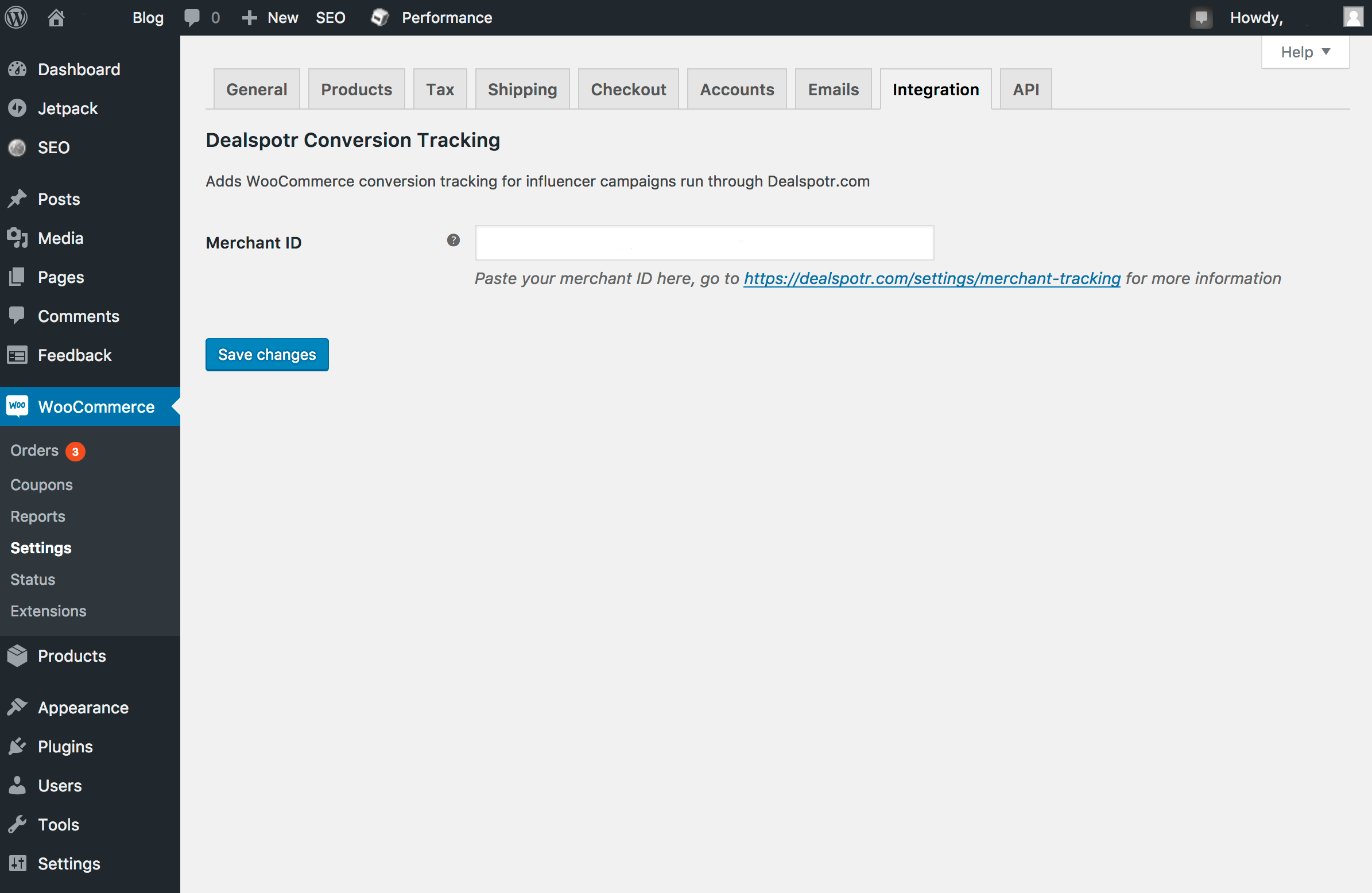
New integration settings panel for WooCommerce
Changelog
1.0.0
- Initial version.