

Default Admin Color Scheme
Select a default admin color scheme for new and existing users. Optionally disable the color scheme picker to force a color scheme for all users.
Plugin info
Maintenance & Compatibility
Maintenance score
Possibly abandoned • Last updated 468 days ago • 8 reviews
Is Default Admin Color Scheme abandoned?
Possibly abandoned (last update 468 days ago).
Compatibility
Similar & Alternatives
Explore plugins with similar tags, and compare key metrics like downloads, ratings, updates, support, and WP/PHP compatibility.
Description
Select a default admin color scheme for new and existing users. Optionally disable the color scheme picker to force a color scheme for all users.
By default, WordPress uses the ‘Default’ color scheme unless a user has selected another color scheme on their profile settings page.
Default Admin Color Scheme adds a color scheme picker to the ‘General’ settings page where you can change the default color scheme for all users.
Force an admin color scheme for all users?
An additional option allows you to remove the admin color scheme picker from each user’s ‘Profile’ settings page. Using this option results in all users seeing the same color scheme in the WordPress admin.
Bug Reports
Do you want to report a bug or suggest a feature for Default Admin Color Scheme? Best to do so in the Default Admin Color Scheme repository on GitHub.
Installation
Starting with Default Admin Color Scheme consists of just three steps: installing and activating the plugin, and visiting the ‘General’ settings page in your WordPress admin to select the default color scheme. An additional option exists that allows you to remove the admin color scheme picker from each user’s ‘Profile’ settings page. Default Admin Color Scheme also works great as a must-use plugin.
Install Default Admin Color Scheme from within WordPress
- Visit the Plugins page within your dashboard and select ‘Add New’
- Search for ‘Default Admin Color Scheme’
- Activate Default Admin Color Scheme from your Plugins page
Install Default Admin Color Scheme manually
- Upload the ‘default-admin-color-scheme’ folder to the /wp-content/plugins/ directory
- Activate the Default Admin Color Scheme plugin through the ‘Plugins’ menu in WordPress
Default Admin Color Scheme contains a GitHub Plugin URI plugin header to support updates via the Git Updater plugin.
Frequently Asked Questions
The default behaviour of the Admin Color Scheme functionality in WordPress is to only apply the color scheme to the admin. When viewing the site while logged in, the toolbar is always black. The Default Admin Color Scheme plugin does not change that behaviour.
Review feed
Screenshots
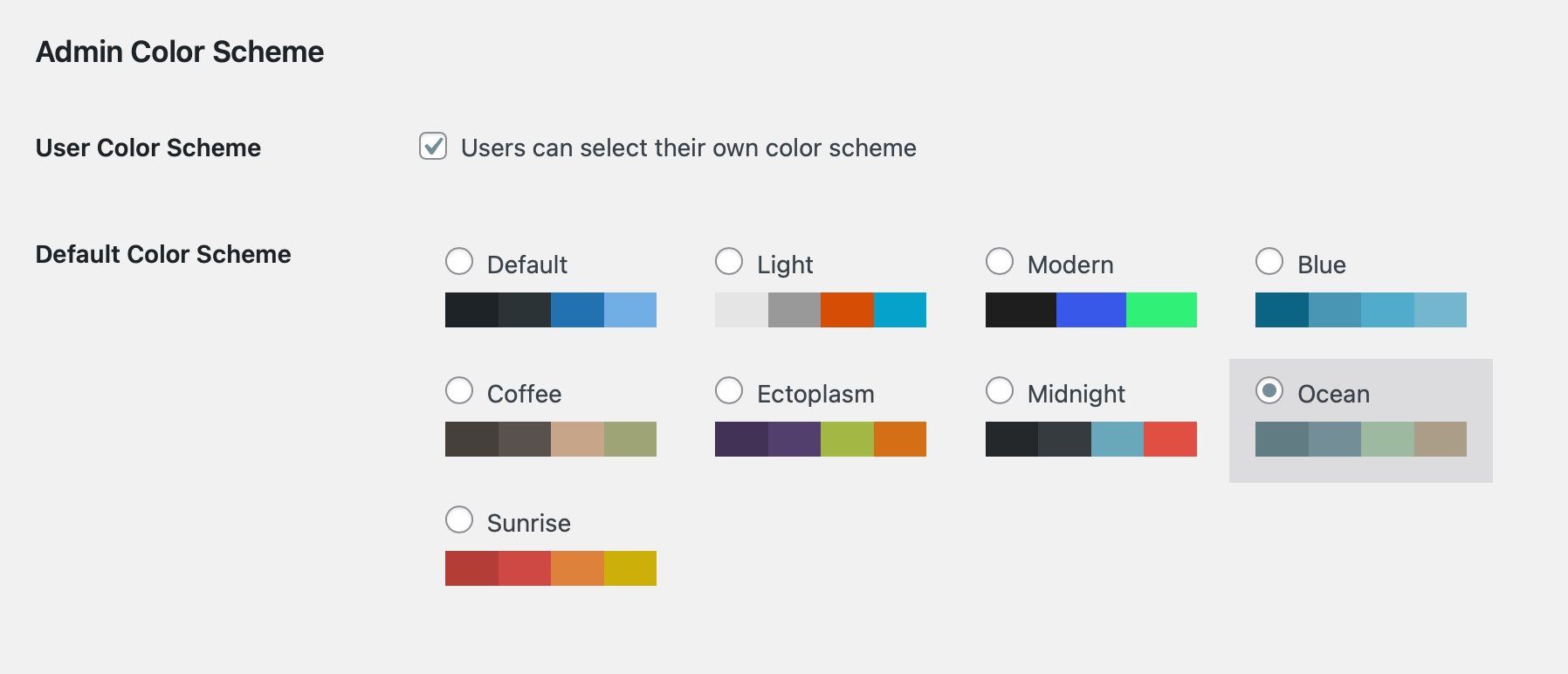
Select a default admin color scheme on the ‘General’ settings page in your WordPress admin
Changelog
1.0.2
Release Date: July 27th, 2017
- Fix incorrect text domain reference, improve WordPress coding standards compliance
1.0.1
Release Date: September 25th, 2015
- Fix loading translation files, add dutch and german translations.
1.0
Release Date: December 26th, 2013
- Initial release.