

Delayed Email Notifications for Contact Form 7
Allows you to delay or schedule Contact Form 7 email notifications by the period of time of your choosing.
Plugin info
Maintenance & Compatibility
Maintenance score
Possibly abandoned • Last updated 514 days ago • 3 reviews
Is Delayed Email Notifications for Contact Form 7 abandoned?
Possibly abandoned (last update 514 days ago).
Compatibility
Similar & Alternatives
Explore plugins with similar tags, and compare key metrics like downloads, ratings, updates, support, and WP/PHP compatibility.
Description
Delayed Email Notifications for Contact Form 7 enhances your control over Contact Form 7 by allowing you to delay email notifications. Whether you need to manage email traffic better or stagger notifications to avoid server overload, this plugin gives you the flexibility to adjust notification timing to your needs.
Features:
- Delay Email Notifications Based Upon a Specified Period of Time: select the period of time you’d like from the drop-down and enter the time period you want to delay the message.
- View Scheduled Delayed Notifications: The Delayed Notifications screen will show you all email notifications that scheduled to go out.
- Reliable Delivery: Ensures that your delayed emails are sent out reliably.
Use Cases:
- Customer Support Forms: Delay notifications during off-hours to manage support staff workload.
- Event Registration: Stagger confirmation emails to avoid server spikes during high registration periods.
Installation
- Upload the plugin files to the
/wp-content/plugins/delayed-notifications-for-cf7directory, or install the plugin through the WordPress plugins screen directly. - Activate the plugin through the ‘Plugins’ screen in WordPress.
- Use the settings in Contact Form 7 to configure your delayed notifications.
Frequently Asked Questions
Yes, the delay can be customized for each form individually through the Contact Form 7 interface.
You can set a delayed email to go out within 7 days of submission.
Review feed
I can't help it!
Screenshots
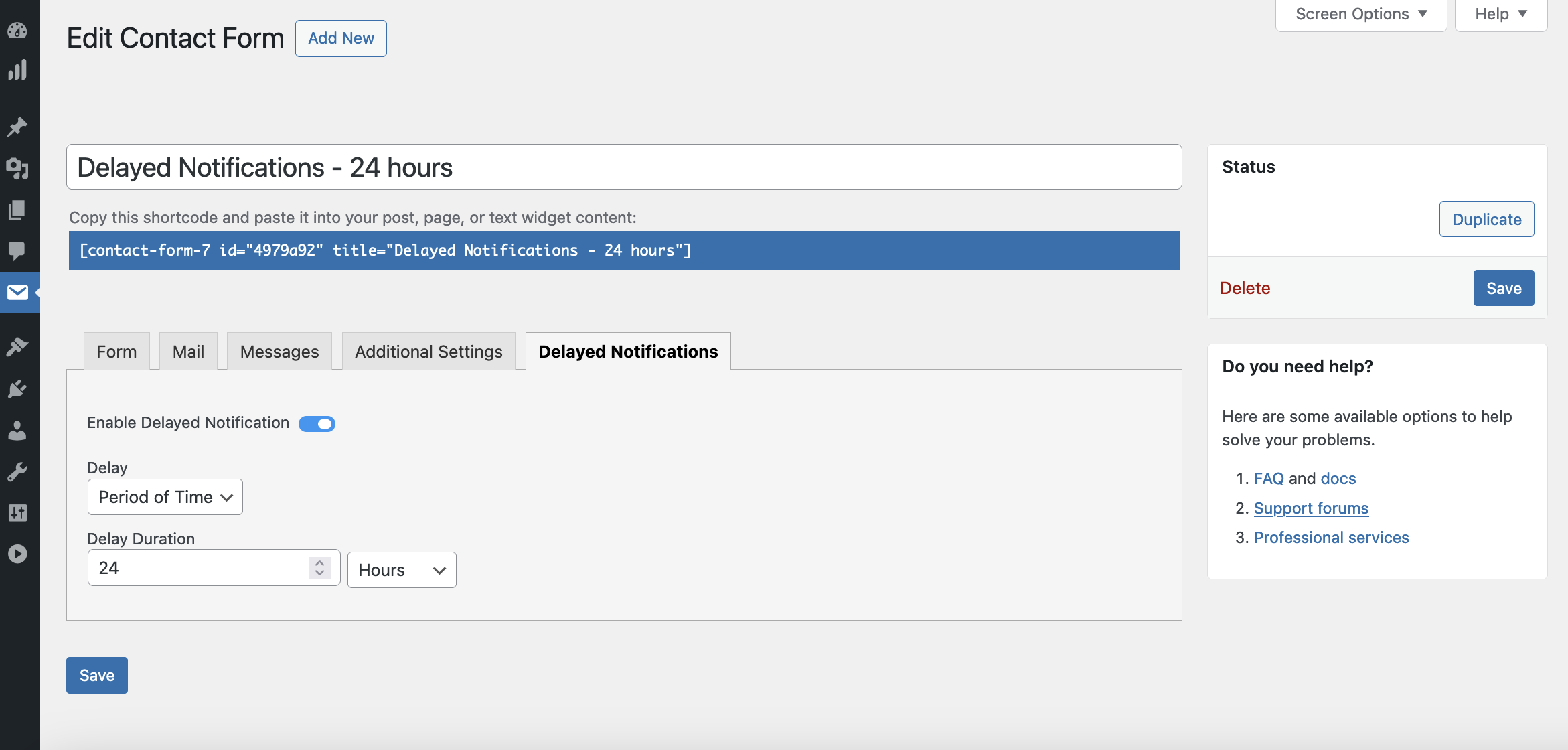
Setting up a delay in the Contact Form 7 interface.

Contact Form 7 form submission

Scheduled delayed email notifications screen
Changelog
1.1.1
- Bug fix to fix redirection
1.1.0
- Updated plugin name
- Bug fixes
1.0.3
- Initial release.