

Departamentos y Ciudades de Colombia para Woocommerce
WordPress plugin that shows dropdowns for State and City Select for WooCommerce
Plugin info
Maintenance & Compatibility
Maintenance score
Possibly abandoned • Last updated 375 days ago • Support resolved 0% • 19 reviews
Is Departamentos y Ciudades de Colombia para Woocommerce abandoned?
Possibly abandoned (last update 375 days ago).
Compatibility
Developers
Similar & Alternatives
Explore plugins with similar tags, and compare key metrics like downloads, ratings, updates, support, and WP/PHP compatibility.
Description
This WooCommerce plugin transforms the text input for states, the city or town. With this plugin you can provide a list of states and cities to be shown as a select dropdown.
This will be shown in checkout pages, edit addresses pages, shipping calculator, etc.
Supported Countries
- Colombia
Additional Info
Contribute repository on github
Credits
Installation
Minimum Requirements
WordPress 6.0 or greater
Woocommerce 2.2 or greater
PHP version 8.0 or greater
Automatic installation
- Automatic installation is the easiest option as WordPress handles the file transfers itself, and you don’t need to leave your web browser. To do an automatic install of WooCommerce, log in to your WordPress dashboard, navigate to the Plugins menu and click
Add New. - Search for “Departamentos y Ciudades de Colombia para Woocommerce”, install and activate.
- Available @Github.
Manual installation
Updating
Automatic updates should work like a charm; as is the best practice, back up should be undertaken before updates.
If on the off-chance you do encounter issues with the shop/category pages after an update you simply need to flush the permalinks by going to WordPress > Settings > Permalinks and hitting ‘save’. That should return things to normal.
This section describes how to install the plugin and get it working.
e.g.
- Upload the plugin files to the
/wp-content/plugins/plugin-namedirectory, or install the plugin through the WordPress plugins screen directly. - Activate the plugin through the ‘Plugins’ screen in WordPress
- Use the Settings->Plugin Name screen to configure the plugin
- (Make your instructions match the desired user flow for activating and installing your plugin. Include any steps that might be needed for explanatory purposes)
Frequently Asked Questions
Only major cities of each department.
- Bogotá is not included as a state, because it is not discarded
- In the shipping area so you can impose rules you must first add the department in the field of states
Review feed
Excelente plugin
Screenshots

States dropdown.
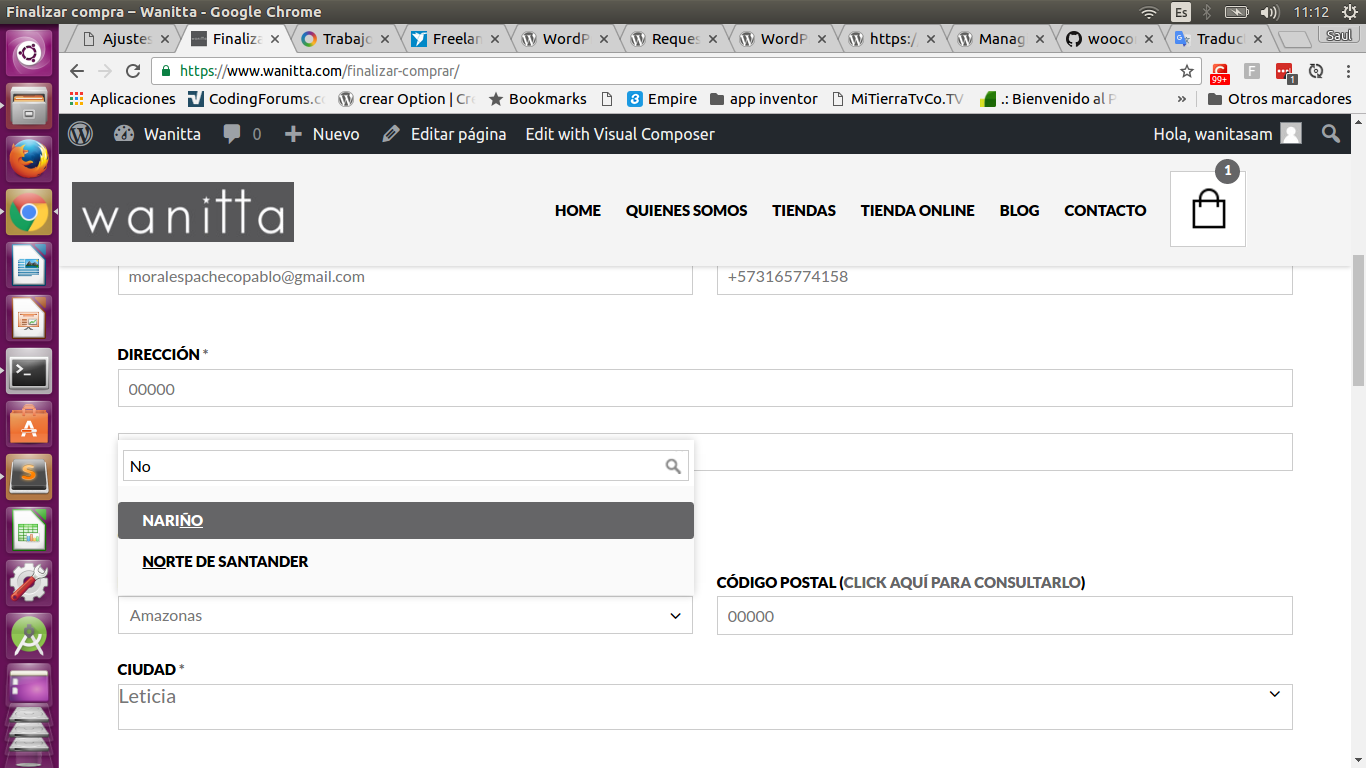
States dropdown on search.
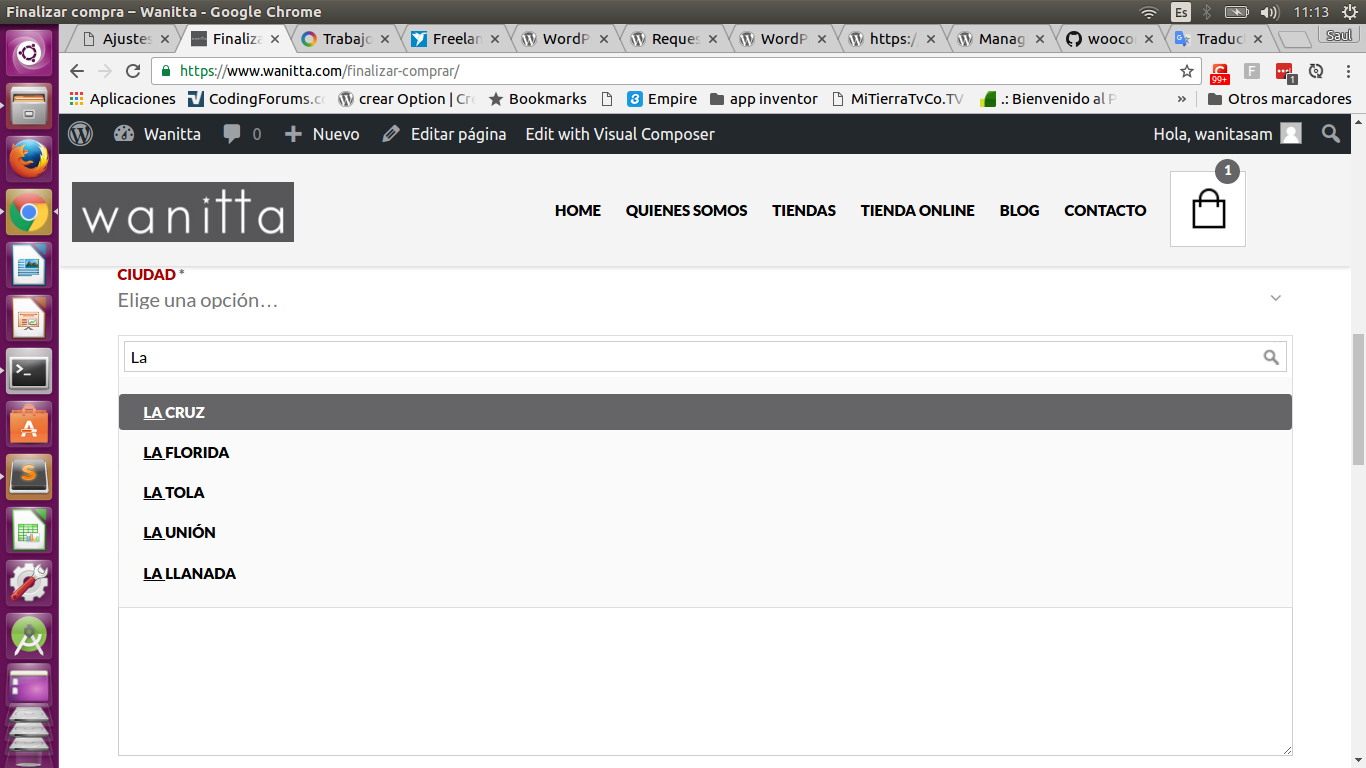
Cities dropdown on search

Choose department WooCommerce.
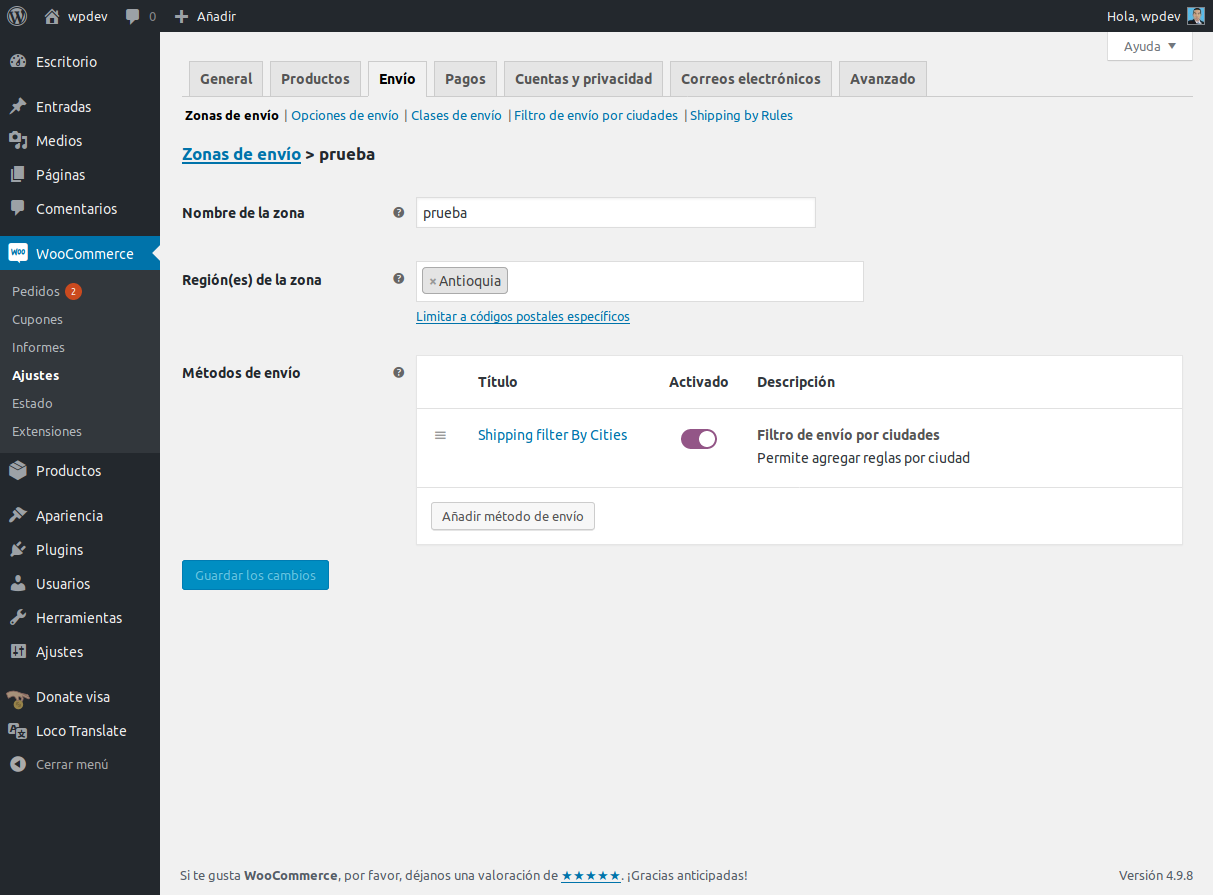
Shipping rule by city

Reflection shipping rule by city
Changelog
2.0.0
- Added Bogotá D.C as state and localities
2.0.1
- Updated readme version wordpresss
2.0.2
- Deleted Bogotá D.C of states
2.0.3
- Updated Woocommerce compatible version
2.0.4
- Added compatibility for multisites
2.0.5
- Updated readme version wordpresss
2.0.6
- Updated readme version wordpresss and cities
2.0.7
- Updated container in place-select.js
2.0.8
-
- Updated container in place-select.js
2.0.9
- Updated compatibility with MultiVendorX
2.0.10
- Updated wp compatible version
2.0.11
- Updated wp compatible version
2.0.12
- Fixed function is_plugin_active
2.0.13
- Fixed function is_plugin_active
2.0.14
- Refactor load places and states
2.0.15
- Added filter filters_by_cities_shipping_method_params_rate
- Updated compatibility for Woocommerce HPOS
2.0.16
- Added city Los santos of Santander
2.0.17
- Added city Betulia of Santander
2.0.18
- Updated compatibility with FunnelKit Checkout
2.0.19
- Fixed load states
- Fixed load selectWoo, used strategy defer
2.0.20
- Fixed load cities in my account
2.0.21
- Updated wp compatible version
2.0.22
- Fixed undefined variable in states-places.php