

Design Import/Export – Styles, Templates, Template Parts and Patterns
Quickly and easily import and export your block based full site editing theme design: global/custom styles, templates, template parts and patterns.
Plugin info
Maintenance & Compatibility
Maintenance score
Maintained • Last updated 172 days ago • Support resolved 33% • 5 reviews
Is Design Import/Export – Styles, Templates, Template Parts and Patterns abandoned?
Likely maintained (last update 172 days ago).
Compatibility
Similar & Alternatives
Explore plugins with similar tags, and compare key metrics like downloads, ratings, updates, support, and WP/PHP compatibility.
Description
Import and export your block based theme design: global/custom styles, templates, template parts and patterns.
Easily move your custom full site editing theme design from one website to another, or from a local installation to a live site.
Ideal for designers and developers working with the Site Editor and a block based full-site-editing theme, who have edited their block based custom styles, templates, template parts and patterns, and now need to copy that design over to a new WordPress installation.
The Design Import/Export plugin allows this to be done with minimal fuss, and can also be used to take regular backups of your block theme based design(s).
Works with any full-site-editing block theme.
License
Licensed under the GNU General Public License v2.0,
http://www.gnu.org/licenses/gpl-2.0.html
Installation
From your WordPress dashboard
- Visit ‘Plugins > Add New’,
- Search for ‘design import export’ and install the plugin.
- Activate ‘Design Import/Export’ from your Plugins page.
Once the plugin is activated you will find the plugin page in Tools -> Design Import/Export
Frequently Asked Questions
You will find the plugin page in your Dashboard at Tools -> Design Import/Export.
You will need any block based (full site editing) compatible theme.
No.
Any files that you upload using the import function will be saved as .txt files to the default WordPress media/uploads directory. An example of that directory would be: ../wp-content/uploads/2021/07/.
Review feed
Superb tool, thanks!
Does what it says and does it well
Screenshots
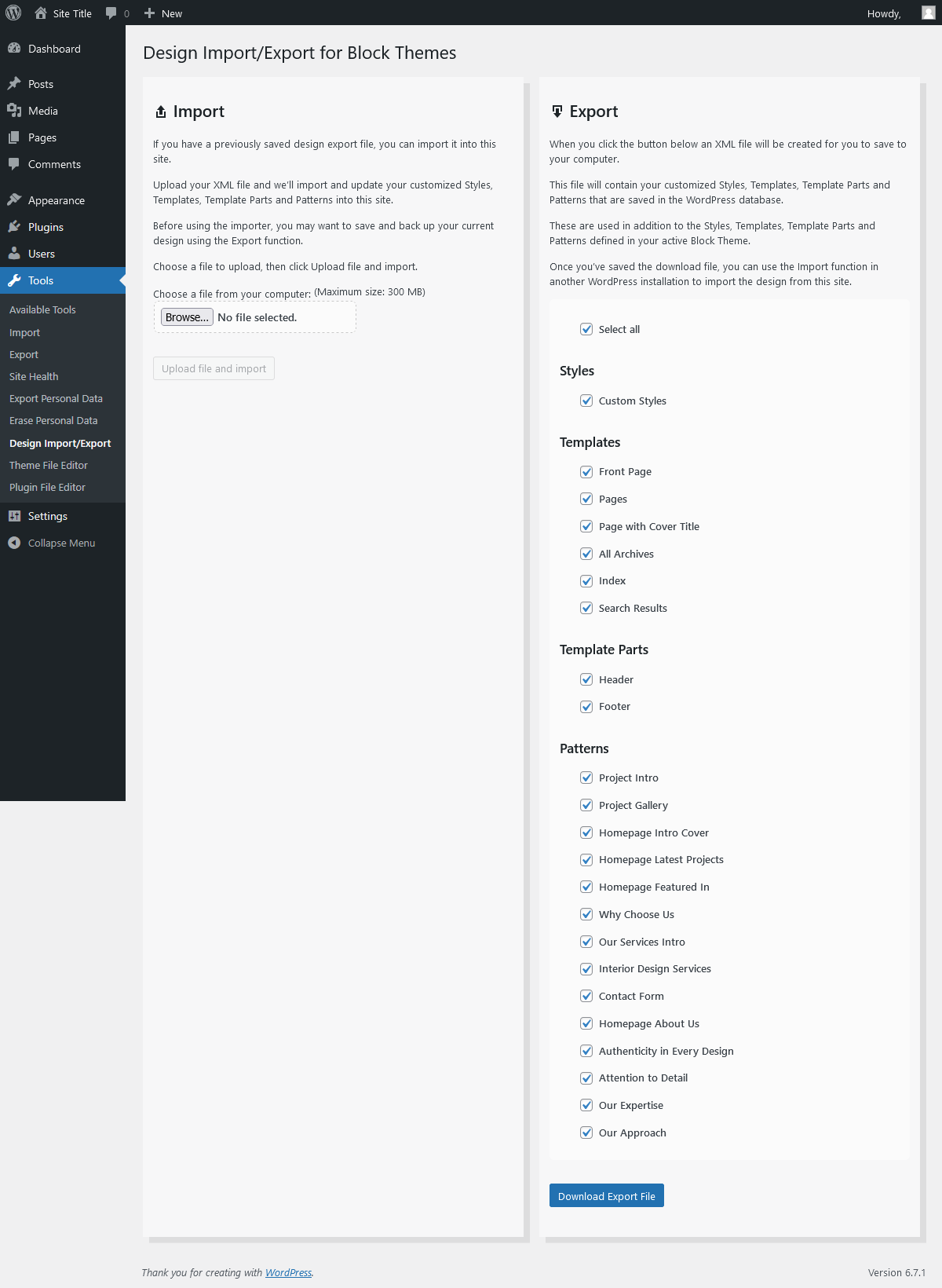
The main plugin page, showing the Import function, and the styles, templates, template parts and patterns available to Export.

Importing the custom styles, templates, template parts and patterns from a previously exported file.
Changelog
2.2 – October 2025
– Fix for mis-named js/css assets
– Moved plugin menu item from top level to sub-item in tools
2.1 – October 2025
– Renamed relevant internal files from design-import to design-import-export
– Renamed relevant function prefixes from design_import_ to design_import_export_
– Tested up to WP 6.8
2.0 – December 2024
– Added functionality to import/export custom block patterns
– Tested up to WP 6.7
– Requires WP 6.3
1.1.1 – March 2023
– Remove some unused commented code
1.1 – March 2023
– Tested up to WP 6.2
– Requires WP 6.1
– Check if active theme is a block theme
– Only list block themes in export panel list
– Move current active theme to top of list in export panel
1.0 – February 2022
– Tested up WP 5.9
– Requires WP 5.9
0.1.4 – August 2021
– Updated plugin title to clarify the plugin’s purpose.
0.1.3 – July 2021
– Initial release