

Plugin info
Maintenance & Compatibility
Maintenance score
Possibly abandoned • Last updated 3046 days ago • 18 reviews
Is Developer abandoned?
Possibly abandoned (last update 3046 days ago).
Compatibility
Developers
Similar & Alternatives
Explore plugins with similar tags, and compare key metrics like downloads, ratings, updates, support, and WP/PHP compatibility.
Description
A plugin, which helps WordPress developers develop.
This plugin will help you optimize your development environment by making sure that you have all the essential tools and plugins installed.
If you’d like to check out the code and contribute, join us on GitHub. Pull requests, issues, and plugin recommendations are more than welcome!
We would like to thank Ejner Galaz for letting us use the developer slug in the WordPress.org plugin repository.
Installation
- Upload the
developerfolder to your plugins directory (e.g./wp-content/plugins/) - Activate the plugin through the ‘Plugins’ menu in WordPress
- Follow the instructions
Frequently Asked Questions
Installation Instructions
- Upload the
developerfolder to your plugins directory (e.g./wp-content/plugins/) - Activate the plugin through the ‘Plugins’ menu in WordPress
- Follow the instructions
Why are there no FAQs besides this one?
Because you haven’t asked one yet.
Review feed
Screenshots
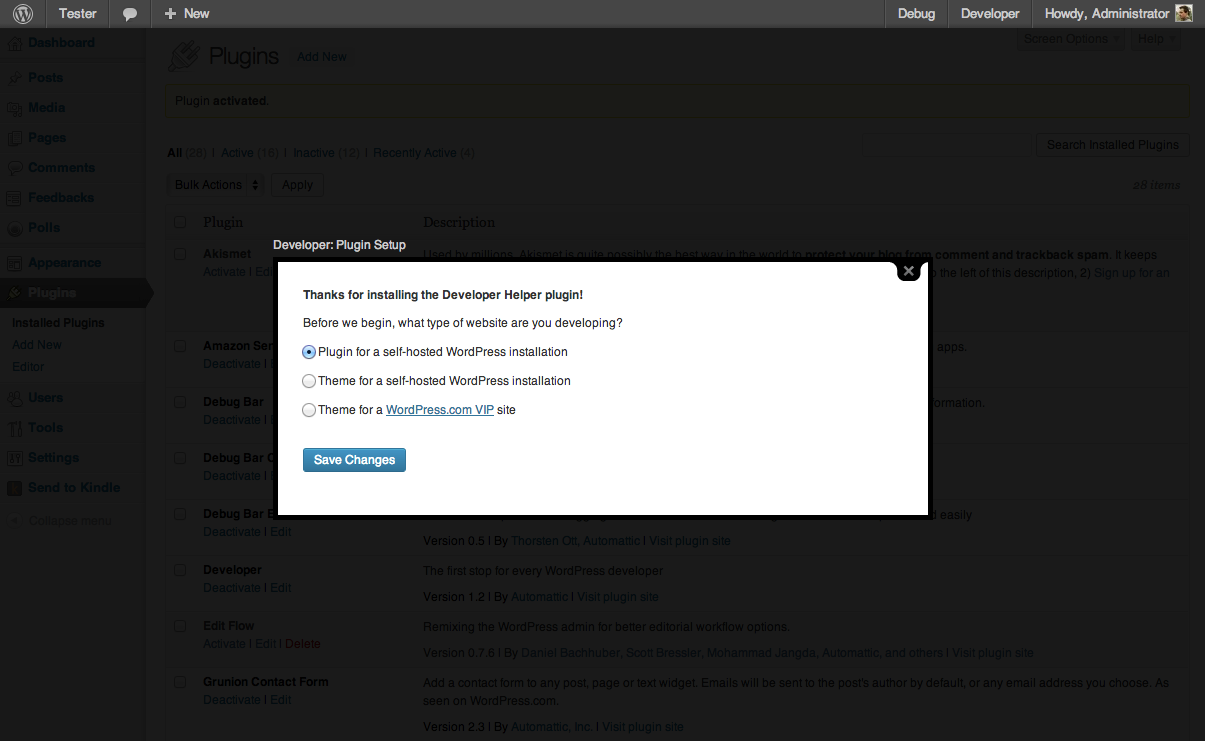
On activation, the plugin prompts you to specify what type of developer you are. This is used to configure the plugins checks.
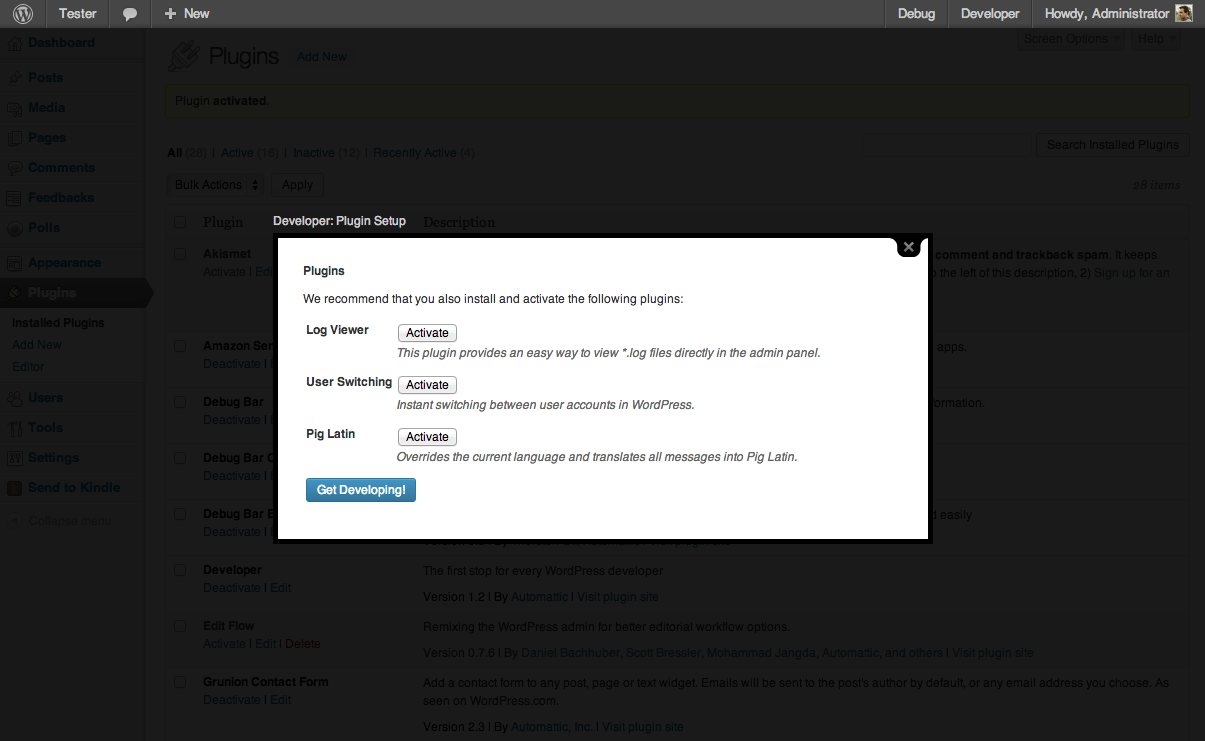
On activation, the plugin does a quick check to see if you have essential developer plugins installed.

With one click you can install and activate the plugin.

The plugin's settings page (Tools > Developer) will check to make sure your environment is correctly configured, including plugins, constants, and other settings.
Changelog
1.2.6 (2015-11-14)
- Remove MP6
- Fix strict standards notice
- Fix PHP Notice in
is_dev_version()
1.2.5 (2013-10-18)
- Don’t recommend Pig Latin for VIP
- Fix cache key length by hashing relevant data
1.2.4 (2013-10-08)
- Don’t recommend Beta Tester if we have a dev version of WordPress
- Fix cache key length
1.2.3 (2013-09-17)
- Add WP-CLI 0.11.2 compatibility
- WP-CLI: Mark selected type as active
- Fix strict errors in upgrader
1.2.2 (2013-08-09)
- Added WP-CLI command
- Removed Grunion Contact Form because it’s part of Jetpack
1.2.1 (2013-06-18)
- Added MP6 to recommended plugins
- Added Koop’s Debug Bar Console to recommended plugins
1.1.6 (2013-04-08)
- Made purpose of activate/install links on Settings page more obvious
- Added link to full plugin details on Settings page (opens in Thickbox)
1.1.5 (2013-04-05)
- Added ability to define multiple project types for plugins
- Added ability to define project types for constants
- Added Jetpack to recommended plugins and constants
1.1.4 (2013-04-03)
- Added plugin descriptions to installation and settings pages
1.1.3 (2013-04-02)
- Added improved error reporting
- Added Log Viewer to recommended plugins. Props to @rockaut for the suggestion
1.1.2 (2013-01-29)
- French localization. Props fxbenard
- Replaced Reveal IDs with Simply Show IDs. The former never installed.
- Bug fix: Show a few plugins as active when they’re actually active.
1.1.1 (2012-08-30)
- Fix piglatin slug, props bobbingwide
1.1 (2012-08-30)
- New “WP.org Theme” project type for developers building themes for self-hosted installs with a number of sweet plugins recommended by the WordPress.com Theme Team.
- Simplify some of the wording across the plugin.
- Added John Blackbourn’s User Switching is now a recommended plugin for all projects.
- Added Pig Latin plugin to help developer i18n their code.
- Added resources for all projects.
- Bug fix: don’t show installation prompt in network admin.
1.0
- Initial Release