

Keyideas RingBuilder – Jewelry
Powerful Ring Builder plugin for WooCommerce jewelry stores. This customizable tool supports multiple languages and global ring sizes.
Plugin info
Maintenance & Compatibility
Maintenance score
Actively maintained • Last updated 78 days ago
Is Keyideas RingBuilder – Jewelry abandoned?
Likely maintained (last update 78 days ago).
Compatibility
Similar & Alternatives
Explore plugins with similar tags, and compare key metrics like downloads, ratings, updates, support, and WP/PHP compatibility.
Description
Boost Your Jewelry Sales with Keyideas’ WooCommerce Ring Builder – Free to Start!
Enhance your WordPress jewelry store with our powerful, customizable Ring Builder plugin, designed to increase sales by up to 30%. Offer customers an engaging, interactive way to design their perfect ring.
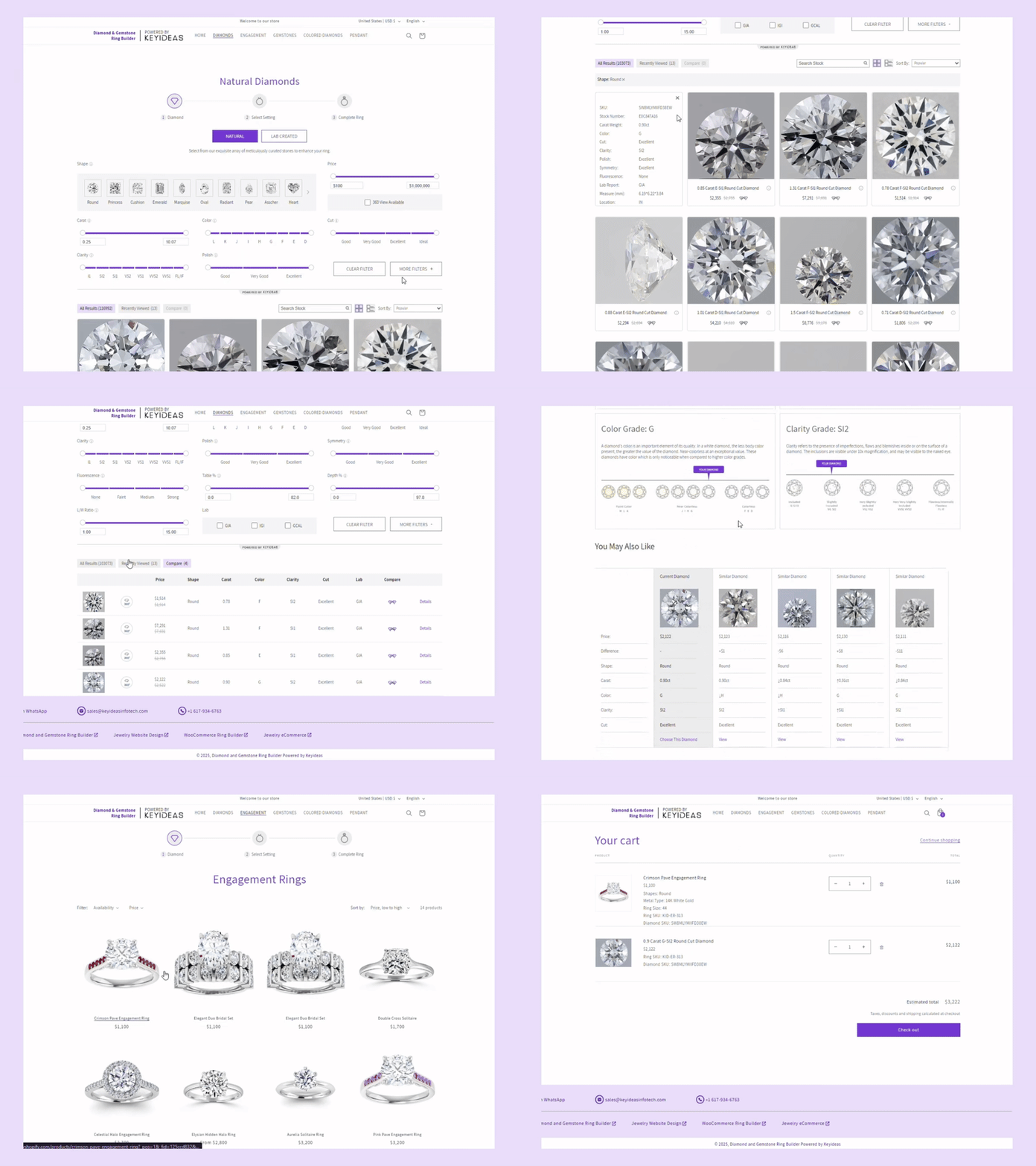
Review the demo store – Natural Diamonds, Lab-Grown Diamonds, Colored Diamonds, and Gemstones.
- Supports Multiple Languages: English, French, Italian, German, Spanish
- Covers Global Ring Sizes
- Seamless Customization Experience: Stay ahead of online jewelry trends
- Extensive Inventory Access
Gain instant access to over 200,000 diamonds and gemstones, including lab-grown, natural, and colored options. - Compatible with Nivoda (account required)
- Mobile-Optimized Experience
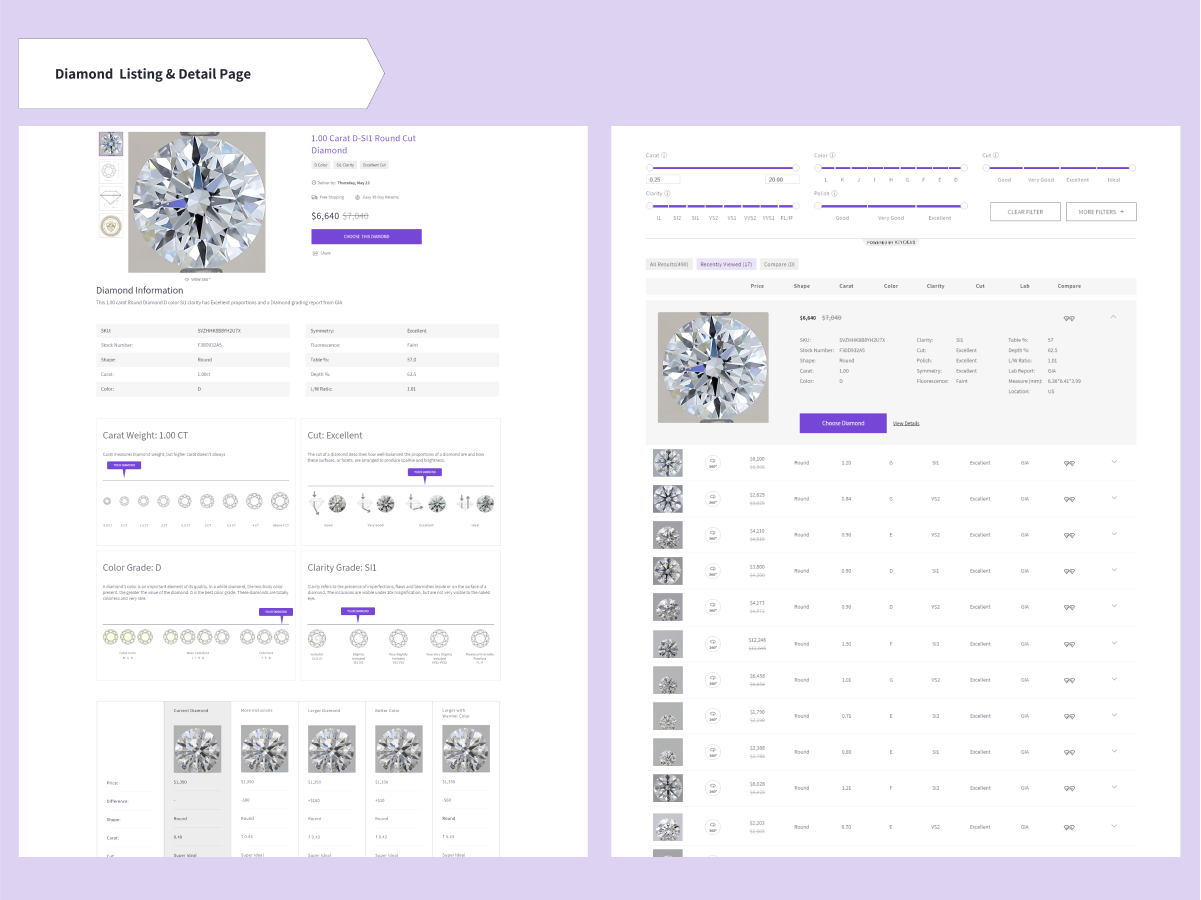
Deliver a fully responsive “Build Your Own Ring” feature that boosts customer engagement and conversions. - Advanced Diamond Search – Filter by 4Cs, certification, price, and more.
Free vs. Premium Plugin
Our free plugin delivers exceptional value, but for those looking to scale, the premium version unlocks advanced sales tools:
Premium Features:
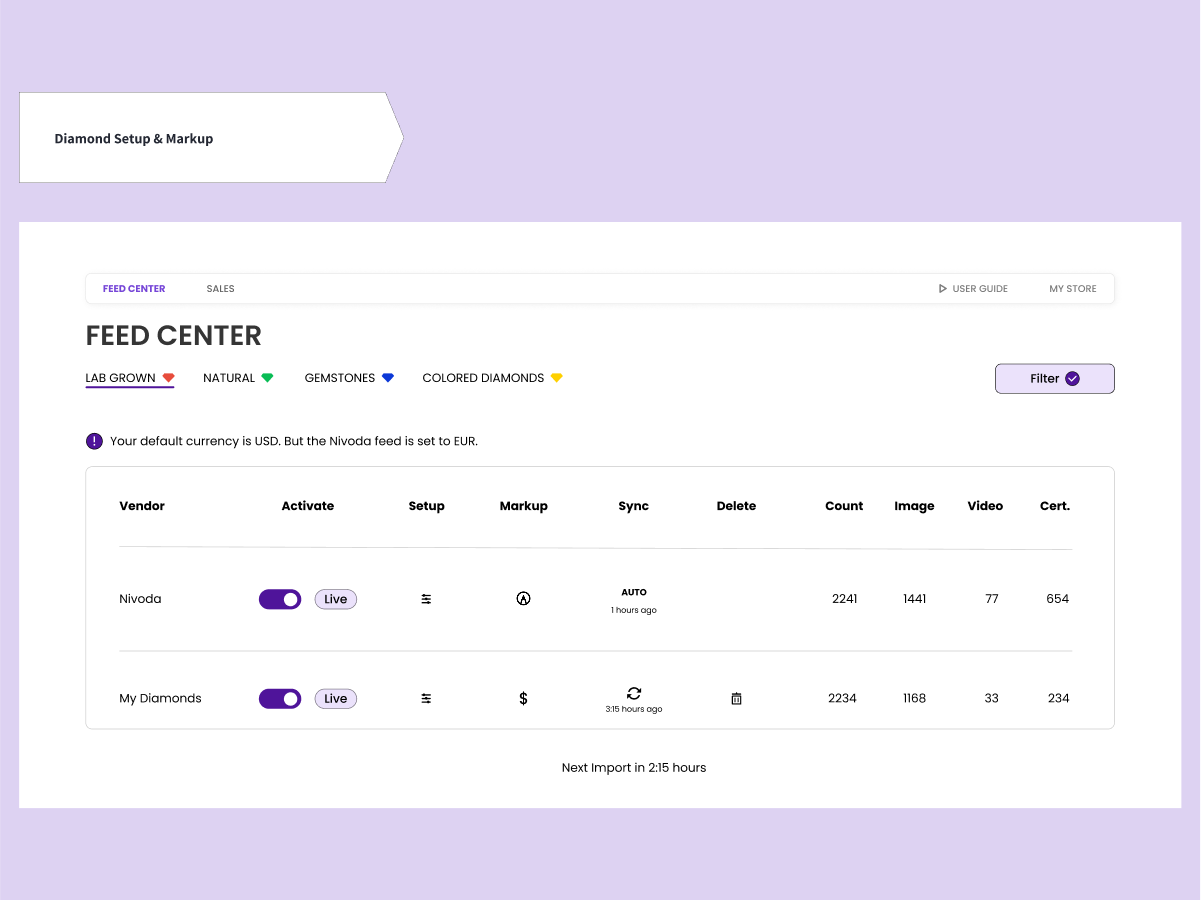
- Full access to the Feed Center – our Diamond Management tool
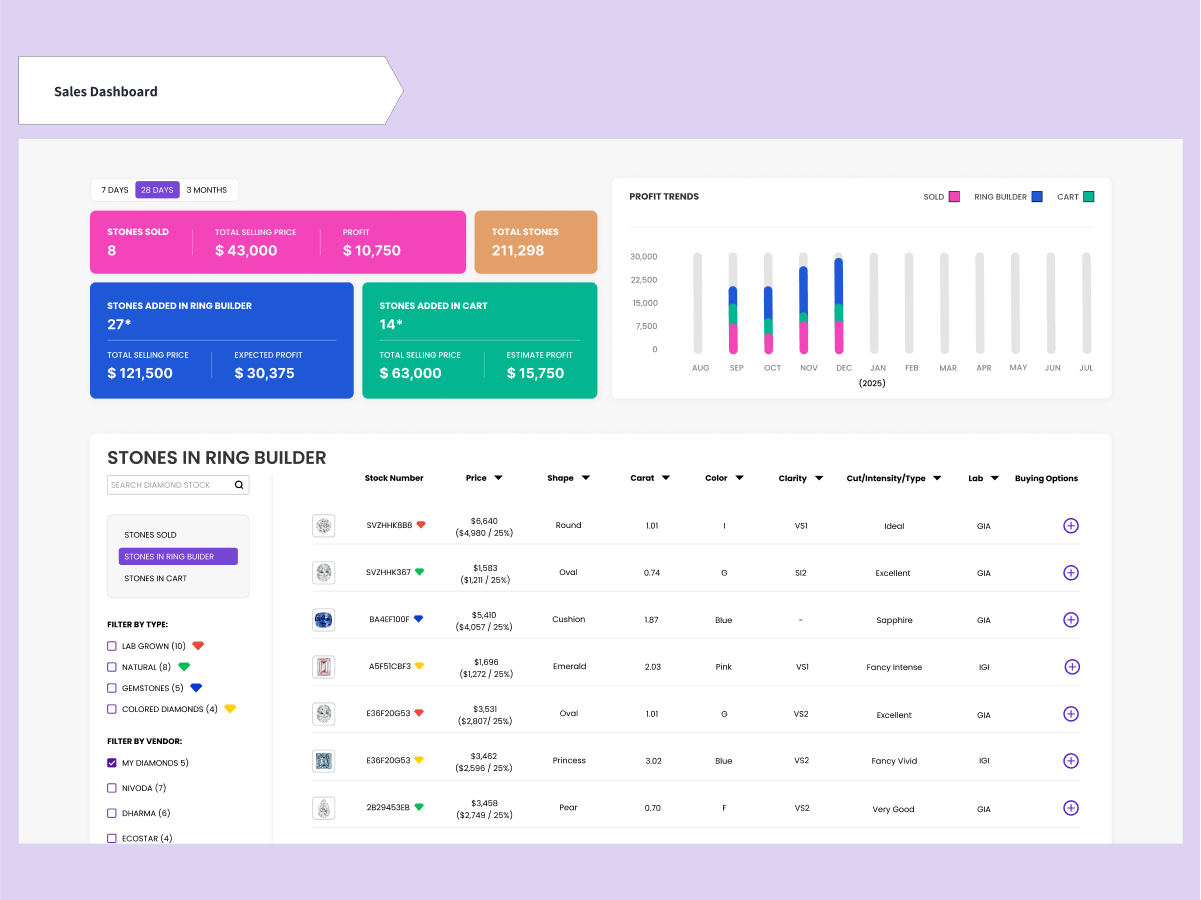
- Custom Margin Control for diamonds and gemstones
- Strike-through Discount Pricing
- Upload your own diamond & stone inventory
- Robust Inventory Management
- Pendant Builder
- Engraving Options
- Add RapNet, VDB or any other supplier via CSV
Pricing:
- $145/month or $1,450/year
- One-time setup fee: $550–$1,000 (based on your website)
Explore all updates here: WooCommerce Ring Builder by Keyideas
Related Products by the Plugin Developer
Keyideas Ring Filter & Search: Upgrade with Advanced Filters – Enable filtering by ring style, diamond shape, metal type, side accents, gender, and more. Display metal colors on hover for a richer shopping experience. Download today!
Advanced Virtual Try-on for Rings: Enhance your jewelry business with cutting-edge virtual ring try-on software, allowing customers to visualize engagement and wedding rings in real-time. Our 3D virtual ring try-on solution delivers an immersive experience. Try it today!
Installation
Minimum Requirements:
– PHP 7.0 or higher
– MySQL 5.6 or higher
– WordPress 5.5 or higher
Recommended Requirements:
– PHP 8.1 or higher
– MySQL 5.7 or higher
– WordPress 6.7 or higher
- Upload the plugin folder to your /wp-content/plugins/ directory or install it via the WordPress Plugin Store.
- Activate the plugin through the ‘Plugins’ menu in WordPress.
- Configure the plugin settings under the “Keyideas RingBuilder – Jewelry” menu in your dashboard.
Frequently Asked Questions
Our free plugin provides full access to over 200,000 diamonds and gemstones, which you can integrate into your website to start selling immediately.
With the free plugin, you can try out nearly all features—except for Feed Center access and adding rings to the cart. The Feed Center manages feeds, own stock stones, stone filters, margins, and shipping days. Since it may require some training, our team will handle Feed Center tasks for you during the free version. Our support team is also available to help with any adjustments, such as setting up filters or margins.
After the trial, you can choose between monthly and annual payment options, with a $290 savings on the annual plan. To get started with our premium plugin, a one-time setup fee is required.
No, we do not provide refunds once a payment is made or the subscription is active, as this process involves setting up servers, configuring your account, diamond feeds, and licensing. We recommend using the free plugin fully to ensure the plugin meets your requirements.
Yes, you may cancel your plugin subscription at any time by contacting our support team via email at least 4–5 days before your next billing cycle begins. We’ll make sure you’re not charged for the upcoming cycle.
The plugin includes extensive options for managing the feed and customizing the look of diamond and gemstone pages. For additional customizations or new features, please reach out to our support or sales team via email.
You can access your billing and subscription details through your plugin setup pages.
Our current imports of diamonds and gemstones come from Nivoda. However, we are fully capable of integrating with any international. supplier who can provide data in CSV format. This will expand your inventory with a broader selection and competitive pricing. You can also import your own stock diamonds or gemstones by following instructions in the Feed Center.
We apply a 30% margin on natural diamonds and 100% on lab-grown diamonds, gemstones, and colored diamonds. Shipping is set at 10 days by default. Once you have access to the Feed Center, you can easily fine-tune your margins and shipping time..
Yes, our Feed Center allows tiered margins based on either the stone’s carat weight or price, giving you flexibility in setting your pricing strategy.
To order a diamond from Nivoda, you’ll need a Nivoda account. Locate the SKU or stock number for the desired stone, then contact Nivoda by phone or email to place your order.
We offer a few sample rings to demonstrate how the build-your-own-ring (BYOR) feature works. These samples also help guide you in categorizing and tagging your rings to ensure compatibility with our ring builder.
You can replace the sample rings with your own engagement rings at any time. Your rings remain entirely yours—we don’t modify or alter them. The Ring Builder is designed to integrate smoothly with your existing collection.
Online retailers offering customization options, like ring builders, have seen conversion rates increase by 2-3 times compared to those without customization features.
Additionally, customization options can boost the Average Order Value (AOV) by up to 30%, as customers are often willing to pay more for a personalized product, such as a custom diamond ring.
Here are some steps you can take:
Menu: Add links like “Start with a Setting,” “Start with a Natural Diamond,” “Start with a Lab Diamond,” “Start with a Colored Diamond” or “Start with a Gemstone” for easy navigation.
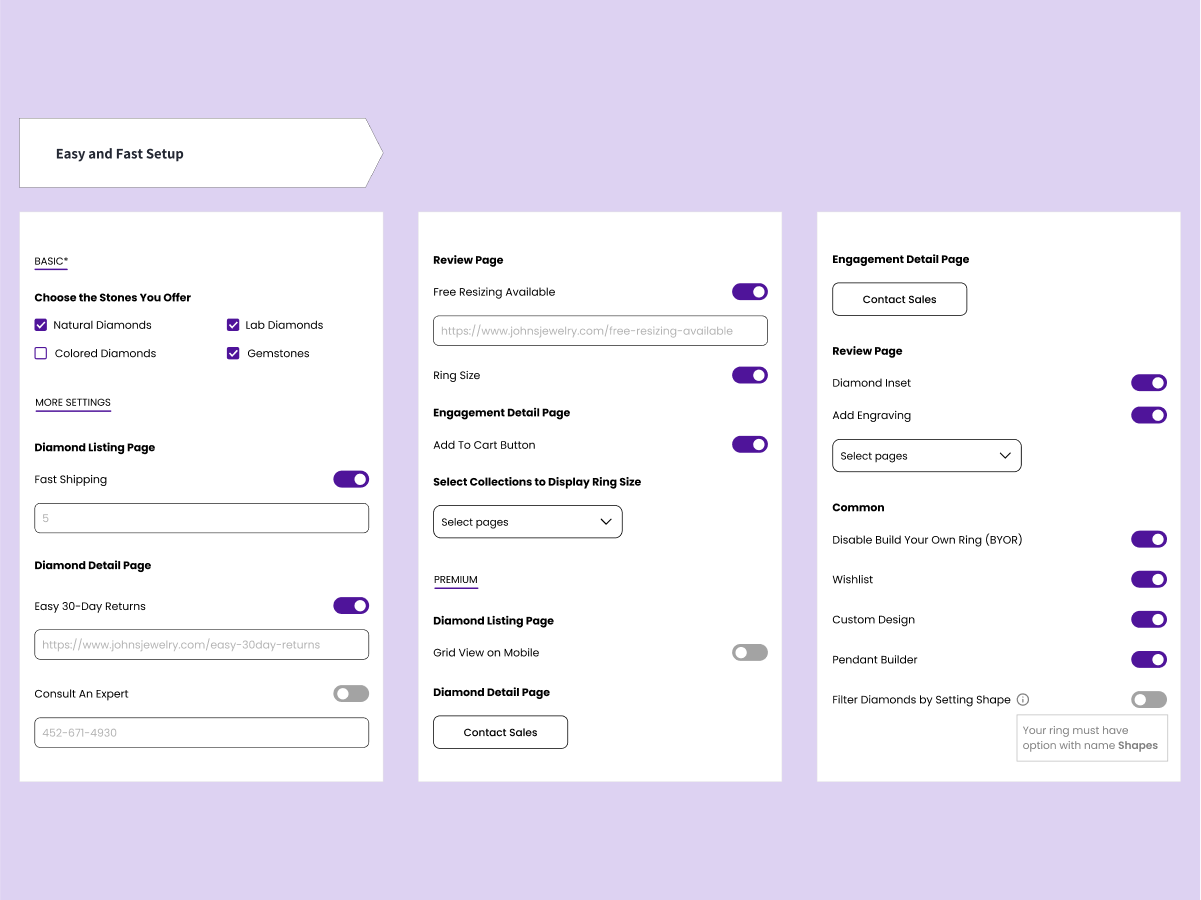
Ring Size: Ring size options are available under Language and Region settings. Select the one that suits your region.
Add to Cart: You have the option to show or hide the “Add to Cart” button on the Engagement Ring page, encouraging customers to build a complete ring. This feature is available on a premium plugin.
Customers can preview the diamond and engagement ring setting before making a purchase, allowing them to visualize the ring and make any adjustments as needed.
The plugin is fully compatible with WordPress and WooCommerce themes, allowing you to customize colors, fonts, and design elements to match your store’s branding.
For compatibility issues, our support team is here to ensure seamless integration with your WordPress theme.
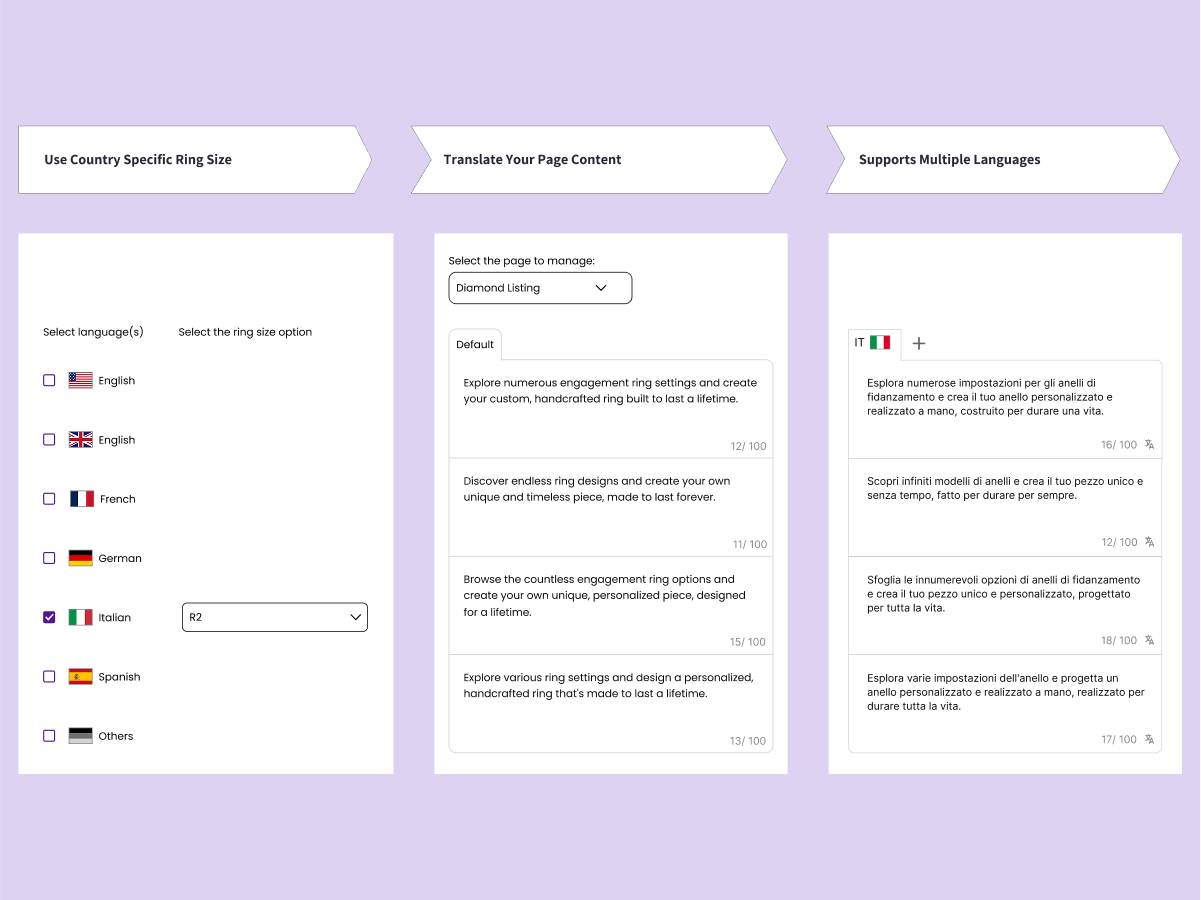
To select the ring size according to your store’s region, navigate to the Language & Region tab. Choose your language, and the ring size option will become available. Then, select your preferred size (e.g., R1 for the US, Mexico, and Canada; R2, R3 for other countries) and save your changes. There is also an option to hide the ring size feature on the review page if needed.
Absolutely! We offer multilingual support as well. Simply go to the Language & Region tab and select your preferred store language. Then, navigate to the Translations tab, where you can choose the page you want to translate from the dropdown menu. Enter the translated text in the designated input field and save your changes. For example, on a diamond detail page, you can customize the text for cut, color, and clarity. Clients across different regions are already using our site in languages such as Italian, Hebrew, and German.
Increase your conversion rate with Keyideas’ Advanced Ring Filter and Search plugin, crafted for jewelers. Enable users to easily find engagement rings and wedding bands with advanced filters that deliver a smooth, intuitive experience. No coding is needed—our product filter and search widget seamlessly integrates with your theme. Benefit from responsive support and ongoing updates for a worry-free experience. Download here: Keyideas Ring Filter and Search Plugin
Features include:
a. Custom Product Filter: Filter by Metal Type, Collections, Diamond Shapes, Bridal Sets, Home Preview and Price
b. Advanced Sorting Options: Optimized to increase sales
With our virtual try-on technology, customers can enjoy the luxury of trying on stunning jewelry rings from the comfort of home. Please give it a try here: 3D Virtual Try On
Review feed
Screenshots


Changelog
v1.0.0
- Initial release
v1.0.1
- Performance and UI Updates
v1.0.2
- Resolved UI issues on listing and detail pages.
v1.0.3
- Resolved performance and plugin activation related issues.
v1.0.4
- UI and performance updates with few bug fixes.
v1.0.5
- Overall plugin UI and performance updates with major bug fixes.
v1.0.6
- We’ve added two stunning new diamond shapes to the collection
- Updated the overall plugin experience and increased speed for smoother performance.
v1.1.0
- Implemented numerous bug fixes and performance enhancements.
- Introduced teal-colored gemstones as a new addition.
- Revamped caching system for significantly improved performance and greatly reduced server resource usage.
- Integrated diamond virtual try-on feature on the diamond detail page.
v1.1.2
- Virtual Diamond Viewer now defaults to shape and carat of respective diamond.
v1.1.3
- Added Italian language support.
v1.1.4
- UI and performance updates with few bug fixes.
v1.1.5
- Minor bug fixes and improvements.
v1.1.6
- Minor internal bug fixes and improvements.
v1.2.0
- Major bug fixes and UI improvements.
v1.2.1
- Major major bugs and enhance the overall plugin performance.
v1.2.2
- Fix security issues in the plugin and overall plugin enhancements.
v1.2.3
- Fix minor issues on diamond listing page filters.
v1.2.4
- Minor stability bug fixes and review notice added.
v1.2.5
- Renamed plugin from “Diamond Ring Builder ‑ Jewelry” to “Keyideas RingBuilder – Jewelry”
v1.2.6
- Minor stability bug fixes.