

Dilli Email Validator
Validates email address in forms. Prevents form submission if email address is detected to be invalid thereby reducing spam and eliminating typos.
Plugin info
Maintenance & Compatibility
Maintenance score
Possibly abandoned • Last updated 528 days ago • 15 reviews
Is Dilli Email Validator abandoned?
Possibly abandoned (last update 528 days ago).
Compatibility
Similar & Alternatives
Explore plugins with similar tags, and compare key metrics like downloads, ratings, updates, support, and WP/PHP compatibility.
Description
Add advanced email address validation using Dilli Email Validation API (DEVA). Prevent a site visitor from submitting a form with fake or incorrect email address on your site. No more lost leads due to mis-typed email addresses. No more wasting your precious time reading and responding to spam leads with incorrect email addresses. It hooks into the WordPress core function that is used by most form plugins to validate email address. As a result, it works with most forms.
Learn more about Dilli Email Validation API. This plugin requires an API Key which can be obtained for FREE by signing up here.
Known Compatible Forms
- WordPress registration
- Contact Form 7
- Gravity Forms
- Ninja Forms
- Jetpack/Grunion contact forms
- Any other forms that uses
is_email($email)WordPress core function to validate email address field.
Available Languages
- English
- German (Deutsche)
Features
- Validates email address format. Ex: email address
fooAtdillilabs.comis invalid because of missing ‘@’ - Checks for existence of MX records of the email address domain. Ex:
[email protected]is invalid because no MX records exist for domain dlfkdlfkf.co. - Checks for Disposable/Temporary email addresses. Ex: [email protected] is invalid because mailinator.com provides temporary shared temporary email inboxes.
- Checks for conformity with ESP (Email Service Provider) grammar rules. Ex:
[email protected]is invalid because Yahoo does not allow user part (bobin this case) to be less than 4 characters. - Checks for profanity in user part of email address. Ex:
f***[email protected]is invalid. - Checks user and domain parts of an email address for known malicious patterns. Ex:
[email protected],[email protected],[email protected]and[email protected]will be treated as invalid. - Checks email address domain against a known blacklist.
- Checks email address against a known blacklist of frequently used email addresses for spam.
- Checks for reserved domains. Ex: example.com is a reserved domain. Therefore, [email protected] is not allowed.
- Checks for Role-based email addresses. Ex: [email protected] will be treated as invalid.
- Checks for safe domains. Restricts emails whose domains represents sites with adult content.
- Checks for non-business email address. Ex: *@gmail.com, *@yahoo.com, *@hotmail.com email addresses will be treated as invalid.
- Add custom blocklist. You may request certain domains, emails and users to be blocked.
Installation
- Unzip and upload the
dilli-email-validatorfolder to the/wp-content/plugins/directory. - Activate the Dilli Email Validator plugin through the ‘Plugins’ page in WordPress.
- Configure the plugin by going to
Settings > Email Validationpage. - Get API Key by signing up with Dilli Email Validation API.
- Paste your API key in WP-ADMIN at
Settings > Email Validationpage, verify it and then Save changes.
Frequently Asked Questions
Register instantly for FREE with Dilli Email Validation API to receive your API key
Yes, you may track it here. The dashboard URL is also accessible from within the WordPress dashboard on Settings->Email Validation page.
Yes.
Yes.
Yes.
Yes.
Yes, if you have Elementor Pro.
Yes.
You can do so under plugin settings. See ‘Whitelist’ field.
Yes. Just e-mail us the e-mails you want blocked at [email protected].
Review feed
BIG waste of money
Screenshots
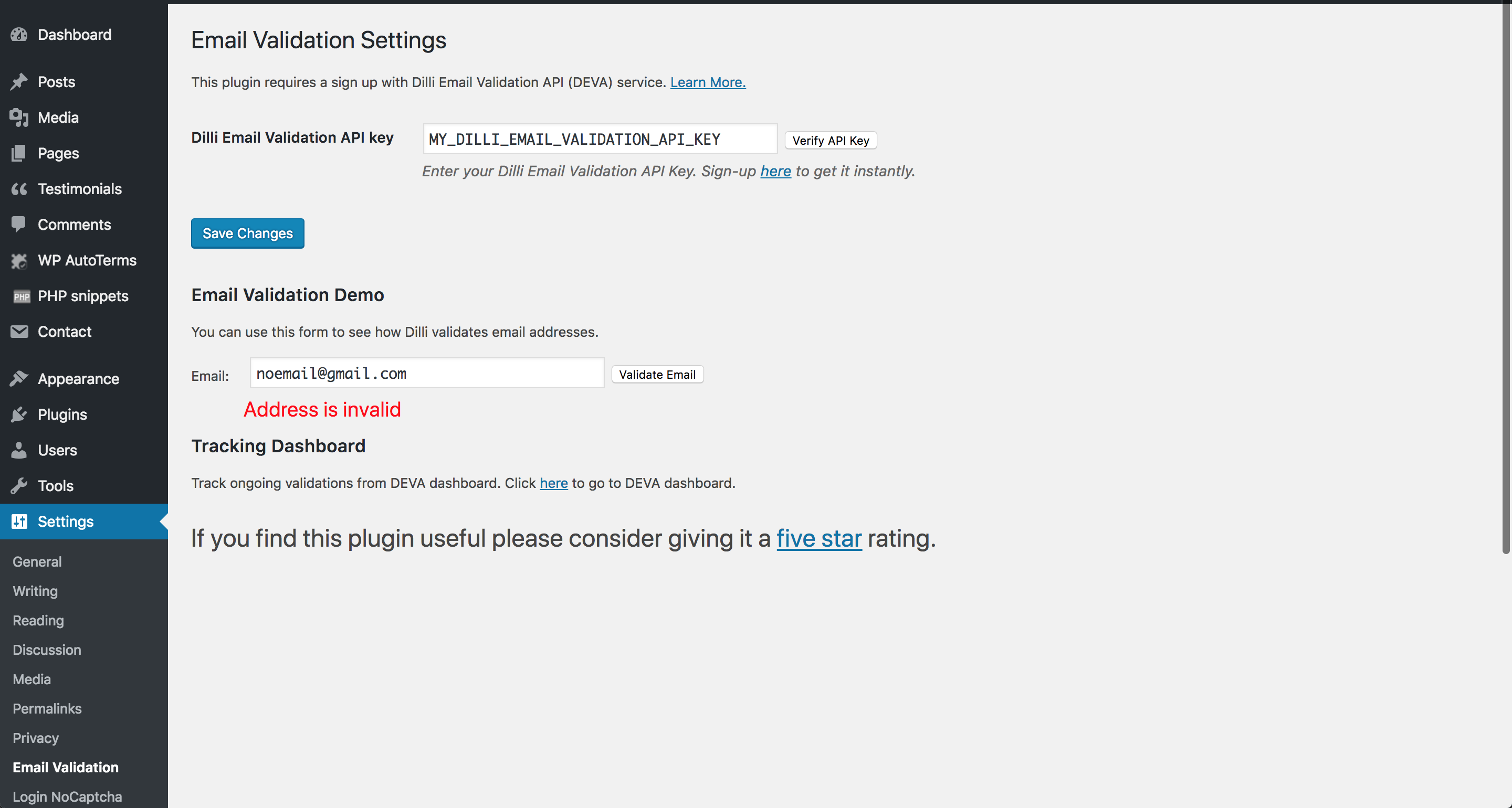
Configuration under WP-Admin Dashboard->Settings->Email Validation

Email field validation in Contact Form 7 using Dilli Email Validator.