

DisablePress – All-in-One plugin to disable unnecessary features
It will disable all unnecessary WordPress features and speed up your website in an elegant way.
Plugin info
Maintenance & Compatibility
Maintenance score
Possibly abandoned • Last updated 619 days ago • 2 reviews
Is DisablePress – All-in-One plugin to disable unnecessary features abandoned?
Possibly abandoned (last update 619 days ago).
Compatibility
Similar & Alternatives
Explore plugins with similar tags, and compare key metrics like downloads, ratings, updates, support, and WP/PHP compatibility.
Description
Homepage | Documentation | Support
It will disable all unnecessary WordPress features and speed up your website in an elegant way. This plugin is Super simple, Clean, Secure code, and Lightweight. We have also focused on flexibility, performance, and security to ensures that it will work with other WordPress plugins.
Disabling unnecessary default features in WordPress is essential for optimizing site performance, security, and user experience. For instance, if your site is not utilising the Rest API, then deactivating the REST API and XML-RPC can mitigate potential security vulnerabilities. By tailoring WordPress to only include necessary features, you can ensure a faster, more secure, and user-focused website.
Having Too Many Plugins Can Hurt site performance and security
Having too many plugins on your website can significantly slow down its performance, leading to longer load times and a poor user experience. Each plugin adds extra code, increasing the server’s workload and making the site more prone to crashes and security vulnerabilities. Additionally, conflicts between plugins can cause functionality issues, potentially breaking parts of your site. It’s essential to limit plugins to only those that are necessary and to regularly update and maintain them to ensure optimal performance and security.
By using this All-in-One plugin you can simply disable feature that you do not want to use with one click.
Disable the following features:
- Disable XML-RPC
- Hide ‘Screen Options’ Tab
- Hide WordPress Version Number
- Disable Blocks Widget
- Disable WordPress Admin Bar
- Disable Dashboard Welcome Panel
- Disable comments page in menu
- Disable Admin Footer
Installation
Login to your WordPress Admin panel and search “Disable Features” in “Plugins > Add New” screen. You can install this plugin by using the following steps also:
- Download the plugin via WordPress.org
- Upload the ZIP file through the ‘Plugins > Add New > Upload’ screen in your WordPress dashboard
- Activate the plugin through the ‘Plugins’ menu in WordPress
Once activated go to:
- Settings > Disable Features page
- In Options page disable the feature that you do not want to use.
- Once all done, click on Save Changes button to disable the features.
Frequently Asked Questions
Review feed
Nice Plugin
Screenshots
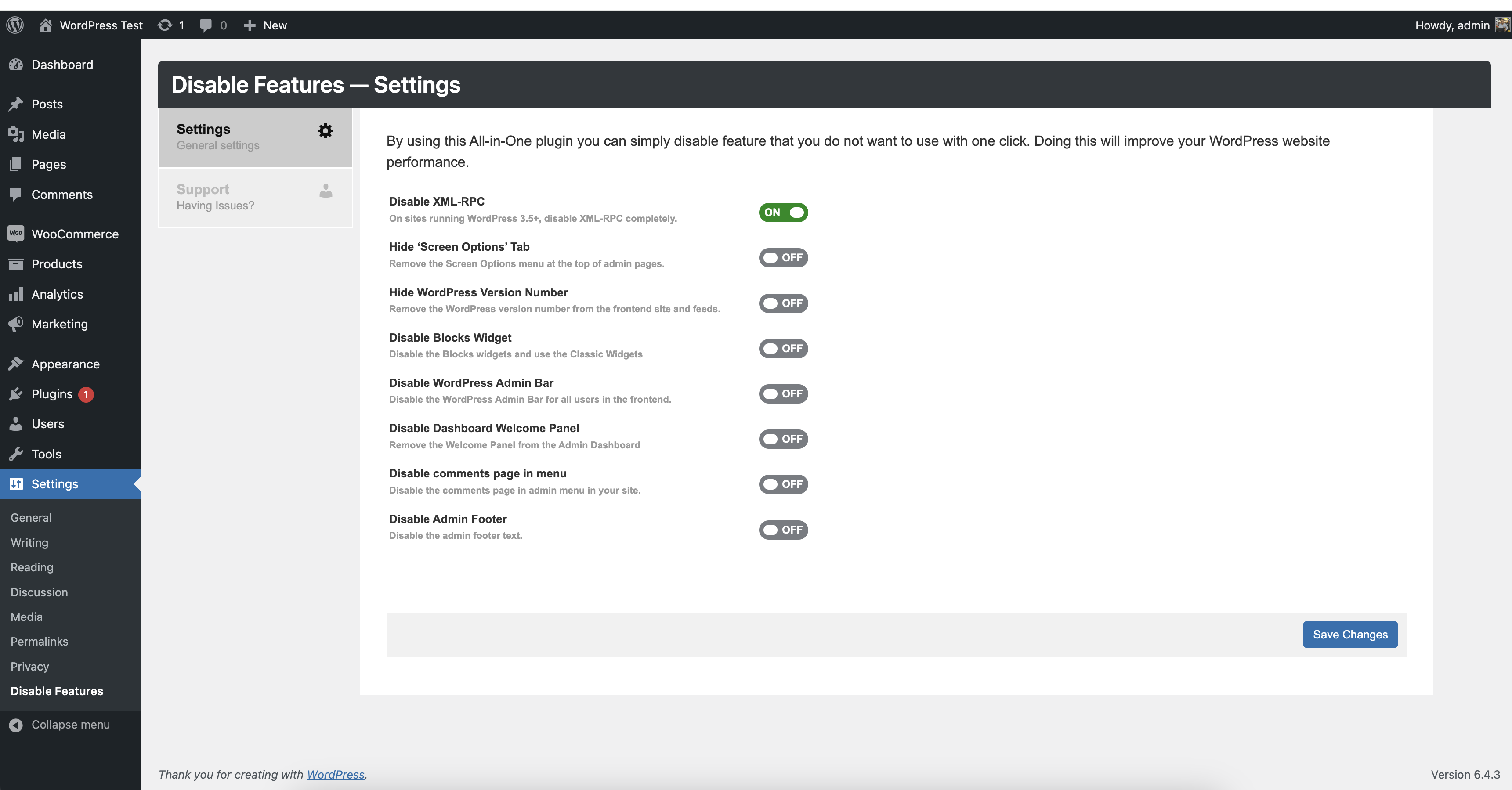
screenshot-1.png