

Disable Recaptcha – CF7
Contact form 7 shows recaptcha on every page with use of this plugin you can hide/remove it from selected pages.
Plugin info
Maintenance & Compatibility
Maintenance score
Possibly abandoned • Last updated 1231 days ago • 10 reviews
Is Disable Recaptcha – CF7 abandoned?
Possibly abandoned (last update 1231 days ago).
Compatibility
Similar & Alternatives
Explore plugins with similar tags, and compare key metrics like downloads, ratings, updates, support, and WP/PHP compatibility.
Description
After new update of contact form 7 they are using google captcha version 3. Which is showing google recaptcha badge on every page of the site which is annoying for some of the users. By using this plugin you can either show it on pages which has contact form or you can also completely remove it.
Features
- Variation options to control google repatcha
- Selected pages, posts option
- Custom post type supported
Installation
MINIMUM REQUIREMENTS
- PHP 5.6 or later
- MySQL 5.6 or later
- WordPress 4.5 or later
EASIEST WAY TO INSTALL
To easily install this plugin, login to wordpress admin and navigate to Plugins > Add New. Search for “Disable Recaptcha – CF7”, click install and activate it.
MANUAL INSTALLATION
- Download “Disable Recaptcha – CF7” from wordpress.org
- Navigate to Plugins > Add New.
- Navigate to plugin upload area.
- Upload downloaded zip.
- Wait for the zip to extract
- Activate “Disable Recaptcha – CF7” plugin
VIA FTP
- Download “Disable Recaptcha – CF7” from wordpress.org
- Extract the disable-recaptcha-cf7.zip to your computer
- Upload the “disable-recaptcha-cf7” directory to /wp-content/plugins using your FTP
- Activate the plugin from WordPress Admin
Frequently Asked Questions
Previously we need to manually put the shortcode of recaptcha in contact form 7. But in recent update of contact form 7 they are using google recaptcha version 3 and you can see the google recaptcha badge on bottom right corner of every page. So by using this plugin you can handle the visibility of this badge.
No, it will not work.
Yes, it will support all custom post type with public visiblity.
Yes, it does have option to control on archive and single page separately.
No, it is will only work with recaptcha v3.
You can post your bugs in support section linked above.
If you like this plugin, please give me 5 stars to encourage for future improvement.
Review feed
Screenshots
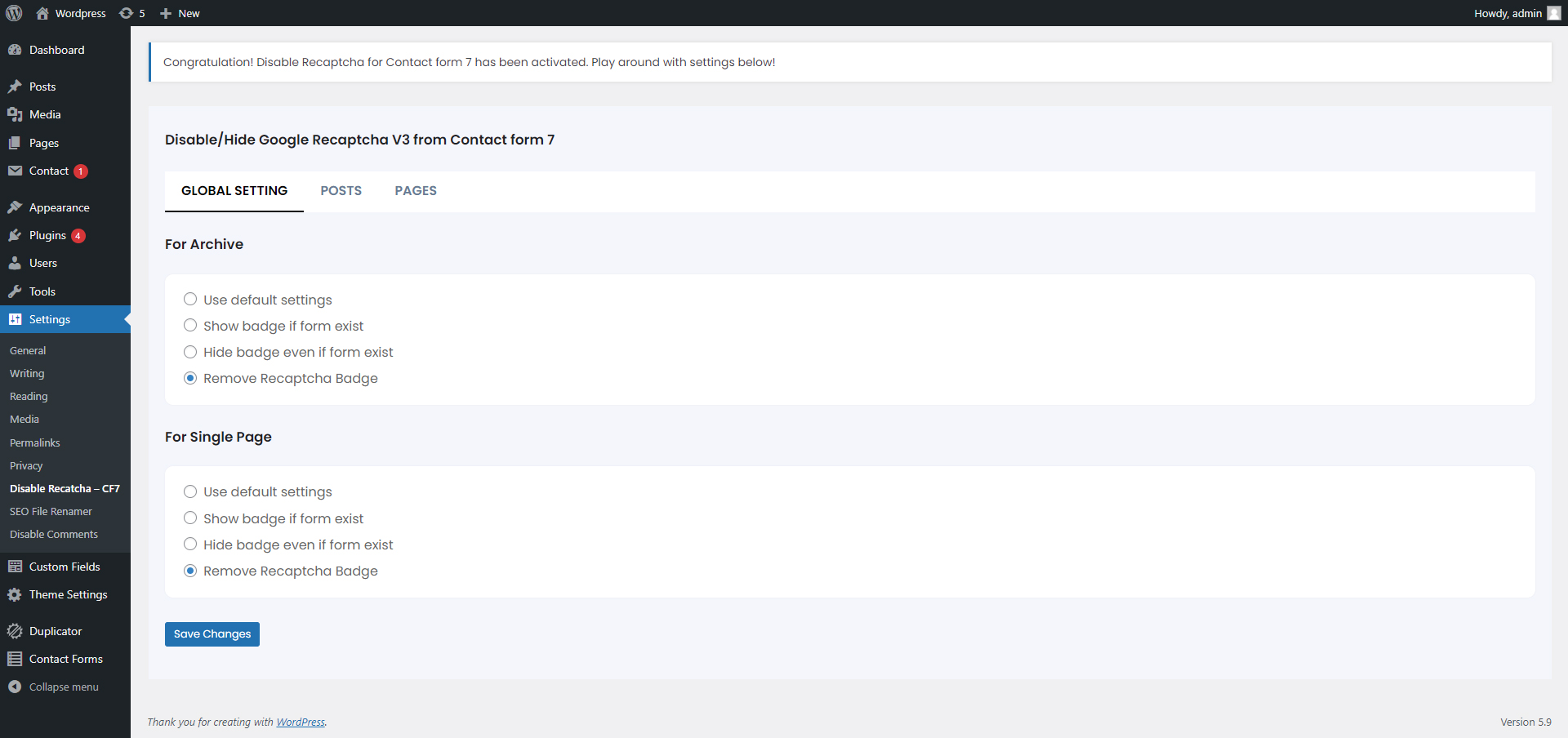
Backend settings
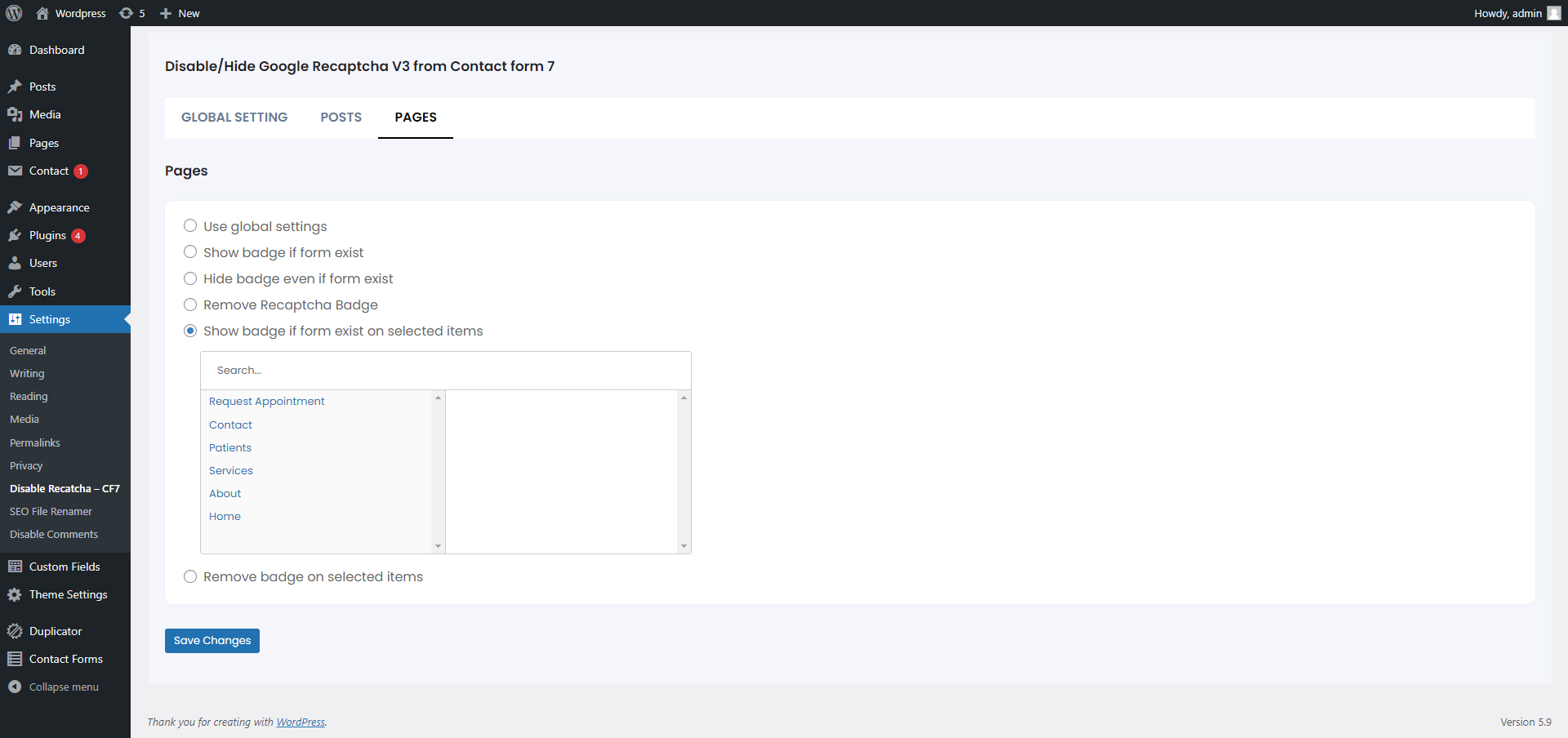
Individual pages settings
Changelog
1.1
- Fixed script removal issue with new version of Contact form 7
1.2
- Clean UI for backend
- Added redirection to settings page after installation with activation message
- Added settings to hide recaptcha even if form exists
- Default setting has been changed to “Show recaptcha if form exists”
- Instead of Use default settings it will be now Use global settings for post, page and custom post types
- Media has been removed from settings as it serves no purpose