

Disable WP Notification
Best wordpress plugin to remove all the admin panel notifications in just one click. Including the theme and plugin update notification.
Plugin info
Maintenance & Compatibility
Maintenance score
Possibly abandoned • Last updated 462 days ago • 12 reviews
Is Disable WP Notification abandoned?
Possibly abandoned (last update 462 days ago).
Compatibility
Developers
Languages
Similar & Alternatives
Explore plugins with similar tags, and compare key metrics like downloads, ratings, updates, support, and WP/PHP compatibility.
Description
Showing the notifications related to plugins and themes is not a good idea for all the user roles. Disable WP Notification helps you to disable all the spammy notifications from the entire wordpress dashboard.
I know sometimes it is require to get the notifications, so considering this, Our experienced developers provide you the following options:
- Enable all notifications
- Disable Notifications for all users
- Disable Notifications for all users except admin
Disable WP Notification Features
- Disable all the spammy notifications and clean the Dashboard.
- A panel to show all the disabled notifications.
- Disable the notifications for all the users including admin.
- Disable the notifications for all the users excluding admin. That means, except admin this will work only on the other users.
- Disable theme updates and notification.
- Disable plugin updates.
- Only Admin can manage the settings.
Installation
- Go to Dashboard > Plugins > Add New > Search > Disable WP Notification
- Activate the plugin through the “Plugins” menu in WordPress.
- Go to Dashboard > Disable Notices > Select the options as you required.
- Recommended option “Disable Notifications for all users except admin”
Manual Mathod:
- Download this plugin.
- Go to Dashboard > Plugins > Add New > Upload Plugin
- Upload the zip file.
- Activate the plugin through the “Plugins” menu in WordPress.
- Go to Dashboard > Disable Notices > Select the options as you required.
- Recommended option “Disable Notifications for all users except admin”
Frequently Asked Questions
You can. You can change the settings to “Disable Notifications for all users except admin” and now you can able to do anything as before.
Yes. As this plugin is only for the backend management so it does not have any impact on the theme or other plugins.
No. This plugin is completely free to use.
However, if you would like to show your support and appreciation to the developers, you have the option to buy them a coffee by sending them a monetary contribution. It’s completely voluntary and not mandatory.
Yes, you can put your questions in the support section, and we will try our best to reply you soon.
Or, you can drop me a quick email on [email protected] as well.
Review feed
Screenshots
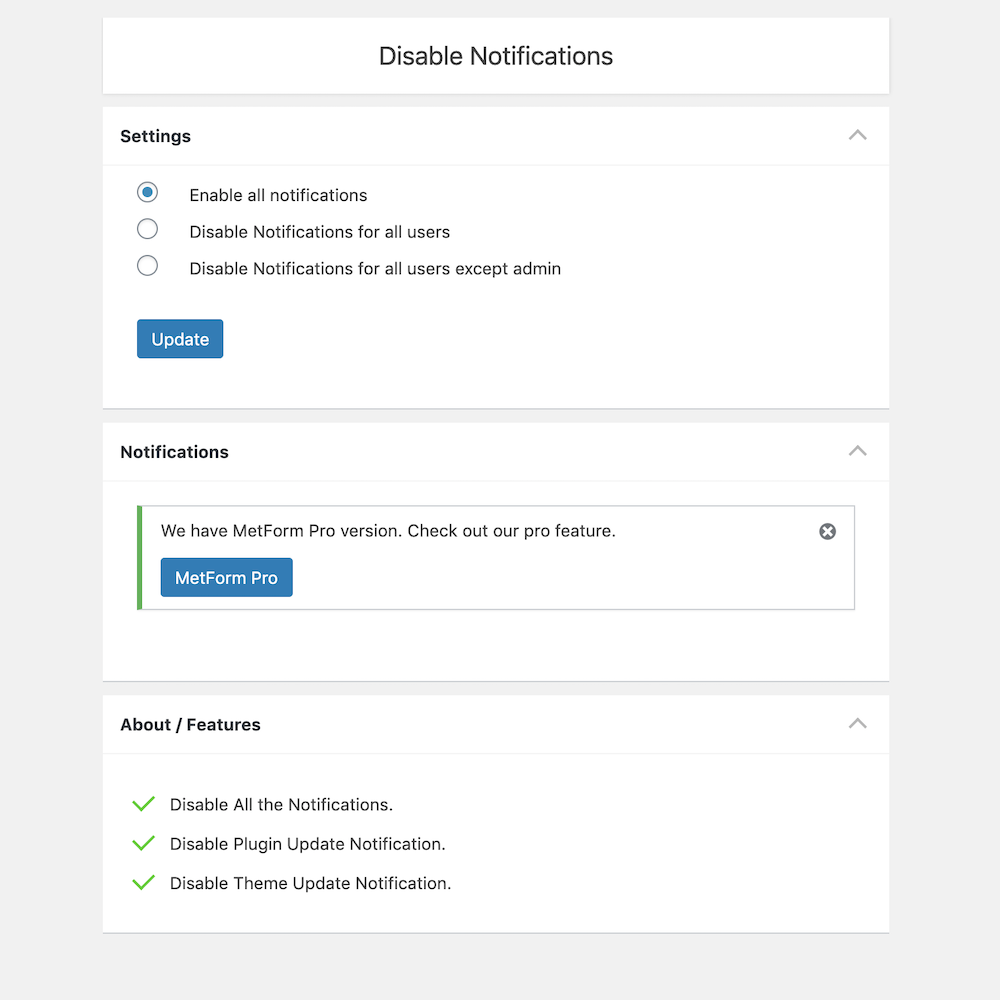
The settings page for "Disable Notices"
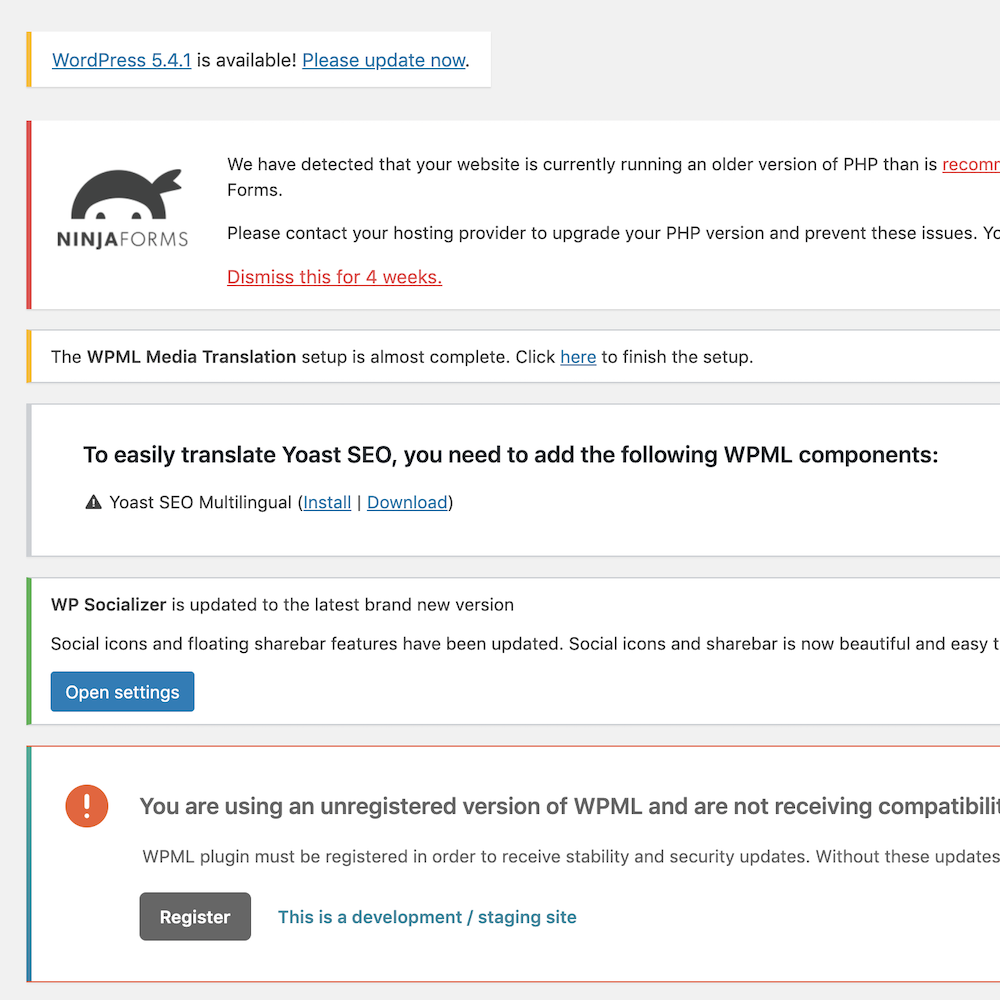
All these notices will be disabled
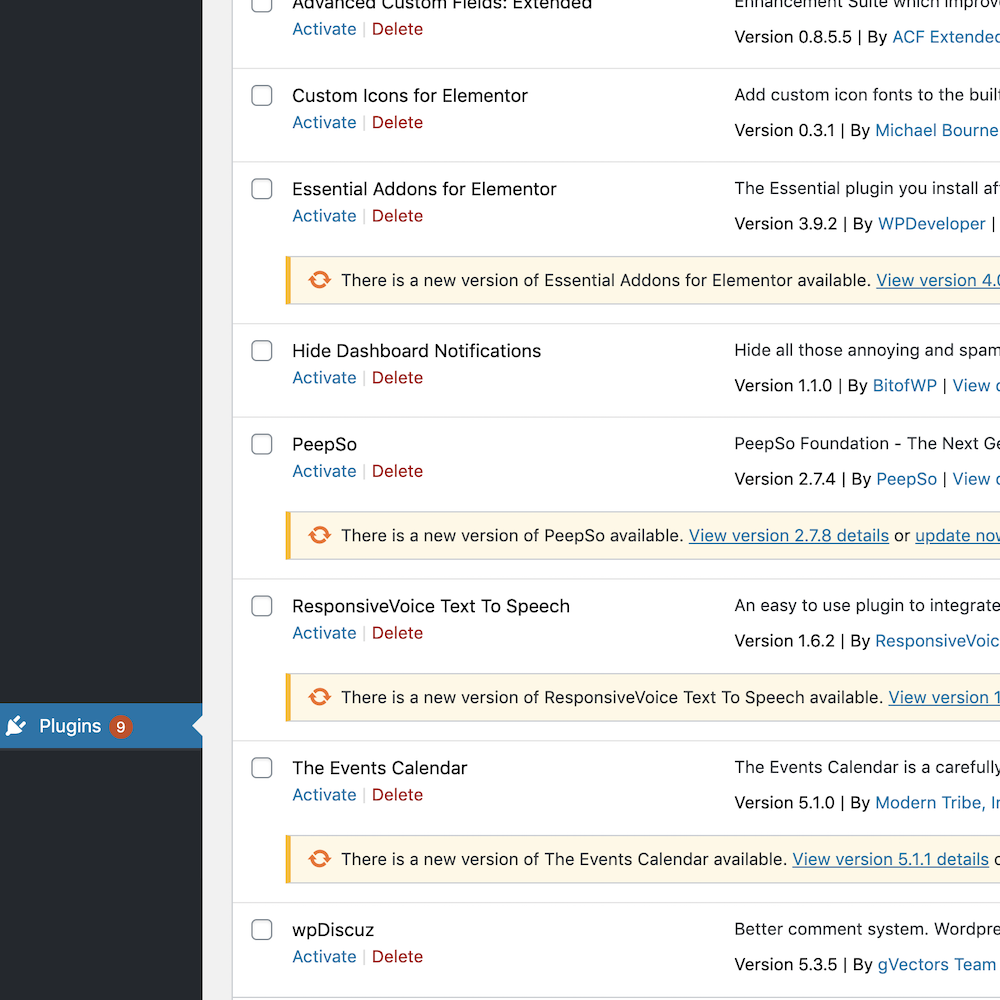
All these plugin update notices will be removed.
Changelog
= 3.3
* Compatible up to WordPress 6.7.1
= 3.2
* Compatible up to WordPress 6.4.2
* Minor Bug Fixes
= 3.1
* Compatible up to WordPress 6.2.2
= 3.0
* Compatible up to WordPress 6.0
= 2.0.1
* Compatible up to WordPress 5.6.1
= 2.0.1
* Compatible up to WordPress 5.5.3
2.0
- The stable version
- Fixed conflict with default wp theme editor
1.0.3
- Improve the security
1.0.2
- Improve the functionality
- Fix the bug
1.0.1
- Fix the bug
1.0
- First and stable version.