

Distance Rate Shipping For WooCommerce
For Woocommerce Distance Rate Shipping, add the functionality of calculating shipping fees based on the Distance between store and customer.
Plugin info
Maintenance & Compatibility
Maintenance score
Possibly abandoned • Last updated 707 days ago • 8 reviews
Is Distance Rate Shipping For WooCommerce abandoned?
Possibly abandoned (last update 707 days ago).
Compatibility
Similar & Alternatives
Explore plugins with similar tags, and compare key metrics like downloads, ratings, updates, support, and WP/PHP compatibility.
Description
For Woocommerce Distance Rate Shipping, add the functionality of calculating shipping fees based on the Distance between store and customer.
KEY FEATURES
- Add unlimited methods for shipping zones with distance-based shipping WooCommerce.
- Set distance measurement standards like kilometer/mile with WooCoomerce shipping based on distance.
- Set minimum and maximum order amount rules for shipping method.
- Set minimum and complete order qty rule for shipping method.
- Set minimum and top distance rules for the shipping method.
- Fixed-rate for shipping method.
- Formed custom name/label for shipping method.
REQUIREMENT
The plugin requires Google Map’s “Distance Matrix API” to measure the Distance between store address locations and customer shipping addresses.
You have to generate an API key for “Distance Matrix API” by following the official guide from the link below:
Distance Matrix API documentation
ACTIVELY ENGAGED
Knovator Technologies believes in active community support, so we try to make life easier for developers and customers with the best WooCommerce Distance Rate Shipping plugins. Don’t forget to sign up for our newsletter.
EXPLORE OUR OTHER PLUGINS TO ENHANCE YOUR WEBSITE
Installation
- Go to “https://wordpress.org/plugins/” page.
- In “Search plugins…” textbox type “Distance Rate Shipping For WooCommerce by tusharknovator” and press enter.
- click on the showed result “Distance Rate Shipping For WooCommerce”.
- Click on download button and save the plugin zip file on your computer.
- Download the plugin zip file to your computer
- Go to the WordPress admin dashboard menu Plugins > Add New
- Choose Upload Plugin” button which is besides “Add Plugins” at top of page.
- Upload the plugin zip file, the plugin will now be installed
- After the installation has finished, click the ‘activate plugin’ link
Frequently Asked Questions
You can do the following settings on the Distance Rate Shipping For Woocommerce settings page:
1. Distance matrix API key.
2. Distance measurement standard.
It is necessary to use the Google Maps API to calculate store and customer distance.
You can generate it by following the instructions on the page linked just below the API key, or you can follow the official guide from the link below:Distance Matrix API documentation
Review feed
Screenshots
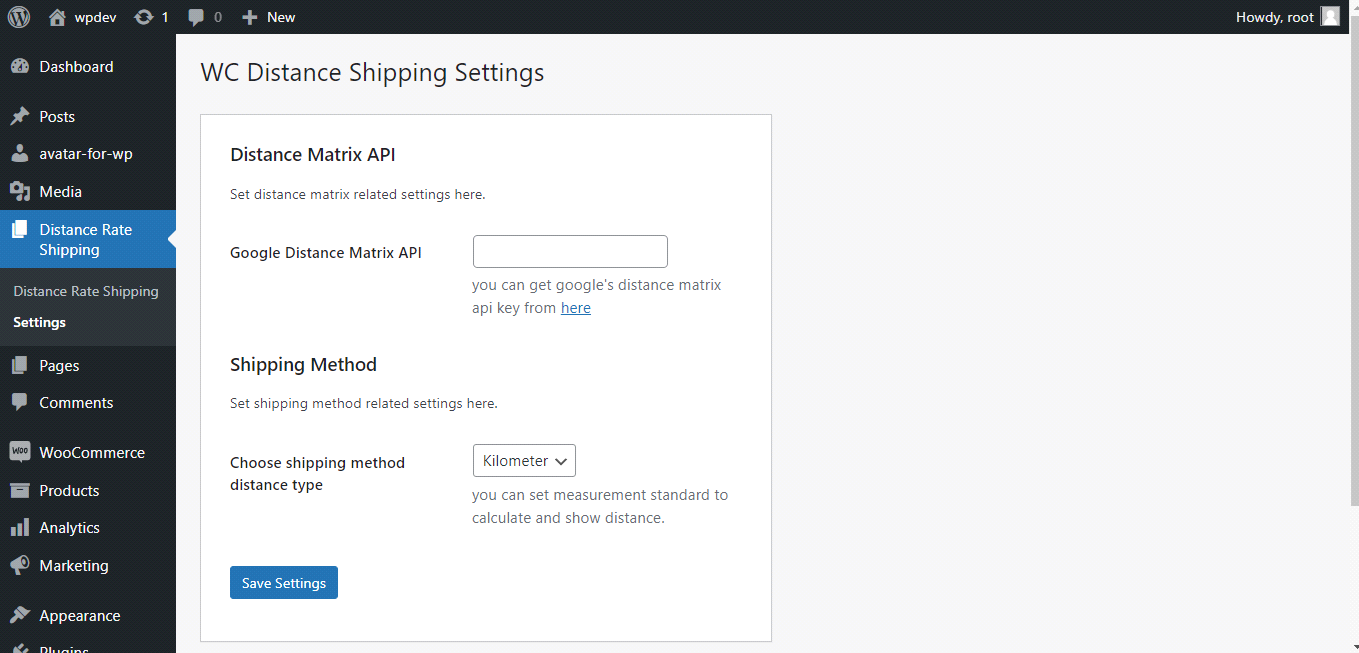
Configure settings

Go to Shipping zones

Add shipping method to shipping zone
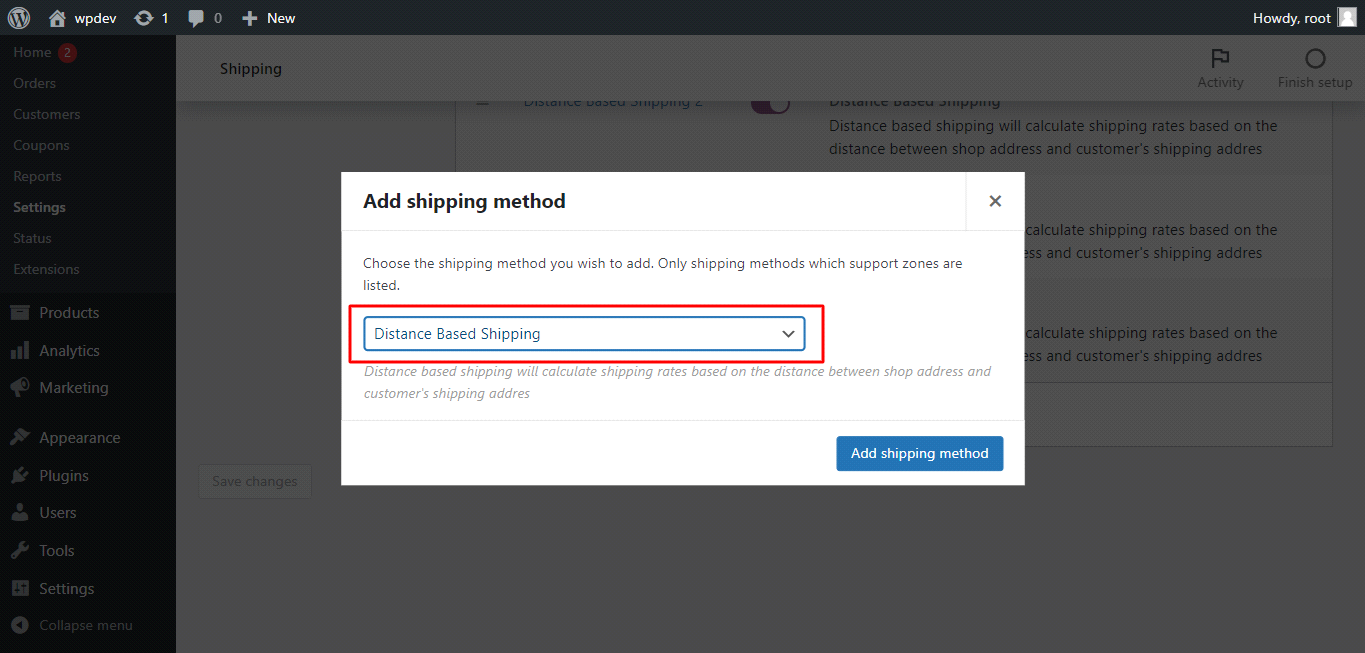
Select "Distance Based Shipping" from dropdown

Edit newly added method

Change method title/label and add other values
Changelog
1.0.0 * First public release.