

Do Deliver Orders
Streamline WooCommerce order delivery with Do Deliver integration. Note: This plugin connects to a third-partyr external service (Do Deliver).
Plugin info
Maintenance & Compatibility
Maintenance score
Maintained • Last updated 123 days ago
Is Do Deliver Orders abandoned?
Likely maintained (last update 123 days ago).
Compatibility
Similar & Alternatives
Explore plugins with similar tags, and compare key metrics like downloads, ratings, updates, support, and WP/PHP compatibility.
Description
Do Deliver Orders allows you to automatically send WooCommerce orders to your Do Deliver logistics portal. This plugin simplifies the delivery process by integrating WooCommerce with your Do Deliver dashboard for streamlined tracking, dispatch, and fulfillment.
This plugin connects to the external Do Deliver service in order to transmit order details for fulfillment. By using this plugin, you agree that order data will be transmitted securely to the Do Deliver platform as part of the delivery workflow.
External Service Disclosure
This plugin uses the Do Deliver external service to manage and fulfill WooCommerce orders.
What the service is and what it is used for:
Do Deliver is a third-party logistics service that handles order delivery, tracking, and dispatch. This plugin integrates WooCommerce with your Do Deliver account to automate these tasks.
What data is sent and when:
When an order is placed in WooCommerce and meets the plugin’s dispatch conditions, the following order data is transmitted to Do Deliver via its secure API:
– Customer name
– Shipping address
– Phone number
– Email (optional)
– Product details (SKU, quantity, price)
– Order total and shipping information
Where and under which conditions:
Data is only sent when the plugin is configured with your Do Deliver API key and the integration is active. Data is securely transmitted over HTTPS to the following API endpoint:
https://portal.dodeliver.com.pk/api/
Service terms and policies:
– Do Deliver Terms of Service
– Do Deliver Privacy Policy
License
GPLv2 or later
Installation
- Upload the
do-deliver-ordersfolder to the/wp-content/plugins/directory. - Activate the plugin through the ‘Plugins’ menu in WordPress.
- Navigate to ‘Do Deliver Orders’ in the WordPress admin menu.
- Enter your Do Deliver API key and configure other plugin settings.
Frequently Asked Questions
Review feed
Screenshots
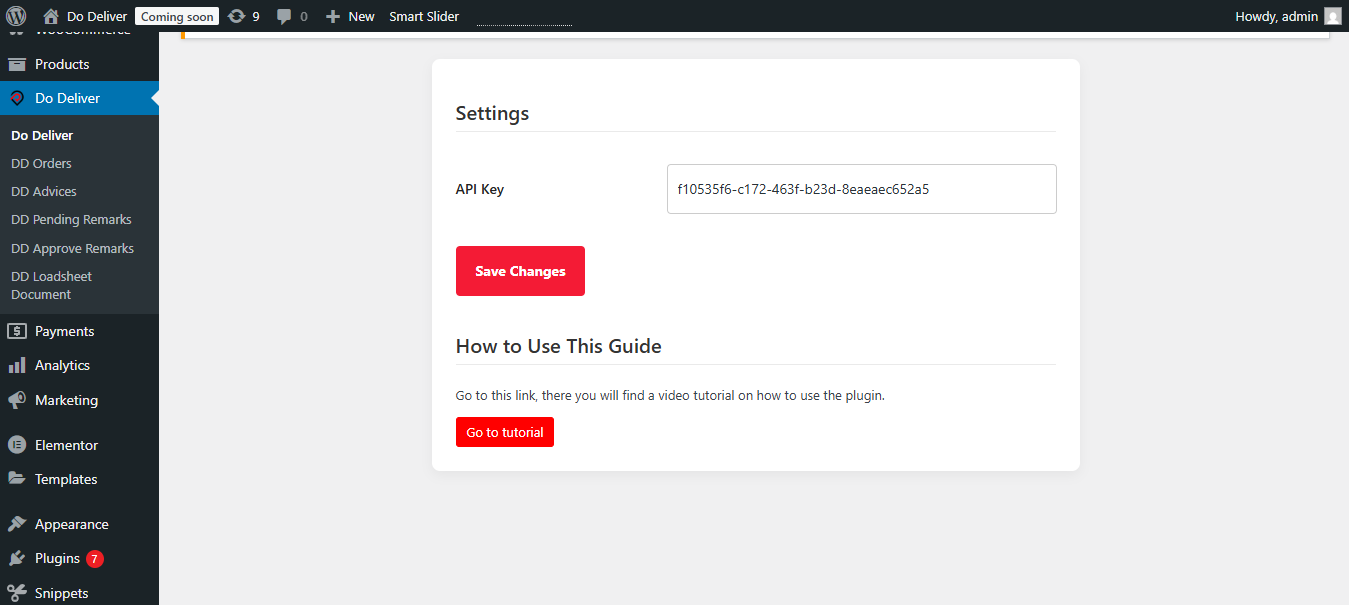
Do Deliver plugin settings page in the WordPress admin dashboard.
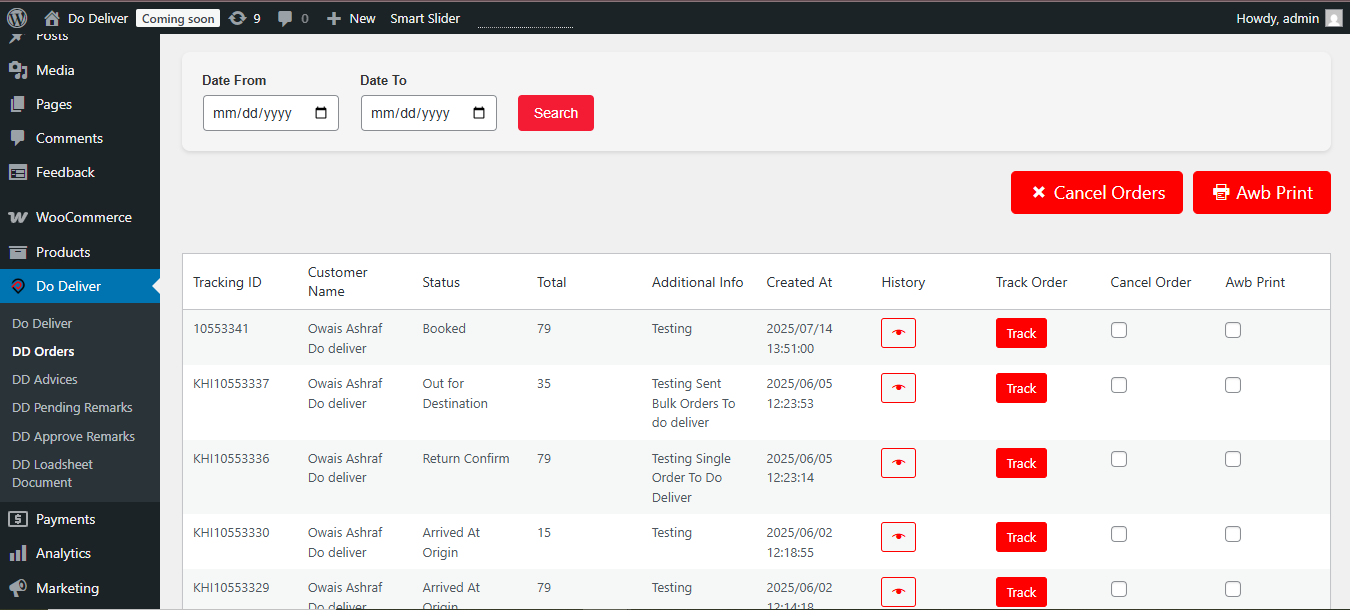
WooCommerce order view with Do Deliver integration details.
Changelog
1.2
- Tested compatibility up to WordPress 6.8.
- Minor bug fixes and optimizations.
1.0
- Initial release.