

Plugin info
Maintenance & Compatibility
Maintenance score
Possibly abandoned • Last updated 1141 days ago
Is Dummy Images abandoned?
Possibly abandoned (last update 1141 days ago).
Compatibility
Similar & Alternatives
Explore plugins with similar tags, and compare key metrics like downloads, ratings, updates, support, and WP/PHP compatibility.
Description
Dummy Images provides functionality for generating image placeholders which can be used for various purposes – set temporary feature images, filling blank spots, test and play around with different image sizes and etc.
The plugin gives you the option not only to generate a blank image but to customize it. You can easily select the dimensions, background color, text and text color of the dummy image.
Installation
- Download the zipped file.
- Extract and upload the entire
dummy-imagesfolder to the/wp-content/plugins/directory. - Go to the WordPress
Pluginsmenu and activate the plugin.
After that, you will find ‘Dummy Images’ menu in your WordPress admin panel as a submenu of Media menu.
Frequently Asked Questions
In order to generate a dummy image, you need to go to the Dummy Images main page which is located under the Media menu in the WordPress admin panel.
The dummy images are directly uploaded in the default WordPress media and you’re able to use any of the dummy images wherever you need it – Featured images, content images, widgets and etc.
Customizing the dummy image can happen before generating it. You have the option to select background color, write some text on it and set a color of the text.
The images are very lightweight. Here are some examples file sizes with a certain image dimensions:
– 64×64: 295B
– 128×128: 563B
– 512×512: 2KB
– 1024×1024: 5KB
Review feed
Screenshots
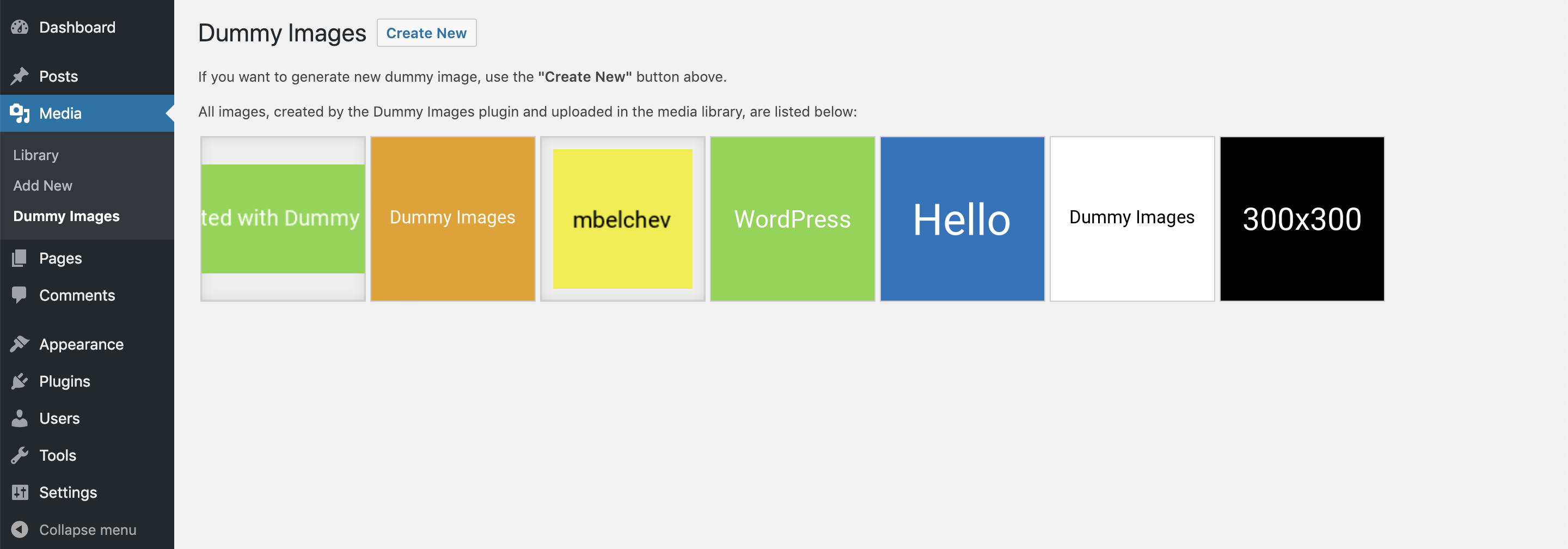
Dummy Images main listing page

Generating new dummy image

Use the generated dummy image as featured image
Changelog
1.0.2
Test plugin compatibility with latest WordPress and PHP
Updating NPM packages
1.0.1
Test plugin compatibility with latest WordPress and PHP
1.0
Initial version of the plugin