

Plugin info
Maintenance & Compatibility
Maintenance score
Maintained • Last updated 168 days ago • Support resolved 33% • 429 reviews
Is Duplicate Page abandoned?
Likely maintained (last update 168 days ago).
Compatibility
Developers
Languages
Similar & Alternatives
Explore plugins with similar tags, and compare key metrics like downloads, ratings, updates, support, and WP/PHP compatibility.
Description
Duplicate Posts, Pages and Custom Posts easily using single click. You can duplicate your pages, posts and custom post by just one click and it will save as your selected options (draft, private, public, pending).
Key Features in Duplicate Page Pro Editions
- User Roles: Allow User Roles To access Duplicate Page.
- Post Types: Filter to show Duplicate Page link in post types.
- Clone Link Location: Option where to show clone link.
- Status: Option to select Duplicate Posts Status.
- Redirection: Option to Redirect after click on clone link..
- Clone Link Title: Option to change Duplicate Post Link Title.
- Post Prefix: Option to add Post Prefix.
- Post Suffix: Option to add Post Suffix.
- Editor: And Many More Filters and Features.
Buy Pro Version with various features & support.
Contact us for Support Only Pro Version Users.
How to use
- First Activate Plugin.
- Go Select to Duplicate Page settings Menu from Settings Tab and savings settings.
- Then Create New Post/Page or Use old.
- After click on duplicate this link, then duplicate post/ page will be created and saved as draft,publish,pending,private depending upon settings.
Minimum requirements for Duplicate Page
- WordPress 3.3+
- PHP 5.x
- MySQL 5.x
Installation
- Upload the
duplicate-pagefolder to the directory/wp-content/plugins/. - Activate the plugin using the ‘Plugins’ menu in WordPress.
Frequently Asked Questions
Review feed
Easy and fast
just great
Simple plugin that does what it says
Works perfectly for duplicating pages
Nice plugin but...
Screenshots

Activate Screen
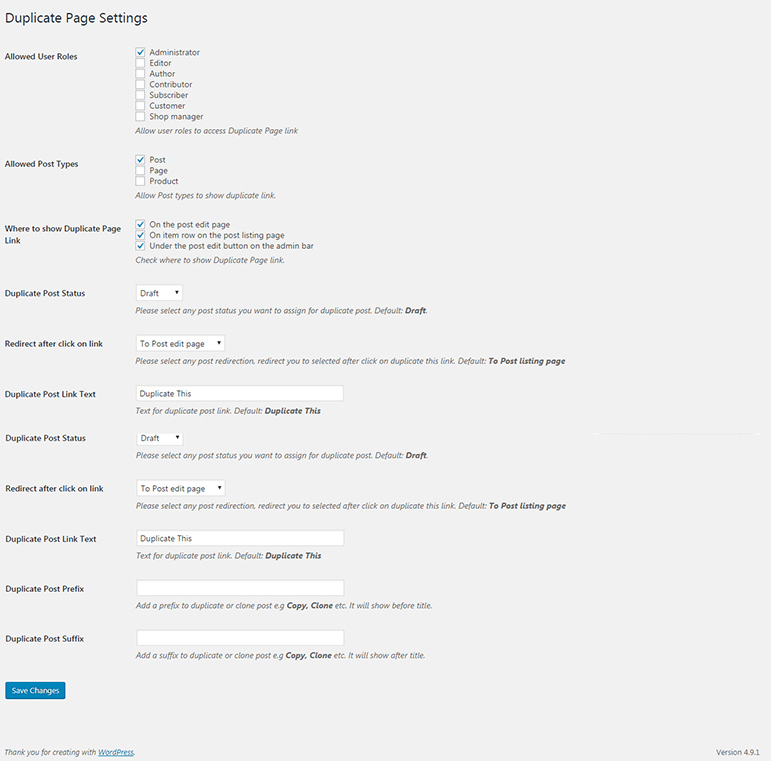
Duplicate Page Settings Screen
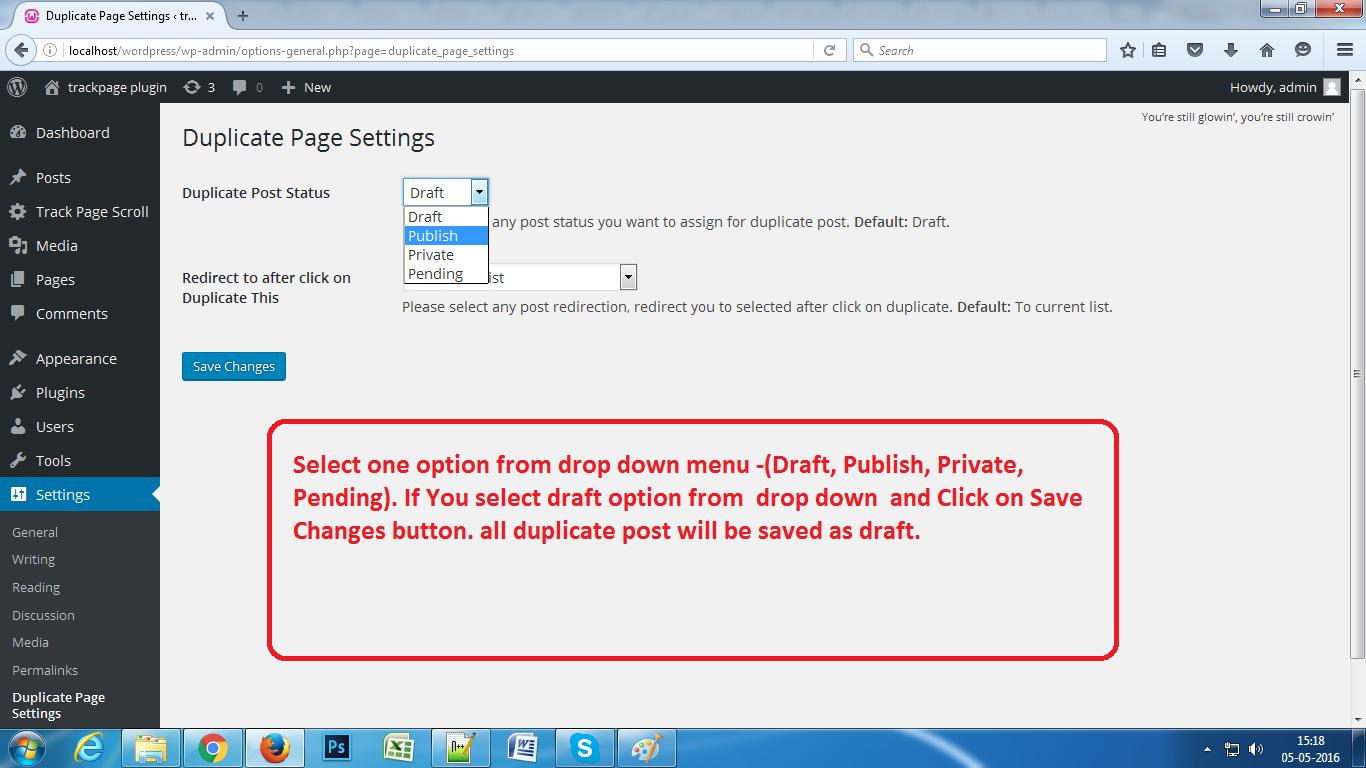
Select Option from Settings Page.
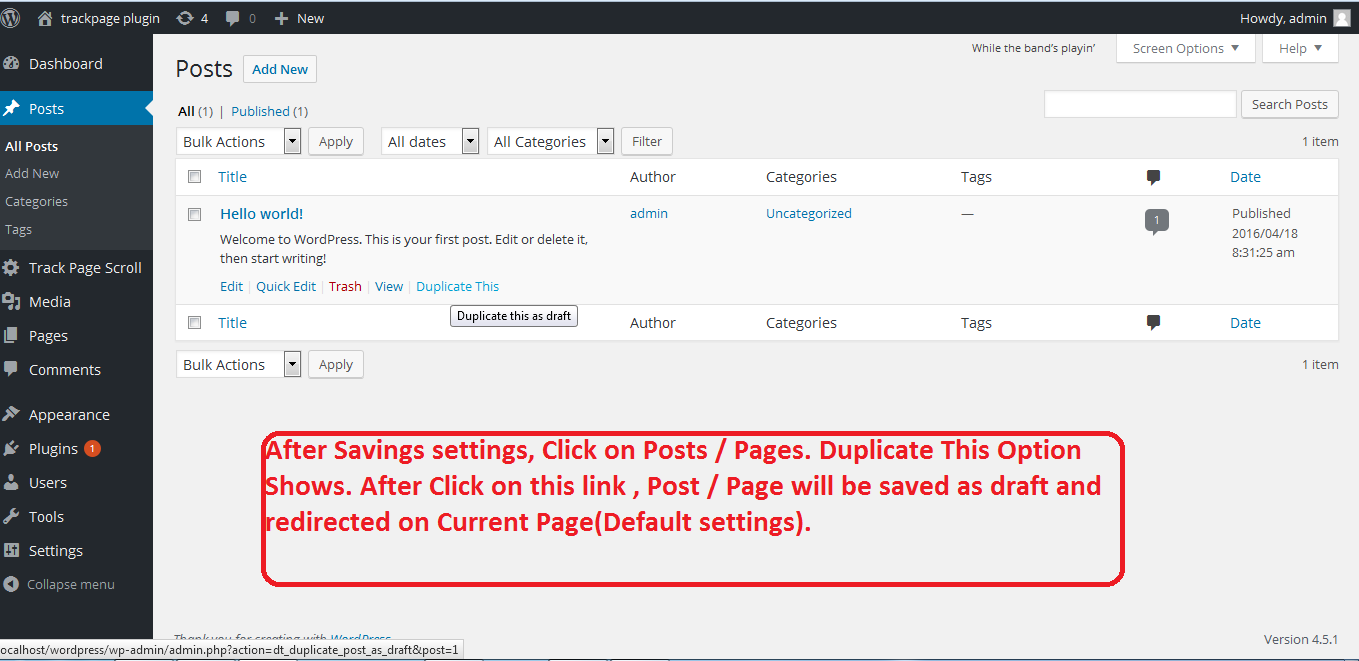
Click on Duplicate This.
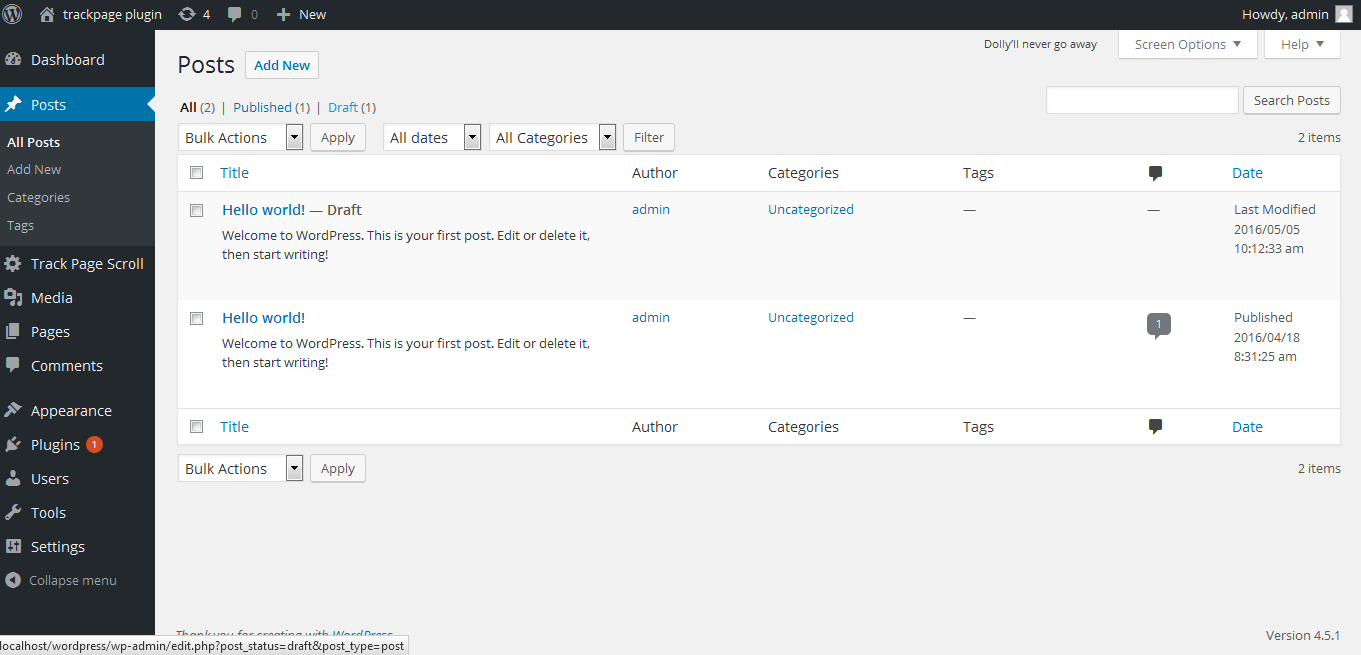
Duplicate Post / Page will Appear.
Changelog
4.5.6 (16th Oct, 2025)
- Compatible with WordPress 6.8.3
4.5.5 (9th June, 2025)
- Compatible with WordPress 6.8.1
4.5.4 (29th July, 2024)
- Compatible with WordPress 6.6.1
= 4.5.3(11th Sept, 2023)
- Compatible with wordpress 6.3.1
= 4.5.2(4th May, 2023)
- Compatible with wordpress 6.2
= 4.5.1(8th Feb, 2023)
- Fixes compatibility issues with event calendar plugin.
- Minor bug fixes
= 4.5(14th Dec, 2022)
- Checked compatibility with wordpress v6.1.1
- Fixes elementor sections compatibility issue
= 4.4.9(15th Jul, 2022)
- Checked compatibility with wordpress v6.0.1
= 4.4.8(27th Jan, 2022)
- Checked compatibility with wordpress v5.9
= 4.4.7(16th Dec, 2021)
- Added editor role check
= 4.4.6(7th Dec, 2021)
- Fixed security issues.
= 4.4.5(29th Sep, 2021)
- Fixed the issue for content HTML displaying in the sidebar.
= 4.4.4(16th Sep, 2021)
- Fixed sanitization Issues as per wordpress standards.
= 4.4.3(8th Sep, 2021)
- Updated code sanitization process for secure data submission
= 4.4.2(6th Sep, 2021)
- Added sanitization as per wordpress standards.
4.4.1(27th July, 2021)
- Checked compatibility with wordpress v5.8
- Fixed php warnings
4.4(18th Mar, 2021)
- Tested upto wordpress v5.7
4.3(28th Aug, 2020)
- Tested with wordpress v5.5
4.2(26th March, 2020)
- Fixed Translations string issue
4.1(20th Feb, 2020)
- Fixed Translations issue
4.0(20th Sep, 2019)
- Fixed slug duplication issue
3.9 (6th Aug, 2019)
- Fixed some compatibility issues
3.8 (18th July, 2019)
- Fixed compatibility issues with GT3 editor
3.7 (18th July, 2019)
- Fixed compatibility issues with other editors
3.6 (16th July, 2019)
- Security fixes addressed by wordpress
3.5 (2nd Apr, 2019)
- Gutenberg and advanced custom fields compatibility
3.4 (1st Apr, 2019)
- Security issues fixes addressed by Securi
3.3 (14th March, 2019)
- Compatible with WordPress 5.1.1
3.2 (25th Dec, 2018)
- Gutenberg Compatible
3.1 (5th Dec, 2018)
- removed nag
3.0 (3rd Dec, 2018)
- German Formal lang added
2.9 (16th Nov, 2018)
- Minor bug fixes
2.8 (20th Oct, 2018)
- Compatible with php 7.3 and wordpress 5.0
2.7 (28th July, 2018)
- removed useless adsense code
2.6 (24th March, 2018)
- Added signup popup and minor fixes.
2.5 (5th Feb, 2018)
- Translations issue resolve.
2.4 (29th Nov, 2017)
- Duplicate Page appends original post name issue fixed.
2.3 (27st april, 2017)
- Minor Fixes
2.2 (28th Jan, 2017)
- Strings Translations
2.1 (25th Aug, 2016)
- New Text field added in settings page for duplicate post title suffix to remove confusion of currently duplicate page.
1.4 (18th Jun, 2016)
- New Features added
1.3 (23th May, 2016)
- New Features added
1.2 (05th May, 2016)
- Duplicate Page Settings Menu Added.
1.1 (04th May ,2016)
- fix some Bug in 1.0