

Duplicate Pages and Posts
This Plugin lets you duplicate posts, pages and every other custom post type. Duplicate Posts, You can duplicate your pages, posts and custom post by …
Plugin info
Maintenance & Compatibility
Maintenance score
Possibly abandoned • Last updated 674 days ago
Is Duplicate Pages and Posts abandoned?
Possibly abandoned (last update 674 days ago).
Compatibility
Similar & Alternatives
Explore plugins with similar tags, and compare key metrics like downloads, ratings, updates, support, and WP/PHP compatibility.
Description
This Plugin lets you duplicate posts, pages and every other custom post type. Duplicate Posts, You can duplicate your pages, posts and custom post by just one click and it will save as your selected options (draft, private, public, pending).
Cloning works for posts created with Gutenberg or the classic editor as well as with page builders. All the content, the categories, tags, featured image and every setting will be duplicated to a new post that is saved as a draft, private, public, pending etc.
KEY FEATURES
- User Roles: Allow User Roles To access Duplicate Page.
- Post Types: Filter to show Duplicate Page link in post types.
- Duplicate Link Location: Option where to show clone link.
- Status: Option to select Duplicate Posts Status.
- Redirection: Option to Redirect after click on clone link.
- Author: Option to assign author for clone post.
- Duplicate Link Title: Option to change Duplicate Post Link Title.
- Post Prefix: Option to add Post Prefix.
- Post Suffix: Option to add Post Suffix.
HOW TO USE
- First Activate Plugin.
- Go Select to Duplicate Page & Post Menu from Settings Tab and savings settings.
- Then Create New Post/Page or Use old.
- After click on duplicate this link, then duplicate post/ page will be created and saved as draft,publish,pending,private depending upon settings.
Installation
Extract the zip file and just drop the contents in the wp-content/plugins/ directory of your WordPress installation and then activate the Plugin from Plugins page.
After Plugin Active go to Settings-> Duplicate Page & Post.
Frequently Asked Questions
Review feed
Screenshots

Duplicate page, post and custom post type menu

Duplicate page, post and custom post type setting
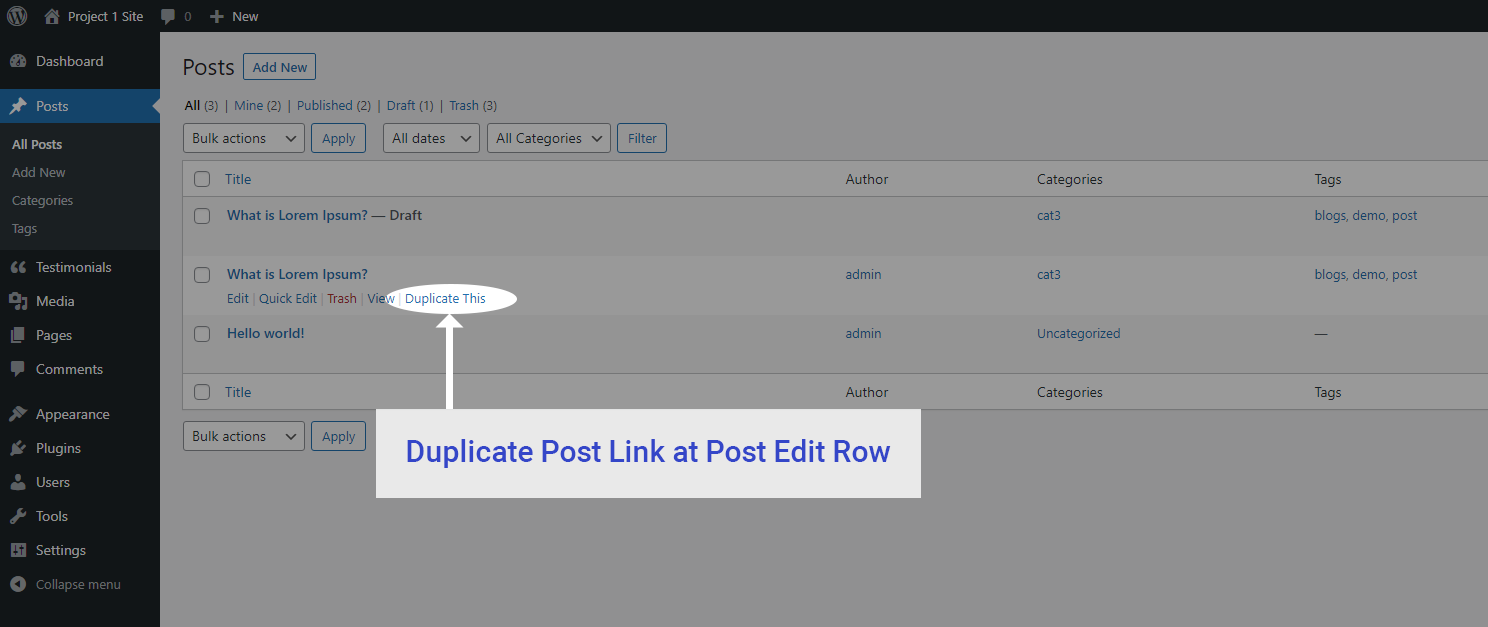
Duplicate post link at post edit row

Duplicate post link at post edit page

Duplicate post link at admin bar on post edit page

Duplicate post link at admin bar on front page
Changelog
1.4.1
*Fixed “Duplicate post” link with Gutenberg editor
1.4
*Tested up to wp version 6.2.2
1.3
*Tested up to wp version 6.0.1
1.2
*Tested up to wp version 5.9
1.1
*Tested up to wp version 5.8.3
1.0
*Initial release