

Duplicate Post and Clone Page
One click duplicate post and page. The best solution for easy copy page and post. It just works!
Plugin info
Maintenance & Compatibility
Maintenance score
Possibly abandoned • Last updated 667 days ago • 1 reviews
Is Duplicate Post and Clone Page abandoned?
Possibly abandoned (last update 667 days ago).
Compatibility
Similar & Alternatives
Explore plugins with similar tags, and compare key metrics like downloads, ratings, updates, support, and WP/PHP compatibility.
Description
“Duplicate Post and Clone Page” is an easy solution for effortlessly duplicating your WordPress site’s posts and pages. This intuitive plugin simplifies the content management process, allowing you to clone or copy your post and page with just a single click.
Whether you need to replicate posts for testing different layouts or copy pages to quickly create new sections on your website, “Duplicate Post and Clone Page” makes these tasks hassle-free. Our focus is on delivering a seamless user experience, ensuring that duplicating and copying your wordpress post or page is as easy as possible.
How to Use
Just install the plugin and you’ll see a new link under your post or page. Click on it to instantly clone your posts or pages.
Key Features
- Duplicate Posts: Instantly create an exact copy of your posts, retaining all content and formatting.
- Duplicate Pages: Filter to show Duplicate Page link in post types.
- User-Friendly Interface: Our plugin is designed with simplicity in mind, making it accessible for users of all skill levels.
- Finer Control on Duplication: Control exactly what you want to clone via settings.
Installation
- Click on “Download”. It will download a zip file.
- In your WordPress admin, Click: Plugins > Add New Plugin
- Click: “Upload Plugin”
- Click: “Choose File” and select the zip file you downloaded.
- Click: “Install Now”
- Click: “Activate”
- That’s all 🙂
Frequently Asked Questions
Review feed
Screenshots

How to duplicate a post or page screenshot-1.png
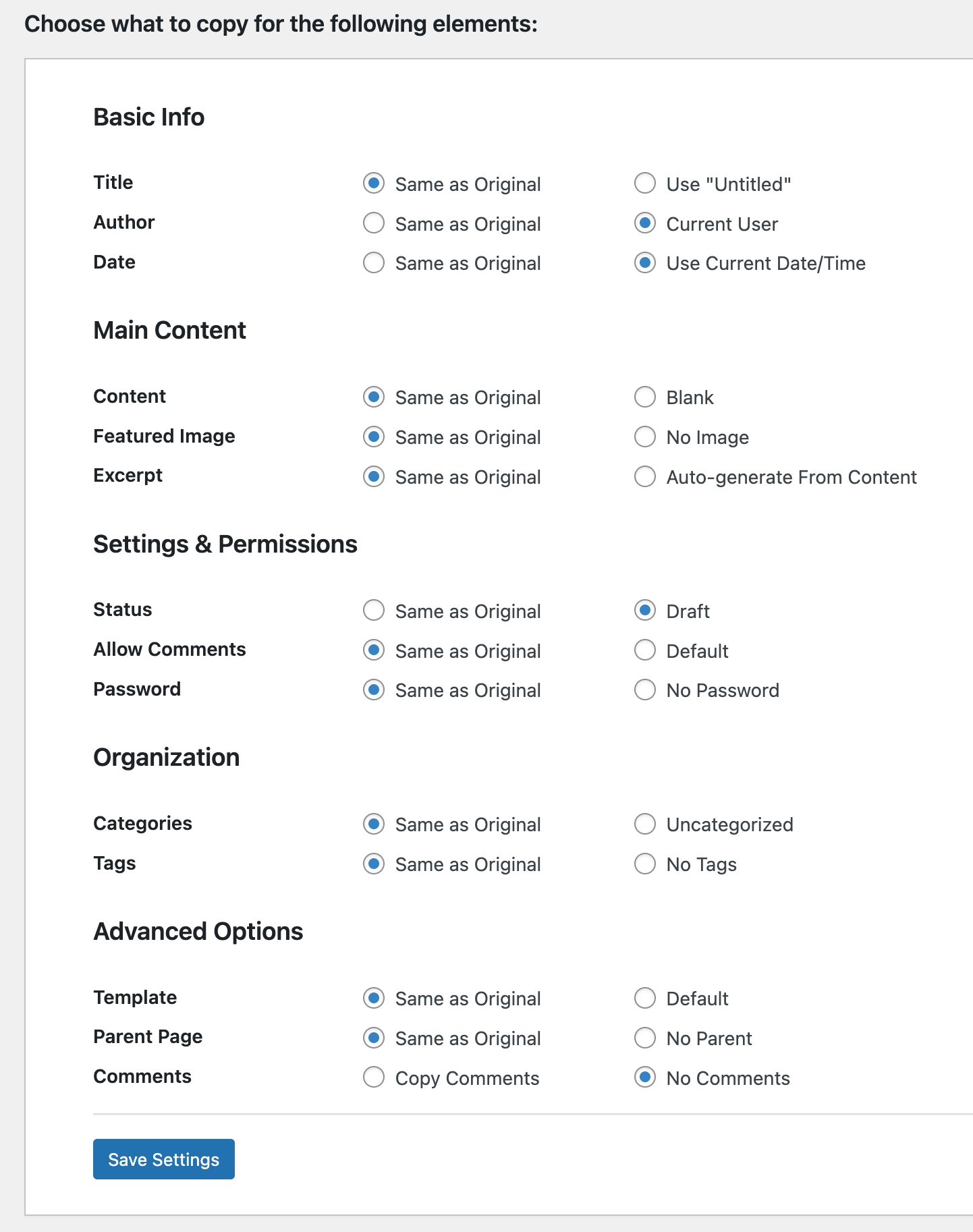
Choose what to copy in the duplicate post or page screenshot-2.png
Changelog
1.0.0
- Initial release