

Dynamic Video for Divi Posts
Short Description: Embeds videos into posts via a custom field and [dynamic_video] shortcode for Divi, with optional featured image fallback.
Plugin info
Maintenance & Compatibility
Maintenance score
Stale • Last updated 328 days ago
Is Dynamic Video for Divi Posts abandoned?
Likely maintained (last update 328 days ago).
Compatibility
Similar & Alternatives
Explore plugins with similar tags, and compare key metrics like downloads, ratings, updates, support, and WP/PHP compatibility.
Description
Dynamic Video for Divi Posts dynamically embeds a video into your blog posts by using a custom field. When editing a post, a new meta box labeled “Video URL” appears. Enter a video URL (e.g., a YouTube link) into this box, and then use the [dynamic_video] shortcode in your Divi Builder template. The video is automatically embedded using WordPress’s oEmbed functionality. New in version 1.0.2: Optional setting to display the post’s featured image when no video URL is provided.
Installation
- Upload the plugin files to the
/wp-content/plugins/dynamic-video-for-divi-postsdirectory, or install the plugin through the WordPress plugins screen by uploading the ZIP file. - Activate the plugin through the ‘Plugins’ screen in WordPress.
- Edit any post to see the “Video URL” meta box and enter your video URL.
- In your Divi Builder template, add a Code or Text module and insert the shortcode:
[dynamic_video]. - (Optional) Go to Settings > Dynamic Video for Divi Posts to enable the featured image fallback option.
Frequently Asked Questions
Enter a valid video URL (for example, a YouTube URL) in the “Video URL” meta box when editing a post, and then use the [dynamic_video] shortcode in your template. The video will be automatically embedded via WordPress’s oEmbed functionality.
Ensure that the video URL is correct and that your post type supports the shortcode. Also, verify that your Divi Builder template includes the [dynamic_video] shortcode. If no video appears and the featured image option is enabled, check if the post has a featured image set.
When enabled in the plugin settings, if no video URL is provided for a post, the plugin will display the post’s featured image instead of leaving the space blank. You can turn this feature on or off in the plugin settings.
Review feed
Screenshots
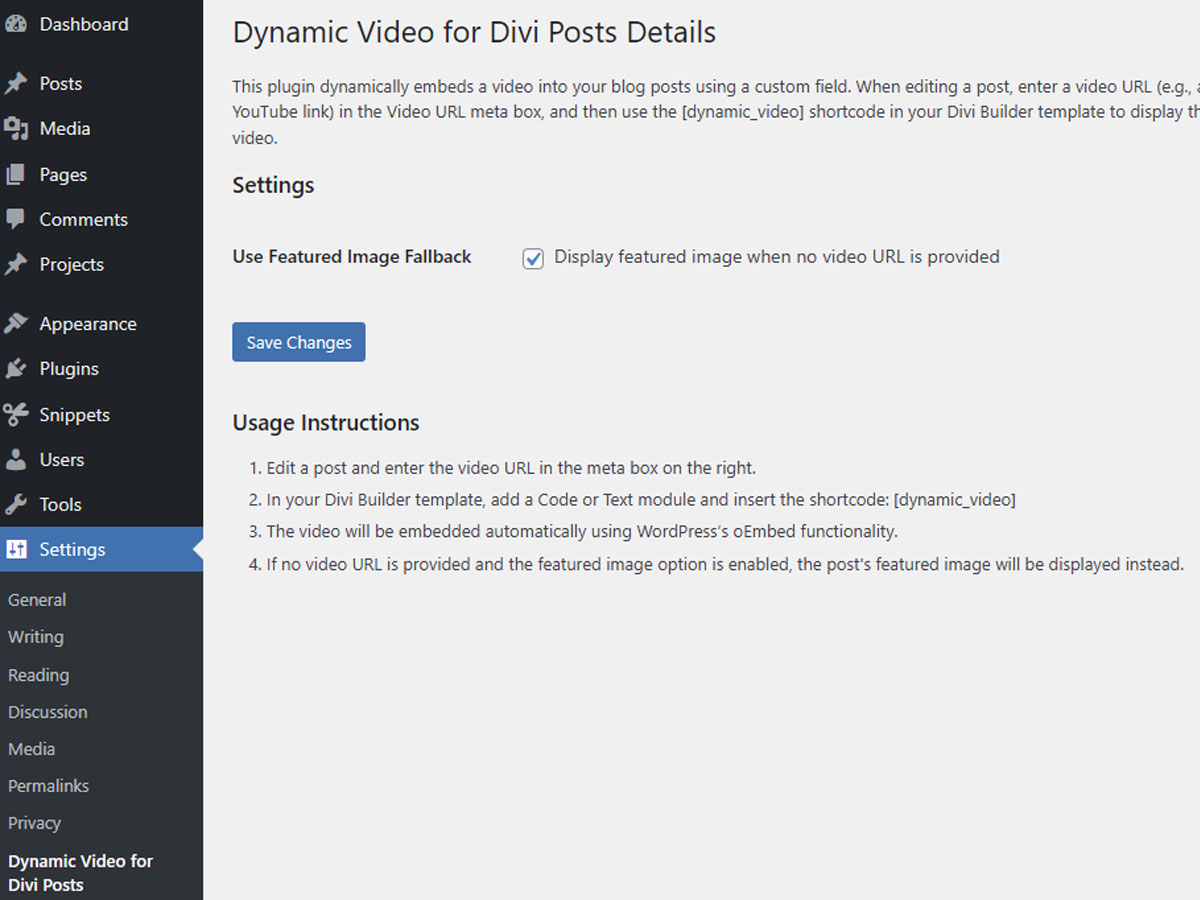
Settings, Instructions
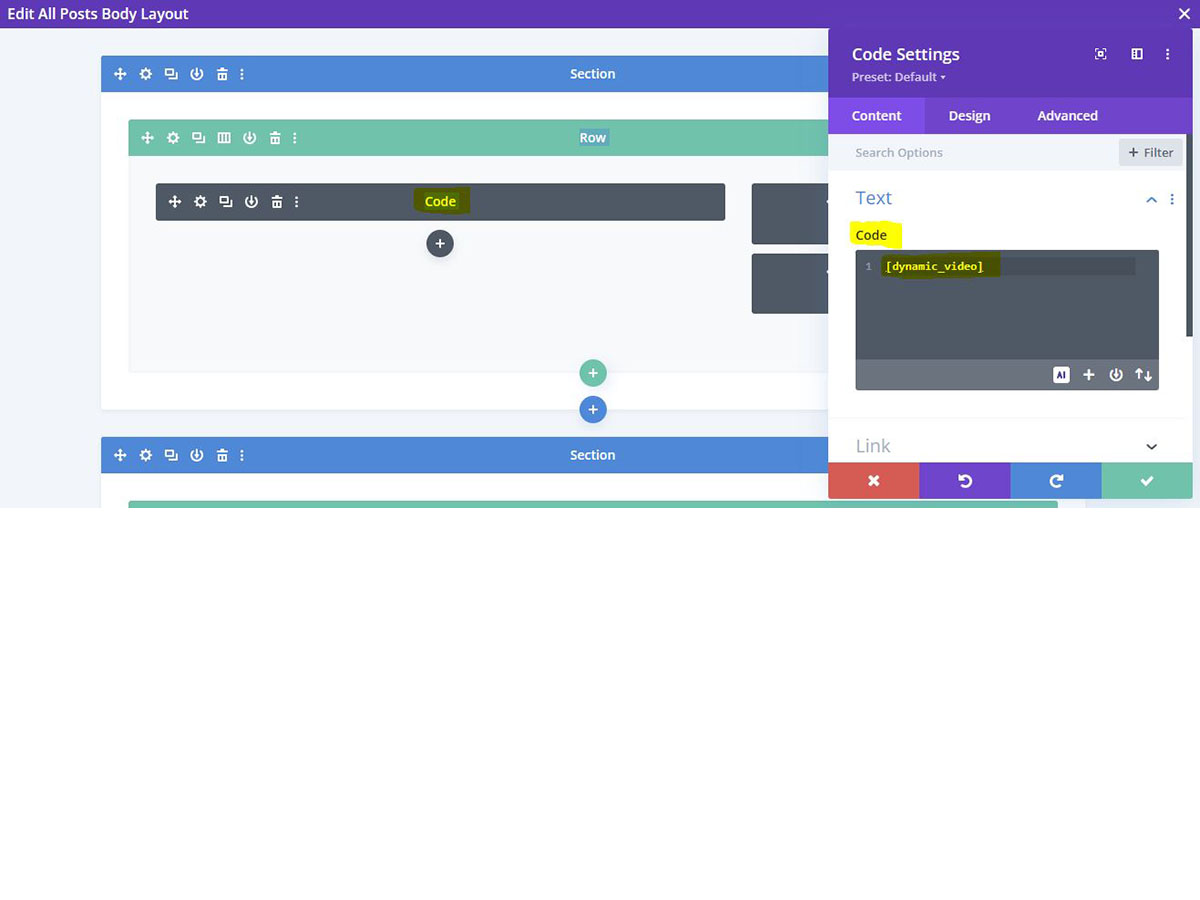
Snippet example for Divi Code Module
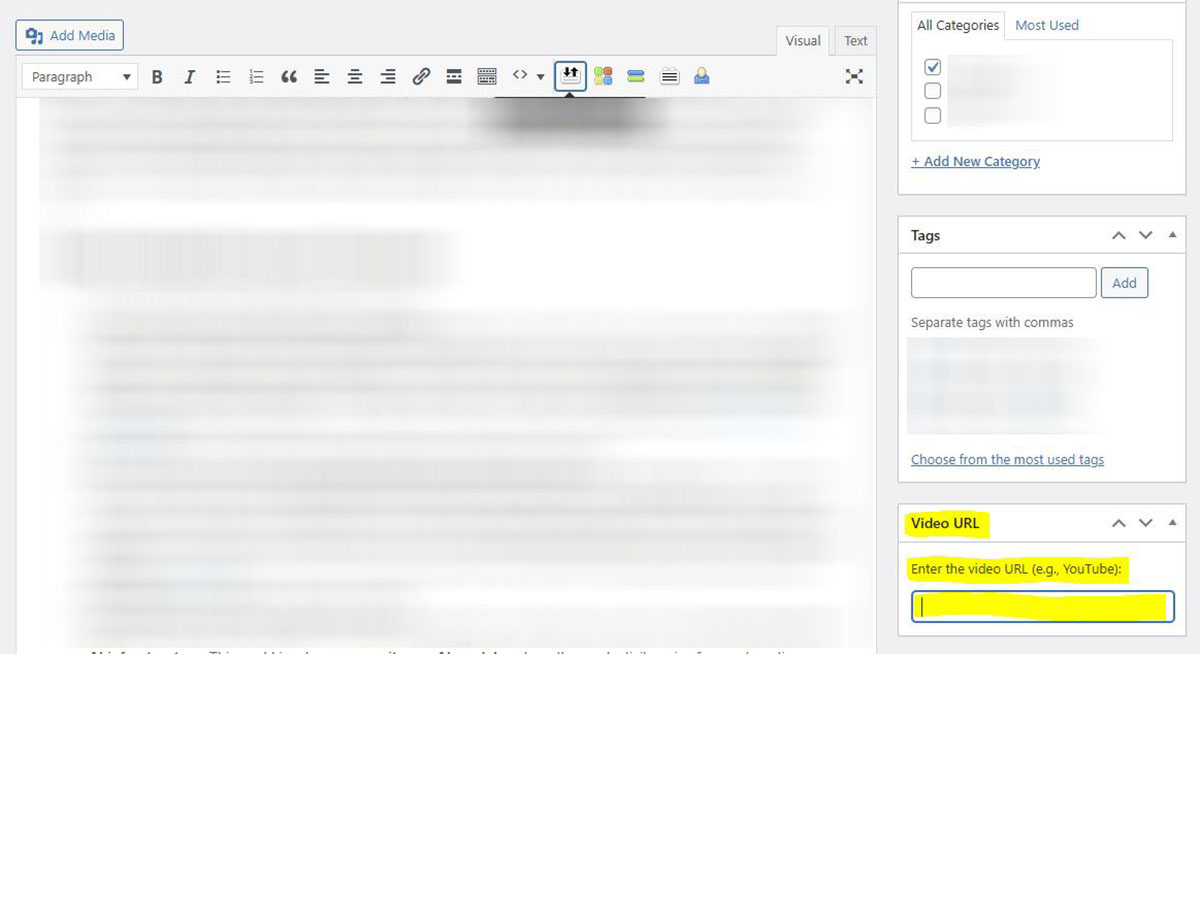
Blog entry for video URL
Changelog
1.0.2
- Added optional feature to display featured image when no video URL is provided
- Added settings page checkbox to enable/disable featured image fallback
- Updated documentation to include new feature instructions
1.0.1
- Renamed all functions, meta keys, nonce names, and admin slugs to use the unique prefix “dynvid_” to avoid naming conflicts.
- Improved nonce verification by sanitizing input using both wp_unslash() and sanitize_text_field().
- Enhanced data sanitization and output escaping for all user inputs and meta values.
- Added an admin submenu page for plugin details.
- Minor code and documentation updates for better security and compatibility.