

Easy Admin
Easy Admin simply allows you to hide rarely used menu items in the dashboard, to simplify day to day work.
Maintenance 20/1002296d since update
Active installs
50
Downloads
1,922
Reviews
0
Age
8.9y
Plugin info
Total downloads: 1,922
Active installs: 50
Total reviews: 0
Average rating: 0
Support threads opened: 0
Support threads resolved: 0 (0%)
Available in: 1 language(s)
Contributors: 2
Last updated: 12/19/2019 (2296 days ago)
Added to WordPress: 5/26/2017 (8 years old)
Minimum WordPress version: 4.0
Tested up to WordPress version: 5.3.20
Minimum PHP version: f
Maintenance & Compatibility
Maintenance score
Possibly abandoned • Last updated 2296 days ago
20/100
Is Easy Admin abandoned?
Possibly abandoned (last update 2296 days ago).
Compatibility
Requires WordPress: 4.0
Tested up to: 5.3.20
Requires PHP: f
Similar & Alternatives
Explore plugins with similar tags, and compare key metrics like downloads, ratings, updates, support, and WP/PHP compatibility.
Hide Admin Menu Items
Rating 5.0/5 (2 reviews) • Active installs 300
Publish/Update Button At Bottom
Rating 4.5/5 (2 reviews) • Active installs 40
Hello Obi-Wan
Rating 5.0/5 (2 reviews) • Active installs 10
Hello Darth
Rating 5.0/5 (1 reviews) • Active installs 10
Hello Stranger Things
Rating 5.0/5 (1 reviews) • Active installs 10
Description
- Activating this plugin will create a ‘Easy Admin’ entry in your admin area.
- Click it to go to the settings page.
- Simply select the menu entry you want to hide.
- Save your settings, and you’re done !
Of course, the Easy Admin settings page is always available, so you can always go back and show menu items you need.
If you have any questions, contact me via my website at https://vincentdubroeucq.com
Installation
- Download the zip file and unzip it.
- Upload the plugin folder to the
/wp-content/plugins/directory, or install the plugin through the WordPress plugins screen directly. - Activate the plugin through the ‘Plugins’ screen in WordPress
- That’s it ! Go to the settings page and clean your admin menu !
Frequently Asked Questions
Does Easy Admin offer granular control over sub-items ?
No. Else it won’t be ‘Easy’ anymore. Not yet. But why not later ?
Review feed
No reviews available
Screenshots
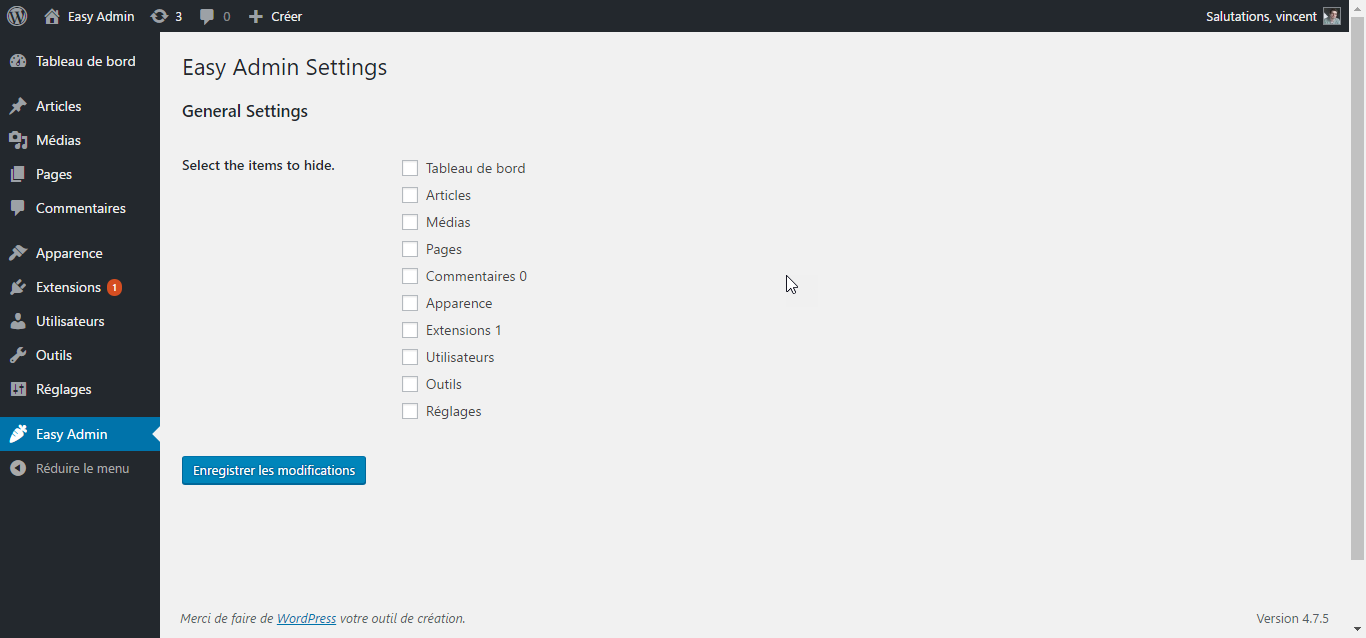
This is the Easy Admin settings page. Super simple.

Check the menu items you want to add and click submit.

That's it ! Enjoy your cleaned up admin menu !
Changelog
1.0.3
- Tested with WordPress 5.3.2.
1.0.2
- Tested with WordPress 5.0.1.
1.0.1
- Fixed compatibility issue with older versions of PHP.
1.0.0
- Initial release.