

Easy Alt Import Lite
Bulk edit image ALT texts from a CSV with preview, selective apply, and one-click undo — improve SEO, image accessibility, and WooCommerce product vis …
Plugin info
Maintenance & Compatibility
Maintenance score
Actively maintained • Last updated 75 days ago
Is Easy Alt Import Lite abandoned?
Likely maintained (last update 75 days ago).
Compatibility
Similar & Alternatives
Explore plugins with similar tags, and compare key metrics like downloads, ratings, updates, support, and WP/PHP compatibility.
Description
Easy Alt Import Lite is the fastest way to bulk update ALT texts in your WordPress Media Library using a simple CSV file. Perfect for SEO optimization, accessibility compliance, and e-commerce stores with many product images.
Upload, preview, select, and apply your changes — with one-click undo if needed. The plugin is lightweight, secure, and fully compliant with WordPress coding standards.
For the Pro version and full documentation, visit FTMPUB.ch — direct download, support, and extra features.
Highlights
- Bulk CSV import — update only the ALT text field
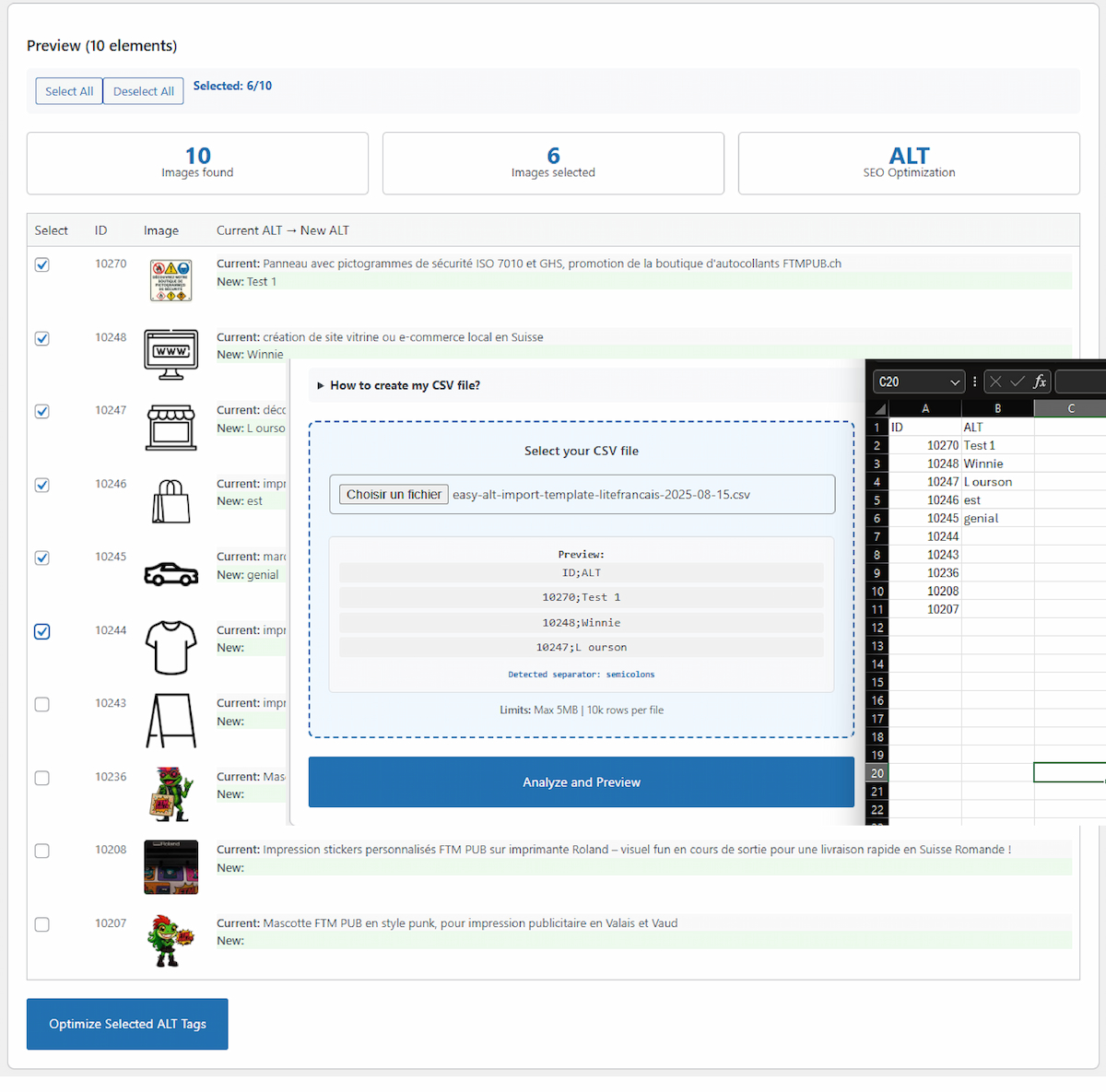
- Preview interface — compare current vs. new ALT before applying
- Selective import — choose which images to process
- Auto-separator detection — comma (
,) and semicolon (;) - Template generator — CSV prefilled with your image IDs
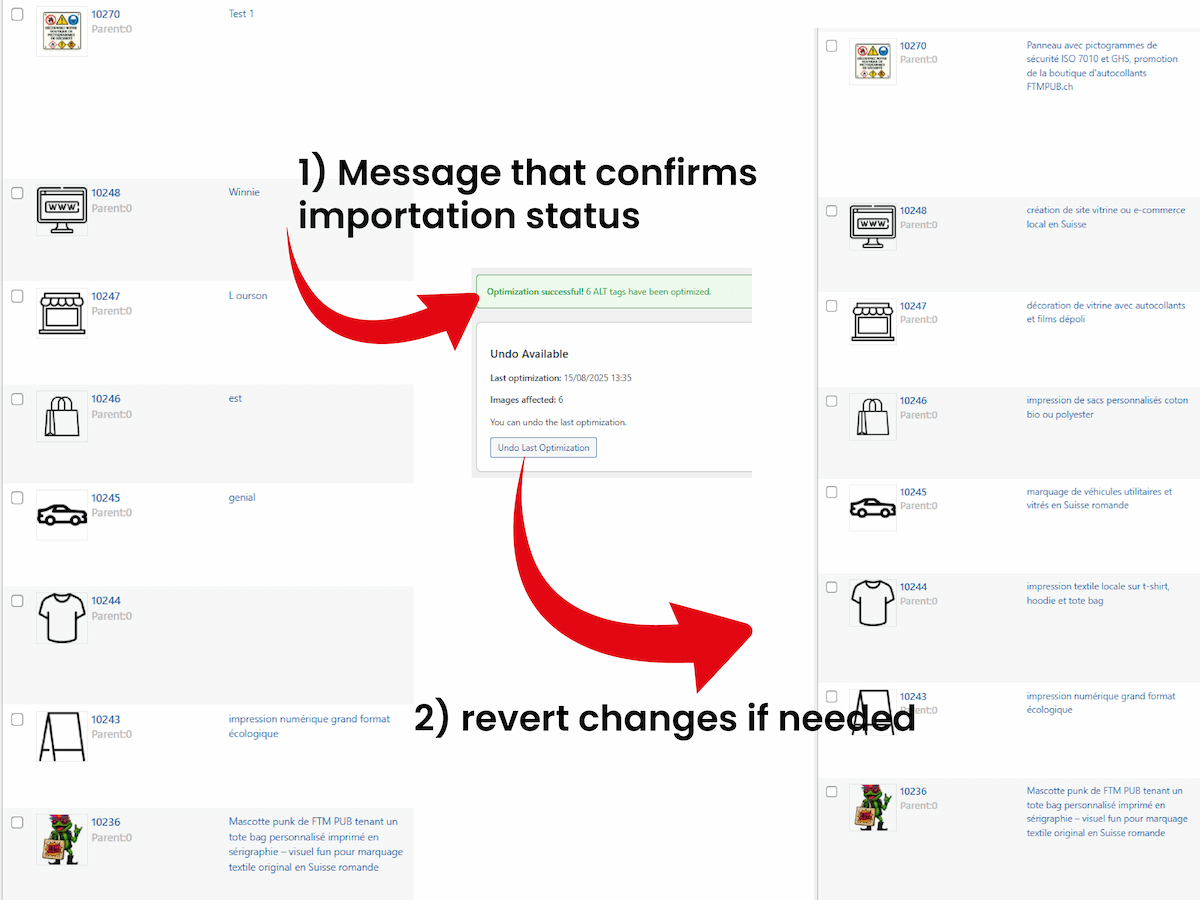
- Backup & restore — undo the last optimization in one click
- Performance-safe limits — up to 10,000 rows per file, 5 MB max
- Security-first — nonces, capability checks, CSV-injection protection
- Internationalization — proper translator comments and text domain
- 100% free — no lock-in
Who is it for?
- WooCommerce stores with hundreds of product images
- Photographers and bloggers improving on-page SEO
- Any site aiming for better image accessibility
- Agencies managing multiple client sites
CSV Format
Your CSV must contain exactly two columns (case-insensitive):
- ID — WordPress attachment ID (numeric)
- ALT — The new ALT text for that image
Example (international/comma):
ID,ALT
123,Handmade ceramic mug on wooden table
Example (French/semicolon):
ID;ALT
123;Mug en céramique sur table en bois
How It Works
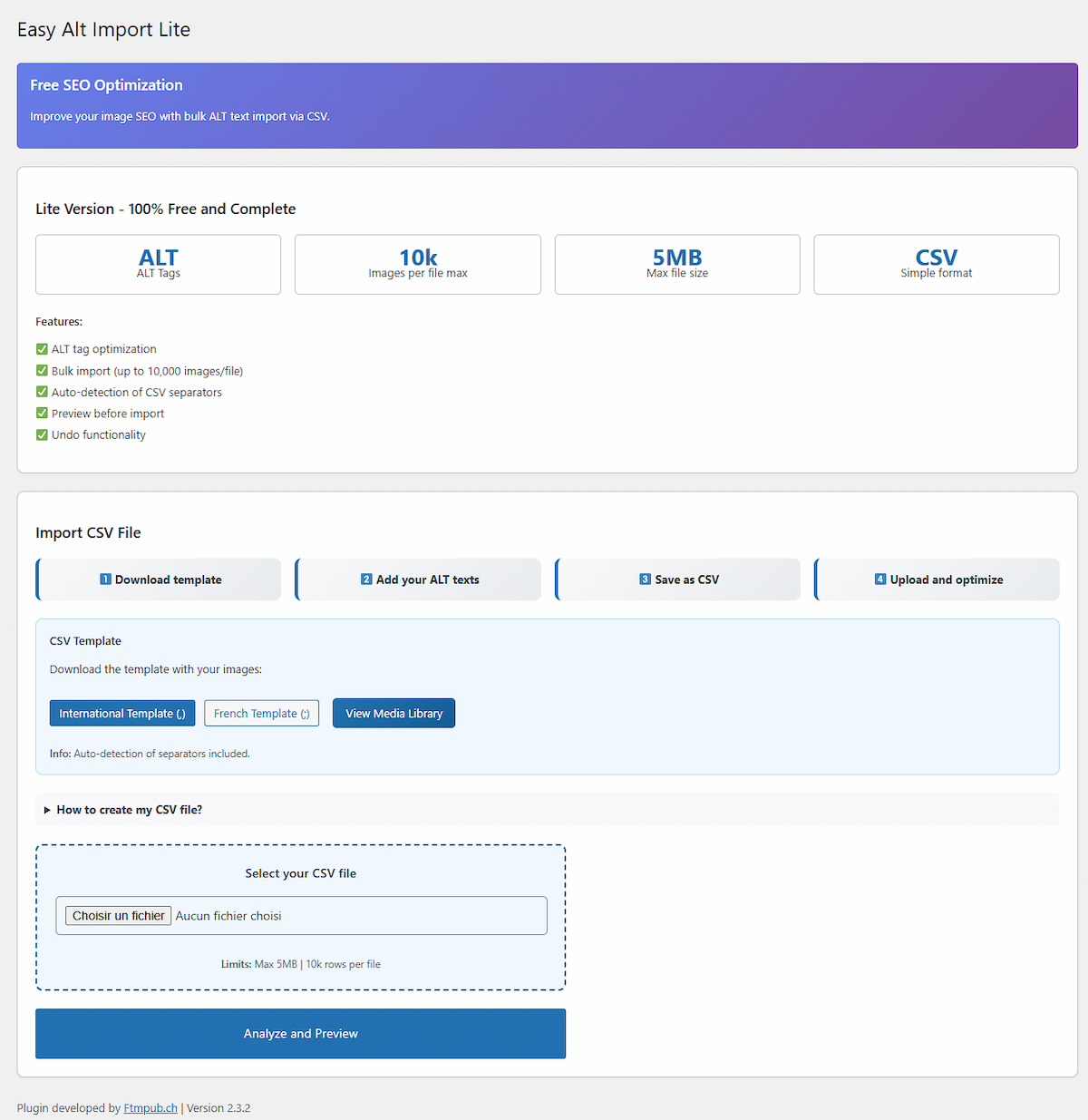
- Download the CSV template from Easy Alt Import in the admin menu.
- Open the file in Excel/LibreOffice/Numbers or any text editor.
- Edit only the ALT column; keep IDs unchanged.
- Save as CSV (UTF-8 recommended).
- Upload the CSV, preview, select, and apply your changes.
- If needed, Undo the last optimization.
Support
Need help or want the Pro version with extra features?
👉 Easy Alt Import Pro on FTMPUB.ch
Installation
Automatic Installation
- In the WordPress admin, go to Plugins Add New.
- Search for “Easy Alt Import Lite”.
- Click Install Now, then Activate.
Manual Installation
- Download the plugin ZIP.
- Go to Plugins Add New Upload Plugin.
- Upload the ZIP and click Activate.
Frequently Asked Questions
CSV and TXT (UTF-8 recommended). The plugin auto-detects comma and semicolon separators.
Maximum 5 MB per file and up to 10,000 rows per CSV (for safe processing).
Yes. The plugin stores a backup of the previous ALT texts and lets you restore them in one click.
Yes. It works with the regular WordPress Media Library, which WooCommerce also uses.
No. The Lite version modifies only the ALT meta (safe and focused).
Review feed
Screenshots
CSV import preview interface — Select images, compare current and new ALT texts before applying changes.
Successful optimization message with undo option — Confirmation notice and ability to revert changes in one click.
Main plugin dashboard — Download templates, upload your CSV, and launch bulk optimization.
Changelog
2.3.2
- Compliance pass: translator comments added for all placeholder strings
- “Escape late” applied to admin notices and outputs
- Nonce/capability checks reviewed for all actions
- CSV injection hardening and MIME validation
- UI copy updates; preview and stats polishing
2.3.1
- Minor fixes and code tidy-up
2.3.0
- Performance and stability improvements