

Easy Avatar Upload
Allows users to upload and manage a custom profile picture using the WordPress media library with enhanced security and user experience.
Plugin info
Maintenance & Compatibility
Maintenance score
Stale • Last updated 185 days ago
Is Easy Avatar Upload abandoned?
Likely maintained (last update 185 days ago).
Compatibility
Similar & Alternatives
Explore plugins with similar tags, and compare key metrics like downloads, ratings, updates, support, and WP/PHP compatibility.
Description
** Easy Avatar Upload ** gives your users full control over their profile pictures. Instead of being locked into Gravatar, users can upload their own avatars directly from their WordPress profile page.
No coding required – just install, activate, and enjoy a user-friendly profile picture uploader.
This plugin is ideal for membership sites, forums, WooCommerce stores, eLearning platforms, and blogs where personalized avatars build trust and improve engagement.
🚀 Features
- 🖼️ Custom Avatar Upload – Let users upload profile pictures directly from the profile page.
- 🔄 Gravatar Replacement – Override WordPress’s default Gravatar system with a user-uploaded image.
- 🎨 Theme Compatible – Works with most WordPress themes and frameworks.
- 👤 Frontend + Backend Support – Avatars display in user profile, comments, forums, WooCommerce, and more.
- 🧹 Lightweight & Fast – Minimal code, no bloat, designed for speed.
- 🛠️ Developer Friendly – Clean code with hooks/filters for customization.
- 🗑️ Easy Reset Option – Users can remove or reset their avatar anytime.
-
👥 Use Cases
-
Community & Forums Works perfectly with bbPress, BuddyPress, PeepSo
- E-Commerce Add personal avatars for WooCommerce customer accounts
- Multi-Author Blogs Authors can upload their own profile image for posts
- Learning Management (LMS) Students and teachers can upload profile pictures
- Corporate Sites Professional user profiles without Gravatar dependency
🔑 Why Choose Easy Avatar Upload?
- No need for external services (Gravatar)
- Increases user engagement & personalization
- Improves trust and credibility on your site
- Beginner-friendly setup – no configuration required
Usage
Use the shortcode: [easyavup_avatar]
Parameters
-
mode
- Controls how the avatar is displayed.
- Options:
viewShow only the avatar.editAllow users to upload/change/delete their avatar.
- Default:
view
Example: [easyavup_avatar mode=edit]
-
size
– Set the avatar size in pixels (width & height).
– Default: 96
Example: [easyavup_avatar size=150]
Examples
- Show a 100px avatar (view-only): [easyavup_avatar mode=view size=100]
- Show an editable avatar (120px): [easyavup_avatar mode=edit size=120]
Installation
- Upload the plugin files to the
/wp-content/plugins/easy-avatar-uploaddirectory, or install it directly through the WordPress plugins screen. - Activate the plugin through the Plugins screen in WordPress.
- Go to Users Profile (or edit any user) to see the new profile picture upload option.
- Upload or remove the profile picture as needed.
- You can use the following shortcode to display a public view of the avatar on any page or post: [easyavup_avatar mode=view size=100]
- You can use this shortcode to allow users to upload or change their avatar on any page or post: [easyavup_avatar mode=edit size=120]
Frequently Asked Questions
Yes, if a user uploads a custom profile picture, it will override their Gravatar. If no image is set, Gravatar or the default avatar will be used.
The plugin currently allows standard WordPress Media Library uploads (JPG, PNG, etc.) and respects your site’s upload limits.
Yes, it should work on multisite setups. Each site manages its own avatars.
Yes, but the user must be logged in to see or edit their avatar.
WordPress will display the default avatar (from Settings > Discussion).
Yes! Just paste the shortcode into a shortcode block (Gutenberg) or a shortcode widget (Elementor).
Review feed
Screenshots
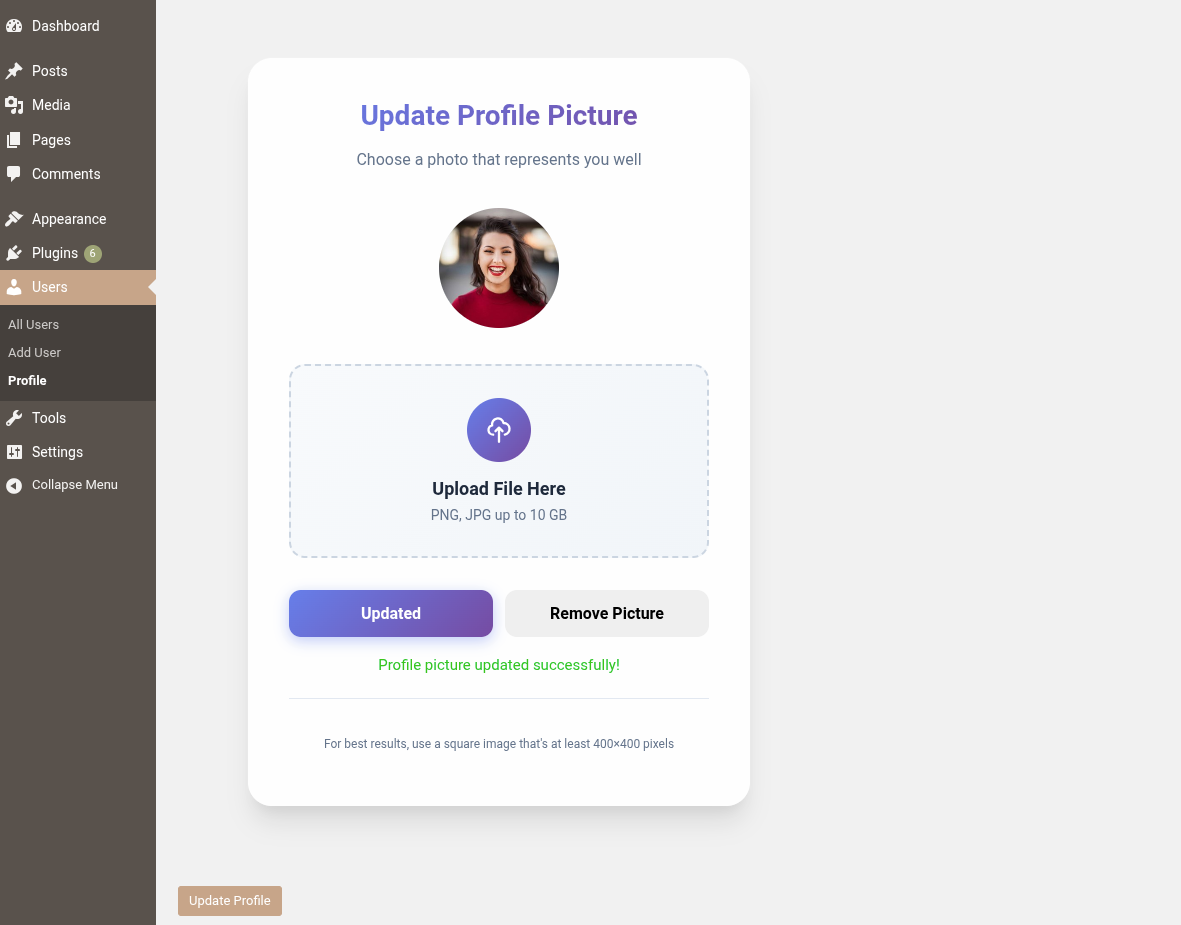
Custom profile picture upload option on the user profile page.

Use shortcode to display the profile picture on any page.
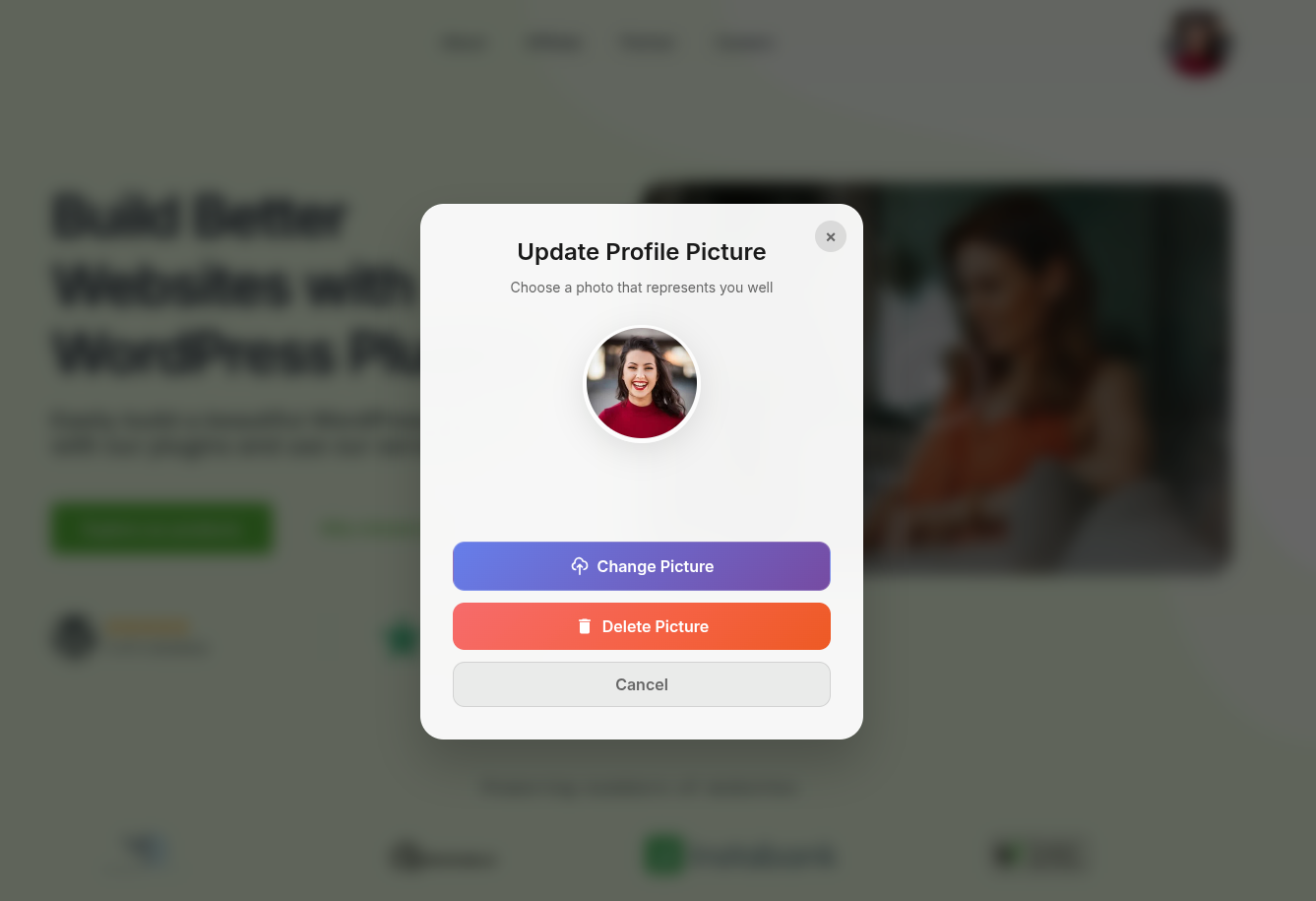
Enable users to change their profile picture via a popup.
Changelog
1.2
Updated settings and fixed some minor issues.
1.1
Now any users can change their avatar frontend or backend. updated Frontend Version and Re Structured.
1.0
- Initial release
- Upload and remove custom profile pictures
- Secure nonce validation and user capability checks
- Fallback to WordPress default avatar