

Easy Font Icons
Easy Font Icons will add a font icon to your post, page, or custom post type.
Plugin info
Maintenance & Compatibility
Maintenance score
Possibly abandoned • Last updated 4659 days ago • 1 reviews
Is Easy Font Icons abandoned?
Possibly abandoned (last update 4659 days ago).
Compatibility
Similar & Alternatives
Explore plugins with similar tags, and compare key metrics like downloads, ratings, updates, support, and WP/PHP compatibility.
Description
Easy Font Icons lets you add a font icon to any post, page, or custom post type. It displays a custom meta box below the content editor where you choose the icon and link it to the post.
You can choose to display the icon in two ways:
– by adding a function to the loop in your theme file
– appending the icon to the h1 tag of your post…
Installation
Once the plugin is activated, you need to navigate to the options page and select which post types should be used.
Any post type type that is selected will display a custom meta box on the edit page.
If you choose the default output option, you will need to use the following code within the loop of your theme to output the icon:
<?php mm_easy_font_icons::mm_efi_custom_icon() ?>
This method will output a <span> tag containing the icon and some inline CSS styles. This first option is more for developers or people who have some experience in modifying WordPress themes.
You can also choose the “before title” option. This will append the icon before the post title within the H1 tag.
Regardless of the method you choose, the icon will be output within a span tag with three CSS classes and some inline CSS.
The classes will be:
.mm_efi_{font-identifier}
.efi_font_{font-icon-letter}
.efi_post_num_{POST ID}
These three classes will vary depending on the font style selected, the icon (letter) selected, and the ID of the post.
You can override any syles by using these classes. You may need to use ‘!important’ with your CSS style declaration to make it override the existing styles.
If you have any difficulties with this plugin, please send me an email at: [email protected]
The plugin is simple to install:
- Download
easy-font-icons.zip - Unzip
- Upload
easy-font-iconsdirectory to your/wp-content/pluginsdirectory - Go to the plugin management page and enable the plugin
Frequently Asked Questions
What font icon sets are included?
Currently we have Modern Pictograms, Entypo Webfont, Heydings Controls, Heydings Icons & Socialico.
Review feed
Screenshots
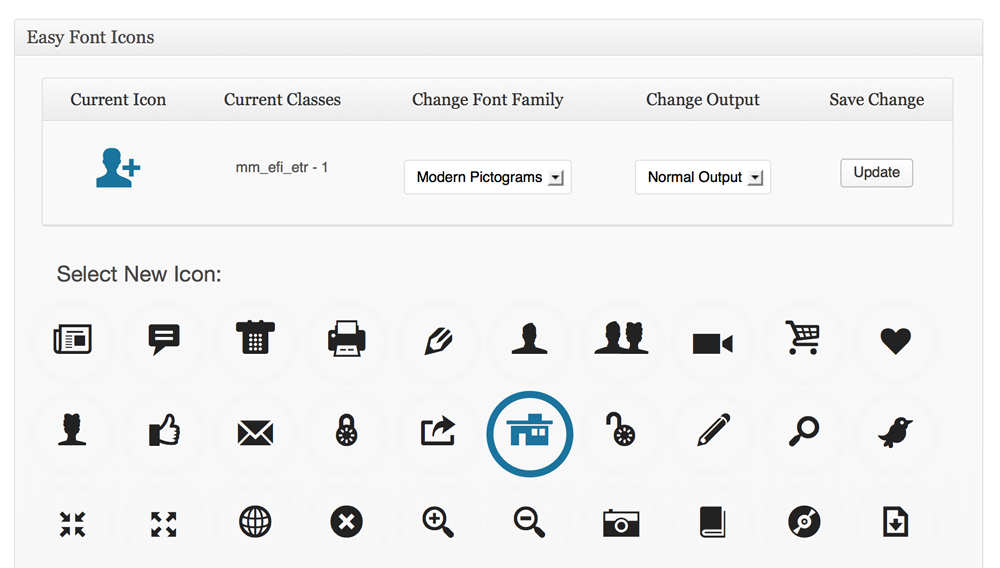
Custom Meta Box screenshot-1.png.
Changelog
1.0
- Initial release
1.0.1
- First Tagged Update
1.0.7
- Added Socialico Font