

Plugin info
Maintenance & Compatibility
Maintenance score
Stale • Last updated 309 days ago
Is Easy Hierarchy abandoned?
Likely maintained (last update 309 days ago).
Compatibility
Similar & Alternatives
Explore plugins with similar tags, and compare key metrics like downloads, ratings, updates, support, and WP/PHP compatibility.
Description
Managing complex page hierarchies in WordPress can be a challenge. Easy Hierarchy streamlines your workflow by adding powerful tools to the admin area, making it simple to filter top-level pages and visualize parent-child relationships for every item.
Features:
– Adds a “Page Tree” submenu under Pages for a full visual hierarchy overview.
– Displays parent and child relationships in a collapsible tree.
– Quick search box to filter pages by title.
– Shows publish date, last revision date, and status for each page.
– Direct Edit and View links for every page in the tree.
– Highlights number of child pages for each parent.
– Adds a “Parent” column to the Pages list:
– See the full parent hierarchy for each page, with clickable links to filter by parent.
– Instantly view the number of child pages for any page, with quick filtering.
– Fully integrated with the WordPress admin interface.
Installation
- Install the plugin via the WordPress.org plugin directory or upload the files to your server.
- Activate the plugin through the ‘Plugins’ menu in WordPress.
- Visit the Pages > Page Tree screen to see the new hierarchy management features.
Frequently Asked Questions
Go to the Pages section in your WordPress admin and click on “Page Tree” in the submenu. You’ll see a visual tree of your pages, with search and quick actions.
Currently, Easy Hierarchy is designed for the built-in “Pages” post type. Support for custom post types may be added in future versions.
Yes! Each page in the tree has Edit and View buttons for quick access.
The “Parent” column in the Pages list shows the full parent hierarchy for each page, with clickable links to filter by parent. It also displays the number of child pages for each page, making it easy to navigate and manage complex hierarchies.
Review feed
Screenshots
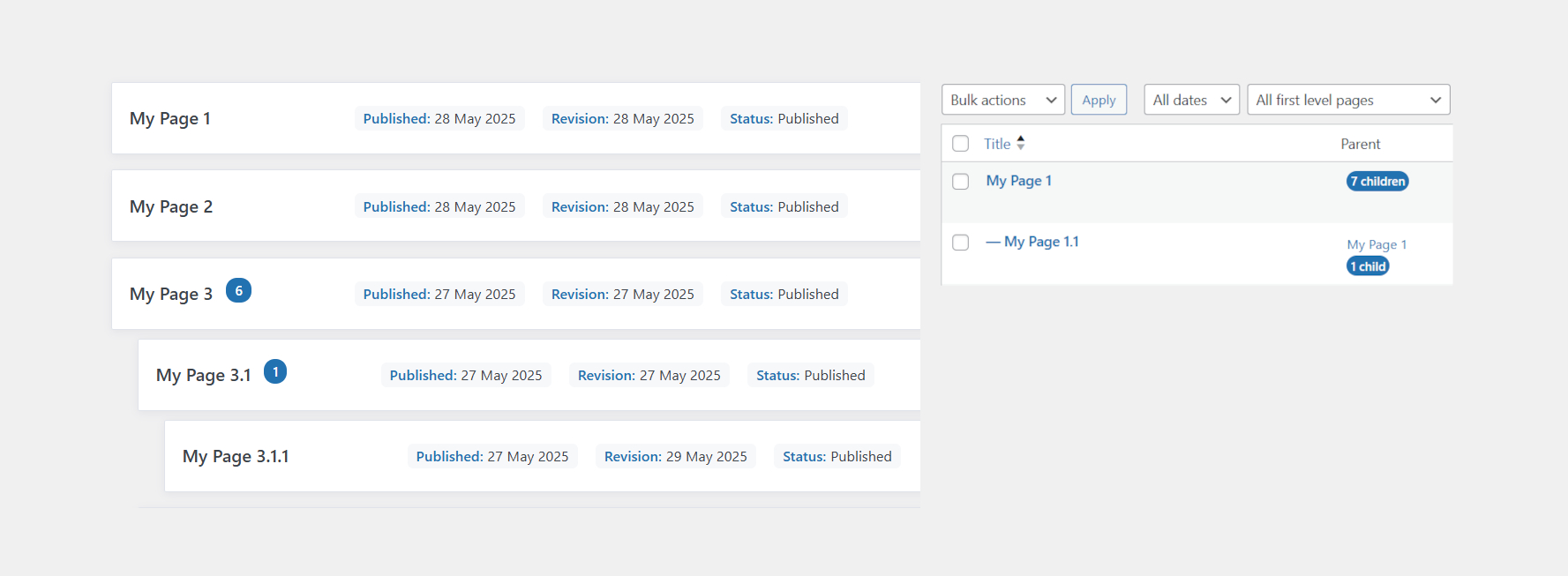
New "Page Tree" submenu in the Pages admin screen
Changelog
2.0.1 2025-05-29
- Added: Page Tree view for visualizing page hierarchy
- Added: Quick search/filter for pages in the tree
- Added: Edit and View actions for each page in the tree
- Improved: User interface and hierarchy overview
- Fixed: Minor bugs
1.2 20220901
- Compatibility check
- Minor changes
1.1 20201003
- Minor improvements
- Better description and assets
- Added translation system
1.0 20200921
- First release