

Easy Image Collage
Create beautiful responsive image collages for all your posts and pages
Plugin info
Maintenance & Compatibility
Maintenance score
Maintained • Last updated 122 days ago • 22 reviews
Is Easy Image Collage abandoned?
Likely maintained (last update 122 days ago).
Compatibility
Developers
Similar & Alternatives
Explore plugins with similar tags, and compare key metrics like downloads, ratings, updates, support, and WP/PHP compatibility.
Description
Use Easy Image Collage to easily add responsive image collages to your posts, pages or any custom post type. Similar to apps like Diptic, Pic Jointer and Instagram Layouts.
Go to our website for documentation and video lessons on all our features.
An overview of the Easy Image Collage features:
- Compatible with both the Classic Editor and new Gutenberg editor
- Multiple responsive layouts for your collages
- Optionally switch to regular images on mobile
- Easily change the size of the layouts
- Intuitive drag and drop interface
- Add multiple collages to any post type
- Open images in a lightbox of your choice
- Display Pinterest button for sharing your images
- Uses actual images for optimal SEO
We also have a Easy Image Collage Premium version which offers the following features:
- Add captions to the images in the collage
- Set custom links for your images
- Unlimited possibilities by creating your own layout
- Adjust borders to get layouts however you want
- Use image manipulation to get them just right
- Apply Instagram-like filters to your images
- Show the image sizes for pixel perfect collages
Installation
- Upload the
easy-image-collagedirectory (directory included) to the/wp-content/plugins/directory - Activate the plugin through the ‘Plugins’ menu in WordPress
- Add image collages on the page or post screen
Frequently Asked Questions
Review feed
Works Great
Good plugin
Screenshots
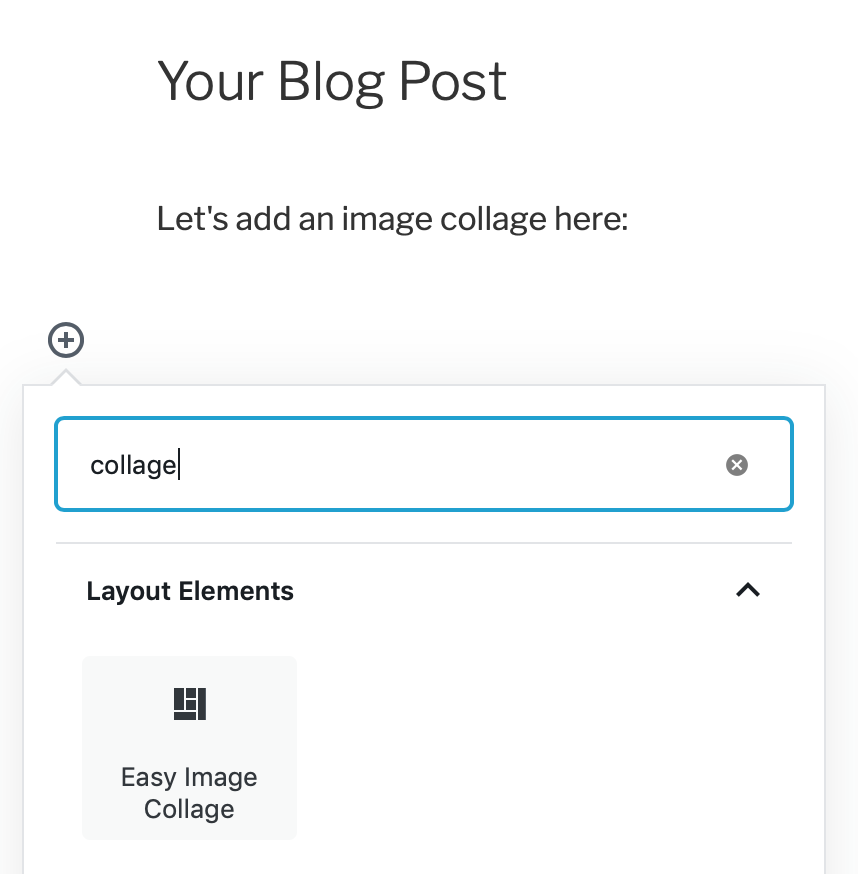
Add the Easy Image Collage block to start

Choose the layout you want to use by clicking on it

Add your images and adjust the borders
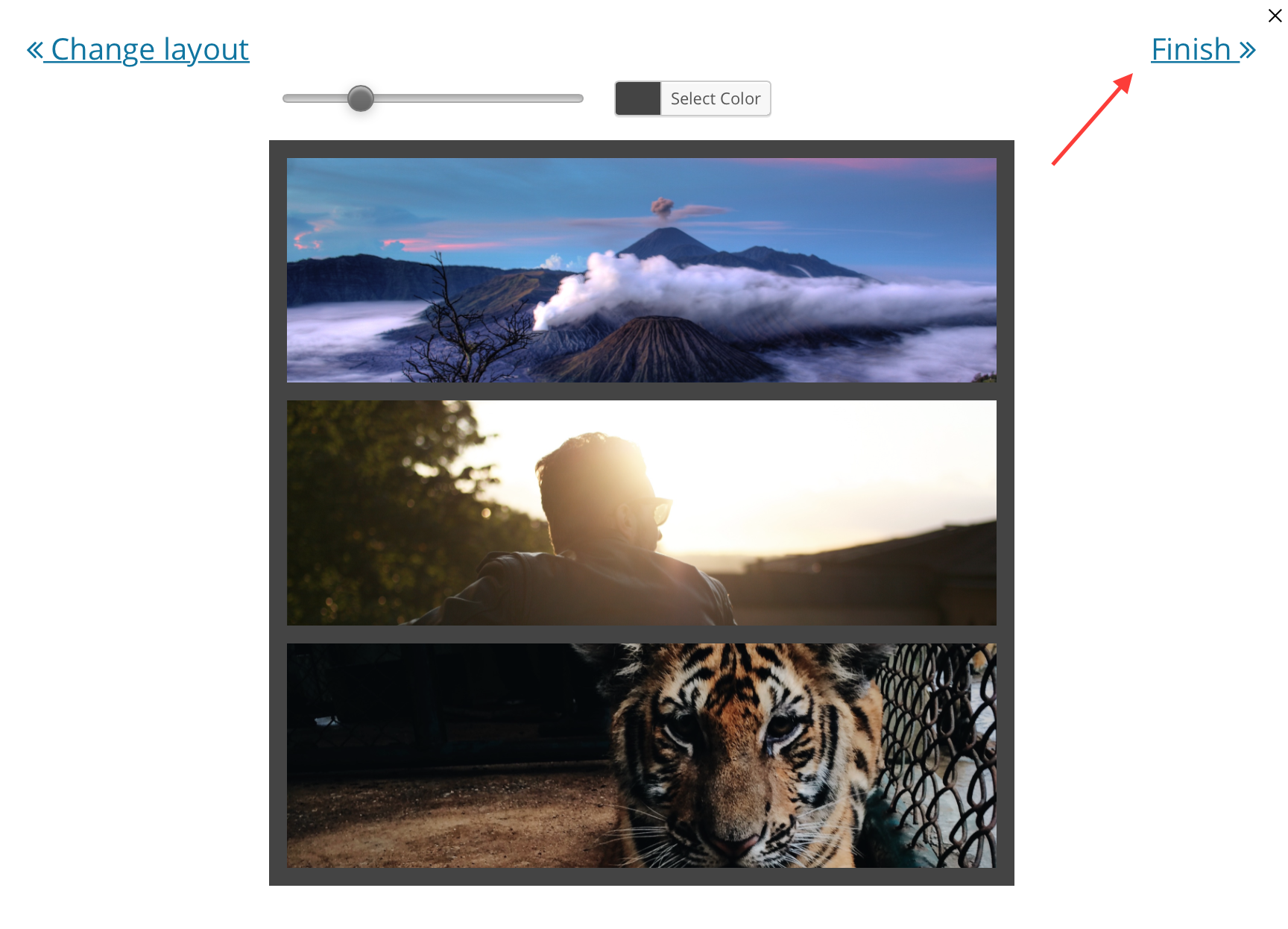
Click on the Finish button when you're ready!
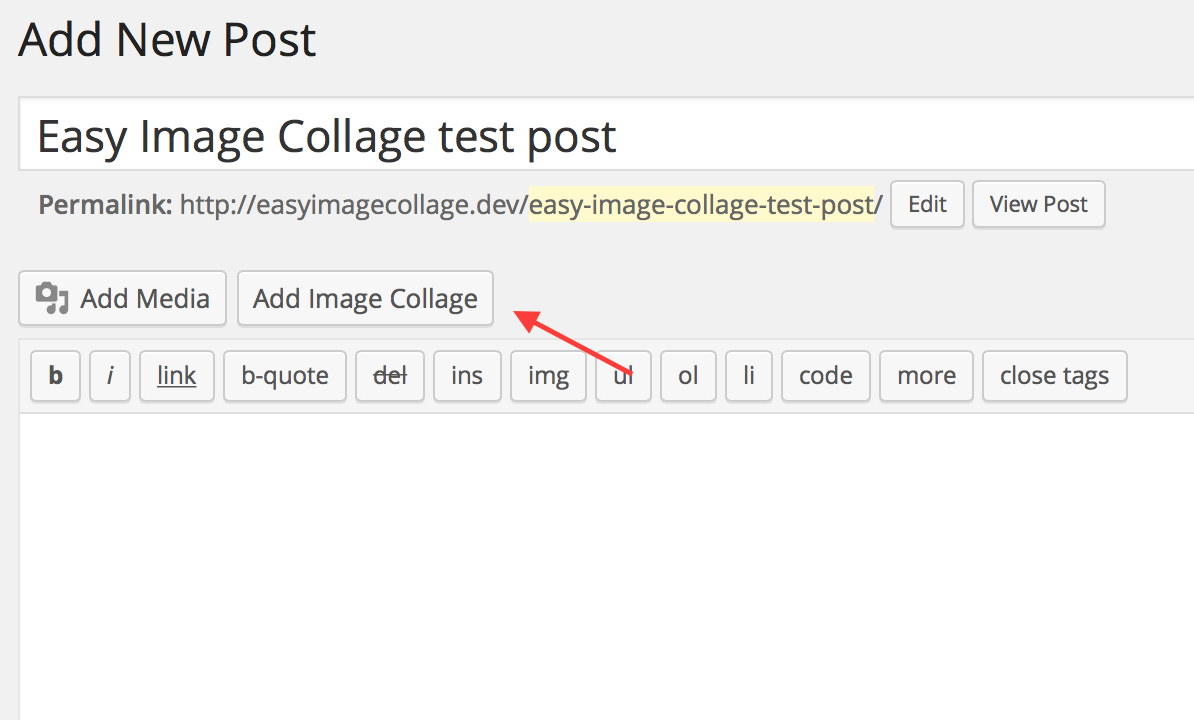
Also compatible with the classic editor
Changelog
1.13.6
- Fix: Make sure user has the correct capability to edit image collages
1.13.5
- Fix: PHP 8.2 deprecation warnings
1.13.4
- Fix: PHP 8 deprecation warnings
- Fix: Gutenberg deprecations
1.13.3
- Fix: Problem adding images to collage that was created empty
1.13.2
- Fix: Settings page WordPress 5.5 compatibility
1.13.1
- Improved: Refactor deprecated media button hook
1.13.0
- Feature: Turn collage into regular images on mobile
- Feature: Plugin hooks to alter collage output
1.12.1
- Improvement: Collage still works when going from Gutenberg to Classic Editor
- Fix: Preview when using in Classic Editor block in Gutenberg
1.12.0
- Improvement: No part of the image gets lost behind the borders
- Improvement: WordPress 5.0 compatibility
- Fix: Gutenberg block when converting from shortcode
1.11.0
- Feature: Gutenberg block compatibility
1.10.1
- Improvement: Privacy policy content for GDPR
1.10.0
- Feature: Ability to change the default pin description
- Fix: Use image alt tag when set in WordPress
- Fix: PHP 7.2 deprecated function
1.9.0
- Feature: Setting to open clickable images in new tab
- Improvement: Use local path when getting image size for a performance boost
- Improvement: Prevent getimagesize warnings
- Improvement: WordPress 4.9 compatibility
- Fix: Prevent jump to top when using EIC buttons
- Fix: Layout when using an RTL language
1.8.0
- Feature: AMP support
- Feature: Output actual images in collage (can be changed in settings)
1.7.1
- Feature: Upcoming giveaway surprise
- Improvement: WordPress 4.7 compatibility
1.7
- Feature: Have collage float around text
- Improvement: Increase max width of image collage to 2000px
- Fix: PHP7 warnings caused by settings library
1.6
- Feature: Enable Pinterest button for images in collage
- Fix: Problem when visual editor is disabled
- Fix: Prevent division by zero warning
1.5.1
- Bootstrapped Venture Giveaway
1.5
- Improvement: Allow borderless collage
- Improvement: WordPress 4.4 compatibility
1.4.1
- Fix: Problem when trying to add small images
1.4
- Fix: Make sure there is no white space inside borders
- Fix: Plugin action link
- Fix: A few PHP notices
1.3
- Feature: Change grid width and ratio
- Feature: Change grid alignment
- Feature: Collage preview in Visual Editor
- Improvement: Background pattern for empty image locations
- Improvement: Easier to reposition images
- Fix: Problem with editing newly added grid before saving the post
1.2
- Fix: Compatibility issue with Firefox
1.1
- Improvement: Ability to change class and rel for lightbox links
- Fix: Problem in backend for RTL languages
1.0
- The very first version of the Easy Image Collage plugin